React and JavaScript are two of the most widely used technologies for modern web development. From interactive websites and SaaS applications to dashboards, eCommerce platforms, and mobile applications, developers use these technologies to build fast and responsive digital experiences.
However, developing modern applications requires time, technical knowledge, and continuous problem-solving. Developers often spend hours writing components, debugging JavaScript errors, managing application states, improving website performance, and maintaining complex codebases.
This is where artificial intelligence can make a significant difference. The best AI tools for React and JavaScript development help developers generate code, create reusable components, fix bugs, improve application performance, and automate repetitive programming tasks.
Whether you are a beginner learning React, a professional JavaScript developer, or a business owner building a web application, AI coding assistants can simplify your development workflow.
Modern AI tools can understand natural language instructions, analyze existing project files, suggest programming solutions, and generate functional code. Some platforms also provide AI agents that can complete multi-step development tasks.
In this guide, we will explore the best AI tools for React and JavaScript development, compare their features, discuss their advantages and disadvantages, and explain how to choose the right AI coding assistant for your projects.
What Are AI Tools for React and JavaScript Development?
AI tools for React and JavaScript development are software applications that use artificial intelligence to assist developers with frontend and backend programming tasks.
These tools can generate React components, write JavaScript functions, explain existing code, identify errors, and recommend improvements.
For example, instead of manually creating a responsive navigation menu, you can describe your requirements to an AI coding assistant. It can generate an initial React component that you can review, customize, and integrate into your application.
Similarly, AI development tools can help troubleshoot JavaScript errors, improve React component structures, and create reusable code.
How AI Coding Tools Work
Most modern AI coding platforms use large language models (LLMs) trained on programming languages, technical documentation, and software development information.
They analyze your instructions and generate code based on the available project context.
Some common capabilities include:
- React Component Generation: Creates reusable React components using written instructions.
- JavaScript Code Generation: Generates functions, scripts, and application logic.
- Code Completion: Suggests code while developers type.
- Error Detection: Helps identify JavaScript and React programming mistakes.
- Code Refactoring: Recommends improvements to existing code.
- Documentation Assistance: Explains functions, components, and application structures.
- Testing Support: Helps create unit tests and identify potential issues.
- Frontend Development: Generates responsive layouts, forms, dashboards, and user interfaces.
These capabilities help developers save time while maintaining control over the final application.
Best AI Tools for React and JavaScript Development
There are many AI coding assistants available, but each platform offers different features and development workflows.
Some focus on code completion, while others provide complete AI-powered development environments. Here are ten of the best AI tools for React and JavaScript development worth considering.
1. Cursor: Best AI Code Editor for React Development
Cursor is an AI-powered code editor designed to help developers write, understand, and modify code more efficiently.
It is particularly useful for React and JavaScript developers because it can work with multiple project files and understand the structure of an existing codebase.
Developers can describe a new feature in natural language, and Cursor can help generate React components, update JavaScript functions, and modify existing application files.
For example, you can ask Cursor to create a responsive React dashboard with navigation, reusable cards, and interactive charts. It can help implement the required components and make changes across the project.
Key Features:
- AI-powered React component generation.
- Intelligent JavaScript code completion.
- Multi-file editing and project understanding.
- Code debugging and refactoring assistance.
- AI agent development workflows.
- Support for different AI models.
Best For: React developers, JavaScript programmers, professional software engineers, and development teams.
Pros:
- Excellent project-level code understanding.
- Helps automate repetitive programming.
- Useful for large React applications.
- Supports complex development tasks.
Cons:
- Beginners may need time to learn its interface.
- Advanced usage may require a paid subscription.
- Generated code requires manual verification.
Our Verdict: Cursor is one of the strongest options for React and JavaScript developers who want an AI-first coding environment with advanced editing and automation capabilities.
Website: https://cursor.com/
2. GitHub Copilot: Best for JavaScript Code Completion
GitHub Copilot is an AI coding assistant developed by GitHub and Microsoft. It helps developers write code faster by suggesting functions, completing programming statements, explaining code, and assisting with debugging.
For React developers, GitHub Copilot can generate functional components, suggest JSX structures, create JavaScript functions, and help work with React hooks.
It integrates with popular development environments such as Visual Studio Code, Visual Studio, and JetBrains IDEs.
This makes it convenient for developers who want AI programming assistance without changing their existing development environment.
Key Features:
- JavaScript code completion.
- React component generation.
- JSX and TypeScript assistance.
- AI-powered code explanations.
- Debugging and documentation support.
- Integration with popular code editors.
Best For: JavaScript developers, React programmers, beginners, and professional development teams.
Pros:
- Easy integration with existing editors.
- Supports multiple programming languages.
- Helps reduce repetitive coding.
- Useful for learning React and JavaScript.
Cons:
- Suggestions sometimes require corrections.
- Advanced capabilities depend on plan limits.
- Developers should review generated code.
Our Verdict: GitHub Copilot is a practical option for developers who want reliable AI coding assistance directly inside their preferred development environment.
Website: https://github.com/features/copilot
3. Claude Code: Best for Complex React Applications
Claude Code is an AI-powered coding agent developed by Anthropic. It helps developers understand codebases, modify project files, troubleshoot errors, and automate multi-step development tasks.
React and JavaScript developers can use Claude Code to create components, refactor application logic, update dependencies, and investigate frontend issues.
Unlike traditional autocomplete tools, Claude Code can work across multiple files and execute supported development commands.
For example, you can ask it to analyze a React application, identify duplicated components, and suggest a cleaner structure. It can then help implement the required modifications.
Key Features:
- React project analysis.
- Multi-file JavaScript editing.
- Component refactoring assistance.
- Automated debugging support.
- Terminal-based development workflow.
- Git and command-line integration.
Best For: Experienced React developers, JavaScript engineers, and teams managing complex applications.
Pros:
- Useful for larger codebases.
- Supports multi-step programming tasks.
- Helps improve code organization.
- Automates repetitive development activities.
Cons:
- Terminal knowledge is helpful.
- Developers need to review generated changes.
- Usage costs depend on the selected plan.
Our Verdict: Claude Code is a strong choice for developers who need an AI agent to work on complex React and JavaScript development tasks.
Website: https://claude.com/product/claude-code
4. OpenAI Codex: Best for AI-Powered Software Engineering
OpenAI Codex is an AI-powered software engineering agent designed to help developers build, modify, test, and understand software projects.
React and JavaScript developers can use Codex to implement frontend features, investigate bugs, update project files, and create automated tests.
For example, you can ask Codex to add a search feature to a React application, improve an existing component, or investigate why a JavaScript function is producing an unexpected result.
It can work through development tasks in supported environments and provide changes for developers to review.
Key Features:
- AI-powered software engineering.
- React and JavaScript code assistance.
- Code generation and modification.
- Bug investigation and fixing.
- Test creation and execution.
- Support for multi-step coding tasks.
Best For: React developers, software engineering teams, JavaScript programmers, and businesses automating development workflows.
Pros:
- Helps complete multi-step coding tasks.
- Supports code modification and testing.
- Useful for debugging larger projects.
- Reduces repetitive development work.
Cons:
- Requires clear task instructions.
- Generated changes need testing.
- Complex projects may require developer supervision.
Our Verdict: OpenAI Codex is worth considering if you want an AI agent that can assist with React and JavaScript development beyond basic code suggestions.
Website: https://developers.openai.com/codex/
5. Windsurf: Best AI Development Environment for JavaScript
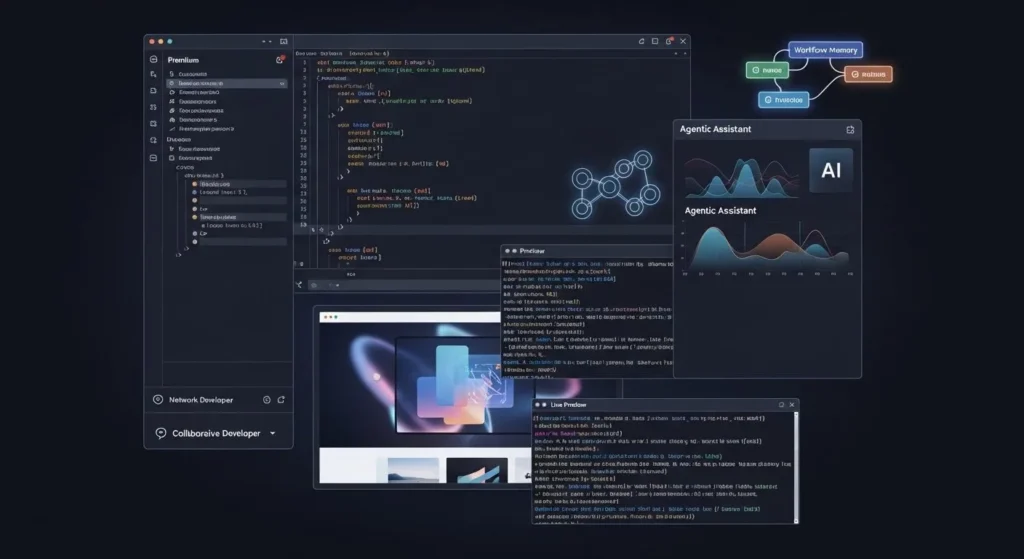
Windsurf is an AI-powered development environment that combines traditional coding features with intelligent automation.
Its Cascade experience helps developers understand project context, generate code, edit multiple files, and complete programming tasks using natural language instructions.
React developers can use Windsurf to create components, modify application layouts, troubleshoot JavaScript errors, and improve existing projects.
It is especially useful for developers who prefer an AI-first coding environment rather than a traditional editor with basic autocomplete features.
Key Features:
- AI-powered React development.
- JavaScript code generation.
- Project-wide code understanding.
- Multi-file editing.
- Intelligent debugging assistance.
- Natural language programming instructions.
Best For: React developers, JavaScript programmers, freelancers, and software development teams.
Pros:
- Convenient AI development workflow.
- Helps with larger programming tasks.
- Reduces repetitive manual work.
- Supports project-level assistance.
Cons:
- AI-generated code requires verification.
- Some advanced features may require paid access.
- Developers still need technical knowledge.
Our Verdict: Windsurf is a useful option for developers looking for an AI-powered environment to build and maintain modern JavaScript applications.
Website: https://windsurf.com/
6. Replit: Best for Beginners Learning React and JavaScript
Replit is an online development platform that allows users to write, run, test, and deploy applications directly from a browser.
Its AI-powered Agent helps users create applications using natural language instructions. This makes it particularly useful for beginners who want to learn React and JavaScript without spending time configuring a local development environment.
Users can describe an application idea, and Replit can help generate its initial structure, frontend components, and supporting functionality.
For example, you can ask Replit to create a React-based task management application with a navigation menu, task cards, and an interactive form.
Key Features:
- AI-powered application generation.
- Browser-based coding environment.
- React and JavaScript development support.
- Code generation and editing.
- Debugging assistance.
- Application deployment options.
Best For: Beginners, students, entrepreneurs, and developers building prototypes.
Pros:
- No complicated local setup.
- Beginner-friendly environment.
- Useful for learning programming.
- Supports rapid application development.
Cons:
- Advanced applications may need manual development.
- Usage and deployment can depend on plan limits.
- Complex projects may require more technical control.
Our Verdict: Replit is an excellent starting point for beginners who want to learn React and JavaScript while building practical applications.
Website: https://replit.com/
7. Lovable: Best for Building React Applications With Prompts
Lovable is an AI-powered application development platform that helps users create websites and web applications through natural language prompts.
It is particularly useful for entrepreneurs, designers, and developers who want to turn an idea into a working product without manually writing every component.
Lovable can generate frontend interfaces and support application functionality using modern web development technologies.
For React developers, it can help create dashboards, landing pages, admin panels, and early-stage SaaS applications.
Users can describe their requirements, review the generated interface, and request further changes through prompts.
Key Features:
- Prompt-based application development.
- AI-generated frontend components.
- React-based application creation.
- Database integration options.
- Rapid application prototyping.
- Code export and development integrations.
Best For: Startup founders, designers, entrepreneurs, and developers building MVPs.
Pros:
- Simple natural language workflow.
- Useful for rapid prototyping.
- Reduces initial frontend development time.
- Helps create functional application concepts.
Cons:
- Complex applications may need manual coding.
- Generated code requires review.
- Advanced customization may require programming knowledge.
Our Verdict: Lovable is a useful platform for creating React-based application prototypes and turning ideas into working products.
Website: https://lovable.dev/
8. v0 by Vercel: Best for React UI Generation
v0 is an AI-powered development tool from Vercel that helps developers generate user interfaces and frontend applications using natural language instructions.
It is particularly useful for React developers who want to create responsive website layouts, dashboards, navigation menus, forms, and reusable interface components.
Instead of manually writing every JSX element and styling rule, developers can describe the interface they want to create.
v0 can generate frontend code and help developers refine the design through additional prompts.
This makes it valuable for frontend developers who want to speed up UI development while maintaining control over the generated code.
Key Features:
- AI-powered React UI generation.
- Responsive frontend components.
- Natural language design instructions.
- JSX and component generation.
- Rapid interface prototyping.
- Integration with the Vercel ecosystem.
Best For: React developers, frontend engineers, UI designers, and web development agencies.
Pros:
- Speeds up frontend development.
- Helps create modern website interfaces.
- Useful for responsive layouts.
- Reduces repetitive UI coding.
Cons:
- Complex backend functionality requires additional development.
- Generated components may need customization.
- Developers should review accessibility and responsiveness.
Our Verdict: v0 is an excellent choice for developers who want to generate modern React interfaces and accelerate frontend development.
Website: https://v0.app/
9. Amazon Q Developer: Best for JavaScript Cloud Development
Amazon Q Developer is an AI-powered coding assistant designed to support software development, particularly within the Amazon Web Services ecosystem.
JavaScript developers can use it to generate code, understand programming concepts, troubleshoot errors, and work with cloud-based application environments.
It is particularly useful for developers building applications that use AWS services such as Lambda, API Gateway, and other cloud infrastructure components.
React developers working on cloud-connected applications may also benefit from its development assistance.
Key Features:
- JavaScript code suggestions.
- Code generation and explanations.
- AWS development assistance.
- Security-related code scanning features.
- Application modernization support.
- Integration with development environments.
Best For: JavaScript developers, cloud engineers, AWS users, and enterprise development teams.
Pros:
- Strong AWS ecosystem integration.
- Helpful for cloud application development.
- Supports different programming workflows.
- Useful for application modernization.
Cons:
- Most valuable for AWS-related projects.
- Advanced cloud development requires technical knowledge.
- Some capabilities depend on account permissions and plan availability.
Our Verdict: Amazon Q Developer is a suitable choice for JavaScript developers building applications that depend on AWS services and cloud infrastructure.
Website: https://aws.amazon.com/q/developer/
10. Tabnine: Best for AI Code Completion and Enterprise Development
Tabnine is an AI coding assistant designed to help developers write code more efficiently while maintaining greater control over their development environments.
It provides intelligent code completion, code generation, and programming assistance across supported development environments.
React developers can use Tabnine to generate component structures, complete JavaScript functions, and reduce repetitive programming activities.
It also offers enterprise-focused privacy and deployment options that may appeal to organizations working with proprietary software projects.
Key Features:
- AI-powered JavaScript code completion.
- React component suggestions.
- Code generation and explanation.
- Development environment integrations.
- Enterprise-focused privacy controls.
- Support for multiple programming languages.
Best For: Enterprise developers, JavaScript programmers, software companies, and organizations with code privacy requirements.
Pros:
- Enterprise-focused capabilities.
- Helps improve coding productivity.
- Supports different development environments.
- Useful for repetitive programming tasks.
Cons:
- Advanced features may require paid plans.
- Individual developers may find simpler tools sufficient.
- Generated suggestions require review.
Our Verdict: Tabnine is worth considering for development teams that need AI coding assistance with additional privacy and deployment controls.
Website: https://www.tabnine.com/
Quick Comparison of the Best AI Tools for React and JavaScript Development
Choosing between AI coding platforms becomes easier when you compare their primary use cases and development capabilities.
| AI Tool | Best For | Main Strength |
|---|---|---|
| Cursor | Advanced React coding | Multi-file editing |
| GitHub Copilot | JavaScript coding | Code completion |
| Claude Code | Complex React projects | Coding agents |
| OpenAI Codex | Automated development | Task execution |
| Windsurf | AI-assisted coding | Agentic IDE |
| Replit | Beginners | Browser-based development |
| Lovable | React app building | Prompt-based creation |
| v0 | React frontend development | UI generation |
| Amazon Q Developer | Cloud applications | AWS integration |
| Tabnine | Enterprise teams | Privacy controls |
Each tool serves a different purpose. Some are designed for professional React developers, while others help beginners build applications without extensive programming experience.
The best option depends on your technical requirements, project complexity, development environment, and budget.
Benefits of Using AI Tools for React and JavaScript Development
AI coding assistants provide several benefits for frontend developers and JavaScript programmers. They can simplify repetitive tasks, improve coding productivity, and help teams develop applications more efficiently.
1. Faster React Component Development
React applications often contain multiple reusable components, including navigation menus, forms, buttons, cards, and dashboards.
Creating these components manually can take time, particularly when projects require consistent design and functionality.
AI coding tools can generate initial React components from written instructions. Developers can then customize the output to match their application’s requirements.
2. Improved JavaScript Code Generation
JavaScript is used for frontend functionality, backend development, and interactive web applications.
AI coding assistants can generate JavaScript functions, event handlers, API requests, and application logic.
This reduces repetitive coding and helps developers focus on more important programming tasks.
3. Easier React Debugging
React developers frequently encounter problems related to component rendering, state management, props, and dependency updates.
AI tools can analyze error messages, explain potential causes, and suggest possible fixes.
This makes troubleshooting easier, particularly for developers who are working with unfamiliar codebases.
4. Better Code Refactoring
As React applications grow, maintaining clean and reusable code becomes increasingly important.
AI coding assistants can identify duplicated logic, suggest component improvements, and help reorganize application files.
This can make projects easier to maintain and update.
5. Faster Frontend Prototyping
Platforms such as v0, Lovable, and Replit help developers create frontend prototypes quickly.
Instead of manually designing every interface component, developers can describe their requirements and generate an initial design.
This is particularly helpful for startups and agencies that need to present application concepts to clients.
6. Improved Learning Experience
Beginners can use AI coding tools to understand JavaScript concepts, learn React hooks, explore JSX syntax, and review programming examples.
AI assistants can explain why a particular function works and suggest alternative approaches.
However, beginners should understand the generated code rather than copying it without learning how it works.
7. Reduced Development Time
AI tools can automate repetitive coding activities, generate boilerplate code, and assist with debugging.
This can reduce development time and help teams focus on application architecture, user experience, and business requirements.
However, AI-generated code still requires testing, security checks, and developer review.
How to Choose the Best AI Tool for React and JavaScript Development
Not every AI coding assistant is suitable for every developer. Your choice should depend on your experience, project requirements, and preferred development workflow.
1. Check React and JavaScript Support
Choose a platform that can work effectively with JavaScript, TypeScript, JSX, and modern React development practices.
Also check whether it supports frameworks and libraries used in your projects.
2. Consider Your Development Experience
Beginners may prefer Replit, Lovable, or GitHub Copilot because they offer accessible development workflows.
Experienced programmers may prefer Cursor, Claude Code, or OpenAI Codex for more advanced project-level assistance.
3. Evaluate Code Generation Quality
An AI coding assistant should generate readable, maintainable, and relevant code.
Test the platform with a small React project before using it for important development work.
4. Review Debugging Capabilities
Look for tools that can understand error messages, inspect project files, and recommend useful fixes.
For larger projects, multi-file analysis and AI agent capabilities can be particularly valuable.
5. Compare Pricing and Usage Limits
Many AI development tools provide free plans or limited usage options.
Compare subscription prices, model access, request limits, and available features before choosing a paid plan.
6. Check Integration Options
Your preferred AI coding assistant should work with your existing development environment.
Consider integrations with Visual Studio Code, GitHub, Git, deployment services, and other development tools.
7. Prioritize Security
Review how the platform handles your source code and project information.
Always protect API keys, passwords, private credentials, and sensitive customer information.
Best AI Tools for Different React and JavaScript Development Tasks
If you are unsure which platform to choose, the following recommendations can help you select a suitable tool.
| Development Requirement | Recommended AI Tool |
|---|---|
| Advanced React development | Cursor |
| JavaScript code completion | GitHub Copilot |
| Complex application refactoring | Claude Code |
| Automated coding tasks | OpenAI Codex |
| AI-powered development environment | Windsurf |
| Learning React and JavaScript | Replit |
| Building React applications | Lovable |
| React UI component generation | v0 |
| AWS-powered JavaScript applications | Amazon Q Developer |
| Enterprise code assistance | Tabnine |
These recommendations are based on the primary strengths of each platform rather than a universal ranking.
Tips for Getting Better Results From AI Coding Assistants
AI coding tools can produce better results when developers provide clear instructions and follow a structured workflow.
Here are some practical ways to improve your results.
Write Specific Development Prompts
Avoid giving vague instructions such as “Build a React website.”
Instead, explain the application’s purpose, design, features, and preferred technologies.
For example:
“Create a responsive React dashboard using JavaScript and CSS. Include a sidebar navigation menu, header, statistics cards, user profile section, and interactive chart. Use reusable components and maintain a clean project structure.”
Detailed prompts help AI tools understand your requirements.
Use Reusable React Components
Ask AI coding assistants to create reusable components rather than generating large amounts of repeated JSX.
This helps maintain consistent application structures and makes future updates easier.
Review State Management Logic
React applications often depend on state and data flow.
Carefully review how AI-generated components use useState, useEffect, props, and other React hooks.
Incorrect state management can create rendering issues and unexpected application behavior.
Test Generated JavaScript Code
Always test generated functions, event handlers, API requests, and validation logic.
Check whether the code handles invalid inputs, unexpected responses, and common application errors.
Use Git Version Control
Create Git commits before allowing AI agents to make major changes.
This allows you to review modifications and restore previous versions when necessary.
Optimize Application Performance
Ask AI coding assistants to review unnecessary re-renders, duplicated components, inefficient JavaScript functions, and large dependencies.
However, verify performance recommendations using appropriate testing and profiling tools.
Review Security Before Deployment
Check authentication, API requests, input validation, and third-party dependencies before publishing your application.
Never assume that AI-generated code is automatically secure.
The Future of AI Tools for React and JavaScript Development
AI-powered development is moving beyond simple autocomplete suggestions. Modern AI coding platforms increasingly use autonomous agents that can analyze project structures, modify multiple files, execute commands, and assist with software testing.
This development is creating new opportunities for React developers and JavaScript programmers.
More Advanced React Code Generation
AI tools will continue improving their ability to generate reusable components, responsive layouts, and application structures.
This can help developers build frontend interfaces more efficiently.
Automated JavaScript Debugging
AI coding agents are becoming more capable of analyzing errors, investigating application behavior, and suggesting code modifications.
These capabilities can make debugging faster and more organized.
Improved Full-Stack Development
AI platforms will continue supporting frontend and backend workflows.
Developers will be able to use natural language instructions to create interfaces, connect APIs, configure databases, and test application functionality.
Better Application Testing
AI tools will increasingly help generate unit tests, identify potential defects, and improve test coverage.
This can help React development teams maintain application quality as projects grow.
Faster Development for Startups
Entrepreneurs and small businesses will be able to create application prototypes with fewer initial development resources.
AI tools can help turn business ideas into working products, although production applications will still require technical review and maintenance.
More Efficient Development Workflows
AI coding assistants will become increasingly integrated with code editors, repositories, testing tools, and deployment platforms.
This will help developers automate repetitive activities and spend more time solving important technical problems.
Human expertise will remain essential for architecture, security, performance, and final software quality.
Final Verdict:
The best AI tools for React and JavaScript development depend on your programming experience and project requirements.
If you are looking for an advanced AI-powered coding environment, Cursor is an excellent choice. GitHub Copilot is suitable for everyday JavaScript coding assistance, while Claude Code is particularly useful for complex React projects and multi-file development tasks.
OpenAI Codex is worth considering for automated software engineering, and Windsurf provides an AI-first development experience.
For beginners, Replit offers a convenient browser-based environment. Lovable is useful for creating application prototypes, while v0 is particularly valuable for generating React frontend interfaces.
Amazon Q Developer is a suitable choice for developers working with AWS services, and Tabnine is worth considering for enterprise coding assistance.
Our recommendation is to test two or three tools with a small React application before selecting a long-term solution.
AI coding assistants can make React and JavaScript development faster, but they should support your programming knowledge rather than replace it. Always review generated code, test application functionality, and follow secure development practices.
With the right AI development platform, you can improve productivity, simplify debugging, and build modern web applications more efficiently.
Must Read:
- Best AI Tools for Automated Coding and Software Development
- HTML, CSS, and JavaScript: How to Build a Website From Scratch With AI
- Best AI Tools for Python Programming and Automation
FAQs:
1. What are the best AI tools for React development?
Some of the best AI tools for React development include Cursor, GitHub Copilot, Claude Code, OpenAI Codex, Windsurf, and v0.
These platforms help developers generate React components, write JavaScript functions, debug errors, and improve application development workflows.
2. Which AI tool is best for JavaScript coding?
GitHub Copilot and Cursor are excellent options for JavaScript coding assistance.
GitHub Copilot provides intelligent code completion, while Cursor offers an AI-first development environment with project-level understanding and multi-file editing.
3. Can AI tools generate React components?
Yes. AI coding assistants can generate React components using natural language instructions.
You can request components such as navigation menus, login forms, dashboards, product cards, and interactive interfaces.
Generated components should be reviewed and tested before being added to a production application.
4. Which AI tool is best for beginners learning React?
Replit and GitHub Copilot are useful options for beginners learning React.
Replit provides a browser-based development environment, while GitHub Copilot can explain code and suggest programming solutions inside supported editors.
5. Can AI tools debug React applications?
Yes. AI coding tools can analyze React error messages, inspect relevant code, explain potential problems, and suggest fixes.
Some advanced AI agents can also modify project files and execute commands to help resolve development issues.
6. Is Cursor better than GitHub Copilot for React development?
Cursor is particularly useful for project-level coding, multi-file editing, and advanced AI-assisted development.
GitHub Copilot is a practical option for developers who want AI assistance inside their existing development environment.
The better choice depends on your preferred coding workflow.
7. Can AI build a complete React website?
Yes. Platforms such as Lovable, Replit, and v0 can help generate React-based websites and application prototypes.
However, complex websites may require additional backend development, database configuration, security testing, and manual customization.
8. Are AI-generated React components reliable?
AI-generated React components can provide useful starting points, but they are not always production-ready.
Developers should review component logic, state management, accessibility, responsiveness, and performance before using generated code in live applications.
9. Can AI tools help with React hooks?
Yes. AI coding assistants can generate examples and explain React hooks such as useState, useEffect, useContext, and useMemo.
They can also help troubleshoot common hook-related errors and recommend better component structures.
10. Are there free AI tools for React and JavaScript development?
Yes. Several platforms offer free plans or limited free usage, including GitHub Copilot, Cursor, Replit, and other AI development tools.
Available features and usage limits can change, so check the official websites before choosing a platform.
11. Can AI tools replace React developers?
AI tools can automate repetitive coding tasks, generate components, and assist with debugging, but they cannot completely replace experienced React developers.
Professional developers are still needed for application architecture, security, performance optimization, testing, and complex technical decisions.
12. Which AI tool is best for generating React UI designs?
v0 is a strong option for generating React user interfaces using natural language prompts.
Lovable is another useful choice for creating complete application prototypes with frontend interfaces and supporting functionality.
Sources and Further Reading
For more information about AI coding platforms and their development capabilities, visit these official websites:
- Cursor: https://cursor.com/
- GitHub Copilot: https://github.com/features/copilot
- Claude Code: https://claude.com/product/claude-code
- OpenAI Codex: https://developers.openai.com/codex/
- Windsurf: https://windsurf.com/
- Replit: https://replit.com/
- Lovable: https://lovable.dev/
- Vercel v0: https://v0.app/
- Amazon Q Developer: https://aws.amazon.com/q/developer/
- Tabnine: https://www.tabnine.com/