If you want to create a professional website without spending weeks learning web development, the Squarespace AI Website Builder offers a convenient way to get started. Squarespace has long been known for its professionally designed templates, visual website editor, ecommerce features, blogging tools, and integrated hosting. Its AI capabilities add another layer by helping users create website content and accelerate parts of the website-building process.
In this Squarespace AI Website Builder Review, we will examine its AI features, website design tools, templates, SEO capabilities, ecommerce functionality, blogging tools, pricing, ease of use, pros and cons, and the types of websites you can build. We will also look at whether Squarespace is a suitable choice for beginners, small businesses, freelancers, creators, and online stores.
What Is Squarespace AI Website Builder?
Squarespace is an all-in-one website-building platform that allows users to create and manage websites without setting up separate hosting or complicated technical infrastructure. The platform provides website templates, a visual editor, hosting, domains, ecommerce functionality, analytics, marketing tools, and content management features.
The Squarespace AI Website Builder adds AI-assisted capabilities that can help users create website content and speed up the process of getting a website online.
Instead of starting with a completely blank page, users can use Squarespace’s tools and AI features to develop an initial website structure and content. The result can then be customized to match a business, personal brand, portfolio, blog, or online store.
Squarespace is particularly focused on design and ease of use. This makes it different from platforms that are primarily designed for developers or users who want extensive technical control.
How Does Squarespace AI Website Builder Work?
The Squarespace website-building process is designed to be accessible to beginners while providing enough customization for more experienced users.
Choose Your Website Type
Start by deciding what type of website you want to create.
For example, you can create:
- Business websites
- Portfolio websites
- Blogs
- Online stores
- Personal websites
- Photography websites
- Restaurant websites
- Professional service websites
- Creative websites
- Membership-focused websites
Defining the website’s purpose makes it easier to choose an appropriate structure and design.
Select a Starting Design
Squarespace is known for its professionally designed website templates.
You can select a template or starting design that matches the style of your business or project.
The template provides a foundation that can then be customized with your own content, branding, images, colors, and typography.
Use AI-Assisted Content Tools
Squarespace provides AI-assisted features that can help with website copy and content creation.
AI can assist with tasks such as:
- Writing website copy
- Creating headlines
- Rewriting content
- Adjusting writing tone
- Generating descriptions
- Creating marketing text
This can be helpful when you know what your business does but are not sure how to communicate it clearly on your website.
Customize and Publish
After creating the website structure and content, you can use the visual editor to customize the pages.
You can change:
- Text
- Images
- Colors
- Fonts
- Sections
- Buttons
- Navigation
- Page layouts
- Branding
Once the website is ready, you can connect a domain and publish it.
Squarespace AI Website Builder Features
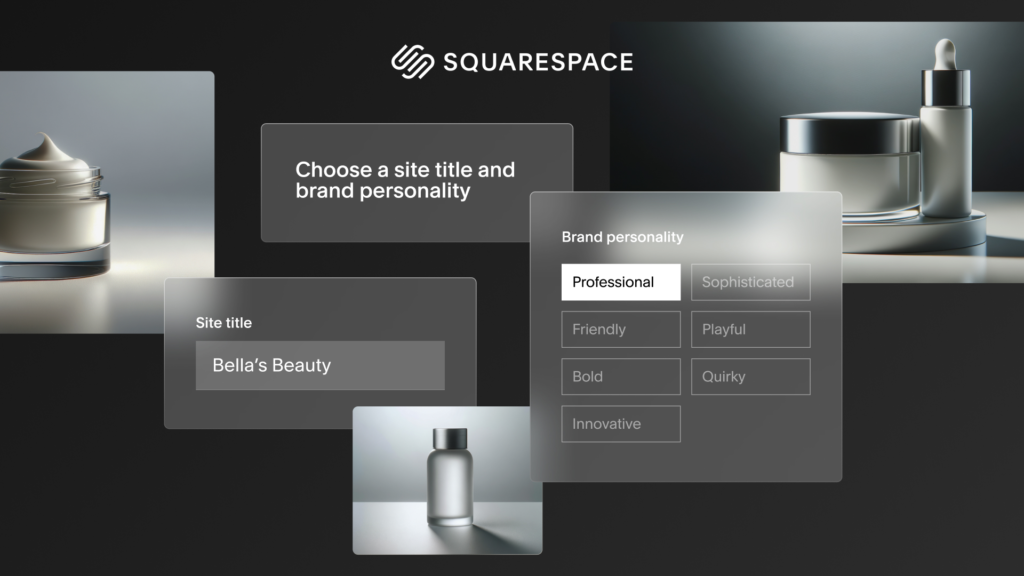
A useful Squarespace AI Website Builder Review needs to look at the platform as a complete website-building system rather than focusing only on AI.
AI Content Creation
One of the useful applications of AI in Squarespace is content creation.
Writing website copy can be difficult for beginners. AI assistance can provide a starting point for different website sections.
For example, a small business could use AI to create an initial service description.
A freelancer could generate a professional introduction.
A product-based business could create a first draft of product descriptions.
The generated content should always be reviewed before publishing. Business information, product details, pricing, claims, statistics, and other important information should be accurate.
Professional Website Templates
Templates are one of the major strengths of Squarespace.
The platform provides professionally designed layouts for different industries and website types.
Templates can be used for:
- Businesses
- Portfolios
- Restaurants
- Photographers
- Designers
- Agencies
- Blogs
- Online stores
- Personal brands
A strong template can save considerable design time because the basic visual structure is already established.
However, you should customize the template rather than simply replacing a few words. Changing colors, images, typography, content, and layout can make the website better aligned with your brand.
Visual Website Editor
Squarespace provides a visual editing experience that allows users to customize website pages without traditional coding.
You can add and modify sections, update content, adjust layouts, and organize pages through the editor.
This is particularly useful for users who want a professional website without hiring a developer for every small change.
The visual editor also makes it easier for business owners to maintain their websites after launch.
Responsive Website Design
Most website visitors now use a combination of smartphones, tablets, and desktop computers.
A professional website therefore needs to work across different screen sizes.
Squarespace templates are designed with responsive layouts, allowing content to adapt to different devices.
Even with responsive design, you should check your website manually on mobile devices.
Pay attention to:
- Font size
- Button placement
- Images
- Navigation
- Spacing
- Forms
- Product displays
A website that works well on desktop but feels difficult to use on mobile can create a poor user experience.
Squarespace Blogging Tools
Squarespace is also useful for bloggers and publishers.
You can create blog posts and organize content on your website.
Blogging features can be useful for:
- Company blogs
- Personal blogs
- Travel websites
- Photography blogs
- Educational websites
- Industry publications
- Content marketing
AI can assist with creating article ideas, introductions, descriptions, and other content, but the quality of a blog depends on the usefulness and originality of its information.
Bloggers should review AI-generated content carefully and add their own expertise, examples, research, and insights.
Squarespace Ecommerce
Squarespace provides ecommerce features for businesses that want to sell products and services online.
You can create an online store with product pages, images, descriptions, pricing, checkout functionality, and other ecommerce elements.
An ecommerce website may also need:
- Product categories
- Inventory management
- Shipping settings
- Payment methods
- Tax configuration
- Customer accounts
- Return policies
- Order management
Squarespace can provide an integrated ecommerce environment, which can be useful for small and medium-sized businesses.
However, businesses with highly specialized ecommerce requirements should compare Squarespace with dedicated ecommerce platforms before making a decision.
Squarespace SEO Features
SEO is an important part of this Squarespace AI Website Builder Review.
A visually attractive website still needs search engine optimization if you want to attract organic traffic.
Squarespace provides tools that allow website owners to work on important SEO elements.
These can include:
- Page titles
- Meta descriptions
- URLs
- Headings
- Image alt text
- Mobile-friendly layouts
- Sitemap functionality
- Website structure
However, SEO is not simply a technical setting.
You also need to focus on:
- Keyword research
- Search intent
- Helpful content
- Internal linking
- Website structure
- Page experience
- Image optimization
- Backlinks
- Content updates
Squarespace can provide the foundation, but ranking in search engines still requires a broader SEO strategy.
Squarespace AI for Small Businesses
Small businesses can use Squarespace to create professional websites without managing complicated technical systems.
A small business website can include:
- Homepage
- About page
- Services
- Testimonials
- Contact page
- FAQ
- Blog
- Gallery
AI can help with initial content creation, while Squarespace’s templates can help establish a professional visual identity.
For local businesses, it is important to include accurate business information such as address, phone number, service areas, operating hours, and contact details.
Squarespace AI for Freelancers
Freelancers often need a website that demonstrates their skills and helps potential customers contact them.
Squarespace can be used to create a portfolio website with:
- Introduction
- Services
- Portfolio
- Case studies
- Testimonials
- About section
- Contact form
AI can help generate initial copy, while the freelancer can customize the website with real projects and personal branding.
A freelancer should avoid relying entirely on generic AI text. Potential clients usually want to understand the freelancer’s actual experience, process, skills, and results.
Squarespace AI for Creators
Creators can use Squarespace to build websites around their personal brands.
For example, creators can create:
- Personal websites
- Portfolio websites
- Blogs
- Photography sites
- Newsletter landing pages
- Online stores
- Service websites
The platform’s design-focused approach can be useful for creators who want their websites to look polished without spending significant time on technical development.
Squarespace AI for Online Stores
Online store owners can use Squarespace’s ecommerce tools to build product-focused websites.
The platform can help businesses showcase products through images, descriptions, categories, and pricing.
AI can assist with product copy and other marketing content.
However, store owners should carefully review every product description generated by AI.
Information such as materials, dimensions, ingredients, availability, shipping time, warranties, and product specifications should always be accurate.
Squarespace Design Quality
Design is one of the strongest reasons people choose Squarespace.
The platform is known for clean layouts, typography, image presentation, and modern website designs.
For businesses where visual presentation matters, this can be a major advantage.
Photographers, designers, creative agencies, restaurants, fashion brands, and personal brands can particularly benefit from a strong visual website.
However, good design is not enough by itself.
A professional website also needs:
- Clear navigation
- Useful content
- Fast loading
- Mobile responsiveness
- Strong calls to action
- Accessible text
- Accurate information
Is Squarespace Easy to Use?
Squarespace is designed to be beginner-friendly.
You do not need to understand HTML, CSS, JavaScript, or server management to create a standard website.
The visual editor makes it possible to update pages without directly editing code.
AI tools can make content creation easier.
However, users who want highly customized designs may need to spend time learning the platform.
The basic workflow is relatively accessible, while advanced customization can require more experience.
Squarespace Hosting
Squarespace operates as an integrated website platform, which means hosting is part of the service.
This removes the need for beginners to purchase separate hosting and manually configure a website server.
The integrated approach can make website management simpler.
You can focus on creating content and managing the website rather than handling server infrastructure.
However, businesses should still consider their traffic, storage, ecommerce requirements, integrations, and other needs when choosing a plan.
Squarespace Domain

A custom domain is important for most professional websites.
Instead of using a generic website address, businesses can connect a domain that matches their brand.
A memorable domain can make a business easier to find and remember.
When choosing a domain, keep it short, relevant, easy to spell, and connected to your business or brand.
Squarespace Analytics
Website analytics help owners understand how visitors interact with their websites.
Analytics can provide information such as:
- Traffic
- Popular pages
- Visitor sources
- Engagement
- Sales
- Conversions
This information can help businesses understand which pages perform well and where improvements may be needed.
Analytics are particularly useful when combined with SEO, content marketing, advertising, and social media campaigns.
Squarespace AI Website Builder Pros
- Professional Website Templates
- AI-Assisted Content Creation
- Beginner-Friendly Website Editor
- Responsive Website Designs
- Built-In Hosting
- Custom Domain Support
- Strong Blogging Features
- Ecommerce Functionality
- SEO Tools
- Integrated Website Management
- Good Choice for Creative Websites
Squarespace AI Website Builder Cons
- Advanced Customization Can Require More Learning
- Some Features Depend on the Selected Plan
- AI-Generated Content Requires Editing
- Less Flexible Than Some Developer-Focused Platforms
- Ecommerce Features May Not Suit Every Large Online Store
- Platform Dependency
- Pricing Can Change Over Time
Squarespace Pricing
Pricing is one of the most important factors to consider before choosing a website builder.
Squarespace provides different plans designed for different types of websites and business requirements. The exact plans, pricing, included features, transaction fees, and ecommerce functionality can change over time.
Before subscribing, check the current Squarespace pricing page and compare the features included with each plan.
Consider:
- Website features
- Custom domain
- Ecommerce requirements
- Storage
- Analytics
- Marketing tools
- AI features
- Number of contributors
- Payment functionality
- Transaction fees
The cheapest plan may be enough for a simple personal website, while businesses and online stores may need a higher-tier plan.
Squarespace vs Wix AI
Squarespace and Wix both provide AI-assisted website creation and visual website-building tools.
Wix generally provides a broad range of customization and business features, while Squarespace is particularly known for polished templates and design-focused websites.
Squarespace can be appealing to users who prioritize visual presentation and simplicity.
Wix may be attractive to users who want a broader range of apps and customization options.
The right choice depends on your website requirements.
Squarespace vs WordPress
WordPress offers an enormous ecosystem of themes, plugins, hosting providers, and integrations.
Squarespace takes a more integrated approach.
With Squarespace, hosting, templates, website management, and many business features are provided within one platform.
WordPress can offer more flexibility for users who want to manage plugins, hosting, themes, and custom development.
Squarespace can be easier for beginners who prefer a managed website-building environment.
Squarespace vs Webflow
Webflow and Squarespace both target professional website creators, but their approaches are different.
Squarespace focuses on simplicity, templates, content management, and integrated business features.
Webflow provides more granular control over website layouts, responsive design, interactions, and visual development.
Squarespace may be more suitable for users who want a simpler website-building experience.
Webflow may appeal more to designers and agencies that want greater control over website structure and interactions.
How to Build a Website With Squarespace AI
Start by identifying your target audience and website goal.
Choose a suitable template or starting design.
Use AI-assisted tools to create initial content where appropriate.
Customize the website with your branding.
Add your real business information.
Create important pages such as Home, About, Services, Contact, and FAQ.
If you operate an online store, add products and configure ecommerce settings.
Optimize your page titles and descriptions.
Add relevant image alt text.
Check the mobile version.
Test every button and form.
Connect your custom domain.
Review the entire website before publishing.
Tips for Getting Better Results With Squarespace AI
AI performs better when you provide useful information.
Instead of simply asking for “a business website,” provide information about the industry, audience, services, brand style, and website goals.
For example, a marketing agency could specify:
“Create professional website copy for a digital marketing agency serving small businesses. Highlight SEO, paid advertising, social media management, and content marketing. Use a clear, professional tone and focus on generating consultation requests.”
After generating content, edit it to match the real business.
Add specific examples.
Replace generic statements.
Use accurate service information.
Add real testimonials only when they are genuine.
Use high-quality images.
Make calls to action clear.
This combination of AI assistance and human editing can produce a much better website than publishing AI-generated content without review.
Who Should Use Squarespace AI Website Builder?
- Small Businesses
- Freelancers
- Photographers
- Designers
- Creative Professionals
- Bloggers
- Personal Brands
- Restaurants
- Consultants
- Online Store Owners
- Service Businesses
- Entrepreneurs
Who May Need Another Website Builder?
- Businesses Requiring Highly Customized Web Applications
- Developers Wanting Complete Technical Control
- Large Websites With Specialized Infrastructure Requirements
- Businesses Requiring Extensive Third-Party Integrations
- Projects That Depend Heavily on Custom Development
Is Squarespace AI Website Builder Worth It?
Whether Squarespace is worth using depends on your goals.
If you want an attractive website, easy content management, integrated hosting, professional templates, blogging tools, ecommerce functionality, and AI-assisted content creation, Squarespace offers a broad collection of features.
It is particularly appealing to users who care about design but do not want to manage technical website infrastructure.
However, businesses requiring extensive customization or highly specialized functionality may want to compare Squarespace with WordPress, Webflow, or other platforms.
The main benefit of Squarespace is convenience combined with design quality.
Final Verdict:
This Squarespace AI Website Builder Review shows that Squarespace is more than a traditional template-based website builder. Its AI capabilities can help users create and refine content, while the broader Squarespace platform provides templates, visual editing, hosting, SEO tools, blogging functionality, analytics, and ecommerce features.
The platform is particularly useful for small businesses, freelancers, creators, photographers, consultants, bloggers, and brands that want a professional website without dealing with complicated technical setup.
Its biggest strengths are its design quality, integrated platform, ease of use, and range of website features. Its limitations become more noticeable when a project requires extensive customization, complex applications, or advanced technical control.
AI can make website creation faster, but it should not replace human review. Always check AI-generated content, customize the design, verify business information, optimize pages for SEO, test mobile usability, and make sure the final website accurately represents your brand.
For users who want a professional, design-focused website with AI-assisted content creation and built-in business tools, Squarespace is a platform worth considering in 2026.