Building a website used to require a combination of design skills, coding knowledge, hosting setup, and technical experience. Today, AI website builders have made the process much easier. You can describe your website idea in plain language, and an AI-powered website builder can generate pages, layouts, content, images, navigation, and other website elements without requiring you to write code.
If you want to build a website with AI without coding, you do not need to become a professional web developer first. Modern AI website builders allow beginners, freelancers, small businesses, creators, bloggers, and entrepreneurs to create a professional-looking website through prompts and visual editing. Platforms such as Wix can generate websites from descriptions, while Hostinger combines AI generation with visual editing, hosting, domains, SEO tools, and other website features.
The important part is knowing how to give AI the right instructions and how to improve the website after it is generated. This guide explains how to build a website with AI without coding, from choosing an idea and writing an effective prompt to customising the design, creating SEO-friendly content, checking mobile performance, and publishing your finished website.
What Is an AI Website Builder?
An AI website builder is a website creation platform that uses artificial intelligence to generate and customise websites based on natural-language instructions. Instead of manually selecting every section, writing code, and designing each page from scratch, you describe what you want and the AI creates a starting version for you.
For example, you could tell an AI website builder, “Create a modern website for a digital marketing agency with Home, About, Services, Portfolio, Blog, and Contact pages.” The AI can use that information to create a website structure and visual direction. You can then ask it to change colours, rewrite content, add sections, modify layouts, or create additional pages.
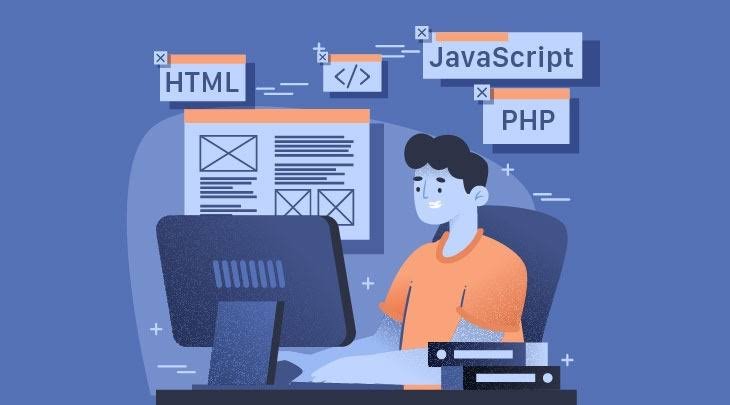
This approach is useful because you can communicate with the website builder in everyday language. You do not need to understand HTML, CSS, JavaScript, PHP, or other programming languages to get started.
Modern platforms are also combining AI generation with manual editing. Wix says its AI website builder can create a business-ready website from a prompt and then allow users to refine the result manually or with its built-in AI agent.
How to Build a Website With AI Without Coding
The process of building a website with AI is straightforward, but the quality of the final result depends on how clearly you define your goals. A good AI website workflow starts with planning and then moves through generation, customisation, content, SEO, testing, and publishing.
1. Decide What Your Website Is For
Before opening an AI website builder, decide what you want your website to achieve. This is one of the most important steps because AI can only create a useful website when it understands your objective.
Your website might be a:
- Business website
- Personal portfolio
- Blog
- Online store
- Service website
- Landing page
- Membership website
- Booking website
- Restaurant website
- Travel website
- Affiliate website
- Online course platform
- Startup website
- SaaS website
Think about your target audience as well. A website for a professional consulting company should look different from a website for a children’s clothing store or a personal photography portfolio.
Write down the purpose of the website in one or two sentences. For example:
“My website will promote a local fitness coaching business and encourage visitors to book an introductory consultation.”
This simple description gives the AI a useful starting point.
2. Choose an AI Website Builder
Once you know what you want to create, choose an AI website builder that matches your requirements.
Look for features such as AI website generation, visual editing, responsive design, SEO tools, hosting, domain support, analytics, ecommerce functionality, and content management.
Wix allows users to describe their website vision and generate a website through AI, followed by manual or AI-assisted customisation.
Hostinger AI Website Builder allows users to describe a website idea and generate a site, then customise it through drag-and-drop editing or conversational AI. Its current offering also includes hosting, domain options, email, SEO tools, and other website features.
Framer is another option for users who want strong visual design control. Its AI website builder can generate page structures, sections, draft copy, and visuals from prompts before users refine the website on the visual canvas.
Do not choose a builder only because it can generate a website quickly. Check whether it provides the features you will need after launch.
3. Write a Detailed AI Website Prompt
Your AI prompt is one of the most important parts of the process. A vague prompt usually produces a generic website, while a detailed prompt gives the AI enough information to create something closer to your expectations.
Instead of saying:
“Create a business website.”
Try something more specific:
“Create a professional website for a UK-based digital marketing agency that helps small businesses improve SEO, social media marketing, and paid advertising. Use a modern, clean design with white and dark blue sections, strong typography, clear calls to action, and a mobile-friendly layout. Include Home, About, Services, Case Studies, Blog, and Contact pages.”
A strong prompt should describe:
- Website type
- Business or project name
- Target audience
- Main products or services
- Brand style
- Preferred colours
- Pages required
- Main call to action
- Location
- Content tone
- Important functionality
- Mobile requirements
The more useful information you provide, the more relevant the AI-generated website is likely to be.
4. Let AI Generate the First Version

After entering your prompt, allow the AI website builder to generate the initial website.
Depending on the platform, AI may create a homepage, navigation menu, sections, written content, images, buttons, forms, and additional pages.
Do not expect the first version to be perfect. Think of it as a starting point rather than the final website.
AI website generation is designed to reduce the amount of manual work involved in getting started. For example, Wix explains that its AI builder can generate a complete website based on a user’s description and then provide tools for further customisation.
The first version gives you something concrete to work with. Instead of staring at a blank page, you can make improvements to an existing design.
5. Customise the Website Design
Once AI creates the website, customise it so that it represents your brand.
Change the colours, fonts, images, spacing, buttons, navigation, and page sections where necessary. You should also remove any generic content that does not accurately describe your business.
AI-generated websites can sometimes look similar because they rely on common design patterns. Your goal should be to add enough brand personality to make the website feel original.
Pay particular attention to the homepage because it usually creates the first impression.
A strong homepage should quickly communicate:
- What you offer
- Who you help
- Why visitors should trust you
- What visitors should do next
For example, instead of a generic heading such as “Welcome to Our Website,” use a specific value proposition such as “Affordable Website Design for Small Businesses.”
6. Create and Improve Your Website Content
AI can help generate website content, but you should review everything before publishing it.
Your main pages may include:
- Home
- About Us
- Services
- Products
- Pricing
- Portfolio
- Testimonials
- Blog
- Contact
- Privacy Policy
- Terms and Conditions
Make the content useful and specific to your audience. Avoid publishing generic paragraphs simply because an AI tool generated them.
For SEO, each important page should have a clear topic and search intent. Use descriptive headings, short paragraphs, natural keyword placement, internal links, and helpful information.
AI can help with first drafts, but your own experience and business knowledge should shape the final content.
7. Use AI to Create Website Images
Images can make an AI-generated website more attractive and memorable.
You can use AI image tools to create:
- Hero images
- Product images
- Blog illustrations
- Background graphics
- Icons
- Social media images
- Promotional banners
- Feature graphics
However, images should support the purpose of the page rather than simply fill empty space.
For example, a travel website could use destination photography, while a software company might use product screenshots, interface illustrations, or technology-focused graphics.
Always check image quality, licensing requirements, branding, and accuracy before publishing.
8. Make Your Website Mobile-Friendly
A website that looks good on a desktop computer may not automatically provide the same experience on a smartphone.
Check your website on different screen sizes and pay attention to:
- Font size
- Button size
- Navigation
- Image scaling
- Section spacing
- Forms
- Tables
- Product grids
- Page loading
- Horizontal scrolling
AI website builders generally provide responsive layouts, but you should still inspect the mobile version manually.
A good mobile website should be easy to read and use without zooming or excessive scrolling.
9. Optimise Your Website for SEO
Building a website with AI without coding does not mean ignoring search engine optimisation. Your website still needs useful content, clear structure, descriptive titles, relevant keywords, and technical foundations that allow search engines to understand your pages.
Start with one primary keyword for each important page.
For example, a website selling web design services might target:
- AI website design
- Small business website design
- Affordable website builder
- Website design services
Use your target keyword naturally in the page title, main heading, introductory content, relevant subheadings, image alt text, URL where appropriate, and meta description.
Do not repeatedly insert the same keyword simply to increase keyword density. Search engines increasingly focus on relevance, helpfulness, context, and user experience.
Some modern website builders include SEO tools directly in the platform. Hostinger, for example, includes SEO features alongside its AI website builder, while Framer provides SEO functionality as part of its no-code website platform.
10. Create a Clear Website Navigation

Your website navigation should make it easy for visitors to find important information.
A simple business website might use:
Home | About | Services | Blog | Contact
An ecommerce website might use:
Home | Shop | Categories | About | FAQs | Contact
Avoid creating too many menu items. If your website contains dozens of pages, consider using categories and dropdown menus.
Your navigation should also use descriptive labels. “Services” is usually more useful than a vague label such as “Explore.”
11. Add Important Calls to Action
Every business website should have a clear next step for visitors.
Depending on your goal, your call to action could be:
- Buy Now
- Get Started
- Book a Consultation
- Request a Quote
- Contact Us
- Subscribe
- Download the Guide
- Start Free
- Learn More
Place important calls to action where users can easily see them.
Your homepage hero section should normally contain a clear headline, supporting text, and primary call-to-action button.
12. Add Forms and Essential Features
AI can help create many common website elements, but you should make sure they actually work.
Depending on your website, you may need:
- Contact forms
- Newsletter signup
- Booking forms
- Search
- Product filters
- Shopping carts
- Payment systems
- Customer accounts
- Social media links
- Analytics
- Live chat
- Cookie consent
- Spam protection
Test every important feature before launching the website.
A contact form that looks professional but does not deliver messages is still a broken feature.
Best AI Website Builders for Beginners
For beginners, the best AI website builder is usually one that combines AI generation with easy editing and publishing. You should not have to understand hosting, code deployment, server configuration, or complicated development tools just to launch a basic website.
Wix AI Website Builder is designed around a conversational approach where users describe their website vision and then refine the generated result.
Hostinger AI Website Builder focuses on generating websites from descriptions and then allowing users to customise the result with visual editing or AI conversations.
Framer AI Website Builder is particularly useful for people who want strong visual control over modern marketing websites and landing pages.
The right option depends on your website type, budget, design expectations, ecommerce requirements, and desired level of control.
Can You Build a Professional Website With AI?
Yes, you can build a professional website with AI without knowing how to code, but AI should not be treated as a complete replacement for planning and quality control.
The best results usually come from a combination of AI generation and human editing. AI can create the initial structure quickly, while you provide the business information, brand identity, expertise, and final judgement.
Professional websites need more than attractive colours and modern layouts. They also need clear messaging, fast loading, useful content, mobile responsiveness, accessible navigation, trustworthy information, secure forms, and strong calls to action.
This is why the editing stage is just as important as the initial AI generation stage.
Common Mistakes to Avoid When Building a Website With AI
One common mistake is using a very short prompt. “Make me a website” does not give an AI enough information about your audience, brand, content, or business goals.
Another mistake is publishing the AI-generated content without reviewing it. AI can create inaccurate claims, repetitive wording, generic marketing language, or information that does not match your business.
You should also avoid adding too many design elements. More animations, colours, pop-ups, and sections do not automatically create a better website.
Other mistakes include:
- Ignoring mobile design
- Using generic stock images
- Forgetting SEO titles and descriptions
- Publishing thin content
- Using unclear calls to action
- Not testing forms
- Ignoring website speed
- Forgetting legal pages
- Using inconsistent branding
- Failing to update old information
The best AI website is not necessarily the one with the most features. It is the one that helps visitors quickly understand the website and complete their intended action.
Benefits of Building a Website With AI
The biggest advantage of AI website creation is speed. A traditional website project can involve planning, wireframing, design, development, content creation, testing, and deployment. AI can accelerate several of these stages.
Another major benefit is accessibility. People who have never learned web development can now create a functional website using natural-language instructions.
AI website builders can also reduce repetitive work. You can ask AI to create a new section, rewrite a headline, generate a product description, or suggest a layout without manually starting from scratch.
AI can also make experimentation easier. You can try different homepage structures, colours, headlines, and calls to action before choosing the version that works best.
This makes AI particularly useful for small businesses, freelancers, creators, and entrepreneurs who need to launch quickly without hiring a large development team.
Limitations of AI Website Builders
Although AI website builders are powerful, they are not perfect.
An AI-generated website may require significant editing if your business has unusual requirements or highly specialised functionality. Advanced web applications may also require custom development, APIs, databases, integrations, or technical configuration.
AI-generated content may also need fact-checking and editing. Design quality can vary, and some generated websites may initially look generic.
There is also a difference between creating a simple website and building a complex web application. A five-page business website is much easier to generate than a large platform with custom authentication, payment processing, user dashboards, advanced databases, and complicated business logic.
For simple and medium-sized websites, however, AI can remove much of the technical barrier.
How to Get Better Results From AI Website Builders
The quality of your instructions has a major influence on the result. Instead of giving AI one large request and accepting the first output, work through the website in stages.
Start with the website structure. Then improve the homepage. Next, refine individual sections, content, images, navigation, SEO, and mobile design.
You can also give AI specific instructions such as:
“Make the hero section more professional.”
“Create a shorter headline for mobile visitors.”
“Add a three-column benefits section below the hero.”
“Rewrite this service description for small business owners.”
“Improve the CTA so visitors are encouraged to request a quote.”
“Create an SEO-friendly title and meta description for this page.”
This conversational approach gives you more control and generally produces better results than relying on one initial prompt.
Must Read:
- Best AI Coding Tools in 2026: Top Tools for Developers
- AI Generated Website Design: How to Make Your Site Look Unique
- AI UI Design: How to Create Better Website Interfaces With AI
Final Thoughts:
Learning how to build a website with AI without coding has become much easier in 2026. AI website builders can generate website structures, layouts, content, images, and features from simple natural-language instructions, allowing beginners to create websites without learning traditional programming languages.
The process starts with a clear goal. Choose the right AI website builder, write a detailed prompt, generate the first version, customise the design, improve the content, optimise the website for SEO, check mobile responsiveness, test every important feature, and then publish.
The most important thing to remember is that AI should be your website-building assistant, not your only decision-maker. Let AI handle repetitive work and provide ideas, but use your own knowledge to make the website accurate, useful, trustworthy, and relevant to your audience.
Whether you want to create a business website, blog, portfolio, online store, landing page, or startup website, AI can significantly reduce the technical barrier. You no longer need to start with a blank code editor. With a clear idea and well-written prompts, you can build, customise, and launch a professional website without writing a single line of code.