
Learning how to create a professional business website using AI has become much easier than traditional website development. AI website builders can help business owners generate website layouts, write initial content, organize pages, suggest designs, and build a responsive online presence without requiring advanced coding knowledge. Whether you run a local business, startup, agency, consulting company, online service, or growing brand, AI can simplify many parts of the website creation process.
A professional business website is more than an attractive homepage. It should clearly explain what your business does, who you serve, what makes your products or services useful, and how visitors can contact or buy from you. When you create a professional business website using AI, you can use artificial intelligence to speed up the initial development while keeping human input in areas such as branding, accuracy, customer experience, and business strategy.
Why Create a Professional Business Website Using AI?
A business website is often one of the first places potential customers go when they want to learn about a company. A well-designed website can present your services, answer common questions, generate leads, build credibility, and help customers take the next step.
The ability to create a professional business website using AI is particularly useful for small businesses and entrepreneurs that may not have an in-house development team. AI tools can generate a starting design based on a simple description, reducing the amount of manual work required to create a website from scratch.
AI can also help with repetitive tasks. For example, it can suggest page structures, generate draft headlines, organize service information, create calls to action, and provide ideas for website sections.
The final website should still be reviewed and customized. AI works best as a productivity tool that helps you build faster, rather than as a reason to publish an unedited website.
What Do You Need Before Building a Business Website With AI?
Before you create a professional business website using AI, collect the basic information your website will need. Preparing this information first can make the AI website-building process much smoother.
Start with your business name, logo, contact information, address if applicable, business description, services or products, target customers, and social media profiles.
You should also collect high-quality images. These might include product photographs, team photographs, project images, office photographs, or branded graphics.
Think about your main website goal as well. Your objective could be to generate leads, sell products, receive bookings, promote services, build an email list, or provide information to existing customers.
A clear goal helps determine which pages and features your website needs.
Step 1: Define Your Website Goal
The first step to create a professional business website using AI is defining its purpose. A website without a clear goal can become crowded with unnecessary information.
For example, a local plumbing company may want visitors to call for service. An online store may want customers to purchase products. A consulting company may want visitors to schedule a consultation.
Your goal should influence the website structure and calls to action.
For a service business, useful calls to action could include:
- Request a Quote
- Book a Consultation
- Call Now
- Get Started
- Contact Our Team
- Schedule an Appointment
For an e-commerce business, calls to action could include:
- Shop Now
- View Products
- Add to Cart
- Explore Collection
- Buy Now
When you create a professional business website using AI, provide the AI with your primary goal so it can suggest a more relevant structure.
Step 2: Identify Your Target Audience
Your website should be written for the people you want to reach. Before using an AI website builder, identify your target audience.
Consider their age range, location, industry, needs, problems, buying behavior, and reasons for choosing your business.
For example, a website for a professional accounting firm should have a different tone and structure from a website for a children’s clothing store.
An AI tool can generate more relevant content when you provide specific information about your audience.
Instead of asking AI to “create a business website,” provide detailed instructions such as:
“Create a professional website for a digital marketing agency that helps small businesses increase organic traffic and generate leads. The target audience is small business owners looking for SEO and paid advertising services.”
Specific instructions generally provide a more useful starting point.
Step 3: Choose an AI Website Builder
The next step is choosing an AI website builder. There are many platforms available, and their features vary.
When you create a professional business website using AI, consider the platform’s AI generation capabilities, visual editor, templates, hosting, SEO tools, mobile responsiveness, domain options, integrations, and pricing.
A beginner-friendly platform should make it easy to create pages and edit content without requiring coding knowledge.
You should also check whether the platform supports the type of website you need. A simple service website may require only a few pages, while an online store may need product management, payments, shipping tools, and inventory functionality.
If you are starting with a limited budget, check the free plan carefully. Some free plans may include a platform subdomain or branding and may restrict certain features.
Step 4: Generate Your Initial Website With AI
Once you choose a platform, you can begin generating your website.
Most AI website builders ask for basic information about your business. Some may allow you to enter a prompt describing the website you want.
Include information such as:
- Business name
- Business category
- Services or products
- Target audience
- Website goal
- Preferred design style
- Important pages
- Location
- Brand personality
- Main call to action
For example:
“Build a modern business website for a web design agency serving small and medium-sized businesses. Include Home, About, Services, Portfolio, Testimonials, Blog, and Contact pages. Use a clean professional layout with clear calls to action.”
The AI may then generate a website structure and initial content.
Step 5: Create Essential Business Website Pages
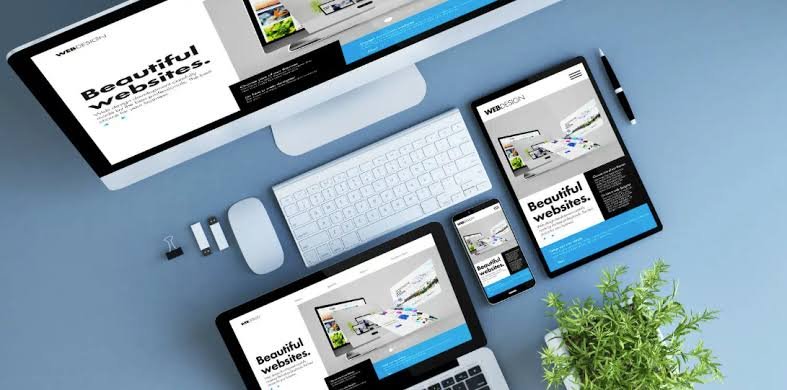
A professional business website usually needs several core pages. The exact structure depends on the business, but the following pages are common.
Homepage
The homepage should quickly communicate what your business does and why visitors should continue reading.
A strong homepage typically includes a headline, supporting description, primary call to action, services or products, benefits, testimonials, trust elements, and contact information.
The first section should make your value proposition clear.
About Page
The About page gives visitors more information about your business, experience, team, mission, and approach.
AI can help create a first draft, but add real information about your company. Authentic details make the page more useful and credible.
Services Page
Your Services page should explain exactly what you offer.
Create a separate section for each major service and explain what customers receive, who the service is for, and how they can get started.
Avoid vague descriptions. Customers should be able to understand your offering without having to contact you for basic information.
Product Pages
If you sell physical or digital products, create clear product pages containing product names, descriptions, photographs, pricing, features, specifications, and relevant purchasing information.
Contact Page
The Contact page should make it easy for visitors to reach you. Include relevant contact methods, business hours, location, email, phone number, and a contact form where appropriate.
Blog
A blog can help your business publish educational content and answer questions related to your products or services.
AI can assist with topic research, outlines, content ideas, and drafts, but published articles should be reviewed and improved before going live.
Step 6: Customize the AI-Generated Design
AI can generate the initial website, but customization is what makes the website feel like your business.
Start with your brand identity. Add your logo and choose fonts, colors, imagery, and design elements that match your existing branding.
Review every section generated by the AI. Remove sections you do not need and add information that the AI could not know about your business.
For example, AI may create a generic testimonial section. Replace it with genuine customer feedback if you have permission to publish it.
You can also adjust button placement and calls to action.
The goal is to create a website that feels specific to your company rather than a generic AI-generated template.
Step 7: Use AI to Improve Website Content
One of the biggest advantages of AI is content assistance.
When you create a professional business website using AI, you can use AI writing tools to generate draft headlines, service descriptions, FAQs, product descriptions, calls to action, and other content.
However, generated content should be treated as a draft.
Review it for factual accuracy and remove statements that do not accurately describe your business. Add examples, specific details, customer benefits, and information based on your actual experience.
For example, instead of a generic sentence such as “We provide excellent marketing services,” explain exactly what you do.
A stronger service description might explain which marketing channels you manage, which types of businesses you serve, and what customers can expect from the service.
Specific content is generally more useful than generic marketing language.
Step 8: Optimize Your Business Website for SEO
Search engine optimization can help potential customers find your business through search engines.
When you create a professional business website using AI, make sure important SEO elements are properly configured.
Use Relevant Keywords
Research keywords related to your products, services, location, and audience.
Use keywords naturally in page titles, headings, descriptions, body content, URLs, and image alt text where appropriate.
Avoid repeating the same keyword unnaturally. Search engines and readers both benefit from clear, natural writing.
Write Useful Page Titles
Each important page should have a clear and descriptive title.
For example:
“Digital Marketing Services for Small Businesses”
is more informative than:
“Welcome to Our Website.”
Create Helpful Meta Descriptions
A meta description provides a short summary of a page that may appear in search results.
Make it descriptive and relevant to the page. Include the primary topic naturally and give users a reason to visit.
Use Proper Headings
Organize content with clear headings. Use one primary page heading and logical subheadings to make content easier to understand.
Optimize Images
Large image files can affect page performance. Compress images and use descriptive filenames and relevant alt text.
Step 9: Make Your Website Mobile-Friendly
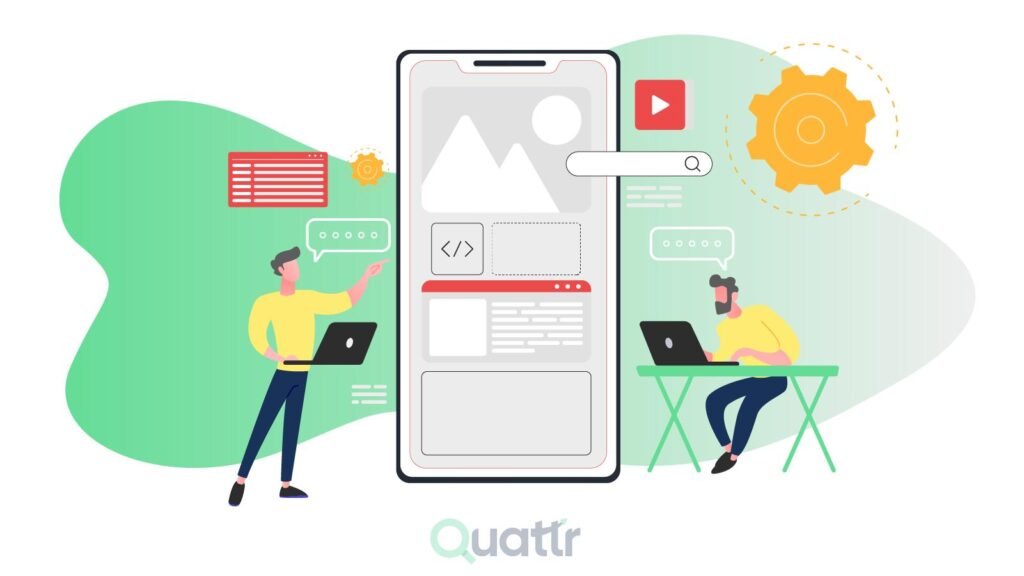
Mobile responsiveness is essential for a modern business website.
Many visitors access websites using smartphones. Your website should therefore adapt to different screen sizes.
When you create a professional business website using AI, preview the website on mobile devices and check:
- Text size
- Button size
- Navigation
- Image placement
- Forms
- Page spacing
- Product displays
- Loading performance
A visitor should be able to read content and interact with buttons without constantly zooming or scrolling horizontally.
Step 10: Add Trust-Building Elements
Customers often want to know whether they can trust a business before contacting or purchasing from it.
Your website can provide useful trust signals such as genuine customer testimonials, case studies, certifications, business information, clear contact details, policies, product information, and relevant experience.
If you have worked with recognized clients and have permission to mention them, you can include appropriate client information.
Do not allow AI to invent testimonials, certifications, awards, customer results, or business claims. Every factual claim should represent your actual business.
Step 11: Add Clear Calls to Action
A call to action tells visitors what to do next.
Without clear calls to action, visitors may read your website and leave without taking action.
Your CTA should match the purpose of the page.
For example:
Homepage: Get Started
Service Page: Request a Quote
Consulting Page: Book a Consultation
E-commerce Page: Shop Now
Contact Page: Contact Us
Use clear buttons and place them where visitors can easily see them.
Step 12: Add Business Tools and Integrations
A professional website may need additional tools depending on the business.
You could integrate:
- Email marketing
- CRM software
- Analytics
- Appointment booking
- Payment processing
- Live chat
- Social media
- Customer support
- Newsletter forms
- E-commerce platforms
When you create a professional business website using AI, consider which integrations will actually improve your business operations.
Avoid adding too many unnecessary tools because they can make a website harder to manage.
Step 13: Test Everything Before Publishing
Before launching your website, test every important function.
Click all navigation links and buttons. Submit contact forms. Test your website on desktop and mobile devices. Check images and videos. Verify business information.
You should also proofread all content.
Pay particular attention to:
- Phone numbers
- Email addresses
- Prices
- Business hours
- Product information
- Service descriptions
- Links
- Forms
- Legal pages
AI-generated content can contain errors, so human review remains an important part of the publishing process.
Step 14: Connect a Custom Domain
A custom domain can give a business website a more professional web address.
For example, a company might use a domain based on its brand name rather than a platform-generated subdomain.
If you are testing an idea, a free subdomain may be sufficient initially. For an established business, consider whether a custom domain better supports your branding and marketing goals.
Choose a domain that is easy to remember, spell, and communicate.
Step 15: Keep Improving Your Website
Launching your website is not the end of the process.
After you create a professional business website using AI, continue improving it based on customer feedback, analytics, search performance, and business changes.
Add new services and products when appropriate. Update outdated information. Publish useful blog content. Improve pages that receive traffic but generate few conversions.
AI can continue helping with content ideas, page improvements, FAQs, and marketing tasks.
Benefits of Creating a Professional Business Website Using AI
AI website development offers several practical benefits for businesses.
Faster Website Creation
AI can automate parts of the design and content process, allowing you to create an initial website faster than building every element manually.
Lower Development Barrier
Beginners can use visual tools and natural-language prompts instead of learning complex programming languages.
Content Assistance
AI can help generate drafts for headlines, descriptions, FAQs, blog topics, and calls to action.
Design Assistance
AI can suggest page structures, layouts, sections, fonts, and visual styles.
Easy Experimentation
Business owners can quickly test different website structures and messaging.
Improved Productivity
AI can reduce repetitive work, allowing business owners and marketing teams to focus more on customers, strategy, and growth.
Common Mistakes When Building a Business Website With AI

Although AI can simplify website creation, there are several mistakes you should avoid.
The first is publishing AI-generated content without reviewing it. AI can produce inaccurate or generic information.
Another mistake is making the website too complicated. Visitors should be able to understand your business quickly.
Using poor-quality images can also make an otherwise good website look unprofessional.
Another issue is weak calls to action. Every important page should give visitors a logical next step.
Ignoring mobile users is another common mistake. Always test the website on smartphones.
Finally, do not rely entirely on AI for your brand identity. Your website should communicate your real experience, values, products, services, and customer benefits.
How Much Does It Cost to Create a Professional Business Website Using AI?
The cost depends on the AI website builder, domain, hosting, features, and business requirements.
Some platforms offer free plans that allow users to build basic websites. Paid plans may provide custom domains, additional storage, advanced SEO tools, e-commerce features, premium templates, analytics, and other capabilities.
If you are starting a small project, a free AI website builder can help you test your idea.
For a growing business, you may eventually need paid hosting, a custom domain, advanced functionality, professional integrations, or additional resources.
Compare the total cost rather than looking only at the advertised starting price.
AI Website Builder vs Hiring a Web Developer
When deciding how to create a professional business website using AI, you may wonder whether you should use an AI website builder or hire a developer.
An AI website builder can be suitable for businesses that need a standard website and want to create it quickly.
A professional developer may be more appropriate when a business requires highly customized functionality, complex integrations, advanced applications, or a unique technical architecture.
The choice depends on your budget, timeline, technical requirements, and long-term plans.
For many small businesses, AI can be a practical starting point. As requirements become more advanced, businesses can evaluate whether additional professional development is necessary.
Best Practices for a Professional AI-Built Website
Keep your website focused on the customer. Explain problems you solve rather than simply listing features.
Use short paragraphs and clear headings. Make important information easy to scan.
Use real photographs and business information whenever possible.
Keep navigation simple.
Make contact information easy to find.
Use consistent branding throughout the website.
Write unique and useful content.
Test the website regularly.
Keep your business information updated.
Most importantly, use AI as an assistant while keeping human control over important business decisions and published information.
FAQs:
Can I create a professional business website using AI without coding?
Yes. Many AI website builders provide no-code interfaces that allow beginners to create websites using prompts, templates, and visual editing tools. You can generate a starting design with AI and customize pages without writing HTML, CSS, or JavaScript.
Can AI write all the content for my business website?
AI can create draft website content, including headlines, service descriptions, FAQs, and calls to action. However, you should review and personalize the content before publishing. Add accurate business information, customer insights, examples, and your brand’s own voice.
Is an AI-built website good for a small business?
An AI-built website can work well for many small businesses, particularly those that need a standard business website, landing page, portfolio, or service website. The result depends on the platform, customization, content quality, mobile experience, SEO, and ongoing maintenance.
Can AI build an e-commerce business website?
Some AI website builders support e-commerce and can help generate store layouts, product pages, and supporting content. However, online stores have additional requirements such as payments, product management, shipping, security, inventory, and customer support.
How long does it take to create a business website with AI?
The initial website can often be generated much faster than a traditional website built manually. However, the total time depends on the number of pages, amount of customization, content preparation, integrations, SEO work, testing, and other requirements.
Must Read:
- Best Free AI Website Builders for Beginners and Businesses
- Best AI Website Builder for Small Business
- Can AI Build a Website from a Prompt?
Final Thoughts:
Learning how to create a professional business website using AI can give entrepreneurs and businesses a faster way to establish an online presence. AI website builders can help generate layouts, create draft content, organize pages, and simplify website customization, making the process accessible to people with limited technical experience.
The most important point is that AI should provide the foundation, while your business expertise provides the substance. Add accurate information, real customer insights, original content, authentic images, clear service details, and a strong brand identity.
Start by defining your website goal and target audience. Choose an AI website builder that matches your requirements. Generate the initial website, customize the design, improve the content, optimize the pages for search engines, test the mobile experience, and add the tools your business needs.
When you create a professional business website using AI thoughtfully, you can save time while still building a website that communicates your business clearly and gives visitors a useful path toward becoming customers.