
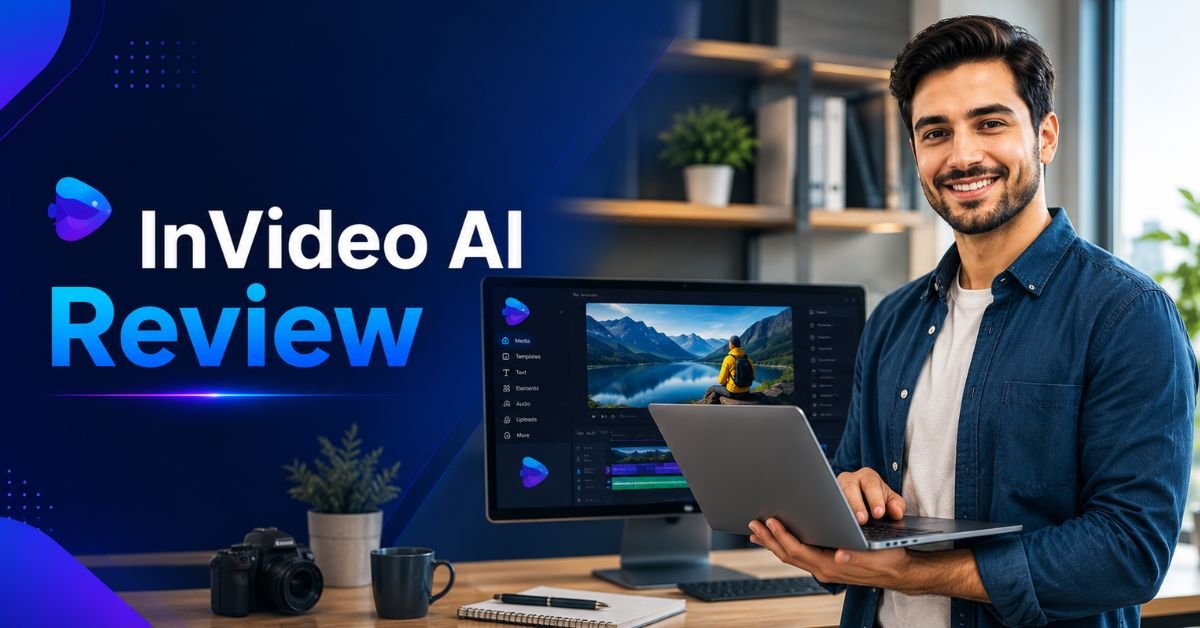
Creating professional videos once required expensive software, advanced editing skills, and hours of manual work. Today, artificial intelligence has completely changed the process. AI video generators can write scripts, create visuals, generate voiceovers, add subtitles, and produce ready-to-publish videos within minutes. This has made video production faster, more affordable, and accessible to businesses, marketers, educators, and content creators.
Among the growing number of AI video tools, InVideo AI has become one of the most recognised platforms. It combines AI-powered video generation with an easy-to-use online editor, allowing users to create videos from simple text prompts without requiring professional editing experience.
In this InVideo AI Review, we'll explore its features, ease of use, AI capabilities, video quality, templates, and overall performance. By the end of this guide, you'll know whether InVideo AI is the right video creation platform for your personal or business needs.
What Is InVideo AI?
InVideo AI is an online AI video generation platform that helps users create professional-quality videos using natural language prompts. Instead of manually editing timelines, users simply describe the type of video they want, and the AI automatically generates a complete project with scenes, transitions, voiceovers, captions, music, and visuals.
Unlike traditional video editing software, InVideo AI focuses on automation. It combines artificial intelligence with millions of royalty-free media assets to simplify video production for users of all experience levels.
The platform is entirely cloud-based, meaning there is no software installation required. Projects can be created, edited, and exported directly through a web browser, making it convenient for creators working from different devices.
Throughout this InVideo AI Review, one of the platform's biggest strengths is its ability to dramatically reduce the time required to produce high-quality videos.
Key Features
InVideo AI includes a wide range of tools that support almost every stage of the video creation process.
AI Text-to-Video Generation
The platform's flagship feature allows users to generate complete videos from simple text prompts. After entering a topic or idea, the AI creates a script, selects appropriate visuals, adds transitions, generates voice narration, and produces a finished video ready for editing.
This feature is particularly useful for marketers, YouTubers, bloggers, educators, and businesses that need to publish content regularly.
AI Script Writer
Writing engaging video scripts can often take longer than editing the video itself. InVideo AI solves this problem by automatically generating scripts based on user prompts.
Users can refine the tone, length, audience, and purpose of the script, making it suitable for tutorials, advertisements, product reviews, educational videos, or promotional campaigns.
AI Voiceovers
InVideo AI includes realistic AI-generated voiceovers in multiple languages and accents. Users can choose voices that match their target audience and video style without hiring professional voice actors.
The voice quality continues to improve through regular updates, making narration sound more natural than many earlier AI systems.
Automatic Scene Generation
Rather than requiring users to place every image and video manually, the AI automatically divides scripts into logical scenes and matches them with relevant visuals.
Users can replace or customise individual scenes while keeping the overall structure intact.
AI Subtitles and Captions
Captions improve accessibility while increasing viewer engagement on social media platforms. InVideo AI automatically generates subtitles that can be edited, styled, and positioned according to branding requirements.
This feature is particularly valuable for creators publishing content on YouTube Shorts, Instagram Reels, TikTok, Facebook, and LinkedIn.
Stock Media Library
One of the platform's greatest advantages is access to millions of royalty-free videos, images, animations, sound effects, and music tracks.
Instead of searching multiple stock media websites, creators can locate relevant assets directly within the editor.
How Does InVideo AI Work?
The workflow has been designed to minimise manual editing while giving users enough flexibility to customise the final result.
Users begin by entering a prompt describing the type of video they want to create. This may include the topic, audience, preferred tone, language, video length, or platform.
The AI analyses the request before generating a script, selecting media assets, creating scenes, producing voice narration, adding captions, and assembling a complete video.
After generation, users can edit almost every element, including text, images, video clips, colours, branding, animations, transitions, music, and narration.
Once satisfied, the finished project can be exported in high-definition formats suitable for websites, YouTube, presentations, or social media platforms.
AI Video Quality
Video quality is one of the most important factors in any InVideo AI Review.
Overall, the platform produces polished, professional-looking videos suitable for commercial use. Scene transitions are smooth, layouts appear modern, and visual selections generally match the script accurately.
The AI performs especially well with explainer videos, educational content, marketing videos, business presentations, product reviews, list-style videos, travel guides, and promotional content.
Although the automatically selected visuals are usually relevant, some projects may benefit from replacing a few clips manually to better match specific branding or messaging.
For most users, however, the AI provides an excellent starting point that requires only minor editing before publication.
User Interface and Ease of Use
One reason InVideo AI has gained popularity is its beginner-friendly interface.
The dashboard is organised logically, making it easy to start new projects, browse templates, manage media, and edit videos without feeling overwhelmed.
Even users with no previous video editing experience can generate their first AI video within minutes. Most editing tools use simple drag-and-drop controls, allowing quick adjustments without navigating complicated menus.
At the same time, more experienced creators still have access to advanced editing features when additional customisation is required.
This balance between simplicity and flexibility makes InVideo AI suitable for both beginners and professional marketers.
AI Voices and Media Library
Another highlight of this InVideo AI Review is the combination of AI narration and the extensive media collection.
The platform offers a growing selection of AI voices that support multiple languages, accents, speaking styles, and tones. Users can select voices that sound formal, conversational, energetic, or educational depending on the video's purpose.
The integrated stock media library contains millions of royalty-free videos, images, music tracks, and animations that eliminate the need for separate subscriptions to stock content providers.
Together, these features significantly reduce production costs while speeding up content creation.
Templates and Customisation
Although AI automation handles much of the initial work, InVideo AI also provides substantial creative control.
Users can customise colours, fonts, logos, animations, transitions, scene order, background music, captions, visual assets, and branding elements.
The platform also includes professionally designed templates for YouTube videos, Instagram Reels, TikTok, Facebook advertisements, LinkedIn posts, product demonstrations, promotional videos, tutorials, webinars, and business presentations.
These templates provide a strong starting point while remaining fully editable for individual projects.
Who Should Use InVideo AI?
One of the reasons InVideo AI appeals to such a broad audience is its versatility.
Content Creators
YouTubers, bloggers, influencers, and social media creators can produce engaging videos much faster without learning professional editing software.
Affiliate Marketers
Affiliate marketers can create product reviews, comparison videos, buying guides, tutorials, and promotional content that supports their marketing campaigns.
Small Businesses
Businesses can quickly produce advertisements, customer testimonials, product showcases, training videos, company introductions, and promotional campaigns without hiring expensive production teams.
Marketing Agencies
Agencies managing multiple client accounts benefit from faster production workflows while maintaining consistent branding across campaigns.
Educators
Teachers, trainers, and online course creators can develop instructional videos, presentations, tutorials, and educational content using AI-generated scripts and narration.
Freelancers
Freelance designers, consultants, and digital marketers can deliver professional video projects more efficiently while increasing overall productivity.
Real-World Use Cases
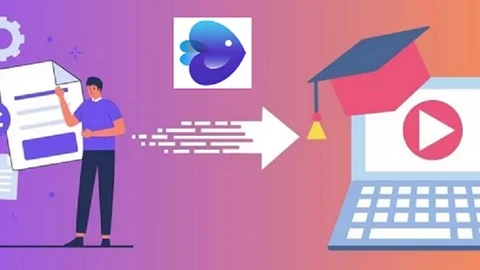
InVideo AI supports a wide variety of business and creative applications.
Many businesses use it to produce product demonstrations, promotional advertisements, explainer videos, customer onboarding content, and internal training materials. Digital marketers rely on the platform to generate Facebook ads, YouTube videos, Instagram Reels, TikTok campaigns, and LinkedIn marketing content.
Content creators often use InVideo AI to publish list videos, technology reviews, travel guides, finance content, educational tutorials, motivational videos, and daily social media updates.
Because the AI significantly reduces production time, creators can publish more frequently while maintaining professional-quality results.
Pricing Plans
Pricing is an important factor in any InVideo AI Review, especially for creators and businesses producing videos regularly. InVideo AI offers multiple subscription plans designed to suit different user requirements, from beginners creating occasional content to agencies managing high-volume video production.
The free plan allows users to explore the platform and test its AI capabilities before committing to a paid subscription. However, exported videos include watermarks and some advanced AI features are limited.
Paid plans unlock higher export limits, premium stock media, advanced AI video generation, additional storage, faster rendering, more AI credits, and commercial usage rights. Businesses and professional creators will generally benefit more from the paid plans, as they remove many of the restrictions found in the free version.
Overall, the pricing structure is competitive when compared with other AI video generators, particularly considering the number of built-in features available.
Performance
Performance plays a major role in determining whether an AI video generator is suitable for professional use, and InVideo AI performs well in most situations.
The AI quickly generates scripts, selects appropriate visuals, creates voiceovers, and assembles complete videos in only a few minutes. Processing times vary depending on video length, project complexity, and server demand, but most projects are completed much faster than traditional video editing workflows.
The cloud-based platform also eliminates the need for powerful computers because all AI processing occurs online. This allows users to create videos from almost any modern desktop or laptop with a stable internet connection.
While longer projects occasionally require additional processing time, overall performance remains reliable for both casual creators and businesses producing content regularly.
What We Like About InVideo AI
Every AI platform has strengths that make it stand out from competitors, and InVideo AI offers several impressive advantages.
Beginner-Friendly Interface
The platform is designed for users with little or no video editing experience. Clear navigation, simple editing tools, and AI automation make it easy to create professional videos without spending weeks learning complex software.
Fast AI Video Creation
InVideo AI dramatically reduces production time by generating scripts, scenes, visuals, voiceovers, and captions from a single prompt. This allows creators to publish content more frequently while maintaining consistent quality.
Huge Stock Media Library
Access to millions of royalty-free videos, images, music tracks, and sound effects removes the need for separate stock media subscriptions. This saves both time and money during video production.
High-Quality AI Voiceovers
The AI voices sound increasingly natural and support multiple languages and accents. Businesses can create professional narration without hiring voice artists or recording audio manually.
Excellent Social Media Support
Templates and export options are available for YouTube, TikTok, Instagram, Facebook, LinkedIn, and other platforms. This makes it easier to optimise videos for different audiences using a single editor.
Cloud-Based Convenience
Since everything operates in the browser, users do not need expensive editing hardware or software installations. Projects remain accessible from different locations while updates are applied automatically.
Areas That Could Improve
Although this InVideo AI Review highlights many strengths, there are a few areas where the platform could improve.
Limited Free Plan
The free version is useful for testing the platform but includes watermarks and feature limitations. Most businesses will eventually need a paid subscription to unlock the full experience.
AI Visual Selection
The AI usually selects relevant visuals, but some scenes may require manual replacement to better match specific products, industries, or branding requirements.
Processing Time for Large Projects
Long-form videos containing many scenes sometimes require additional rendering time, especially during periods of high platform usage.
Advanced Editing Still Requires Manual Work
Although AI handles most of the initial production, experienced creators may still want to adjust pacing, transitions, timing, and scene selection for the highest production quality.
Best InVideo AI Alternatives
If InVideo AI does not fully meet your requirements, several alternatives are worth considering.
Pictory
Pictory is well known for transforming blog posts and articles into engaging videos. It is particularly suitable for content marketers, bloggers, and educators who regularly repurpose written content into video format.
Synthesia
Synthesia specialises in AI avatar videos with realistic virtual presenters. Businesses creating training materials, corporate presentations, and multilingual educational content often prefer its avatar technology.
Creatify AI
Creatify AI focuses primarily on AI-powered advertising videos for eCommerce businesses. Its product-focused workflow makes it especially attractive for online retailers creating promotional campaigns.
Vidnoz AI
Vidnoz AI offers AI avatars, voice cloning, video translation, and presentation tools while maintaining an affordable pricing structure suitable for small businesses and educators.
HeyGen
HeyGen provides highly realistic AI avatars, multilingual voiceovers, and presentation tools that support professional training, marketing, and customer communication.
Runway
Runway is designed for creators who require advanced AI video editing, object removal, background replacement, motion tracking, and cinematic visual effects.
InVideo AI vs Competitors
Choosing the right AI video platform depends on your content goals, editing requirements, and preferred workflow.
| Feature | InVideo AI | Pictory | Synthesia | Creatify AI |
|---|---|---|---|---|
| AI Text-to-Video | ✔ | ✔ | Limited | ✔ |
| AI Script Generation | ✔ | ✔ | Limited | ✔ |
| AI Voiceovers | ✔ | ✔ | ✔ | ✔ |
| AI Avatars | Limited | ✖ | ✔✔ | ✔ |
| Stock Media Library | ✔✔ | ✔ | Limited | ✔ |
| Social Media Templates | ✔✔ | ✔ | Limited | ✔ |
| Product Marketing Videos | ✔ | Limited | Limited | ✔✔ |
| Ease of Use | ✔✔ | ✔✔ | ✔ | ✔✔ |
FAQs:
What is InVideo AI?
InVideo AI is a cloud-based AI video generator that creates professional videos from simple text prompts. It automatically generates scripts, visuals, voiceovers, captions, and complete video projects.
Is InVideo AI suitable for beginners?
Yes. The platform is designed for users with little or no video editing experience. Most videos can be created by simply entering a prompt and making small adjustments before exporting.
Does InVideo AI support YouTube?
Yes. InVideo AI supports YouTube videos, YouTube Shorts, Instagram Reels, TikTok, Facebook videos, LinkedIn content, presentations, advertisements, and many other formats.
Can I use InVideo AI for commercial projects?
Yes. Paid plans include commercial usage rights, allowing businesses, agencies, freelancers, and marketers to produce professional client content.
Does InVideo AI include AI voiceovers?
Yes. The platform offers realistic AI-generated voices in multiple languages and accents, making it suitable for international audiences and professional marketing campaigns.
Is InVideo AI worth the money?
For creators producing regular video content, InVideo AI provides excellent value by combining AI generation, stock media, voiceovers, templates, and cloud editing into one platform.
Must Read:
- Scalio Review: Can It Build AI Solutions That Scale?
- Creatify AI Review: Can It Create High-Converting Video Ads?
- Helium 10 Review: Can It Really Boost Amazon Sales?
Final Verdict:
After completing this InVideo AI Review, it is clear that the platform has become one of the leading AI video generators available today. Its combination of AI-powered script writing, text-to-video generation, realistic voiceovers, stock media integration, and intuitive editing tools allows users to create professional videos much faster than traditional editing software.
The platform is particularly valuable for YouTubers, affiliate marketers, bloggers, educators, agencies, and businesses that publish content regularly. Instead of spending hours editing timelines manually, users can generate complete videos within minutes and then customise them to match their branding.
Although the free plan has limitations and some AI-generated scenes may require minor adjustments, these drawbacks are relatively small when compared with the overall time savings and creative flexibility the platform provides.
If your goal is to produce engaging marketing videos, tutorials, product reviews, advertisements, or social media content efficiently, InVideo AI is a strong choice. Its combination of ease of use, AI automation, and professional output makes it one of the best AI video generators currently available.









