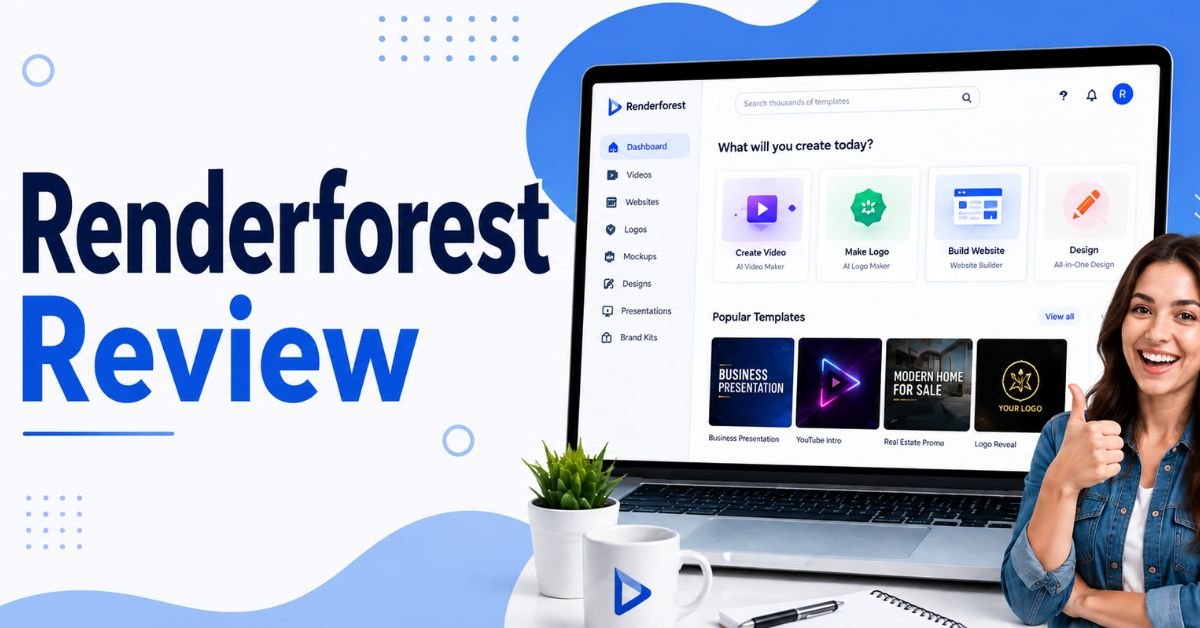
Creating professional videos, logos, websites, presentations, and marketing graphics traditionally required several expensive software applications. Businesses often relied on separate tools for video editing, logo design, website creation, mockups, and social media graphics, making creative workflows both costly and time-consuming.
Today, artificial intelligence and cloud-based design platforms have simplified this process. One platform attracting significant attention is Renderforest. It combines multiple creative tools into a single online platform, allowing users to create videos, logos, websites, presentations, and branding assets without requiring advanced design skills.
In this Renderforest Review, we’ll examine its features, pricing, ease of use, advantages, disadvantages, and whether it can genuinely replace multiple design tools.
If you’re searching for an affordable all-in-one creative platform for your business, YouTube channel, or personal projects, this review will help you decide whether Renderforest is the right choice.
What Is Renderforest?
Renderforest is a cloud-based creative platform that helps individuals and businesses create professional digital content using ready-made templates and artificial intelligence. Unlike traditional design software that often requires installation and technical knowledge, Renderforest works directly in your web browser.
The platform combines several creative tools into one solution, including:
- AI video maker
- Logo maker
- Website builder
- Presentation creator
- Mockup generator
- Graphic design tools
- Branding kit
- Intro and outro maker
- Slideshow creator
Because everything is cloud-based, users can access projects from almost any device with an internet connection.
Why Businesses Are Choosing All-in-One Design Platforms
Managing several creative applications can quickly become expensive and inefficient. Businesses increasingly prefer platforms that combine multiple design tools into one workspace.
Here are some common reasons why creators and businesses are making the switch.
Lower Software Costs
Purchasing separate software for video editing, logo creation, website building, and graphic design often results in high monthly expenses. An all-in-one platform helps reduce these costs by providing multiple creative tools within a single subscription.
Faster Content Creation
Creating marketing materials from scratch requires considerable time and design expertise. Ready-made templates and AI-powered tools allow users to produce professional content much faster while maintaining consistent quality across projects.
Beginner-Friendly Experience
Traditional design software often has a steep learning curve. Renderforest is designed for beginners, offering an intuitive interface and guided editing process that allows users to create professional content without technical or design experience.
Consistent Brand Identity
Using separate applications can make it difficult to maintain consistent branding. Renderforest helps businesses create matching logos, videos, presentations, websites, and graphics using a unified visual style that strengthens brand recognition.
Cloud-Based Workflow
Cloud storage allows users to access their projects from different devices without installing software. This flexibility supports remote work and enables teams to collaborate more efficiently.
Key Features of Renderforest
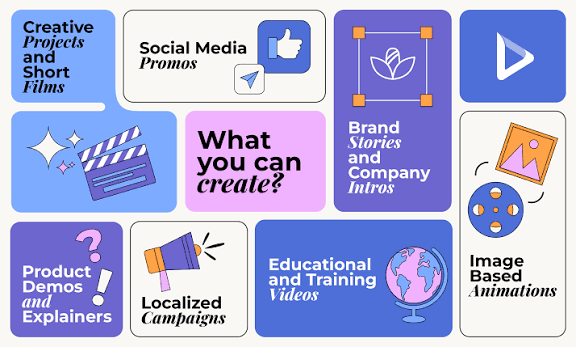
Renderforest includes a wide range of creative tools that simplify digital content creation.
AI Video Maker
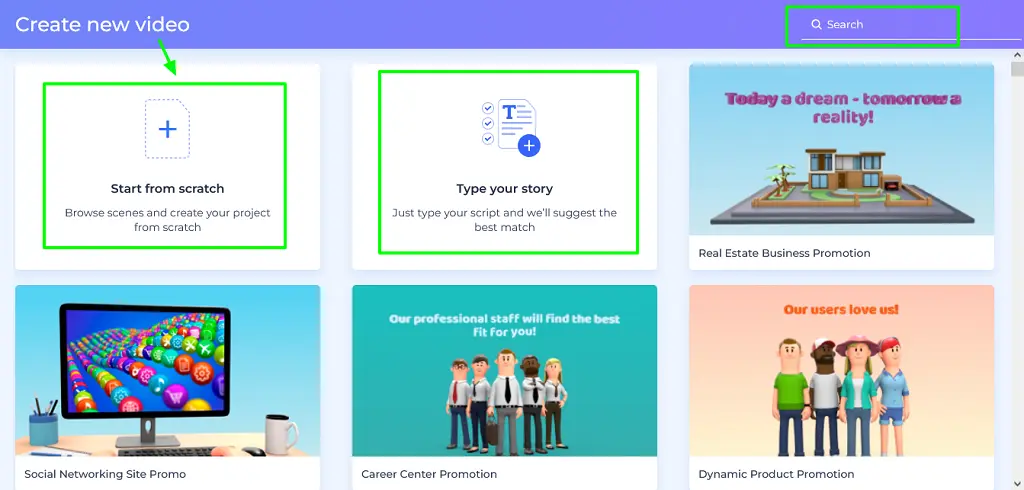
The AI Video Maker helps users produce professional videos using ready-made templates and automated editing features.
Users can create:
- Promotional videos
- Explainer videos
- YouTube intros
- Product demonstrations
- Business presentations
- Social media videos
- Slideshow videos
The platform automatically applies animations, transitions, music, and visual effects, reducing editing time significantly.
Logo Maker
Creating a professional logo is often one of the first steps when building a brand.
Renderforest’s AI Logo Maker generates logo concepts based on your business name, industry, and preferred design style.
Users can customise:
- Colours
- Fonts
- Icons
- Layouts
- Brand elements
This makes it easier for startups and small businesses to establish a professional visual identity.
Website Builder
Renderforest also includes an AI-powered website builder that allows users to create responsive business websites without coding.
Users can customise:
- Homepage layouts
- Service pages
- Contact forms
- Images
- Business information
- Colour schemes
The platform also provides hosting options, making website publishing straightforward.
Mockup Generator
Mockups help businesses present products and branding materials professionally.
Renderforest allows users to create mockups for:
- T-shirts
- Mobile phones
- Laptops
- Books
- Packaging
- Business cards
- Merchandise
These mockups are useful for marketing campaigns, e-commerce stores, and client presentations.
Graphic Design Tools
Renderforest includes design tools for creating various marketing materials.
Users can design:
- Social media posts
- Posters
- Flyers
- Banners
- Advertisements
- Invitations
- Business graphics
The drag-and-drop editor simplifies the design process.
Presentation Maker
Businesses frequently need presentations for meetings, sales pitches, training sessions, and conferences.
Renderforest provides professionally designed templates that help users create attractive presentations quickly.
Templates can be customised with:
- Text
- Images
- Icons
- Charts
- Brand colours
This reduces the time required to prepare professional presentations.
Intro and Outro Maker
Content creators and YouTubers can create animated intros and outros that improve branding and audience recognition.
Users can personalise templates by changing:
- Logos
- Colours
- Text
- Music
- Animation styles
This feature is particularly useful for video marketing.
Branding Tools
Renderforest helps businesses maintain a consistent visual identity.
Branding resources include:
- Logo creation
- Colour palettes
- Typography
- Marketing graphics
- Business presentations
- Video branding
Having these tools in one platform makes it easier to maintain a consistent brand image.
AI Features
Artificial intelligence powers many of Renderforest’s creative tools.
AI capabilities include:
- Logo generation
- Website creation
- Video creation
- Design recommendations
- Layout suggestions
- Branding assistance
- Template recommendations
These features help users create professional content much faster than traditional manual design methods.
User Interface and Ease of Use
One of Renderforest’s greatest strengths is its beginner-friendly interface.
The dashboard is organised into clear categories, allowing users to quickly access videos, logos, websites, presentations, and branding tools.
Projects are organised neatly, making navigation simple even for first-time users.
The editing process is largely template-based, allowing users to customise professional designs without needing advanced design knowledge.
Templates and Customisation
Templates play a major role in Renderforest’s popularity.
The platform offers thousands of professionally designed templates covering different industries and content types.
Users can customise templates by editing:
- Text
- Colours
- Fonts
- Images
- Icons
- Animations
- Music
- Backgrounds
This combination of templates and customisation provides a good balance between speed and creative flexibility.
Pricing
Renderforest offers both free and paid subscription plans, making it suitable for users with different budgets.
Free Plan
The free version allows users to explore many of the platform’s creative tools before upgrading.
Typical features include:
- Limited templates
- Basic editing
- Watermarked exports
- Cloud project storage
- Logo creation
- Website previews
It is suitable for testing the platform or creating personal projects.
Paid Plans
Premium subscriptions unlock advanced features designed for businesses and professional creators.
Paid plans generally include:
- Higher-resolution exports
- Watermark-free downloads
- Premium templates
- Larger storage capacity
- Commercial usage rights
- More branding tools
- Priority support
- Additional website features
For businesses producing content regularly, paid plans provide significantly greater value.
Renderforest vs Traditional Design Software
Many businesses rely on separate software for video editing, graphic design, logo creation, presentations, and website building. While these professional applications offer advanced features, they often require technical expertise, multiple subscriptions, and significant learning time.
The table below compares Renderforest with traditional design software.
| Feature | Traditional Design Software | Renderforest |
|---|---|---|
| AI Design Tools | Limited | Yes |
| Video Creation | Yes | Yes |
| Logo Maker | Separate software | Yes |
| Website Builder | Separate software | Yes |
| Mockup Generator | Separate software | Yes |
| Presentation Maker | Separate software | Yes |
| Cloud-Based | Depends on software | Yes |
| Beginner Friendly | Moderate | Excellent |
| Ready-Made Templates | Limited | Thousands |
| No Installation Required | No | Yes |
Renderforest simplifies creative work by combining several design tools into one cloud-based platform.
Renderforest vs Canva, Adobe Express and VistaCreate
Renderforest competes with several popular online design platforms. Each platform focuses on different creative needs.
| Feature | Renderforest | Canva | Adobe Express | VistaCreate |
|---|---|---|---|---|
| AI Video Maker | Yes | Limited | Yes | Limited |
| Logo Maker | Yes | Yes | Yes | Yes |
| Website Builder | Yes | No | No | No |
| Mockup Generator | Yes | Limited | Limited | Limited |
| Presentation Maker | Yes | Yes | Yes | Yes |
| Branding Tools | Yes | Yes | Yes | Yes |
| Beginner Friendly | Excellent | Excellent | Good | Excellent |
| Best For | All-in-One Creative Platform | Graphic Design | Adobe Users | Social Media Design |
Renderforest stands out by combining video creation, branding, website building, and mockup generation into a single platform, making it a strong choice for users seeking an all-in-one creative solution.
Security and Reliability
Protecting creative assets and business data is important for every user.
Renderforest uses secure cloud infrastructure to store projects and provide reliable access across devices.
Security features include:
- Secure cloud storage
- SSL encryption
- Password-protected accounts
- Automatic project saving
- Secure website hosting
- Regular platform updates
These features help users manage creative projects with confidence while reducing the risk of data loss.
Performance and Export Quality
Renderforest is designed to deliver smooth performance while simplifying the content creation process. Its cloud-based infrastructure handles rendering online, allowing users to create professional videos, graphics, presentations, and websites without relying on powerful hardware or complicated software installations.
Cloud-Based Performance
Unlike traditional design software that depends on your computer’s processing power, Renderforest performs most rendering tasks in the cloud. This allows users to work efficiently on standard laptops or desktop computers while reducing hardware limitations and improving overall productivity.
Fast Rendering Process
Renderforest automatically processes videos and creative projects online, eliminating the need for complicated export settings. Users simply customise their project, choose the desired quality, and let the platform handle the rendering process, making content creation much faster and easier.
High-Quality Exports
The platform supports multiple export resolutions depending on your subscription plan. Premium users can download high-resolution videos, graphics, and branding assets without watermarks, making the content suitable for professional presentations, marketing campaigns, YouTube videos, and commercial business use.
Watermark-Free Downloads
While the free plan includes watermarked exports, paid subscriptions provide clean, watermark-free downloads. This allows businesses, creators, and marketers to publish professional content that reflects their brand without distracting branding from the platform.
Commercial-Ready Output
Renderforest produces high-quality creative assets suitable for websites, social media, advertising campaigns, business presentations, online stores, and client projects. The combination of professional templates and high-resolution exports ensures that finished content is ready for commercial use.
Reliable Cloud Infrastructure
Because projects are stored and processed in the cloud, users can access their work from different devices without worrying about losing files. Automatic project saving and reliable cloud infrastructure help ensure a smooth creative workflow while protecting valuable design assets.
Pros of Renderforest
- Beginner-friendly interface
- All-in-one creative platform
- AI-powered design tools
- Thousands of professional templates
- Video, logo, website, and mockup creation
- Cloud-based with no software installation
- Responsive website builder
- Fast content creation
- Commercial-ready designs
- Suitable for individuals and businesses
Cons of Renderforest
- Free plan includes watermarked exports
- Premium plans are required for high-resolution downloads
- Advanced customisation is more limited than professional design software
- Rendering large projects may take additional time
- Internet connection is required for most features
Who Should Use Renderforest?
Renderforest is designed for anyone who wants to create professional digital content without investing in multiple design applications. Here are the users who can benefit the most.
Content Creators
Content creators can design YouTube intros, promotional videos, social media graphics, presentations, logos, and branding materials from one platform. Renderforest helps creators produce professional content quickly while maintaining a consistent visual identity across multiple online channels.
YouTubers
YouTubers can create animated intros, outros, channel branding, thumbnails, promotional videos, and logo designs without advanced video editing skills. Renderforest simplifies content production and helps channels maintain a professional appearance that attracts viewers and strengthens brand recognition.
Small Business Owners
Small business owners can build websites, create marketing videos, design logos, prepare presentations, and produce advertising graphics using one platform. Renderforest reduces software costs while helping businesses establish a strong and consistent online presence.
Marketing Agencies
Marketing agencies can create promotional videos, client presentations, social media campaigns, mockups, websites, and branding materials more efficiently. Renderforest accelerates project delivery while maintaining professional quality across multiple client campaigns and marketing activities.
Freelancers
Freelancers working in design, marketing, consulting, or content creation can deliver professional creative assets without purchasing several expensive software applications. Renderforest provides versatile tools that improve productivity and simplify project management for independent professionals.
Start-ups
Start-ups often need branding, websites, presentations, promotional videos, and marketing materials quickly. Renderforest enables founders to launch professional-looking content while keeping design expenses low during the early stages of business growth.
Social Media Managers
Social media managers can produce engaging graphics, promotional videos, advertisements, animated posts, and campaign visuals using ready-made templates. Renderforest helps maintain consistent branding while reducing the time required to create content for multiple platforms.
E-commerce Businesses
Online stores can create product videos, promotional banners, website graphics, mockups, logos, and marketing materials that enhance product presentation. Renderforest supports businesses looking to improve customer engagement and increase online sales.
Educators
Teachers, trainers, and educational organisations can create engaging presentations, instructional videos, online course materials, and educational graphics. Renderforest makes complex topics easier to present through professionally designed visual content.
Entrepreneurs
Entrepreneurs launching new businesses can create logos, websites, promotional videos, presentations, and branded marketing assets without hiring multiple designers. Renderforest provides an affordable solution for building a professional brand from the beginning.
Is Renderforest Worth It?
For most individuals, freelancers, content creators, and small businesses, the answer is yes.
Renderforest successfully combines video creation, logo design, website building, presentations, branding tools, and mockup generation into a single cloud-based platform. This reduces the need to purchase multiple creative software subscriptions while simplifying the content creation process.
Its large template library, AI-powered tools, beginner-friendly interface, and cloud-based workflow make it an excellent choice for users who want professional results without advanced design experience.
Although creative professionals may still prefer specialised software for highly detailed projects, Renderforest delivers impressive value for everyday business and marketing needs.
FAQs:
Is Renderforest free?
Yes. Renderforest offers a free plan that allows users to explore many of its creative tools. Paid plans provide watermark-free exports, premium templates, higher resolutions, and additional business features.
Can Renderforest replace multiple design tools?
Yes. Renderforest combines video creation, logo design, website building, presentation creation, mockup generation, and branding tools into one platform, reducing the need for multiple software subscriptions.
Does Renderforest require design experience?
No. Renderforest is designed for beginners and uses templates and AI-powered tools that allow users to create professional content without graphic design or video editing experience.
Can I build a website with Renderforest?
Yes. Renderforest includes a website builder that allows users to create responsive business websites using customisable templates without writing code.
Is Renderforest suitable for businesses?
Yes. Businesses can use Renderforest to create logos, promotional videos, websites, presentations, social media graphics, and marketing materials from one platform.
Who should use Renderforest?
Renderforest is ideal for content creators, YouTubers, freelancers, startups, small businesses, marketing agencies, educators, entrepreneurs, and e-commerce businesses looking for an all-in-one creative solution.
Must Read:
- HubSpot Review: Can It Replace Multiple Business Tools?
- Landingsite Review: Is It the Best AI Website Builder?
- Bookipi Review: The Best Invoicing App for Freelancers?
Final Verdict:
After evaluating its features, usability, pricing, and overall performance, Renderforest proves to be one of the most versatile all-in-one creative platforms available today.
Its ability to combine AI-powered video creation, logo design, website building, presentation tools, branding resources, mockup generation, and graphic design into one cloud-based platform makes it a practical solution for modern creators and businesses.
The intuitive interface and extensive template library allow beginners to produce professional-quality content quickly, while paid plans unlock advanced features suitable for commercial projects. Although experienced designers may still require specialised software for highly complex editing, Renderforest covers the majority of everyday creative needs exceptionally well.
If your goal is to simplify your design workflow, reduce software costs, and create high-quality digital content from a single platform, Renderforest is a highly recommended solution and one of the best all-in-one creative tools available today.