

Building a professional website no longer requires advanced coding skills or a large development budget. Modern website builders have made it possible for anyone to create attractive, responsive, and functional websites using simple drag-and-drop tools. Whether you are starting a blog, launching an online business, creating a portfolio, or opening an online store, choosing the right website builder plays a significant role in your success.
Among the many website builders available today, Squarespace has built a strong reputation for its premium templates, all-in-one platform, and user-friendly interface. It combines website design, hosting, domain management, blogging, eCommerce, SEO tools, and marketing features into a single platform, making it an attractive choice for beginners and professionals alike.
Squarespace is especially popular with small businesses, photographers, designers, freelancers, restaurants, agencies, and online store owners who want a polished website without managing complicated technical settings.
But is Squarespace really the best website builder? Does it provide enough flexibility, features, and value compared to competitors such as Wix, Shopify, and WordPress? In this Squarespace Review, we examine its features, pricing, performance, advantages, disadvantages, and overall value to help you decide whether it is the right platform for your website.
What Is Squarespace?
Squarespace is an all-in-one website builder that allows users to create websites without writing code. Everything needed to build and manage a website is included, including hosting, security, templates, domain management, blogging tools, eCommerce functionality, and SEO features.
Instead of installing software or managing servers, users simply sign up, choose a template, customise the design, and publish their website.
Squarespace is suitable for creating:
- Business websites
- Personal blogs
- Portfolio websites
- Online stores
- Restaurant websites
- Agency websites
- Photography websites
- Event websites
- Membership websites
- Landing pages
Its combination of professional design and ease of use makes it one of the most recognised website builders available today.
How Does Squarespace Work?
One of the strengths highlighted in this Squarespace Review is its simple website creation process.
Users can build an entire website in just a few steps.
Choose a Template
Squarespace offers professionally designed templates for different industries.
Categories include:
- Business
- Fashion
- Photography
- Restaurants
- Online stores
- Portfolios
- Health
- Consulting
- Personal websites
- Blogs
Each template is fully responsive and adapts automatically to desktop, tablet, and mobile devices.
Customise Your Website
After selecting a template, users can customise nearly every part of the website.
They can modify:
- Colours
- Fonts
- Images
- Layouts
- Navigation menus
- Buttons
- Sections
- Pages
Changes appear instantly through the visual editor.
Add Content
Users can create pages such as:
- Home
- About
- Services
- Blog
- Contact
- Shop
- Portfolio
- FAQ
Adding text, images, videos, galleries, and forms requires only a few clicks.
Connect Your Domain
Users can purchase a new domain through Squarespace or connect an existing domain.
The platform also manages SSL certificates automatically, improving website security.
Publish Your Website
Once everything is ready, users simply click Publish.
Squarespace manages hosting, security updates, backups, and website infrastructure behind the scenes.
Key Features of Squarespace

One reason Squarespace remains popular is its comprehensive feature set.
This Squarespace Review covers its most valuable tools.
Professional Templates
Squarespace is widely recognised for its beautifully designed templates.
Each template offers:
- Modern layouts
- Mobile responsiveness
- Professional typography
- High-quality image presentation
- Fast loading performance
Many businesses choose Squarespace primarily because of its visual quality.
Drag-and-Drop Website Builder
The visual editor allows users to build websites without coding.
Users can easily:
- Move sections
- Add images
- Insert videos
- Create galleries
- Rearrange content
- Update text
The editing experience is intuitive even for beginners.
Built-in Blogging Platform
Squarespace includes a complete blogging system.
Users can:
- Publish articles
- Organise categories
- Schedule posts
- Add featured images
- Manage comments
- Optimise blog content
This makes it suitable for content marketing and SEO.
eCommerce Features
Squarespace supports online stores with built-in eCommerce tools.
Store owners can:
- Sell physical products
- Sell digital downloads
- Offer services
- Accept payments
- Manage inventory
- Track orders
- Create discount codes
The platform integrates with popular payment providers to simplify online selling.
SEO Tools
Search engine optimisation is essential for online visibility.
Squarespace includes several built-in SEO features.
These include:
- Custom page titles
- Meta descriptions
- Automatic XML sitemaps
- Clean URLs
- Mobile optimisation
- SSL certificates
- Image optimisation
- Redirect management
These tools help websites perform better in search engine results.
Marketing Features
Squarespace also provides marketing tools that help businesses grow their audience.
Features include:
- Email campaigns
- Announcement bars
- Social media integration
- Newsletter forms
- Promotional pop-ups
- Analytics
These tools help website owners attract and retain visitors.
Analytics Dashboard
Users can monitor website performance through the built-in analytics dashboard.
Metrics include:
- Visitor numbers
- Traffic sources
- Popular pages
- Sales reports
- Conversion data
- Geographic visitors
These insights help users improve website performance over time.
User Interface and Experience
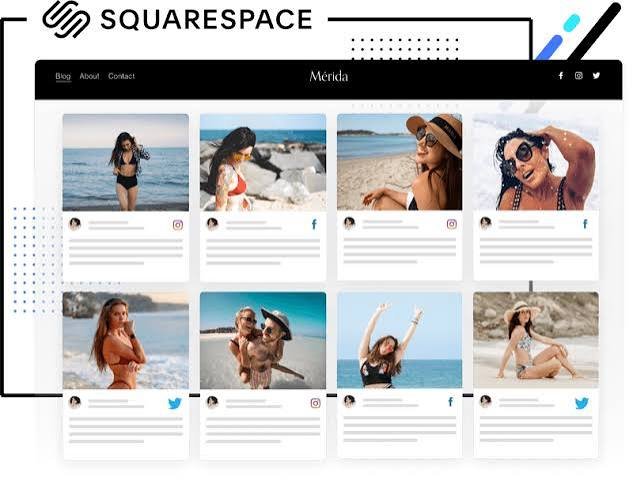
One of the biggest advantages discussed in this Squarespace Review is its polished interface.
The dashboard is clean, organised, and visually appealing.
Users can quickly access:
- Website editor
- Blog manager
- Store management
- Analytics
- SEO settings
- Marketing tools
- Domain management
Navigation remains simple even as websites become larger.
Beginners can usually become comfortable using the platform after only a short learning period.
Website Design Quality
Design quality remains one of Squarespace's strongest selling points.
Unlike many website builders that rely heavily on basic templates, Squarespace provides professionally crafted designs suitable for businesses and creative professionals.
Its templates emphasise:
- Large images
- Clean typography
- Modern layouts
- Responsive design
- Visual storytelling
- Elegant spacing
For photographers, designers, artists, restaurants, consultants, and agencies, these templates often require very little modification before publication.
The combination of beautiful templates and easy customisation is one of the reasons Squarespace continues to attract users looking for premium website designs.
Squarespace Pricing
Pricing is an important factor when choosing a website builder. In this Squarespace Review, the platform offers several subscription plans designed for personal websites, small businesses, online stores, and growing brands.
Free Trial
Squarespace offers a free trial that allows users to explore the platform before committing to a paid plan.
During the trial, users can:
- Build a complete website
- Test the website editor
- Explore templates
- Try blogging features
- Evaluate eCommerce tools
- Experience the dashboard
A paid subscription is required to publish the website using a custom domain.
Premium Plans
Paid plans include additional features such as:
- Custom domain connection
- Unlimited bandwidth
- Website analytics
- Marketing tools
- Advanced SEO features
- eCommerce functionality
- Payment processing
- Customer accounts
- Premium integrations
- Priority support
Businesses planning to sell products online or run marketing campaigns will benefit from the higher-tier plans.
Performance Review
An important part of this Squarespace Review is evaluating how the platform performs during everyday website management.
Website Speed
Squarespace provides managed cloud hosting with built-in optimisation, helping websites load quickly without requiring manual performance tuning.
Although page speed can vary depending on image sizes and page complexity, most websites deliver a smooth browsing experience across desktop and mobile devices.
Design Quality
One of Squarespace's biggest strengths is its professionally designed templates.
The layouts are modern, visually appealing, and responsive, making websites look polished with minimal customisation.
This design quality is one reason many creative professionals choose Squarespace over competing website builders.
Ease of Use
Squarespace is designed for beginners.
The visual editor makes it easy to:
- Create pages
- Edit content
- Upload images
- Change layouts
- Manage blogs
- Configure online stores
Most users can launch a professional website without learning HTML, CSS, or JavaScript.
SEO Performance
Squarespace includes several built-in SEO tools that help websites perform well in search engines.
Features such as clean URLs, XML sitemaps, SSL certificates, custom meta descriptions, image optimisation, and mobile-friendly templates support strong technical SEO.
However, users should still perform keyword research, create high-quality content, and build backlinks to maximise search rankings.
Security
Security is fully managed by Squarespace.
The platform automatically handles:
- SSL certificates
- Website hosting
- Security updates
- Infrastructure maintenance
- Performance optimisation
Users do not need to install security plugins or manage server updates manually.
Overall, this Squarespace Review finds the platform reliable, secure, and easy to maintain for users who want an all-in-one website solution.

Squarespace Pros and Cons
Every website builder has advantages and limitations. This Squarespace Review examines both.
Pros
- Beautiful professional templates
- Beginner-friendly website builder
- Managed hosting included
- Responsive mobile designs
- Built-in blogging platform
- Strong SEO features
- Secure SSL certificates
- Integrated eCommerce tools
- Marketing and email campaign features
- Reliable customer support
Cons
- No permanent free plan
- Higher pricing than some competitors
- Limited third-party app ecosystem compared with WordPress
- Advanced customisation may require CSS or code injection
- Less flexibility than open-source website platforms
Squarespace vs Wix
Many users compare Squarespace with Wix because both platforms target beginners and small businesses.
Website Builder
Squarespace focuses on professionally designed templates with a structured editing experience that helps maintain visual consistency.
Wix offers a more flexible drag-and-drop editor, allowing users to position elements almost anywhere on the page. This flexibility appeals to users who want greater creative control.
Templates
Squarespace is widely recognised for its elegant, premium-quality templates that are especially popular with photographers, designers, restaurants, and creative professionals.
Wix provides a much larger collection of templates covering a wider range of industries and website types.
App Marketplace
Squarespace includes built-in tools for many common website functions.
Wix has a larger App Market with hundreds of third-party integrations, giving users more options for extending website functionality.
Best Choice
Choose Squarespace if you value premium design, simplicity, and an all-in-one website platform.
Choose Wix if you need greater design flexibility and access to a larger collection of third-party apps.
Squarespace vs WordPress
Another common comparison in this Squarespace Review is between Squarespace and WordPress.
Ease of Use
Squarespace is designed for users who want to build and manage a website without dealing with hosting, plugins, or technical maintenance.
WordPress offers greater flexibility but requires users to manage hosting, themes, plugins, updates, and website security.
Customisation
Squarespace provides enough customisation for most small businesses and portfolios.
WordPress offers virtually unlimited flexibility through thousands of themes, plugins, and custom development options.
SEO
Both platforms support strong SEO practices.
Squarespace includes built-in SEO tools that work well for most users.
WordPress provides greater SEO flexibility through plugins such as Rank Math and Yoast SEO, making it popular with advanced SEO professionals.
Best Choice
Choose Squarespace if you prefer simplicity and managed hosting.
Choose WordPress if you need complete control, advanced customisation, and unlimited expansion possibilities.
Squarespace vs Shopify
Businesses planning to sell products online often compare Squarespace with Shopify.
eCommerce
Squarespace includes integrated online store features suitable for many small and medium-sized businesses.
Shopify is designed specifically for eCommerce and offers more advanced inventory management, shipping tools, payment options, and sales features.
Store Management
Squarespace is ideal for businesses where content and design are just as important as product sales.
Shopify is better suited for businesses managing large inventories and high-volume online stores.
Best Choice
Choose Squarespace if your website combines blogging, branding, and online sales.
Choose Shopify if your primary focus is running a dedicated online store with advanced eCommerce functionality.
Who Should Use Squarespace?
Squarespace is an excellent choice for:
- Bloggers
- Small business owners
- Freelancers
- Photographers
- Designers
- Artists
- Consultants
- Restaurants
- Online store owners
- Creative agencies
It is particularly suitable for users who want professional-looking websites without technical complexity.
Is Squarespace Worth It?
One of the biggest questions answered in this Squarespace Review is whether the platform offers good value.
For users seeking an all-in-one website builder with managed hosting, elegant templates, blogging tools, built-in SEO, and integrated eCommerce, Squarespace provides excellent value.
Although it offers fewer advanced customisation options than WordPress, it simplifies website management by handling hosting, security, updates, and performance automatically.
For many small businesses and creative professionals, this convenience outweighs the platform's limitations.
Final Verdict:
This Squarespace Review shows that the platform remains one of the best website builders for users who value simplicity, premium design, and an all-in-one website management experience.
Its professionally designed templates, reliable hosting, built-in SEO tools, blogging features, marketing integrations, and eCommerce capabilities make it suitable for a wide range of websites.
While developers and advanced users may prefer the flexibility of WordPress, Squarespace delivers an outstanding experience for beginners, entrepreneurs, freelancers, and businesses that want to launch attractive websites quickly without managing technical infrastructure.
Must Read:
- Zutrix Review: The Smart SEO Rank Tracking Tool?
- PressMeGPT Review: Can It Write SEO-Friendly Blog Posts?
- Genspark Review: Can It Replace Traditional Search Engines?
FAQs:
What is Squarespace?
Squarespace is an all-in-one website builder that allows users to create websites, blogs, portfolios, and online stores without coding. It includes hosting, templates, SEO tools, security, and website management.
Is Squarespace good for beginners?
Yes. Squarespace is designed for beginners with an intuitive visual editor, professionally designed templates, and managed hosting that eliminates most technical tasks.
Can Squarespace build an online store?
Yes. Squarespace includes built-in eCommerce tools that allow users to sell physical products, digital downloads, services, subscriptions, and gift cards.
Is Squarespace better than Wix?
It depends on your needs. Squarespace offers premium templates and a more structured editing experience, while Wix provides greater design flexibility and a larger app marketplace.
Is Squarespace better than WordPress?
Squarespace is easier to use and requires less maintenance. WordPress offers significantly more customisation, plugin support, and flexibility for advanced users.
Who should use Squarespace?
Squarespace is ideal for bloggers, freelancers, photographers, designers, consultants, small businesses, restaurants, creative professionals, and entrepreneurs looking for a professional website builder with managed hosting and built-in tools.









