Choosing the right website builder can make a big difference when you want to create a professional website without learning complicated coding. In this Weblium Website Builder Review, we look at what Weblium offers, how easy it is to use, what features are included, how much it costs, whether it is good for SEO, and who should consider using it.
Weblium is a no-code website builder designed for people and businesses that want to create modern websites without hiring a developer. The platform provides ready-made templates, visual editing tools, responsive layouts, hosting, SSL, SEO and marketing features, ecommerce functionality, and an AI-powered design assistant.
But is Weblium actually worth paying for when there are so many website builders available today?
The answer depends on what you need. Weblium can be a strong choice for small businesses, freelancers, agencies, portfolios, landing pages and relatively straightforward online stores. However, users looking for extensive customisation, advanced integrations or a highly flexible content management system may find platforms such as WordPress more suitable.
In this Weblium Website Builder Review, we will examine the platform from a practical perspective so you can decide whether it matches your website goals.
What Is Weblium?
Weblium is a cloud-based website builder that allows users to create websites without manually writing HTML, CSS or JavaScript. Instead of building everything from scratch, you can select a template, edit the content, change the design and publish the website through the platform.
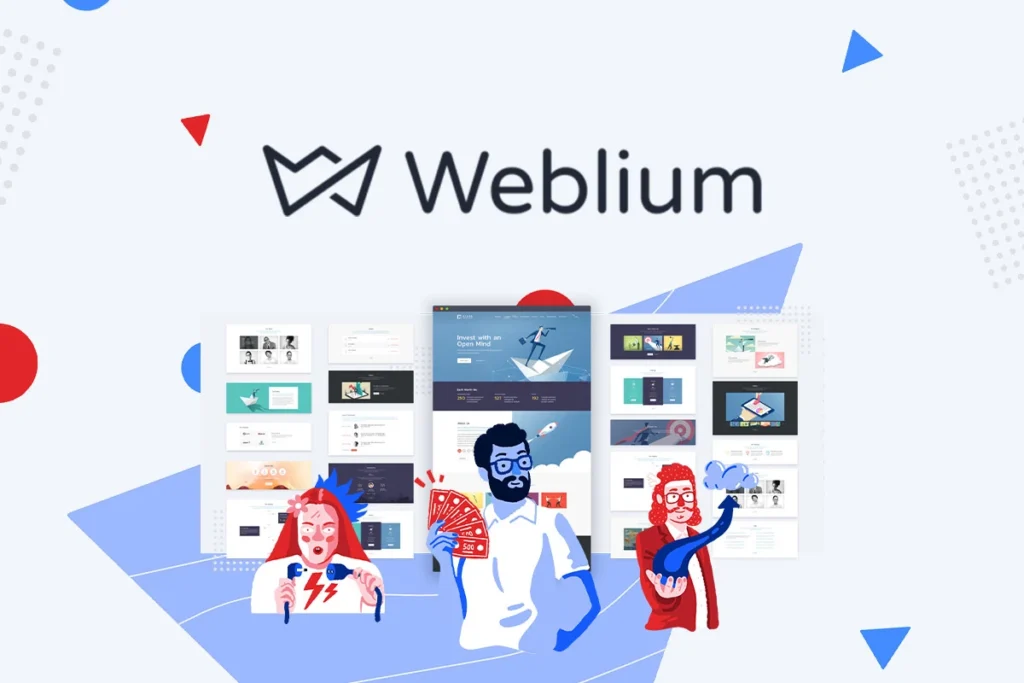
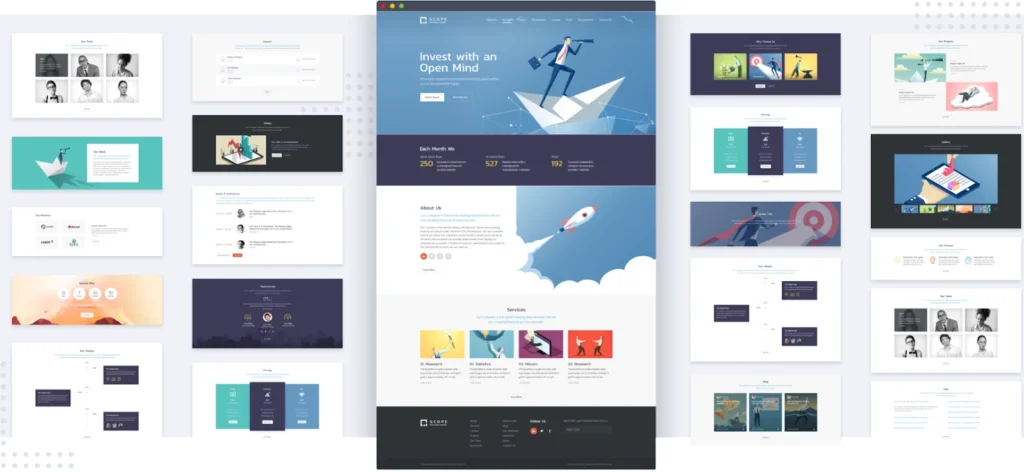
The Weblium Website Builder Review process starts with one of the platform’s professionally designed templates or a blank website. Weblium currently promotes more than 300 templates, while its Help Centre describes a gallery of more than 350 ready-to-use templates. These templates cover categories such as business websites, portfolios, restaurants, real estate, education, photography and marketing.
The platform also provides ready-made blocks that can be inserted into pages. These blocks can be used for services, pricing tables, testimonials, galleries, teams, contact sections and other common website elements.
This approach makes Weblium particularly appealing to beginners. Instead of spending hours designing every section, you can start with an existing layout and customise it to suit your brand.
Weblium Website Builder Features
The features included with a website builder determine how useful it will be after the initial website creation process. In this Weblium Website Builder Review, the platform offers a good selection of features for small and medium-sized websites.
Professional Templates
One of Weblium’s biggest advantages is its template collection. The platform provides hundreds of templates covering different industries and website types.
Templates are fully editable, meaning you are not locked into the original text, images, colours or sections. You can replace the content, adjust layouts and customise the overall appearance.
For a small business owner, this can save considerable time. Instead of hiring a designer to create a basic company website, you can start with a professionally structured design and adapt it yourself.
Drag-and-Drop Website Editing
Weblium uses a visual editor that allows users to edit website elements directly on the page. You can add text, images, videos, buttons and other content without needing to work with code.
The Weblium Website Builder Review experience is particularly positive for beginners because the editor is designed around direct editing. Weblium says users can add or remove elements while the layout remains properly structured.
This is useful for users who want to make frequent changes to their websites without depending on a developer.
AI Design Supervisor
Weblium also includes an AI Design Supervisor. According to Weblium, this feature helps maintain consistency in the website design and can assist with layouts, spacing and visual presentation.
This is an interesting feature because beginners often struggle with design consistency. A website may contain good content but still look unprofessional because different sections use inconsistent spacing, fonts or layouts.
The AI Design Supervisor is intended to reduce some of these problems while users build and edit their websites.
Responsive Design
Mobile responsiveness is essential for modern websites because a significant amount of web traffic comes from smartphones and tablets.
Weblium provides responsive layouts designed to adapt across different screen sizes. The company states that users can edit a desktop version while the system adapts the design for other devices.
This means beginners do not necessarily have to build separate desktop and mobile websites.
However, it is still important to preview your website on different screen sizes before publishing. Automatic responsiveness is helpful, but no automated system can replace checking the final design yourself.
Hosting and SSL
Weblium provides hosting as part of its platform. Its pricing page states that plans include Google Cloud hosting and a free SSL certificate.
This is convenient because you do not have to purchase hosting separately or manage server configuration.
For beginners, this can make website management much easier. You can concentrate on content and marketing rather than server updates, security configuration and hosting administration.
Website Animations
Weblium provides animation controls that can be used to make website sections more interactive.
Animations can improve visual presentation when they are used carefully. However, website owners should avoid adding too many unnecessary animations because they can distract visitors and potentially affect the user experience.
For business websites, simple and purposeful animation is usually better than making every element move.

Weblium Pricing
Pricing is one of the most important parts of this Weblium Website Builder Review because the platform has both a free option and a paid Pro plan.
According to Weblium’s current pricing page, the Free plan costs $0, while the Pro plan is listed at $15 per month when billed monthly. Weblium also currently shows an annual Pro price of $8.25 per month, which represents a substantial saving compared with monthly billing.
Weblium Free Plan
The Free plan allows users to start building a website without paying for a subscription.
This can be useful if you are testing the platform, creating a personal project or experimenting with a website idea.
However, free website plans generally come with restrictions, and Weblium is no different. If you want a professional business website with your own domain and additional marketing functionality, you will likely need the Pro plan.
Weblium Pro Plan
The Pro plan is designed for users who need the platform’s full functionality.
Weblium currently lists features such as a custom domain connection, SEO and marketing tools, custom code, no Weblium branding and ecommerce functionality under the Pro offering. The plan also includes a free domain for one year when purchased according to the company’s pricing information.
The Pro plan supports up to 500 pages and up to 10,000 products in an online store, according to the current pricing table.
For a small business, those limits should be more than enough.
Weblium Free Trial
Weblium provides a 14-day Pro trial for new websites, and the company states that a credit card is not required to start the trial.
There is an important limitation, however.
During the trial, certain Pro functions are restricted. Weblium states that the trial does not include connecting a domain, website indexing, custom code, adding links to external resources or viewing contact form responses.
This is something you should know before starting the trial.
The trial gives you an opportunity to explore the builder and its design functionality, but it does not provide access to every aspect of a fully published Pro website.
Is Weblium Easy to Use?
Ease of use is one of the strongest reasons to consider Weblium.
The Weblium Website Builder Review experience is particularly suitable for people who do not have technical website development skills. The visual editor allows you to work directly with page elements instead of editing code.
The process is relatively straightforward:
- Create a Weblium account.
- Select a template.
- Replace the demo content.
- Add your logo and branding.
- Edit colours and fonts.
- Add or remove sections.
- Optimise the pages for search engines.
- Connect your domain.
- Preview the website.
- Publish the website.
The availability of ready-made blocks also makes the process faster. Weblium says its block library includes sections created for different business purposes.
This makes the platform a practical option for someone who wants to launch a website quickly.
Weblium for SEO
SEO is an important consideration for anyone publishing a business website, blog or affiliate website.
The Weblium Website Builder Review shows that the platform includes SEO and marketing tools, particularly with its Pro plan.
You can work on important on-page SEO elements such as page titles and descriptions, while the responsive design helps create a mobile-friendly experience.
However, it is important to understand that having SEO tools does not automatically make a website rank highly on Google.
SEO success also depends on factors such as:
- Helpful and original content
- Search intent
- Keyword targeting
- Internal linking
- Website structure
- Page experience
- Backlinks
- Topical authority
- Website trust
- Image optimisation
- Technical SEO
A website builder can provide the technical foundation, but the website owner still needs to create useful content and build authority.
For a small business website, service website or landing page, Weblium can provide enough SEO functionality for many projects.
For a large publishing website with thousands of articles and advanced SEO requirements, however, a more flexible CMS may be preferable.
Is Weblium Good for Blogging?
Weblium does support blogging, but this is an area where you should consider your long-term plans.
If you want a website with a company blog containing a limited number of helpful articles, Weblium can work well.
For example, a local business could create pages for its services and publish articles answering common customer questions.
However, if your entire business model is based on publishing hundreds or thousands of articles, WordPress may provide greater flexibility through its extensive ecosystem of plugins, themes and content-management functionality.
Therefore, the Weblium Website Builder Review verdict for blogging depends on the scale of your content strategy.
Weblium is more attractive for business websites that happen to have a blog than for publishers whose primary product is a huge content library.
Weblium for Ecommerce
Weblium also supports ecommerce websites.
Its ecommerce platform includes features such as product variants, stock management, product filtering and product import functionality.
This makes Weblium suitable for small and medium-sized online stores that want to sell products without building an ecommerce website from scratch.
The platform’s current pricing information lists support for up to 10,000 products on the Pro plan.
That is a sizeable product limit for many small businesses.
However, ecommerce requirements can vary considerably. A simple online shop selling a relatively straightforward product catalogue is different from a large marketplace requiring advanced automation, complex shipping rules, extensive integrations and sophisticated inventory management.
Before choosing Weblium for ecommerce, businesses should compare the platform’s specific payment, shipping, inventory and integration capabilities with their requirements.
Weblium for Small Businesses
Small businesses are one of the areas where Weblium makes the most sense.
A local business often needs a website containing:
- Homepage
- About page
- Services
- Pricing
- Testimonials
- Gallery
- Contact page
- Location information
- Blog
Weblium can handle this type of website without forcing the owner to learn web development.
The Weblium Website Builder Review verdict for small businesses is therefore positive. The combination of templates, visual editing, hosting, responsive layouts and built-in tools can reduce the technical work involved in launching and maintaining a website.
Weblium for Landing Pages
Weblium can also be useful for landing pages.
Landing pages need clear layouts, strong calls to action and fast editing. The template and block-based approach can help marketers create pages without starting from a blank canvas.
You can use a Weblium landing page for:
- Lead generation
- Product promotion
- Service enquiries
- Event registration
- Newsletter subscriptions
- Advertising campaigns
- Business offers
- Portfolio presentations
For marketers who frequently need simple campaign pages, this can be one of Weblium’s strongest use cases.
Weblium Pros and Cons
Pros
- Easy-to-use visual editor
- Professional templates
- AI Design Supervisor
- Responsive website designs
- Hosting included
- Free SSL certificate
- Built-in SEO tools
- Ecommerce support
- Fast website creation
- No coding required
Cons
- Not ideal for very large content websites
- Less flexible than WordPress
- Some Pro features are restricted during the trial
- Requires a recurring subscription
- Limited for complex websites
Weblium vs WordPress
The choice between Weblium and WordPress depends mainly on how much control you need.
Weblium is easier for beginners because hosting, website building and many technical tasks are handled within one platform.
WordPress offers significantly more flexibility because of its enormous ecosystem of themes, plugins and integrations.
If you want to create a five-page company website, Weblium may be easier.
If you want to build a large affiliate website with thousands of articles, advanced SEO systems, custom functionality and numerous third-party integrations, WordPress may be a stronger long-term choice.
The Weblium Website Builder Review conclusion is therefore not that Weblium is better than WordPress. Rather, the two platforms are designed around different priorities.
Weblium prioritises simplicity.
WordPress prioritises flexibility.
Weblium vs Wix
Weblium and Wix are both visual website builders aimed at users who want to create websites without traditional coding.
The major difference is that Wix has a very broad ecosystem of features, apps and website functionality, while Weblium focuses strongly on straightforward website creation and design consistency.
If you want a large number of built-in business tools and third-party integrations, Wix may be worth considering.
If your priority is a simpler editing experience and fast website creation, Weblium can be attractive.
Your choice should depend on the specific features your website requires rather than simply choosing the platform with the longest feature list.
Who Should Use Weblium?
The Weblium Website Builder Review suggests that Weblium is best suited to:
- Small business owners
- Freelancers
- Consultants
- Agencies
- Photographers
- Designers
- Local businesses
- Personal brands
- Portfolio owners
- Service providers
- Small ecommerce businesses
- Marketers creating landing pages
It is particularly useful when you want to build and maintain the website yourself.
You do not need to become a web developer just to update your homepage, change a service description or add a new section.
Who Should Avoid Weblium?
Weblium may not be the best choice if you need a highly customised web application or a large publishing operation.
You may want to consider another platform if you need:
- Highly advanced database functionality
- Extensive third-party integrations
- Complex membership systems
- Custom application development
- Very advanced ecommerce workflows
- Thousands of specialised plugins
- Complete server-level control
- A highly customised technical architecture
In these cases, WordPress, Webflow, Shopify or custom development may be more appropriate depending on your requirements.
Is Weblium Worth It?
So, is Weblium worth it?
For the right user, yes.
The Weblium Website Builder Review shows that the platform combines an easy visual editor, professional templates, responsive design, hosting, SSL, SEO tools, ecommerce capabilities and AI-powered design assistance in one service.
The Pro plan currently costs $15 per month when billed monthly or $8.25 per month on the annual pricing shown by Weblium.
For a small business that wants to launch a professional website without hiring a developer, that can be a reasonable investment.
The biggest question is not whether Weblium is good. The more important question is whether it fits your website’s future requirements.
If you need simplicity, speed and an easy editing experience, Weblium deserves serious consideration.
If you need maximum flexibility and plan to build a large content-driven website, WordPress may be a better long-term option.
Must Read:
- Network Solutions Website Builder Review: Should You Choose It?
- Gamma AI Website Builder Review: Can It Boost Your Productivity?
- Codedesign AI Website Builder Review: Should You Choose It?
Final Verdict:
After looking at the platform’s features, pricing, templates, SEO tools, ecommerce functionality and ease of use, our Weblium Website Builder Review verdict is that Weblium is a strong no-code website builder for small businesses, freelancers, agencies, portfolios, landing pages and straightforward ecommerce websites.
Its biggest advantage is simplicity. You can start with a professional template, customise the design, add your content and publish without dealing with traditional web development.
The AI Design Supervisor is another interesting feature because it attempts to keep the design consistent while you make changes.
The current Pro plan also provides useful features such as custom domains, SEO and marketing tools, custom code, ecommerce functionality, hosting and SSL.
The main limitation is flexibility. Weblium cannot match the enormous ecosystem and customisation potential of WordPress for every type of project.
There are also trial restrictions that users should understand before signing up, especially around domain connection, indexing, custom code and external links.