
Building a professional website has become much easier with the rise of AI-powered website builders. Today, individuals, freelancers, startups, and small businesses can launch attractive websites without learning coding or hiring a web developer. Among the latest AI-powered platforms, Design Website Builder has attracted attention for its ability to generate complete websites within minutes.
This Design Website Builder Review explores whether the platform can truly create a professional website. We will examine its features, ease of use, AI capabilities, customisation options, templates, and overall user experience. By the end of this review, you will have a clear understanding of whether Design Website Builder is the right choice for your next website project.
What Is Design Website Builder?
Design Website Builder is an AI-powered website creation platform developed by Design.com. It allows users to create professional websites by entering a simple prompt or selecting a business category. The AI automatically generates website layouts, images, colours, fonts, and content suggestions, significantly reducing the time required to build a website.
Unlike traditional website builders that require users to design every page manually, Design Website Builder automates much of the process. Users can then personalise the generated website using a visual drag-and-drop editor without writing a single line of code.
The platform is suitable for freelancers, entrepreneurs, agencies, small businesses, consultants, restaurants, photographers, online portfolios, and many other industries looking for a fast and simple website solution.
Why Design Website Builder Is Popular
Design Website Builder has gained popularity because it combines artificial intelligence with an easy-to-use website editor. It helps users create attractive websites quickly while eliminating much of the complexity associated with traditional web design. Businesses and individuals appreciate its speed, convenience, and integrated branding tools.
AI-Powered Website Creation
One of the biggest reasons for its popularity is the AI-powered website generator. Users simply describe their business, and the platform automatically creates a complete website with suitable layouts, colours, text suggestions, and images, reducing hours of manual design work.
Beginner-Friendly Interface
The website editor is designed for users with little or no technical experience. Clear navigation, drag-and-drop editing, and simple menus make it easy for beginners to customise their websites without learning coding or complicated web development concepts.
Complete Branding Solution
Beyond website creation, Design Website Builder offers branding tools such as logo generation, business cards, social media graphics, email signatures, and marketing materials. This allows businesses to build a consistent brand identity from a single platform.
Professional Templates
The platform includes professionally designed templates for different industries, including retail, restaurants, consultants, agencies, photographers, fitness centres, education providers, and online services. These templates provide an excellent starting point and can be customised to suit different branding requirements.
Fast Website Publishing
Users can generate, customise, and publish websites within a short period. Built-in hosting and custom domain support simplify the publishing process, making it possible for businesses to establish an online presence quickly.
Key Features of Design Website Builder
Design Website Builder offers numerous features designed to simplify website creation while maintaining a professional appearance. The combination of AI technology and visual editing tools makes the platform suitable for beginners as well as experienced users seeking faster workflows.
AI Website Generator
The AI Website Generator is the platform’s standout feature. After entering your business name and a short description, artificial intelligence creates a complete website with matching layouts, colour schemes, images, headlines, and content suggestions. This significantly reduces development time.
Drag-and-Drop Editor
Every generated website can be customised using a visual drag-and-drop editor. Users can move sections, replace images, edit text, modify colours, change fonts, and add new elements without needing programming knowledge, making customisation both simple and flexible.
Professional Templates
Design Website Builder provides a wide selection of professionally created templates suitable for different industries and business types. Every template is responsive, visually appealing, and fully editable, allowing users to personalise every aspect of the website.
Built-In Branding Tools
The platform goes beyond website creation by offering integrated branding solutions. Users can create matching logos, business cards, email signatures, social media graphics, and promotional materials, ensuring visual consistency across all marketing channels.
Stock Images and Icons
Users gain access to a large library of professional images, illustrations, icons, and graphic elements. These assets can be inserted directly into webpages, eliminating the need to purchase additional stock photography from third-party websites.
Mobile-Responsive Design
All websites created with Design Website Builder automatically adapt to different screen sizes. Responsive layouts ensure visitors receive an excellent browsing experience whether they access the website from a desktop computer, tablet, or smartphone.
Custom Domain Support
Users can publish websites using a free subdomain or connect their own custom domain. A personalised domain strengthens brand credibility, improves customer trust, and creates a more professional online presence.
AI Website Creation
Artificial intelligence is the core technology behind Design Website Builder. Instead of manually creating every section, users can rely on AI to generate attractive websites within minutes. The AI analyses user input and recommends layouts, design styles, colour combinations, and website content suitable for the selected industry.
This automated process helps entrepreneurs and small businesses launch websites much faster than traditional design methods. While the generated website provides an excellent starting point, users still have complete control to customise every section according to their specific needs.
Is Design Website Builder Easy to Use?
Ease of use is one of the strongest advantages highlighted in this Design Website Builder Review. The platform has been designed to remove technical barriers, allowing users to build websites through an intuitive visual interface rather than complex coding.
The clean dashboard guides users through every stage of website creation. From choosing a template to publishing the finished website, the entire process is straightforward and suitable for beginners.
Step 1: Create an Account
Start by creating a free account using your email address or supported sign-in options. Once registered, you gain access to the website builder, AI tools, templates, and branding features available within the platform.
Step 2: Describe Your Business
Enter your business name and provide a short description of your products or services. The AI uses this information to generate a customised website layout with suitable design elements and suggested content.
Step 3: Choose a Template
Browse professionally designed templates and select one that matches your business style. Although AI generates an initial design, users can easily switch templates if they prefer a different appearance.
Step 4: Customise Your Website
Replace placeholder text, upload your own images, change colours, edit fonts, add new sections, and personalise every part of the website. The drag-and-drop editor makes these changes simple and requires no coding knowledge.
Step 5: Preview Your Website
Before publishing, preview your website on desktop and mobile devices. This allows you to review layouts, navigation, images, and content to ensure everything appears professional across different screen sizes.
Step 6: Publish Your Website
Once satisfied with the design, publish your website using a Design.com subdomain or connect your own custom domain. The publishing process is quick, allowing your website to become available online within minutes.
Website Templates and Customisation
Design Website Builder provides a large collection of professionally designed templates suitable for different industries. Instead of starting from a blank page, users can customise existing layouts that already follow modern web design principles.
Templates are available for:
- Small businesses
- Restaurants
- Online portfolios
- Photography
- Consultants
- Marketing agencies
- Health and wellness
- Education
- Fitness
- Real estate
- Beauty services
- Personal brands
Each template can be personalised by changing colours, fonts, images, sections, buttons, and layouts. Users can also add galleries, testimonials, contact forms, maps, social media links, and call-to-action buttons to improve user engagement and website functionality.
Overall, the template library offers a solid balance between attractive design and flexible customisation, making it easy for users to create websites that reflect their brand identity without investing significant time or technical effort.
SEO Features
Search engine optimisation is essential for improving online visibility, and Design Website Builder includes several built-in SEO features to help websites rank better in search engines. While it may not offer every advanced SEO setting available in platforms like WordPress, it provides the core optimisation tools needed by most small businesses, freelancers, and personal websites.
Custom Page Titles
Design Website Builder allows users to create unique page titles for every webpage. Well-written titles help search engines understand the page content while encouraging users to click your website from search engine results pages.
Meta Descriptions
Users can customise meta descriptions for important pages. A clear and engaging meta description improves click-through rates by providing a short summary of the webpage, helping visitors understand what they can expect before clicking.
Search-Friendly URLs
The platform supports clean and readable URLs, especially when using a custom domain. Search-friendly URLs improve website organisation, enhance user experience, and make it easier for search engines to crawl and index your webpages.
Mobile-Friendly Design
Every website created with Design Website Builder automatically adapts to desktops, tablets, and smartphones. Responsive websites provide a better browsing experience and support Google’s mobile-first indexing, which can positively influence search rankings.
Fast Website Performance
Fast-loading websites improve both user satisfaction and SEO performance. Design Website Builder uses cloud hosting and optimised website infrastructure to reduce loading times, helping visitors access webpages quickly across different devices.
Performance and Website Speed
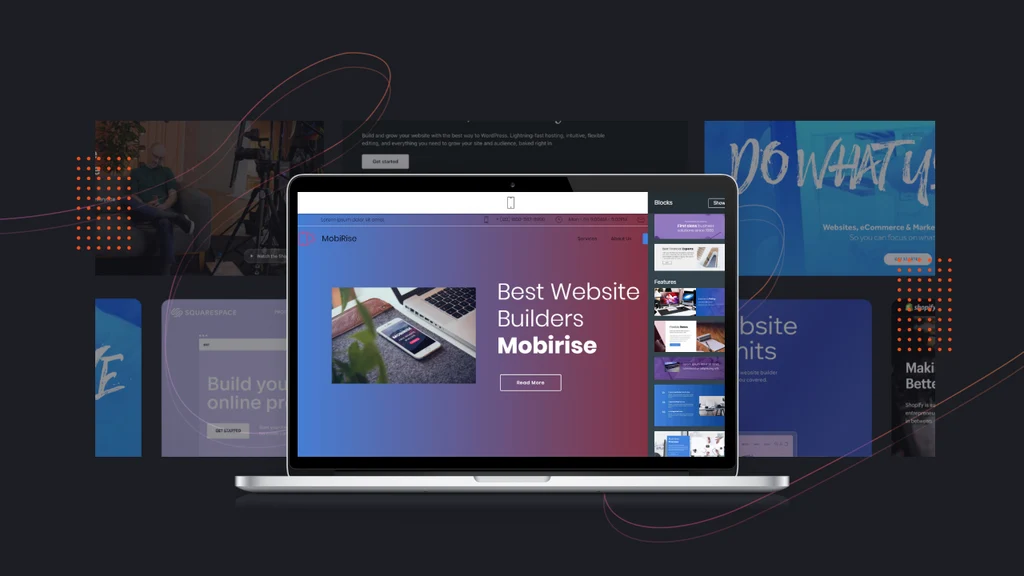
Website speed plays an important role in user experience, conversion rates, and search engine rankings. Design Website Builder focuses on delivering reliable performance through modern cloud hosting and lightweight website templates.
Most websites load quickly because the platform manages hosting, security updates, and performance optimisation automatically. Users do not need to configure servers or install optimisation plugins, making website management much easier.
Website speed may vary depending on factors such as image sizes, videos, third-party integrations, and page complexity. Compressing images and avoiding unnecessary design elements can further improve performance.
Pricing and Plans
Design Website Builder offers flexible pricing options for individuals, freelancers, and businesses. Users can begin exploring the platform with available trial options before upgrading to a premium subscription for additional features.
Premium plans generally include:
- AI website generation
- Professional website templates
- Premium stock images
- Logo creation tools
- Custom domain support
- Branding resources
- Marketing assets
- Website hosting
- Customer support
The pricing remains competitive compared to many other AI website builders, especially considering the additional branding tools included within the same platform.
Advantages of Design Website Builder
Design Website Builder offers several advantages that make it an attractive choice for users looking for a fast and professional website creation solution.
AI-Powered Website Creation
Artificial intelligence generates complete websites within minutes based on your business description. This dramatically reduces design time and provides an excellent starting point for users who want to launch a website quickly.
Easy to Use
The simple drag-and-drop editor allows beginners to customise websites without coding. Clear menus and an intuitive interface make website editing straightforward, even for users with no previous web design experience.
Complete Branding Platform
Design Website Builder goes beyond website creation by offering logo design, business cards, email signatures, social media graphics, and marketing materials. This creates a consistent brand identity from one convenient platform.
Professional Templates
Users can choose from modern, professionally designed templates covering many industries. Every template is fully customisable, helping businesses create unique websites without starting from an empty page.
Fast Website Publishing
The platform simplifies publishing through built-in hosting and custom domain support. Most websites can be designed, customised, and published within a few hours, making it ideal for businesses that need a quick online presence.
Disadvantages of Design Website Builder
Although Design Website Builder has many strengths, it also has a few limitations that users should consider before making a decision.
Limited Advanced SEO
While basic SEO tools are available, experienced SEO professionals may miss advanced features such as structured data control, detailed redirect management, XML sitemap customisation, and extensive optimisation plugins available on platforms like WordPress.
Limited Ecommerce Features
The platform is suitable for simple business websites but may not provide all the advanced ecommerce functionality required for large online stores with extensive product catalogues and complex payment requirements.
Less Design Flexibility
Although templates are highly customisable, users seeking complete creative freedom may find dedicated web development platforms offer greater flexibility for highly customised websites.
Smaller Integration Library
Compared with larger website builders, Design Website Builder currently supports fewer third-party integrations, which may affect businesses relying on specialised external software or advanced automation tools.
Design Website Builder vs Canva
Both platforms simplify website creation but focus on different strengths.
Design Website Builder excels in AI-generated websites and complete branding solutions. It can create websites, logos, business cards, and marketing assets from a single business description, making it ideal for users starting a new brand.
Canva focuses more on visual design and creative flexibility. It offers superior graphic design tools, presentation creation, social media content, and an easy drag-and-drop website editor that appeals to creators and marketers.
Choose Design Website Builder if your priority is AI-powered website generation and business branding. Choose Canva if you already use Canva’s creative ecosystem and require extensive design capabilities.
Design Website Builder vs Wix
Wix provides more advanced website management, blogging, ecommerce, SEO, and application integrations. It is better suited for businesses planning long-term website growth and complex functionality.
Design Website Builder, however, offers a much faster setup process through artificial intelligence. Beginners who want a professional website without spending days learning a website builder may find Design Website Builder the simpler option.
Who Should Use Design Website Builder?
Design Website Builder is an excellent choice for users who want to create professional websites quickly without technical complexity.
It is particularly suitable for:
- Small businesses
- Freelancers
- Consultants
- Coaches
- Restaurants
- Photographers
- Creative agencies
- Personal brands
- Students
- Event organisers
- Non-profit organisations
- Startups
These users can benefit from the platform’s AI automation, attractive templates, and integrated branding features.
Who Should Avoid Design Website Builder?
Although suitable for many users, the platform may not be the best choice for everyone.
It may not meet the needs of:
- Large ecommerce businesses
- Enterprise organisations
- News websites
- High-traffic publishing platforms
- Complex membership websites
- Businesses requiring advanced custom development
These projects generally require more flexible content management systems or enterprise website platforms.
Customer Support
Design Website Builder provides multiple customer support resources to help users resolve issues quickly.
Support options typically include:
- Help Centre
- Knowledge base
- Tutorials
- Frequently asked questions
- Email support
These resources help users learn the platform and solve common website creation challenges without requiring technical expertise.
Security
Website security is handled by the platform, reducing maintenance responsibilities for users.
Security features generally include:
- Secure cloud hosting
- HTTPS encryption
- Automatic software updates
- Reliable infrastructure
- Data protection measures
These features help protect websites while allowing users to focus on growing their business instead of managing technical infrastructure.
Final Verdict:
This Design Website Builder Review demonstrates that the platform successfully combines artificial intelligence with an easy-to-use website editor, allowing beginners and small businesses to create professional websites quickly. The AI-generated layouts, attractive templates, integrated branding tools, and drag-and-drop editor significantly reduce the time and effort required to establish an online presence.
Although advanced developers and large ecommerce businesses may require more powerful website platforms, Design Website Builder is an excellent option for entrepreneurs, freelancers, consultants, and small organisations seeking a simple yet professional website solution. Its combination of AI automation, branding features, responsive templates, and straightforward publishing process makes it a strong competitor in the growing AI website builder market.
Overall, Design Website Builder delivers excellent value for users who prioritise speed, simplicity, and professional design over advanced technical customisation.
Must Read:
- Canva Website Builder Review: Is It Easy to Use?
- Godaddy Website Builder Review: Is It Worth It for Beginners?
- Site123 Website Builder Review: Honest Hands-On Analysis
FAQs:
Is Design Website Builder suitable for beginners?
Yes. The platform is designed for beginners and includes an intuitive drag-and-drop editor, AI-powered website generation, and professionally designed templates that make website creation simple without requiring coding skills.
Can I connect my own domain?
Yes. Design Website Builder allows users to publish websites using a custom domain, creating a more professional online presence and improving brand credibility.
Does Design Website Builder include hosting?
Yes. Hosting is included with the platform, allowing users to publish websites without purchasing separate web hosting services or managing server configurations.
Is Design Website Builder good for SEO?
The platform provides essential SEO features such as custom page titles, meta descriptions, mobile-friendly designs, and search-friendly URLs. While suitable for most websites, advanced SEO users may require additional optimisation features available on dedicated content management systems.
Can I create a business website with Design Website Builder?
Absolutely. The platform is suitable for creating business websites, portfolios, service websites, landing pages, agency websites, restaurant websites, and personal brand websites using AI-powered tools and professionally designed templates.









