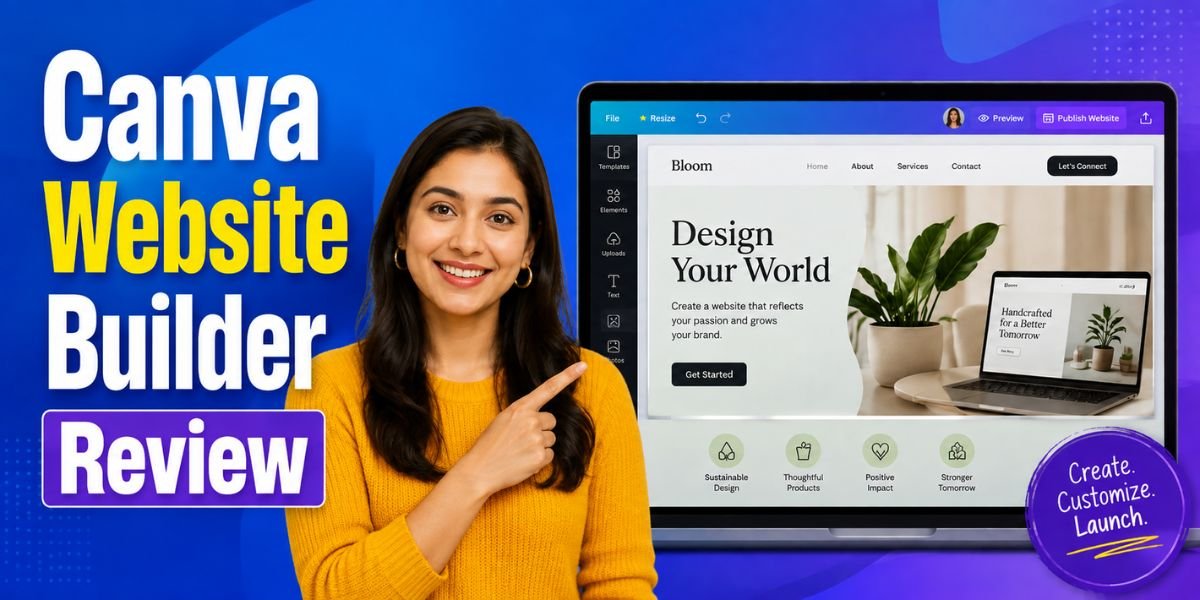
Creating a professional website no longer requires coding skills or hiring a web developer. Website builders have made it possible for anyone to launch a personal, business, or portfolio website in just a few hours. Among the many options available today, Canva Website Builder has become one of the most popular choices because of its simple drag-and-drop editor and huge collection of ready-made templates.
This Canva Website Builder Review explains everything you need to know before choosing the platform. We will look at its features, ease of use, pricing, advantages, disadvantages, SEO capabilities, performance, AI tools, and who should use it. If you are wondering whether Canva Website Builder is the right solution for your website, this guide will help you make an informed decision.
What Is Canva Website Builder?
Canva Website Builder is an online website creation tool built into Canva, the popular graphic design platform used by millions of people worldwide. Instead of learning coding or web design, users can create attractive websites using drag-and-drop elements, templates, images, videos, and AI-powered design tools.
The platform focuses on simplicity. Whether you are creating a portfolio, event page, landing page, personal profile, restaurant website, or small business website, Canva provides everything in one place.
Unlike traditional website builders, Canva was originally created as a design platform. Because of this, the website builder offers excellent visual editing tools and thousands of professionally designed layouts.
Why Canva Website Builder Is Popular?
Canva Website Builder has gained worldwide popularity because it combines an easy-to-use website editor with powerful design tools. Millions of Canva users can create professional websites using familiar features, ready-made templates, AI-powered tools, and cloud-based publishing without needing technical skills or web development experience.
Beginner-Friendly Interface
Canva Website Builder offers a clean and intuitive interface that beginners can understand quickly. Its drag-and-drop editor allows users to add text, images, videos, and buttons with ease, making website creation simple even for people with no coding or design background.
Massive Template Library
Canva provides thousands of professionally designed website templates for businesses, portfolios, events, restaurants, agencies, and personal brands. Every template is fully customisable, allowing users to change colours, fonts, images, layouts, and branding to match their style and website goals.
No Coding Required
Users can create and publish a professional website without writing HTML, CSS, or JavaScript. Canva’s visual drag-and-drop editor makes it easy to design pages, rearrange elements, and customise content, making website building accessible to everyone regardless of technical expertise.
Mobile-Friendly Designs
Every Canva website is designed to work well on desktops, tablets, and smartphones. Responsive layouts automatically adjust to different screen sizes, helping visitors enjoy a consistent browsing experience while improving accessibility and supporting mobile-friendly website design standards.
Built-In AI Features
Canva includes AI-powered tools such as Magic Design, Magic Write, AI Image Generator, and Background Remover. These features help users generate content, create visuals, improve designs, and build professional websites faster while reducing the time spent on manual editing.
Canva Website Builder Features
One of the biggest strengths highlighted in this Canva Website Builder Review is the impressive feature set.
Drag-and-Drop Website Editor
The editor allows users to move text, images, buttons, videos, and other design elements anywhere on the page.
Everything updates instantly without technical knowledge.
Professional Templates
Canva provides templates for nearly every industry, including:
- Business
- Restaurants
- Photographers
- Coaches
- Bloggers
- Artists
- Freelancers
- Online stores
- Events
- Portfolios
Users can customise every part of these templates.
Free Stock Images
Canva includes millions of photos, icons, videos, illustrations, and graphics.
Instead of purchasing stock images separately, users can simply search and insert them into their websites.
Brand Kit
Canva Pro users receive Brand Kit features.
These include:
- Brand colours
- Brand fonts
- Logos
- Brand assets
This helps maintain consistent branding across websites and marketing materials.
AI Design Tools
Canva has invested heavily in artificial intelligence.
Popular AI features include:
- Magic Design
- Magic Write
- AI Image Generator
- Background Remover
- Magic Resize
- AI Presentation Creator
These tools save time when building websites.
Embedded Media
Users can easily add:
- YouTube videos
- Maps
- Social media posts
- Audio
- Forms
- Calendars
This makes websites more interactive.
Is Canva Website Builder Easy to Use?
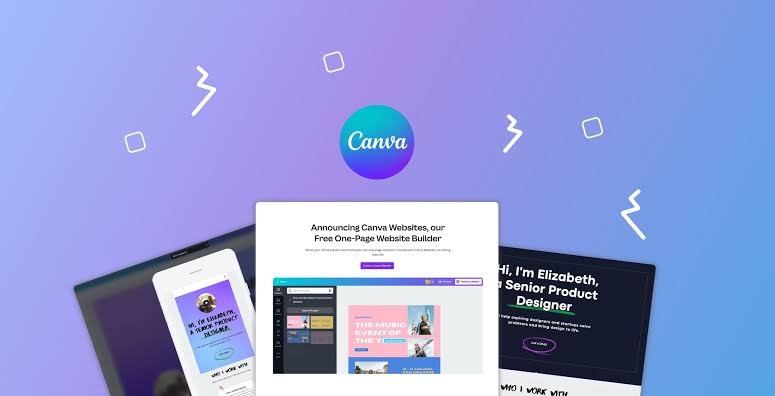
One of the biggest strengths highlighted in this Canva Website Builder Review is its ease of use. The platform is designed for beginners, allowing anyone to create a professional-looking website without coding or previous web design experience. The clean dashboard, drag-and-drop editor, and guided workflow make the entire process simple, fast, and enjoyable.
Step 1: Create a Canva Account
Visit Canva’s website and sign up using your email address, Google account, Facebook account, or Apple ID. Once registered, you can immediately access the Website Builder along with Canva’s complete collection of templates, design tools, and creative features.
Step 2: Choose the Website Category
From the Canva homepage, search for “Website” or select it from the available design categories. Canva will display a wide selection of professionally designed website templates suitable for businesses, portfolios, events, personal brands, and many other purposes.
Step 3: Select a Website Template
Browse the template library and choose a design that matches your website’s purpose. Every template is fully customisable, allowing you to modify layouts, fonts, colours, images, and other design elements without starting your project from scratch.
Step 4: Customise Your Website
Replace the default text, upload your own images, add your logo, update colours, and personalise every section to match your brand. Canva’s drag-and-drop editor makes editing quick and straightforward, even for users with no design experience.
Step 5: Add Additional Pages or Sections
Expand your website by adding more pages or creating additional sections such as About Us, Services, Contact, Testimonials, or FAQs. This helps organise information clearly and improves the overall browsing experience for your visitors.
Step 6: Publish Your Website
After reviewing your design, publish the website using a free Canva domain or connect your own custom domain for a more professional online presence. Most users can complete and publish a basic website in less than one hour.
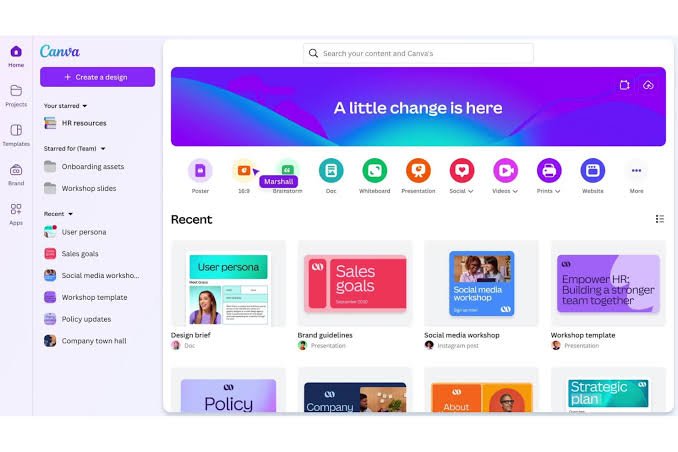
Canva Website Builder User Interface
The editor feels modern and uncluttered.
The left sidebar contains:
- Templates
- Elements
- Uploads
- Text
- Photos
- Videos
- Apps
- Brand Kit
The main editing area displays your website exactly as visitors will see it.
Unlike complicated builders, Canva keeps the learning curve very low.
Website Templates
Templates are one of Canva’s biggest advantages.
Categories include:
- Portfolio
- Agency
- Restaurant
- Consultant
- Beauty
- Fashion
- Education
- Healthcare
- Photography
- Events
- Resume
- Travel
- Wedding
- Real Estate
Every template is fully editable.
Canva AI Tools for Website Creation
Canva Website Builder includes several AI-powered tools that help users design websites more efficiently. These features reduce manual work, improve creativity, and make content creation easier for beginners and professionals alike. By combining artificial intelligence with an intuitive editor, Canva speeds up the entire website-building process.
Magic Design
Magic Design automatically creates professional website layouts based on your content and preferences. It suggests visually appealing designs, colour combinations, and page structures, helping users build attractive websites much faster without spending hours experimenting with different layouts.
Magic Write
Magic Write is Canva’s AI writing assistant that generates website headlines, product descriptions, service pages, blog ideas, and marketing copy. It helps users overcome writer’s block while creating clear, engaging, and professional content for different sections of their website.
AI Image Generator
The AI Image Generator creates unique visuals from simple text prompts. Instead of searching for stock photos, users can generate custom illustrations, backgrounds, and creative images that perfectly match their website’s branding, style, and overall design requirements.
Background Remover
Background Remover removes unwanted backgrounds from images with a single click. This feature creates clean, professional-looking product photos, portraits, and promotional graphics without requiring advanced photo editing skills or separate image editing software.
Magic Resize
Magic Resize instantly converts website graphics into different sizes for social media platforms, presentations, advertisements, and marketing materials. Users can repurpose existing designs without recreating them manually, saving valuable time while maintaining consistent branding across multiple channels.
SEO Features
Search engine optimisation is important for improving website visibility, and Canva Website Builder includes several basic SEO features. Although it may not offer advanced optimisation tools like dedicated website platforms, it provides essential settings that help websites perform better in search engine results.
Search-Friendly URLs
Canva allows users to connect a custom domain and create clean, readable website URLs. Simple URLs are easier for visitors to remember and help search engines understand page content, contributing to better organisation and improved search visibility.
Page Titles
Users can customise page titles to describe their website accurately. Well-written page titles improve search engine indexing and encourage more users to click your website when it appears in search results, making them an essential part of basic SEO.
Meta Descriptions
Canva Website Builder supports custom meta descriptions that summarise page content for search engines. A compelling meta description can increase click-through rates by giving users a clear idea of what they will find before visiting your website.
Mobile Optimisation
All Canva websites are designed to be responsive across desktops, tablets, and smartphones. Mobile-friendly websites provide a better browsing experience and align with Google’s mobile-first indexing, which can positively influence search engine rankings over time.
Fast Loading
Canva hosts websites on its cloud infrastructure, helping pages load quickly under normal conditions. Fast-loading websites improve user experience, reduce bounce rates, and support better SEO performance, although speed may vary depending on images, videos, and page content.
Performance
Website speed affects both user experience and SEO.
Canva websites generally load quickly because:
- Hosting is cloud-based.
- Templates are lightweight.
- Content delivery is optimised.
- Images can be compressed automatically.
Performance depends on how many large videos and animations are added.
Mobile Responsiveness
Today, most website traffic comes from mobile devices.
Fortunately, Canva automatically optimises websites for:
- Smartphones
- Tablets
- Desktop computers
Users rarely need to adjust layouts manually.
Custom Domain Support
Instead of publishing on a Canva subdomain, users can connect their own domain.
Examples include:
- yourbusiness.com
- yourportfolio.com
A custom domain looks more professional and builds trust.
Hosting
Canva hosts websites on its own infrastructure.
This means users do not need to purchase separate hosting.
Benefits include:
- Simple publishing
- Automatic updates
- Secure hosting
- Reduced maintenance
Canva Pro Pricing
Canva offers both Free and Pro plans.
Free Plan
The free version includes:
- Website builder
- Basic templates
- Limited design assets
- Free hosting
- Canva domain
It is suitable for beginners and personal projects.
Canva Pro
Canva Pro unlocks:
- Premium templates
- Millions of stock assets
- Brand Kit
- AI tools
- Premium fonts
- Background Remover
- Magic Resize
It is better suited for businesses and professionals who need advanced design capabilities.
Advantages of Canva Website Builder
Canva Website Builder offers several benefits that make it an attractive choice for beginners, freelancers, and small businesses. Its combination of simple website creation tools, professional designs, and AI-powered features allows users to build attractive websites quickly without requiring technical knowledge or coding skills.
Extremely Easy to Learn
Canva Website Builder has a user-friendly interface with a simple drag-and-drop editor that anyone can understand. Even users with no previous website design experience can learn the platform quickly and create professional-looking websites within a short period.
Beautiful Templates
Canva provides thousands of professionally designed templates suitable for various industries and personal projects. Every template features modern layouts, attractive colour schemes, and customisable elements, allowing users to create visually appealing websites without hiring a professional designer.
Affordable
The free version of Canva Website Builder includes enough features for many personal and small business websites. Users who need advanced design tools, premium templates, and AI features can upgrade to Canva Pro at a competitive monthly or annual price.
AI Features
Canva’s AI-powered tools, including Magic Design, Magic Write, AI Image Generator, and Background Remover, help users create website content and graphics more efficiently. These features reduce manual work, improve creativity, and significantly speed up the website design process.
Integrated Design Platform
One of Canva’s biggest advantages is its all-in-one creative platform. Users can design logos, presentations, social media graphics, business cards, brochures, marketing materials, and websites from the same dashboard while maintaining consistent branding across every project.
Excellent Media Library
Canva offers access to millions of high-quality photos, videos, illustrations, icons, audio files, and graphic elements. This extensive media library allows users to create engaging, professional-looking websites without purchasing additional stock assets from external providers.
Fast Publishing
Publishing a website with Canva is quick and straightforward. Once your design is complete, you can publish it instantly using a Canva domain or connect a custom domain, allowing your website to go live in just a few minutes.
Disadvantages of Canva Website Builder
Although Canva performs well, it is not perfect.
Limited Advanced SEO
Professional SEO users may miss features such as:
- Schema markup control
- Advanced redirects
- Full sitemap customisation
- Extensive SEO plugins
No Full Blogging Platform
Unlike WordPress, Canva is not designed for publishing hundreds of blog posts.
Limited Third-Party Integrations
The number of external integrations is smaller than some competitors.
Limited Ecommerce Features
Businesses selling many products may prefer platforms designed specifically for online stores.
Canva Website Builder vs Wix
Both platforms target beginners.
Canva wins for:
- Simplicity
- Graphic design
- Templates
- AI design tools
Wix wins for:
- Blogging
- SEO
- Ecommerce
- App marketplace
- Advanced website management
Canva Website Builder vs Squarespace
Squarespace focuses on premium business websites.
Canva focuses on simplicity.
Squarespace offers:
- Better blogging
- Ecommerce
- Memberships
- Advanced SEO
Canva offers:
- Easier editing
- Faster learning
- Better graphic design tools
Canva Website Builder vs WordPress
WordPress remains the most powerful website platform.
WordPress is ideal for:
- Large blogs
- Ecommerce
- Membership websites
- Advanced SEO
- Custom development
Canva is ideal for:
- Landing pages
- Portfolios
- Small business websites
- Events
- Beginners
Who Should Use Canva Website Builder?
Canva Website Builder works best for:
- Freelancers
- Small businesses
- Students
- Teachers
- Artists
- Photographers
- Coaches
- Consultants
- Event organisers
- Non-profit organisations
- Personal brands
Who Should Avoid Canva Website Builder?
It may not be the best option for:
- Large ecommerce stores
- News websites
- Large blogs
- Complex membership platforms
- Enterprise websites
- Highly customised web applications
Security
Canva handles hosting and infrastructure, which reduces maintenance for users.
Key security benefits include:
- HTTPS support
- Secure hosting
- Automatic updates
- Cloud infrastructure
Users should still use strong passwords and enable two-factor authentication when available.
Customer Support
Canva provides several support options, including:
- Help Centre
- Tutorials
- Design guides
- Community forums
- Email support
Pro subscribers generally receive faster assistance than free users.
Real-World Use Cases
Canva Website Builder is well suited for creating:
- Business websites
- Portfolio websites
- Resume websites
- Personal websites
- Wedding websites
- Event pages
- Product landing pages
- Service websites
- Agency websites
- Restaurant pages
Its speed and ease of use make it ideal for projects that need to go live quickly.
Tips for Getting the Best Results
To make the most of Canva Website Builder:
- Choose a clean, professional template.
- Keep navigation simple.
- Use high-quality images.
- Compress large media files.
- Add clear calls to action.
- Connect a custom domain.
- Write unique page titles and meta descriptions.
- Test your website on mobile devices before publishing.
- Keep branding consistent with your logo and colours.
- Update content regularly.
Must Read:
- Site123 Website Builder Review: Honest Hands-On Analysis
- Retool Review: Can It Speed Up Internal App Development?
- Square Review: Can It Simplify Your Business Payments?
Final Verdict:
This Canva Website Builder Review shows why Canva has become one of the easiest website builders available today. Its drag-and-drop editor, professional templates, AI-powered design tools, and integrated creative platform make it an excellent choice for beginners, freelancers, and small businesses.
While it does not offer the advanced SEO, blogging, and ecommerce capabilities of platforms such as WordPress or Wix, it delivers an enjoyable website-building experience with very little learning required. If your goal is to create a visually appealing website quickly without coding, Canva is an outstanding option.
Overall, Canva Website Builder earns high marks for ease of use, design flexibility, affordability, and speed. For personal websites, portfolios, landing pages, and small business sites, it provides excellent value and allows users to build professional-looking websites in a matter of hours.