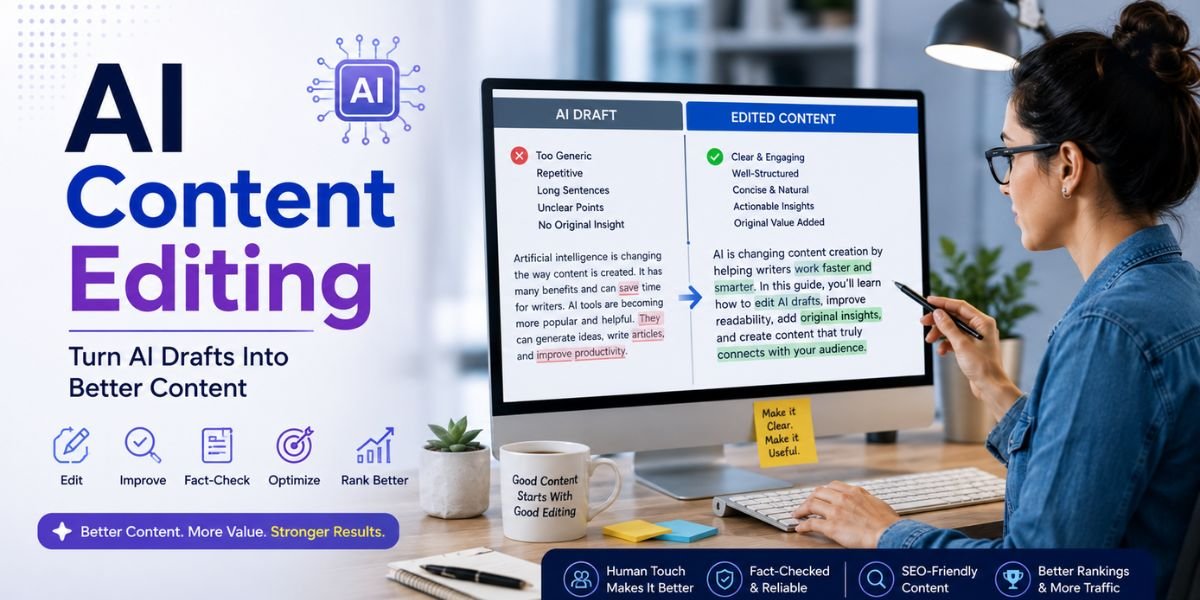
Creating high-quality blog content with AI is no longer about asking an AI tool to generate 2,000 words and publishing the result. The best approach combines AI with human research, editorial judgement, SEO, original ideas, fact-checking, and a clear understanding of what readers actually need.
AI can make blogging faster by helping with topic research, content outlines, first drafts, rewriting, headlines, FAQs, and content updates. However, the final article still needs to be useful, accurate, original, and written for people. Google says its ranking systems prioritise helpful, reliable, people-first content, and it specifically advises creators to focus on original information, research, analysis, and satisfying the reader’s needs.
If you use AI correctly, you can create content more efficiently without turning your website into a collection of generic AI-generated articles. This guide explains how to create high-quality blog content with AI while maintaining strong SEO, natural language, originality, and reader value.
What Is High-Quality Blog Content?
High-quality blog content is content that solves a real problem, answers the reader’s question, provides useful information, and gives the reader a reason to trust your website. It should be easy to read, well organised, accurate, relevant, and more useful than a basic summary of information already available online.
High-quality content does not have to be extremely long. A 1,500-word article can be more useful than a 4,000-word article if it answers the searcher’s question more effectively.
Google explicitly says there is no preferred word count that creators should target. Instead, Google recommends creating content that provides substantial value and satisfies the user’s needs.
Characteristics of High-Quality Blog Content
Strong blog content usually includes:
- A clear purpose
- A useful introduction
- Accurate information
- Natural language
- Good organisation
- Relevant keywords
- Helpful examples
- Original insights
- Supporting evidence
- Descriptive headings
- Relevant internal links
- Useful images
- A clear conclusion
AI can help with many of these areas, but human involvement is still important.
Why Quality Matters More Than Quantity
AI makes it possible to create dozens of articles quickly. That does not mean publishing dozens of articles is a good SEO strategy.
Google warns against producing lots of content primarily to attract search traffic, including using extensive automation across many topics without adding meaningful value. Google says generative AI can be useful for research and structure, but generating many pages without adding value can violate its scaled-content-abuse policies.
A better strategy is to create fewer, stronger articles that genuinely help your audience.
Start With the Reader, Not the AI Tool
The first step in learning how to create high-quality blog content with AI is to understand your reader before opening an AI writing tool.
AI should support your content strategy, not create the strategy for you.
Ask yourself:
- Who will read this article?
- What problem are they trying to solve?
- What question brought them to Google?
- What information do they already know?
- What information are they missing?
- What action should they take after reading?
- What can my article provide that other pages do not?
Google’s people-first guidance recommends creating content for an existing or intended audience that would find the information useful if they came directly to your website.
Define Your Target Audience
Your writing changes depending on who you are addressing.
An article about AI website builders for beginners should explain technical concepts simply.
An article about AI website development for professional developers can use more technical language.
Before generating an outline, give your AI tool information about your audience, knowledge level, interests, and goal.
For example:
“The audience is small business owners with limited technical knowledge who want to create a professional website using AI.”
This produces a much better foundation than simply saying:
“Write an article about AI websites.”
Choose the Right Blog Topic
The next step is selecting a topic that is useful to your audience and has genuine search potential.
AI can help brainstorm topics, but you should not rely on AI-generated suggestions alone.
Start with your website’s main subject and identify problems your audience regularly faces.
For an AI website-focused website, possible topics include:
- How AI website builders work
- Best AI website builders
- How to create an AI-generated website
- AI website design trends
- How to optimise AI websites for SEO
- AI website content writing
- AI website accessibility
- AI tools for bloggers
- AI landing page design
- How to humanise AI content
Look for Content Gaps
A content gap is an area where existing search results do not fully answer the user’s question.
When researching a topic, look for:
- Missing examples
- Outdated information
- Poor explanations
- Lack of practical instructions
- Missing comparisons
- Limited first-hand experience
- Unanswered questions
This gives your article a purpose beyond simply rewriting existing pages.
Google’s SEO guidance recommends creating unique content rather than simply copying or rehashing what other websites have already published.
Use AI for Topic Research
AI can be extremely useful during the research stage.
You can ask an AI tool to help identify questions, concepts, subtopics, terminology, and potential angles related to your main topic.
For example, if your main topic is how to create high-quality blog content with AI, AI can help identify related questions such as:
- Can AI write good blog posts?
- How can AI content be made more natural?
- How should AI-generated content be edited?
- Can AI-generated content rank on Google?
- How do you add original information to AI content?
- What SEO mistakes should bloggers avoid?
These questions can become useful H3 sections or FAQ topics.
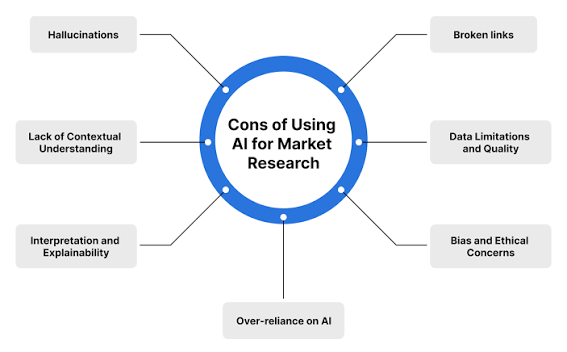
Do Not Treat AI as Your Only Research Source
AI can help organise information, but important facts should be verified using reliable sources.
This is especially important for:
- Statistics
- Pricing
- Product features
- Technical specifications
- Google policies
- Health information
- Financial information
- Legal information
- Current events
- Industry research
Google’s guidance says content created with generative AI should meet standards for accuracy, quality, and relevance.
Build a Strong Content Outline
Once you understand the topic, create an outline before generating the full article.
A good outline gives the article a logical flow and prevents repetitive AI-generated sections.
For example, an article about creating high-quality blog content with AI could follow this structure:
Introduction
Explain why AI can help bloggers and why human input remains important.
What Is High-Quality Blog Content?
Define quality and explain the key characteristics.
Choose the Right Topic
Explain audience needs and content gaps.
Research Search Intent
Show how to understand what the reader wants.
Use AI to Build an Outline
Explain how AI can help organise the article.
Add Original Information
Discuss experience, research, examples, and analysis.
Optimise for SEO
Cover keywords, headings, links, metadata, and images.
Edit and Humanise the Content
Explain how to improve tone, clarity, and originality.
Fact-Check the Article
Explain why verification matters.
Final Checklist
Give readers a practical publishing checklist.
This structure gives AI a clear framework to work within.
Give AI Better Prompts
The quality of AI-generated content depends heavily on the instructions you provide.
A vague prompt often produces generic writing.
Instead of asking:
“Write a blog post about AI SEO.”
Give the AI detailed context.
For example:
“Write a detailed article for beginner bloggers who want to use AI to create SEO-friendly blog content. Explain how to choose a topic, understand search intent, create an outline, add original information, fact-check AI output, optimise keywords naturally, improve readability, and edit the final article. Use clear British English and practical examples.”
This gives the tool information about:
- Audience
- Topic
- Purpose
- Structure
- Tone
- Depth
- SEO requirements
Give AI Your Content Guidelines
If your website has a particular writing style, include it in the prompt.
You might specify:
- Use short paragraphs
- Use clear language
- Avoid unnecessary jargon
- Use H2 and H3 headings
- Include practical examples
- Avoid repetitive statements
- Use keywords naturally
- Write for people first
- Keep the tone professional but conversational
The more useful context you provide, the easier it is to get a suitable first draft.
Use AI to Create the First Draft
After your outline is ready, AI can help create a first draft.
This is where AI saves significant time.
However, treat the draft as raw material.
Do not assume that a polished-looking AI article is automatically ready for publication.
AI can produce sentences that sound professional while still being vague, repetitive, outdated, or incorrect.
Review Every Section
When reading the first draft, ask:
- Is this information actually useful?
- Does this section answer the question?
- Is anything repeated?
- Are the examples specific?
- Are the claims supported?
- Does the paragraph sound natural?
- Is there anything missing?
- Does this section provide original value?
Delete anything that does not help the reader.
Add Human Experience and Original Insights
One of the best ways to create high-quality blog content with AI is to add information that AI cannot genuinely provide on its own.
This could include your own experience, testing, observations, research, opinions, case studies, screenshots, or examples.
For example, an AI tool can explain what an AI website builder is.
But if you actually tested three AI website builders, you can explain:
- How long each took to create a website
- Which generated the best design
- How easy the editor was
- Which offered better SEO controls
- What happened on mobile
- Which features were missing
- What you would recommend to different users
That is far more useful than a generic definition.
Google’s people-first guidance specifically encourages first-hand expertise and original information, research, and analysis.
Never Invent Experience
Do not ask AI to create fake personal experiences.
If you did not test a product, do not say you tested it.
If you did not visit a location, do not write as though you personally visited it.
If you did not conduct research, do not present an invented study.
Authenticity matters.
Make AI Content Sound Natural

AI-generated text can sometimes feel repetitive or overly formal.
Human editing can make the writing more natural.
Look for phrases that add little meaning, such as:
- In today’s digital world
- In the ever-changing landscape
- It is important to note that
- Whether you are a beginner or an expert
- In conclusion, it can be said that
- This comprehensive guide will explore
These phrases are not always wrong, but repeated use can make articles feel generic.
Use Simple and Direct Language
Instead of:
“Businesses can leverage the capabilities of artificial intelligence to enhance their overall content creation processes.”
Write:
“Businesses can use AI to create content faster.”
The second sentence is easier to understand.
Google’s SEO Starter Guide recommends content that is easy to read, well organised, useful, unique, and up to date.
Optimise Your Article for SEO
SEO should be part of the content creation process, but it should not control every sentence.
Google’s Search Essentials recommends creating helpful, reliable, people-first content and using words people would use to find your content in prominent locations such as the title and main heading, as well as relevant descriptive locations.
Use Your Primary Keyword Naturally
If your focus keyword is:
How to Create High-Quality Blog Content With AI
use it naturally in important areas such as:
- Page title
- Introduction
- Relevant H2
- Body content
- Meta title
- Meta description
- Image alt text when appropriate
Do not force the exact phrase into every paragraph.
Keyword stuffing can make your article uncomfortable to read.
Use Related Keywords
Include semantically related terms where appropriate, such as:
- AI blog writing
- AI content creation
- high-quality blog content
- AI writing tools
- SEO-friendly content
- AI-generated content
- blog content strategy
- content optimisation
- search intent
- human editing
- content research
- people-first content
These phrases help establish topical relevance while keeping the writing natural.
Understand Search Intent
Search intent should influence the structure of your article.
If someone searches for how to create high-quality blog content with AI, they probably want a practical process rather than a general explanation of artificial intelligence.
Give them steps.
Explain what to do first, what to do next, and what mistakes to avoid.
Answer the Main Question Early
Do not make readers wait until the conclusion for the main answer.
Start with a clear explanation.
For example:
“Use AI to speed up research, outlining, drafting, and editing, but keep humans responsible for originality, fact-checking, SEO strategy, and final approval.”
Then explain how to implement that approach.
This creates a better experience for readers.
Create Helpful H2 and H3 Sections
A long article becomes easier to read when it has a logical heading structure.
Use H2 headings for major subjects and H3 headings for supporting points.
For example:
H2: How to Create High-Quality Blog Content With AI
H3: Start With the Reader
H3: Research the Topic
H3: Add Original Information
H3: Edit the AI Draft
This structure helps readers scan the article and quickly find the information they need.
Google’s SEO Starter Guide recommends organising content naturally and using headings to help users navigate longer pages.
Add Supporting Images
Images can make a blog post more engaging and easier to understand.
For an article about AI writing, you could use:
- AI writing workflow graphics
- Screenshots
- Content planning diagrams
- Before-and-after writing examples
- SEO illustrations
- Original charts
- Step-by-step visuals
Google recommends using high-quality images near relevant text and making sure the images provide useful context.
Write Descriptive Alt Text
Alt text should describe what the image actually shows.
For example:
“Writer using an AI tool to create a blog content outline”
is better than:
“AI blog writing high-quality content SEO best AI tool 2026.”
The first description is natural and accessible.
Add Internal Links
Internal links can help readers discover related information while helping search engines understand relationships between pages.
If your website publishes several AI-related articles, connect them naturally.
For example, an article about creating blog content with AI could link to articles about:
- AI writing tools
- Humanising AI content
- AI content and SEO
- Google AI Overviews
- AI website design
- AI website builders
Google’s SEO Starter Guide notes that links help users and search engines discover and connect relevant resources.
Use Descriptive Anchor Text
Instead of:
“Click here”
use:
“learn how to humanise AI content“
Descriptive anchor text gives readers a better idea of what they will find.
Fact-Check AI-Generated Content
Fact-checking should be a mandatory part of your AI blogging workflow.
AI can confidently generate information that is incorrect.
Before publishing, verify important claims.
Check Important Information
Review:
- Dates
- Numbers
- Statistics
- Prices
- Product specifications
- Company information
- Research findings
- Technical instructions
- Google Search policies
For current information, use authoritative sources.
For technical SEO information, Google’s own documentation is generally the strongest source.
Google’s current guidance specifically says AI-generated content should focus on accuracy, quality, and relevance.
Improve E-E-A-T

E-E-A-T stands for Experience, Expertise, Authoritativeness, and Trustworthiness.
Google says E-E-A-T itself is not a single ranking factor, but its systems use various signals that help identify content demonstrating these qualities. Google also says trust is the most important aspect.
Show Who Created the Article
Where appropriate, include an accurate author byline.
An author page can explain:
- Professional background
- Relevant experience
- Areas of expertise
- Published work
- Role on the website
This gives readers useful context.
Explain How Content Was Created
Google’s current guidance also suggests considering how content was created. For substantially AI-generated content, providing appropriate context about the use of automation can help readers understand the process when they would reasonably want to know.
Transparency should make sense for your audience and the type of content you publish.
Edit AI Content in Multiple Passes
Trying to perfect an AI draft in one editing session can be difficult.
A multi-stage process works better.
First Editing Pass: Accuracy
Check facts, numbers, dates, claims, and sources.
Second Editing Pass: Structure
Check whether the article flows logically.
Move sections if necessary.
Third Editing Pass: Readability
Shorten complicated sentences.
Remove repetition.
Improve transitions.
Fourth Editing Pass: SEO
Review keywords, headings, internal links, metadata, and search intent.
Fifth Editing Pass: Human Quality
Read the article from the perspective of your target reader.
Ask:
“Would this article actually help me?”
If not, improve it.
Avoid Common AI Content Mistakes
AI can create excellent content, but only when used thoughtfully.
Several mistakes can reduce quality.
Publishing the First AI Draft
Never assume that generated text is finished content.
Creating Generic Articles
Do not simply summarise information already available everywhere.
Add something original.
Using Excessive Keywords
SEO should not make the writing unnatural.
Publishing Too Much Content
More articles do not automatically mean better SEO.
Ignoring Search Intent
A beautifully written article can still fail if it does not answer what the searcher wants.
Using Fake Statistics
Never allow AI-generated numbers to go unchecked.
Inventing First-Hand Experience
Only describe experiences that actually happened.
Writing for Search Engines Instead of People
Google specifically recommends people-first content rather than content primarily created to attract search traffic.
Use AI to Improve Existing Blog Posts
AI is not only useful for creating new articles.
It can also help update older content.
You can ask AI to identify:
- Outdated sections
- Repetitive paragraphs
- Missing questions
- Weak introductions
- Broken content structure
- Opportunities for internal links
- Areas requiring more explanation
However, verify proposed changes yourself.
Refresh Outdated Information
Review older posts regularly.
Update:
- Statistics
- Product information
- Screenshots
- Links
- Examples
- SEO recommendations
- Dates
- Industry information
Google’s SEO guidance recommends keeping content up to date and updating older content when needed.
Do not change the publication date simply to make an old article appear fresh. Google specifically warns against changing dates without substantially updating the content.
Optimise for Google AI Search
High-quality content can also benefit from the changing search experience.
Google says its AI search experiences, including AI Overviews and AI Mode, continue to rely on the same broad principles used in traditional Search: create unique, satisfying content, provide a strong page experience, and make sure Google can access the content.
Create Content That Goes Beyond a Summary
Imagine that Google can provide a short answer to the user’s question.
Why should the user still visit your page?
Give them something more:
- Original research
- Detailed examples
- Product comparisons
- Personal experience
- Screenshots
- Case studies
- Step-by-step instructions
- Expert analysis
This creates a reason for the reader to continue to your website.
Google’s guidance for AI search specifically recommends unique, non-commodity content that provides value beyond information users can easily find elsewhere.
Build a Repeatable AI Content Workflow
Once you know how to create high-quality blog content with AI, turn the process into a repeatable workflow.
A consistent process makes it easier to maintain quality as your website grows.
Step 1: Choose a Topic
Select a topic relevant to your audience.
Step 2: Research Search Intent
Understand what readers want.
Step 3: Research the Competition
Identify what existing pages cover and where they are weak.
Step 4: Identify Your Content Gap
Find information you can explain better or differently.
Step 5: Create an Outline
Use AI to organise the article.
Step 6: Research Reliable Sources
Verify important information.
Step 7: Generate a First Draft
Use AI to speed up the writing process.
Step 8: Add Original Information
Include your experience, examples, research, and analysis.
Step 9: Humanise the Writing
Remove repetitive and generic AI language.
Step 10: Fact-Check
Verify every important claim.
Step 11: Optimise for SEO
Review keywords, headings, internal links, metadata, images, and search intent.
Step 12: Publish and Monitor
Use analytics and Google Search Console to understand performance and identify opportunities for improvement.
A Practical AI Blog Content Checklist
Before publishing any AI-assisted article, use this checklist.
Content Quality
- Does the article solve a real problem?
- Is the information accurate?
- Is the content original?
- Does it provide meaningful value?
- Does it include useful examples?
- Does it demonstrate experience or expertise where appropriate?
SEO
- Is the focus keyword relevant?
- Is it used naturally?
- Does the title accurately describe the article?
- Are H2 and H3 headings useful?
- Are internal links relevant?
- Is the meta description descriptive?
- Is image alt text accurate?
- Does the page satisfy search intent?
Human Quality
- Does the article sound natural?
- Have repetitive sections been removed?
- Are sentences easy to understand?
- Are claims supported?
- Does the article have a consistent tone?
- Does it provide information beyond a generic AI summary?
Technical Quality
- Can Google crawl the page?
- Can Google index the page?
- Does the page work well on mobile?
- Are images properly optimised?
- Are important resources accessible?
- Is the main content easy to find?
Google’s Search Essentials emphasises helpful, reliable, people-first content, relevant search terms, and technical accessibility as important foundations for appearing in Google Search.
Must Read:
- 10 Best AI Writing Tools for Bloggers in 2026
- How to Write for Google AI Overviews in 2026?
- How to Use AI for Blog Writing Without SEO Problems?
Final Thoughts:
Learning how to create high-quality blog content with AI is not about replacing the writer with artificial intelligence. It is about using AI to make the content creation process more efficient while keeping human judgement at the centre of the workflow.
AI can help you brainstorm topics, research questions, create outlines, draft sections, rewrite sentences, generate FAQs, and improve existing content. These capabilities can significantly reduce the time required to produce a blog post.