

Building a professional website no longer requires coding skills or hiring a web developer. Modern website builders have simplified the process, allowing individuals and businesses to create attractive, mobile-friendly websites using visual editors and ready-made templates. This has made it easier than ever for entrepreneurs, freelancers, bloggers, and small businesses to establish an online presence.
One of the most recognised names in this space is GoDaddy Website Builder. Known primarily for domain registration and web hosting, GoDaddy also offers a website builder that combines AI-assisted setup, responsive templates, eCommerce features, built-in marketing tools, and integrated hosting. The platform is designed to help beginners launch websites quickly while providing enough features for growing businesses.
In this Godaddy Website Builder Review, we’ll examine its website creation tools, templates, AI features, blogging capabilities, online store options, SEO settings, and overall user experience to determine whether it is worth using for beginners.
What Is GoDaddy Website Builder?
GoDaddy Website Builder is a cloud-based website creation platform that enables users to build and publish professional websites without writing code. Instead of manually designing every page, users choose a website category, customise layouts, add content, and publish their site using an intuitive visual editor.
The platform combines several business tools into one solution, including:
- Website builder
- Secure web hosting
- Domain management
- SSL certificates
- AI-assisted website creation
- Blogging platform
- Online store features
- Appointment booking
- Marketing tools
- SEO settings
Because hosting and maintenance are managed by GoDaddy, users can focus on building and growing their websites rather than handling technical infrastructure.
Key Features of GoDaddy Website Builder
One of the reasons GoDaddy Website Builder remains popular is its combination of website creation and business management features. Everything needed to launch and manage a website is available from a single dashboard.
AI-Assisted Website Builder
GoDaddy uses AI-assisted technology to help users create websites faster.
During setup, users answer a few simple questions about their business, and the platform generates a basic website structure that can be customised later.
Responsive Website Templates
All GoDaddy templates are designed to work across:
- Desktop computers
- Laptops
- Tablets
- Smartphones
Responsive layouts ensure websites display properly on different screen sizes without additional configuration.
Built-in Hosting
Every website includes managed cloud hosting.
Users do not need to purchase separate hosting services or manage server configurations.
Blogging Platform
GoDaddy Website Builder includes blogging tools that allow users to publish articles and attract visitors through content marketing.
Blog features include:
- Rich text editing
- Images
- Categories
- Scheduling
- SEO settings
eCommerce Features
Businesses can sell products online using GoDaddy’s integrated online store.
Store features include:
- Product listings
- Inventory management
- Shopping cart
- Secure checkout
- Order management
- Payment gateway support
SEO Tools
The platform includes built-in SEO settings that allow users to optimise their websites for search engines.
Users can customise:
- Page titles
- Meta descriptions
- URLs
- Image alt text
These tools help improve website visibility in search results.
Marketing Tools
GoDaddy also provides marketing features including:
- Email marketing
- Social media integration
- Customer contact forms
- Appointment booking
- Promotional tools
These features help businesses grow beyond simply publishing a website.
How Does GoDaddy Website Builder Work?

One of the biggest highlights of this Godaddy Website Builder Review is how easy the platform makes website creation. Instead of requiring coding knowledge or web design experience, GoDaddy Website Builder follows a guided step-by-step process that helps beginners create and publish a professional website in just a few hours.
The platform combines website design, hosting, domain management, security, and business tools into one dashboard, allowing users to focus on building their website rather than managing technical details.
A typical workflow includes the following steps:
Create a GoDaddy Account
The first step is to create a GoDaddy account. Once you sign in, you’ll gain access to the Website Builder dashboard, where you can create a new website, manage existing projects, and access additional business services.
After creating your account, you can choose the subscription plan that best matches your website’s needs.
Choose a Website Category
GoDaddy asks a few questions about your business or project to recommend the most suitable website layout.
Common website categories include:
- Small Business
- Online Store
- Portfolio
- Restaurant
- Health & Fitness
- Real Estate
- Photography
- Personal Blog
- Education
- Professional Services
Selecting the correct category helps the platform generate a website structure that matches your industry.
Select a Template or AI-Generated Design
After choosing your website category, you can either select a professionally designed template or use GoDaddy’s AI-assisted website creation tools to generate a personalised website.
Templates are fully responsive and designed to work across:
- Desktop computers
- Laptops
- Tablets
- Smartphones
The AI-generated design provides a starting point that can be customised later to match your branding and business goals.
Customise Pages and Layouts
Once your website has been created, you can personalise every page using GoDaddy’s visual editor.
Users can customise:
- Homepage
- About Us page
- Services
- Product pages
- Contact page
- Gallery
- Blog
- Navigation menus
You can also modify colours, fonts, buttons, images, and page layouts without writing any code.
Add Images and Content
The next step is to replace the placeholder content with your own business information.
You can add:
- Company logo
- Images
- Videos
- Product descriptions
- Service information
- Customer testimonials
- Contact details
- Blog articles
High-quality content improves both user experience and search engine visibility.
Configure SEO Settings
Before publishing your website, it’s important to optimise it for search engines.
GoDaddy Website Builder allows you to customise:
- Page titles
- Meta descriptions
- Custom URLs
- Image alt text
- Heading structure
These SEO settings help search engines understand your website and improve its chances of ranking for relevant keywords.
Connect Your Domain
If you already own a domain name, you can connect it to your website directly through GoDaddy.
Alternatively, you can register a new domain during the setup process.
Using a custom domain creates a more professional online presence and strengthens your brand identity.
Publish the Website
After reviewing your content and settings, you can publish your website with a single click.
Once published, your website becomes accessible to visitors around the world.
Because GoDaddy manages the hosting infrastructure, updates, and SSL certificates automatically, there is no need to configure servers or install additional software.
Built-In Hosting and Security
One of the biggest advantages of GoDaddy Website Builder is that the technical infrastructure is already included.
Every website benefits from features such as:
- Managed cloud hosting
- SSL security
- Mobile-responsive design
- Automatic platform updates
- Website monitoring
- Reliable uptime
This allows users to focus primarily on growing their website instead of maintaining servers or handling technical administration.
A Beginner-Friendly Website Creation Experience
GoDaddy Website Builder simplifies the entire website development process by combining AI-assisted design, visual editing, integrated hosting, SEO tools, and business management features into one platform. From choosing a template to publishing a live website, every step is designed to help beginners create a professional online presence quickly and with minimal effort.
Whether you’re building a personal blog, portfolio, small business website, or online store, the platform provides an intuitive workflow that removes much of the complexity traditionally associated with website development.
User Interface and Ease of Use
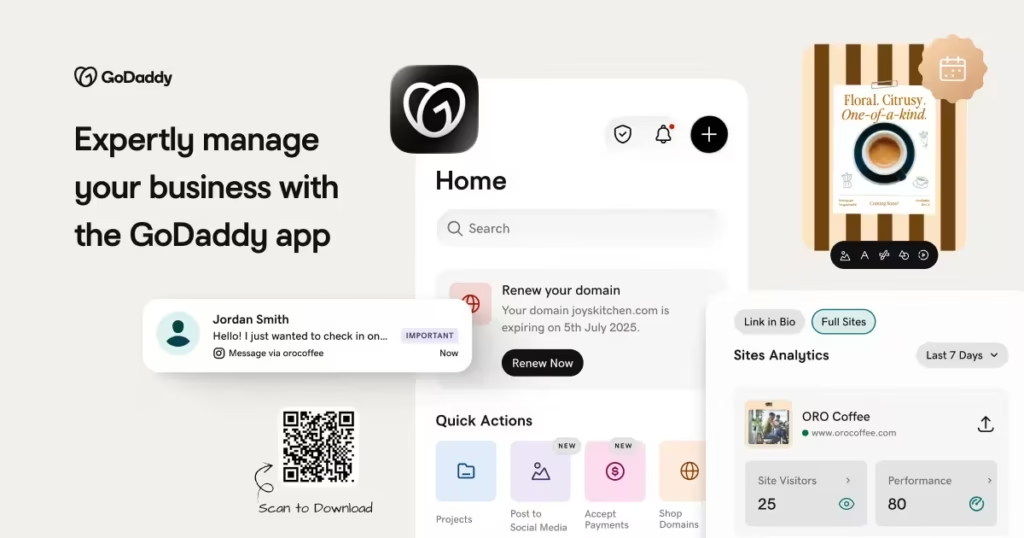
Ease of use is one of GoDaddy Website Builder’s strongest advantages.
The dashboard is designed to minimise complexity while giving users access to essential website management tools.
The main navigation typically includes:
- Website Editor
- Pages
- Design
- Marketing
- Online Store
- Blog
- Appointments
- Domains
- SEO
- Settings
Most tasks can be completed using visual controls without touching HTML or CSS.
Even first-time website owners can usually publish a functional website within a few hours.
Website Templates
Templates provide the foundation for every website created with GoDaddy Website Builder.
Rather than starting with a blank page, users choose a professionally designed layout suited to their business or personal website.
Popular template categories include:
- Business
- Restaurants
- Health
- Education
- Fashion
- Photography
- Technology
- Real Estate
- Travel
- Personal Portfolio
Each template can be customised by changing colours, fonts, images, navigation menus, and page layouts to match your brand.
Because the templates are fully responsive, they automatically adapt to desktop and mobile devices.
AI Website Builder
One of the standout features highlighted in this Godaddy Website Builder Review is its AI-assisted website creation process.
Instead of asking users to design every page manually, GoDaddy guides them through a series of questions about their business, industry, and goals. Based on these responses, the platform generates a personalised website layout with suggested pages and content sections.
The AI-assisted setup can create pages such as:
- Home
- About Us
- Services
- Products
- Contact
- Gallery
- Blog
- FAQs
Users can then customise every section by adding their own branding, text, images, and business information.
This guided approach helps beginners publish professional-looking websites much faster than traditional website development.
Blogging Features
Content marketing continues to play an important role in attracting visitors from search engines.
GoDaddy Website Builder includes a built-in blogging platform that allows users to publish articles without installing additional software.
Blogging features include:
- Rich text editor
- Categories
- Featured images
- Scheduling
- SEO optimisation
- Social sharing
Businesses can use blogs to answer customer questions, promote products, and improve search engine rankings through regular content publication.
eCommerce Features
Businesses looking to sell online can take advantage of GoDaddy’s integrated eCommerce functionality.
The online store includes tools for:
- Product management
- Product images
- Inventory tracking
- Shopping cart
- Secure payments
- Order management
- Customer checkout
Small businesses can begin selling products quickly without installing separate shopping cart software or managing complex technical configurations.
SEO Tools
Search engine optimisation is essential for increasing website visibility, and GoDaddy Website Builder includes several built-in SEO tools that help users optimise their content for search engines.
Users can manage:
- Page titles
- Meta descriptions
- Custom URLs
- Image alt text
- Heading structure
These settings help search engines understand website content while improving opportunities to rank for relevant keywords.
Combined with quality content and consistent blogging, GoDaddy’s SEO features provide a solid foundation for long-term organic growth.
Early Impressions
After exploring its core features, GoDaddy Website Builder leaves a positive first impression as a beginner-friendly platform that combines website creation, hosting, marketing, and business management into one integrated solution.
Its AI-assisted setup, responsive templates, blogging tools, eCommerce capabilities, and built-in SEO options make it suitable for individuals and small businesses that want to launch a website quickly.
The clean interface and guided workflow reduce the learning curve for first-time users, while the inclusion of marketing and online selling features provides room for business growth. Although experienced developers may require greater design flexibility, GoDaddy Website Builder focuses on simplicity, speed, and convenience, making it an attractive option for beginners.
GoDaddy Website Builder Pricing
Pricing is one of the most important considerations when selecting a website builder. GoDaddy Website Builder offers several subscription plans designed for different types of users, from individuals creating a personal website to businesses launching an online store.
The available plans generally differ in terms of marketing features, eCommerce capabilities, appointment scheduling, storage, and premium business tools. Since GoDaddy updates its plans and pricing periodically, it’s recommended to review the latest options before subscribing.
Most paid plans typically include:
- Website hosting
- SSL certificate
- Mobile-responsive templates
- AI-assisted website creation
- Built-in SEO tools
- Blogging platform
- Marketing features
- Custom domain connection
Higher-tier plans may also include:
- Online store functionality
- Appointment booking
- Product management
- Secure online payments
- Email marketing tools
- Social media integrations
- Advanced customer management
Because users can start with a basic plan and upgrade as their business grows, GoDaddy Website Builder provides a flexible solution for different budgets.
Pros and Cons
Every website builder has strengths and limitations. Understanding both will help determine whether GoDaddy Website Builder is the right choice for your project.
Pros
GoDaddy Website Builder combines website creation with business management features in a simple, beginner-friendly platform.
- Easy to use with minimal learning curve.
- AI-assisted website creation speeds up setup.
- Professional mobile-responsive templates.
- Hosting and SSL certificate included.
- Built-in blogging platform.
- Integrated eCommerce tools.
- SEO settings available.
- Marketing and appointment features.
- Reliable cloud infrastructure.
- Suitable for beginners and small businesses.
Cons
Although the platform performs well for most beginners, there are some limitations.
- Design flexibility is more limited than advanced website builders.
- Some premium features require higher-tier plans.
- Customisation options are less extensive than fully open website platforms.
- Renewal pricing may be higher than introductory offers.
- Advanced developers may prefer platforms with greater coding flexibility.
Overall, the advantages outweigh the drawbacks for users who value simplicity and speed.
Who Should Use GoDaddy Website Builder?

GoDaddy Website Builder is designed for users who want to build and manage a professional website without technical expertise.
Small Business Owners
Business owners can create websites to showcase:
- Products
- Services
- Business information
- Customer testimonials
- Contact forms
This helps establish an online presence quickly.
Freelancers
Freelancers can create professional portfolio websites that include:
- About pages
- Service listings
- Pricing
- Project galleries
- Contact information
Bloggers
The integrated blogging platform allows users to publish articles, tutorials, company updates, and educational content while improving search engine visibility.
Online Stores
Businesses selling products online can benefit from:
- Product catalogues
- Shopping carts
- Secure checkout
- Inventory management
- Order tracking
These features make GoDaddy Website Builder suitable for small and growing eCommerce businesses.
Service Providers
Businesses offering appointments can use the built-in booking features.
Examples include:
- Salons
- Consultants
- Coaches
- Healthcare professionals
- Fitness trainers
Beginners
Perhaps the platform’s biggest strength is helping first-time website owners publish professional websites without learning HTML, CSS, or JavaScript.
Performance and Security
Website speed and security play a significant role in user experience and search engine rankings. GoDaddy Website Builder includes managed hosting, SSL encryption, and automated infrastructure management to help websites remain secure and reliable. Since the platform handles hosting, software updates, and server maintenance, users can focus on growing their website rather than managing technical tasks.
Key performance and security features include:
- Secure SSL certificates
- Managed cloud hosting
- Automatic platform updates
- Mobile-responsive websites
- Website monitoring
- Reliable uptime
- Built-in security features
These tools help protect websites while providing visitors with a secure browsing experience.
GoDaddy Website Builder vs Wix
GoDaddy Website Builder and Wix are both popular options for beginners, but they serve slightly different audiences.
| Feature | GoDaddy Website Builder | Wix |
|---|---|---|
| Beginner Friendly | Excellent | Excellent |
| AI Website Builder | ✔ | ✔ |
| Drag-and-Drop Editor | Simple | Advanced |
| Blogging | ✔ | ✔ |
| eCommerce | ✔ | ✔ |
| SEO Tools | ✔ | ✔ |
| Marketing Tools | Excellent | Excellent |
| Design Flexibility | Good | Excellent |
Wix offers greater design freedom, while GoDaddy Website Builder focuses on speed, simplicity, and integrated business tools.
GoDaddy Website Builder vs SITE123
SITE123 is another beginner-focused website builder that competes directly with GoDaddy.
| Feature | GoDaddy Website Builder | SITE123 |
|---|---|---|
| AI Website Builder | ✔ | Guided Setup |
| Website Templates | ✔ | ✔ |
| Blogging | ✔ | ✔ |
| eCommerce | ✔ | ✔ |
| Hosting Included | ✔ | ✔ |
| SEO Tools | ✔ | ✔ |
| Marketing Features | Excellent | Good |
| Ease of Use | Excellent | Excellent |
Both platforms are easy to use, but GoDaddy provides stronger integrated marketing features, while SITE123 focuses on guided website creation and simplicity.
Tips for Getting the Most from GoDaddy Website Builder
Using GoDaddy Website Builder effectively can help you create a professional website that attracts visitors and supports long-term business growth.
Choose the Right Website Category
Select the business category that most closely matches your website during setup. This helps the AI recommend more relevant layouts and content sections.
Personalise Your Branding
Replace default colours, fonts, images, and logos with your own branding to create a consistent and professional appearance.
Publish High-Quality Content
Well-written pages and blog articles improve both user experience and search engine visibility. Keep your content informative, relevant, and easy to read.
Optimise Every Page for SEO
Use the built-in SEO settings to optimise:
- Page titles
- Meta descriptions
- Custom URLs
- Image alt text
- Headings
These improvements can help your website rank for relevant search terms.
Add an Online Store
If you sell products or services, take advantage of the integrated eCommerce features to expand your business and accept secure online payments.
Use Marketing Tools
Explore GoDaddy’s email marketing and social media features to promote your website, engage customers, and increase traffic.
Monitor Website Performance
Review visitor behaviour and website analytics regularly. Understanding how users interact with your site can help you improve content, navigation, and conversions.
Keep Your Website Updated
Refresh blog posts, product information, images, and contact details on a regular basis. Keeping your website current improves credibility and encourages repeat visits.
Test on Mobile Devices
Although GoDaddy templates are mobile responsive, review your website on different screen sizes to ensure pages display correctly and navigation remains user-friendly.
Expand as Your Business Grows
As your website attracts more visitors, consider adding new pages, products, blog content, and marketing campaigns to support continued growth.
FAQs:
Is GoDaddy Website Builder suitable for beginners?
Yes. The platform is specifically designed for users with little or no technical experience. Its AI-assisted setup and visual editor make website creation straightforward.
Does GoDaddy Website Builder include hosting?
Yes. Every website includes managed hosting, so there is no need to purchase a separate hosting service.
Can I build an online store?
Yes. GoDaddy Website Builder includes eCommerce tools for creating product catalogues, managing inventory, processing orders, and accepting secure payments.
Is GoDaddy Website Builder good for SEO?
Yes. It includes built-in SEO settings that allow users to customise page titles, meta descriptions, URLs, image alt text, and other optimisation elements.
Can I start a blog?
Yes. The platform includes a blogging system that supports article publishing, categories, images, scheduling, and SEO optimisation.
Do I need coding knowledge?
No. GoDaddy Website Builder is a no-code platform, allowing users to create and manage websites through its visual editor without writing HTML, CSS, or JavaScript.
Must Read:
- Site123 Website Builder Review: Honest Hands-On Analysis
- Retool Review: Can It Speed Up Internal App Development?
- Square Review: Can It Simplify Your Business Payments?
Final Verdict:
After evaluating its website creation tools, templates, AI-assisted setup, blogging platform, eCommerce capabilities, and built-in marketing features, GoDaddy Website Builder proves to be an excellent choice for beginners and small businesses. It combines website design, hosting, SEO, online selling, and business management into a single platform, making it easy to launch and manage a professional website without technical expertise.
One of the platform’s greatest strengths is its simplicity. The guided setup process, responsive templates, integrated hosting, and AI-assisted website creation reduce the time required to publish a professional-looking website. At the same time, its blogging, marketing, and eCommerce features provide room for business growth as your online presence expands.
Although experienced designers and developers may prefer platforms with more advanced customisation options, GoDaddy Website Builder delivers an excellent balance of ease of use, functionality, and value for its target audience.
If you’re looking for a reliable website builder that helps beginners create professional websites quickly, GoDaddy Website Builder is certainly worth considering.









