
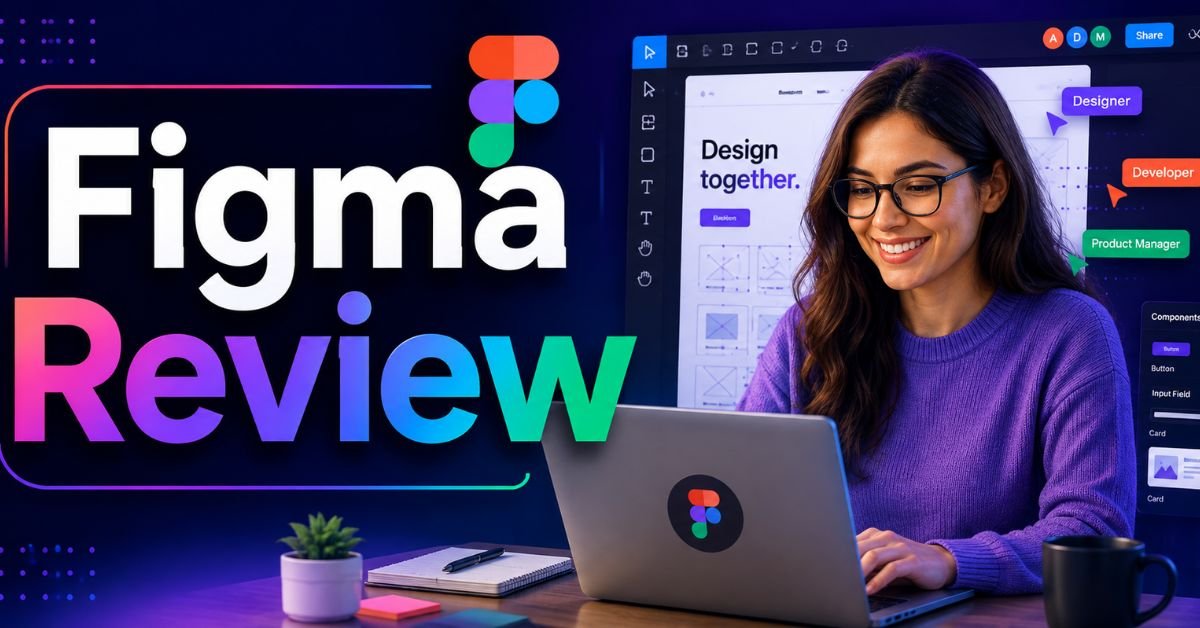
Designing modern websites, mobile applications, and digital products requires more than creativity. Teams need a platform that makes collaboration simple, speeds up the design process, and keeps everyone working from the same source of truth. This is where Figma has become one of the most popular design tools in the world.
In this Figma Review, we'll explore whether it truly deserves its reputation as the best collaborative design tool for designers, developers, agencies, and businesses.
Unlike traditional desktop design software, Figma is a cloud-based platform that allows multiple people to work on the same project in real time. Designers can create wireframes, user interfaces, prototypes, and design systems while developers, stakeholders, and clients can review changes instantly without downloading files or worrying about version conflicts.
The growing popularity of remote work has made collaboration more important than ever. Businesses need tools that improve communication, reduce delays, and streamline the design-to-development process. Figma addresses these challenges by combining powerful design features with real-time teamwork, interactive prototyping, developer handoff, and an extensive plugin ecosystem.
In this Figma Review, we'll examine its key features, user interface, collaboration tools, design capabilities, and ideal use cases to help you decide whether it is the right platform for your design workflow.
What Is Figma?
Figma has transformed the way digital products are designed by moving the entire design process to the cloud. It enables individuals and teams to create professional designs directly from a web browser or desktop application while collaborating in real time.
Unlike many traditional design tools, Figma stores projects online, making it easy to access files from different devices and share them with team members. Everyone works on the latest version of the design, eliminating the need to exchange multiple files or manage version histories manually.
Designers use Figma to create:
- Website layouts
- Mobile app interfaces
- Landing pages
- Dashboards
- Wireframes
- Interactive prototypes
- Design systems
- User flows
- Icons
- Marketing assets
Its versatility has made it one of the leading tools for UI and UX design across startups, agencies, and enterprise organisations.
How Does Figma Work?
Understanding the workflow is an important part of this Figma Review because it explains why the platform has become so popular among collaborative teams.
The design process is straightforward and efficient.
Create a New Project
Users begin by creating a new design file or selecting a template.
Projects can include:
- Mobile applications
- Websites
- Dashboards
- Design systems
- Landing pages
- Wireframes
Everything is organised within shared workspaces for easy collaboration.
Design Using Visual Tools
Figma provides a complete set of design tools that allow users to create layouts visually.
Users can add:
- Frames
- Shapes
- Text
- Images
- Icons
- Buttons
- Navigation menus
- Components
Changes appear instantly without requiring manual coding.
Collaborate in Real Time
One of Figma's biggest strengths is real-time collaboration.
Multiple team members can:
- Edit designs simultaneously
- Leave comments
- Review updates
- Suggest improvements
- Track changes
Everyone sees updates immediately, making teamwork much more efficient.
Share and Present
Designs can be shared using simple links.
Stakeholders, clients, and developers can review projects without downloading files or installing additional software.
Real-Time Collaboration
Collaboration is the feature that defines Figma, making it one of the most important topics in this Figma Review.
Instead of emailing design files back and forth, everyone works within the same project.
Benefits include:
- Live editing
- Instant updates
- Shared comments
- Team workspaces
- Design history
- Version control
- Cloud storage
This dramatically reduces communication delays and prevents multiple versions of the same file.
Remote teams especially benefit from Figma's collaborative workflow.
User Interface
Figma provides a clean, modern interface that balances simplicity with professional functionality.
The workspace typically includes:
- Toolbar
- Layers panel
- Assets panel
- Properties panel
- Canvas
- Prototype controls
- Comments
- Collaboration tools
Despite offering powerful capabilities, the interface remains approachable for beginners while providing enough depth for experienced designers.
The layout is organised logically, allowing users to focus on design rather than navigating complicated menus.
Design Systems
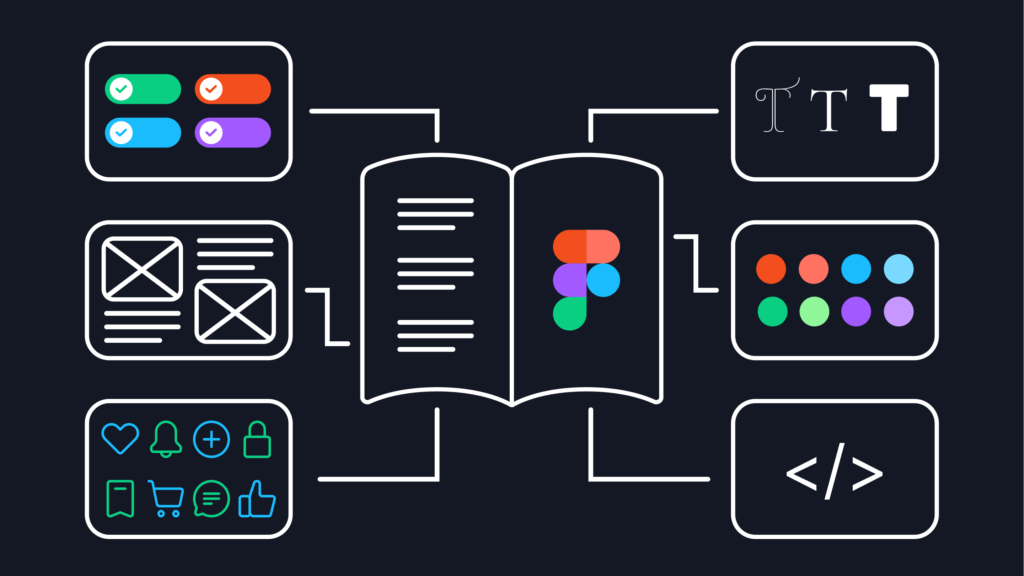
One of the biggest advantages highlighted throughout this Figma Review is support for design systems.
Design systems help maintain consistency across large projects by allowing teams to reuse components.
Common reusable elements include:
- Buttons
- Navigation bars
- Forms
- Icons
- Typography styles
- Colour palettes
- Cards
- Input fields
Instead of recreating these components repeatedly, designers update them once and apply changes across the entire project.
This saves considerable time while improving consistency.
Components and Variants
Figma's component system significantly improves workflow efficiency.
Components allow designers to reuse interface elements across multiple screens.
Examples include:
- Buttons
- Cards
- Headers
- Footers
- Navigation menus
- Modal windows
Variants allow multiple versions of the same component.
For example:
- Primary button
- Secondary button
- Disabled button
- Hover state
- Active state
This makes managing complex design systems much easier.
Auto Layout
Auto Layout is another standout feature covered in this Figma Review.
Rather than manually adjusting spacing whenever content changes, Auto Layout automatically resizes and aligns interface elements.
Benefits include:
- Consistent spacing
- Responsive layouts
- Faster editing
- Better alignment
- Reduced manual adjustments
Designers building responsive websites or mobile applications save significant time using this feature.
Interactive Prototyping
Figma allows users to create interactive prototypes without writing code.
Designers can connect screens and simulate user journeys.
Prototype features include:
- Click interactions
- Screen transitions
- Animations
- Scroll behaviour
- Overlay windows
- Navigation flows
Interactive prototypes help teams test ideas before development begins.
Clients also gain a better understanding of the final product compared with static designs.
Team Libraries
Large organisations often manage hundreds of reusable assets.
Figma's Team Libraries allow organisations to share:
- Components
- Icons
- Typography
- Colour styles
- Variables
- Design tokens
Everyone within the organisation uses the same approved assets, improving consistency across multiple products.
Responsive Design
Modern applications must work across many screen sizes.
Figma supports responsive design through:
- Auto Layout
- Constraints
- Frames
- Components
- Flexible resizing
Designers can quickly preview how interfaces behave on desktops, tablets, and smartphones.
This reduces redesign work later in development.
Design Workflow
The workflow supported by Figma is one of its strongest selling points.
Typical projects progress through several stages:
- Research
- Wireframes
- UI design
- Prototyping
- Team review
- Client feedback
- Developer handoff
Because everything remains inside a single platform, there is less need to switch between multiple applications.
Who Should Use Figma?
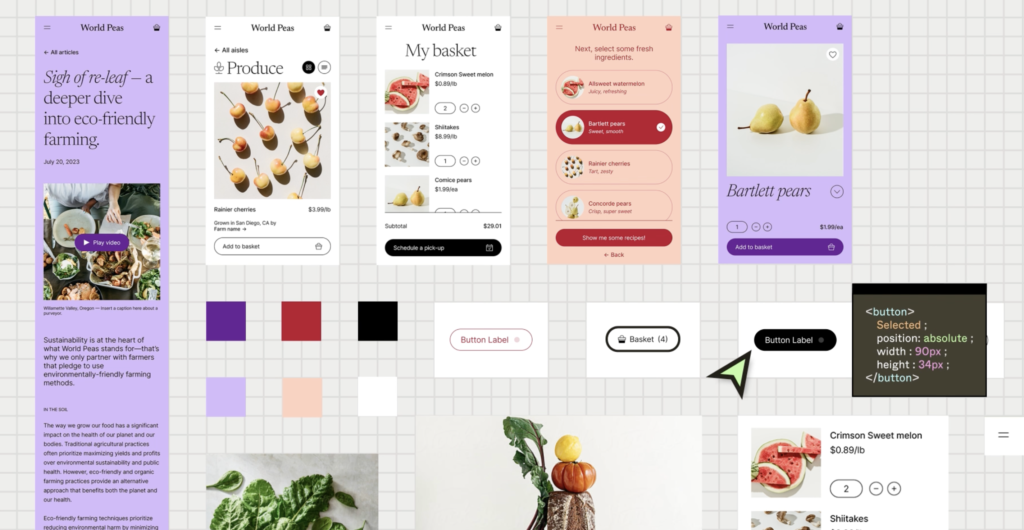
Figma is designed for individuals and teams involved in designing digital products. Its cloud-based collaboration, powerful design features, and developer-friendly tools make it suitable for a wide range of professionals. Whether you're working independently or as part of a large organisation, Figma helps streamline the entire design process from concept to development.
UI Designers
UI designers can use Figma to create responsive and visually appealing interfaces for websites, mobile applications, and dashboards. Features such as components, Auto Layout, design systems, and interactive prototyping help speed up the design process while maintaining consistency across every screen.
UX Designers
Figma enables UX designers to create wireframes, user flows, interactive prototypes, and usability-focused designs before development begins. Its collaboration tools also make it easy to gather feedback, test ideas, and refine user experiences throughout the design process.
Product Designers
Product designers can manage the complete product design workflow using Figma. The platform allows seamless collaboration with developers, stakeholders, and other designers while ensuring design consistency through shared components, libraries, and reusable design systems.
Agencies
Digital agencies can efficiently manage multiple client projects using shared workspaces, team libraries, and collaborative editing. Figma simplifies communication between designers, project managers, clients, and developers, helping agencies deliver high-quality projects more quickly.
Developers
Developers benefit from Figma's Dev Mode, which provides access to design specifications, measurements, colour values, typography, assets, and component details. This improves the design-to-development workflow and reduces misunderstandings during implementation.
Startups
Startups can use Figma to design websites, mobile apps, MVPs, and product prototypes while enabling founders, designers, developers, and investors to collaborate in real time. Its cloud-based workflow helps small teams build and iterate products faster with fewer communication barriers.
Learning Curve
Compared with many professional design applications, Figma has a relatively gentle learning curve.
Beginners can quickly learn the basics through its clean interface and intuitive tools, while experienced designers gain access to advanced capabilities such as components, design systems, variables, and prototyping.
Because the platform runs in the cloud, users can begin designing almost immediately without complicated installation or configuration.
For individuals and teams transitioning from traditional desktop design software, Figma provides an efficient workflow that improves productivity while reducing collaboration challenges.
Figma Pricing
Choosing the right subscription is an important part of this Figma Review. Figma offers plans for individuals, freelancers, professional designers, growing teams, and large organisations. The free plan provides enough features for learning and small personal projects, while paid plans unlock advanced collaboration, design systems, developer tools, and enterprise-level security.
Higher-tier plans typically include:
- Unlimited design files
- Team libraries
- Advanced prototyping
- Dev Mode
- Shared design systems
- Version history
- Team permissions
- Enhanced security
- Priority support
For businesses and agencies managing multiple projects, the paid plans offer excellent value by improving productivity and collaboration.
Performance
Performance plays a significant role in determining whether a design platform can support modern workflows. Throughout this Figma Review, Figma consistently performs well for individual projects as well as large collaborative teams.
Because Figma is cloud-based, users always work with the latest version of a project without manually transferring files. The platform loads quickly, synchronises changes in real time, and allows multiple users to edit the same design simultaneously.
Performance advantages include:
- Fast cloud synchronisation
- Real-time collaboration
- Automatic saving
- Cross-platform support
- Reliable project sharing
- Responsive interface
Very large projects with thousands of layers may require additional system resources, but Figma generally handles complex design files efficiently.
Dev Mode
One of Figma's most valuable additions for development teams is Dev Mode.
Dev Mode improves communication between designers and developers by allowing developers to inspect design files without modifying them.
Features include:
- CSS inspection
- Typography information
- Colour values
- Measurements
- Asset export
- Component details
- Design specifications
Instead of requesting design measurements manually, developers can retrieve everything directly from the project, reducing development time and improving accuracy.
AI Features
Artificial intelligence is becoming increasingly important in design software, and Figma continues to introduce AI-powered capabilities that improve productivity.
Some AI-assisted features include:
- Interface generation
- Layer organisation
- Content suggestions
- Asset search
- Automatic renaming
- Layout improvements
- Design recommendations
- Workflow automation
These tools reduce repetitive work, allowing designers to spend more time on creativity and problem-solving.
As AI capabilities continue to evolve, Figma is expected to expand its intelligent design assistance even further.
Plugins and Integrations
Another major advantage highlighted in this Figma Review is its extensive plugin ecosystem.
Thousands of plugins allow designers to extend Figma's capabilities.
Popular plugin categories include:
- Icons
- Illustrations
- Stock photos
- Charts
- Accessibility testing
- AI tools
- Content generation
- Colour palettes
- Animations
- Developer tools
Figma also integrates with many popular project management, collaboration, and development platforms, making it easy to fit into existing workflows.
Advantages of Figma
After completing this Figma Review, several strengths clearly stand out.
- Real-time collaboration
- Cloud-based access
- Professional UI and UX design tools
- Interactive prototyping
- Powerful design systems
- Auto Layout for responsive design
- Extensive plugin ecosystem
- Developer-friendly Dev Mode
- Cross-platform compatibility
- Strong community support
These advantages make Figma one of the most efficient design platforms available today.
Disadvantages of Figma
Although Figma is an outstanding platform, it is not without limitations.
- Advanced features require paid plans.
- Internet connectivity is important for the best experience.
- Large projects may become resource-intensive.
- Some advanced plugins require separate subscriptions.
- Beginners may need time to understand design systems and components.
Despite these limitations, the overall experience remains excellent for most users.
Figma vs Adobe XD
Both Figma and Adobe XD are popular design platforms, but their strengths differ.
| Feature | Figma | Adobe XD |
|---|---|---|
| Real-Time Collaboration | Excellent | Good |
| Cloud Workflow | Excellent | Good |
| Prototyping | Excellent | Excellent |
| Design Systems | Excellent | Very Good |
| Plugin Ecosystem | Excellent | Good |
| Browser Access | Yes | No |
Figma has become the preferred choice for many collaborative teams because of its browser-based workflow and real-time editing capabilities.
Figma vs Sketch
Sketch has long been a favourite among UI designers, but Figma offers several advantages.
| Feature | Figma | Sketch |
|---|---|---|
| Collaboration | Excellent | Good |
| Browser Access | Yes | No |
| Cross-Platform | Excellent | Limited |
| Prototyping | Excellent | Good |
| Team Libraries | Excellent | Very Good |
| Developer Handoff | Excellent | Good |
Sketch remains a capable design tool, but Figma's collaborative workflow gives it a significant advantage for modern teams.
Is Figma the Best Collaborative Design Tool?
This is the central question explored throughout this Figma Review.
For many designers and businesses, the answer is yes.
Figma combines:
- Real-time collaboration
- Professional design tools
- Interactive prototyping
- Cloud accessibility
- Developer handoff
- Powerful design systems
- Responsive design capabilities
- Extensive plugins
These features allow teams to complete projects faster while improving communication and reducing design inconsistencies.
Although competing platforms continue to improve, Figma remains one of the strongest choices for collaborative product design.
Who Should Choose Figma?
Based on this Figma Review, Figma is an excellent choice for:
- UI designers
- UX designers
- Product designers
- Freelancers
- Digital agencies
- Startups
- Developers
- Product managers
- Marketing teams
- Enterprise organisations
Its flexibility makes it suitable for projects ranging from simple landing pages to complex enterprise applications.
Who May Prefer Another Design Tool?
While Figma works well for most users, other tools may be better suited for specific requirements.
You may consider alternatives if you need:
- Deep integration with a specific creative software ecosystem
- Specialised illustration or photo-editing tools
- Highly customised offline workflows
- Advanced image manipulation beyond interface design
The right choice depends on your workflow, collaboration needs, and the type of projects you create.
Final Verdict:
After evaluating every major aspect in this Figma Review, it is clear why Figma has become one of the most widely used collaborative design platforms in the industry.
Its cloud-based workflow, real-time collaboration, interactive prototyping, powerful design systems, Auto Layout, Dev Mode, and extensive plugin ecosystem make it an outstanding solution for modern UI and UX design. Teams can work together seamlessly, reduce communication delays, and move from design to development more efficiently than with many traditional desktop applications.
Figma also continues to evolve with AI-powered features that help automate repetitive tasks and improve productivity. Combined with cross-platform accessibility and an intuitive interface, it offers an excellent balance between simplicity and professional capability.
While advanced features require paid plans and very large projects may demand more system resources, these limitations are relatively minor compared with the overall value the platform provides.
For designers, developers, agencies, startups, and businesses looking for a collaborative design solution, Figma remains one of the best choices available today.
Must Read:
- Base44 Review: Is It the Best AI App Builder?
- Emergent Review: Can It Replace Traditional Coding?
- Wix Studio Review: Is It Worth It for Designers and Agencies?
FAQs:
What is Figma?
Figma is a cloud-based UI and UX design platform that enables users to create, prototype, and collaborate on websites, mobile apps, dashboards, and digital products in real time.
Is Figma suitable for beginners?
Yes. Figma offers an intuitive interface, helpful learning resources, and a free plan, making it an excellent choice for beginners who want to learn interface design and prototyping.
Can multiple people work on the same Figma file?
Yes. One of Figma's biggest strengths is real-time collaboration, allowing multiple designers, developers, and stakeholders to work on the same project simultaneously.
Is Figma better than Adobe XD?
For collaborative design workflows, many teams prefer Figma because of its cloud-based editing, browser access, real-time collaboration, and strong developer handoff features.
Does Figma support prototyping?
Yes. Figma includes interactive prototyping tools that allow designers to create clickable user flows, animations, transitions, and realistic design demonstrations without writing code.
Can developers use Figma?
Absolutely. Dev Mode allows developers to inspect designs, access measurements, export assets, review typography, colours, and component information, making implementation much easier.
Is Figma worth using?
For individuals and teams working on websites, mobile apps, and digital products, Figma offers exceptional value through its collaborative workflow, professional design tools, and continuous feature improvements, making it one of the best design platforms available today.









