
Artificial intelligence is transforming video creation faster than ever before. What once required expensive cameras, skilled editors, and days of post-production can now be accomplished with a simple text prompt. AI video generators have opened new possibilities for creators, marketers, educators, and businesses by turning written ideas into realistic videos within minutes.
Among the latest platforms attracting global attention is Kling AI. Developed by Kuaishou Technology, Kling AI has earned a reputation for producing highly realistic videos with smooth motion, cinematic camera movements, and impressive prompt understanding. Its ability to generate videos from both text descriptions and still images makes it one of the strongest competitors in the rapidly growing AI video market.
In this Kling AI Review, we'll examine its text-to-video technology, image animation capabilities, video quality, ease of use, AI models, and practical applications. By the end of this guide, you'll have a clear understanding of whether Kling AI is the right AI video generator for your creative or business projects.
What Is Kling AI?
Kling AI is an advanced AI-powered video generation platform designed to create realistic videos from text prompts or static images. Instead of manually editing footage or creating animations frame by frame, users simply describe the scene they want, and the AI generates a complete video featuring dynamic movement, camera effects, lighting, and realistic visual transitions.
Unlike many early AI video generators, Kling AI focuses heavily on natural physics, facial expressions, object movement, and cinematic storytelling. The platform uses large-scale AI models trained to understand complex prompts while generating visually coherent scenes that feel closer to professionally produced videos.
Throughout this Kling AI Review, one of the platform's biggest strengths is its ability to create high-quality videos that require minimal manual editing.
Key Features
Kling AI combines several powerful AI technologies into a single video generation platform.
AI Text-to-Video Generation
The platform's primary feature allows users to convert simple written prompts into fully animated videos. Users describe the subject, environment, lighting, camera movement, mood, and style, and the AI produces a corresponding video.
This feature makes content creation significantly faster while reducing the need for traditional filming or animation.
AI Image-to-Video Animation
Kling AI can also transform static images into animated scenes. Users upload a photograph or illustration, and the AI adds realistic movement, facial expressions, environmental effects, and camera motion.
This capability is especially useful for marketers, storytellers, advertisers, and social media creators wanting to bring still images to life.
Cinematic Camera Movement
Unlike many AI video generators that produce static scenes, Kling AI creates dynamic camera movements such as zooms, pans, tracking shots, and cinematic angles that make videos feel more immersive.
These camera effects contribute significantly to the professional appearance of generated content.
Realistic Character Motion
Human movement is often one of the most difficult aspects of AI video generation. Kling AI performs particularly well by producing smoother body movements, natural walking animations, realistic gestures, and convincing facial expressions.
This makes generated videos appear more lifelike than many competing platforms.
High-Resolution Output
Kling AI produces high-quality videos with impressive visual detail, making the platform suitable for commercial marketing, presentations, social media, and creative projects.
As the platform continues evolving, output quality continues to improve through updated AI models.
Cloud-Based Processing
Since Kling AI operates entirely in the cloud, users do not need expensive graphics hardware or specialised editing software. Video generation occurs on remote servers, allowing projects to be created directly from a web browser.
How Does Kling AI Work?
One of the reasons discussed throughout this Kling AI Review is how straightforward the overall workflow has become.
Users begin by entering a descriptive prompt explaining the type of video they want to generate. More detailed prompts generally produce more accurate results because the AI receives clearer guidance regarding subjects, environments, lighting, camera movement, emotions, colours, and artistic style.
The AI analyses the prompt before generating scenes, character movements, animations, backgrounds, lighting effects, and camera motion. Once processing is complete, users receive a preview that can often be refined using improved prompts or additional iterations.
For image animation, the workflow is similarly simple. Users upload an image and describe how they want it to move. The AI then generates realistic animation while preserving the original visual style.
Because the interface remains relatively simple, even beginners can generate impressive AI videos after only a short learning period.
Text-to-Video Technology
The text-to-video system is the core feature evaluated in this Kling AI Review.
Kling AI demonstrates excellent prompt understanding compared with many earlier AI video generators. Rather than simply matching keywords, it attempts to interpret relationships between subjects, environments, actions, and cinematic style.
For example, users can request scenes involving changing weather, moving vehicles, emotional facial expressions, wildlife, landscapes, or complex camera movements using natural language descriptions.
The AI also performs well when combining multiple creative instructions within a single prompt, producing coherent scenes that maintain visual consistency throughout the generated video.
Prompt quality still influences results significantly. Detailed prompts containing information about lighting, composition, movement, mood, and perspective usually generate more accurate videos than very short descriptions.
Overall, Kling AI's text-to-video technology ranks among the strongest currently available.
Image-to-Video Generation
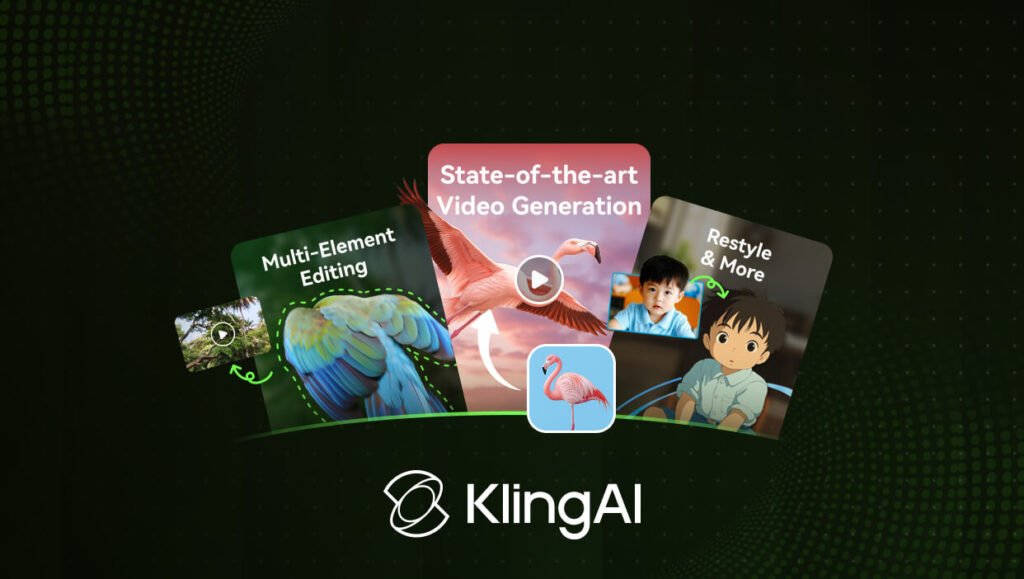
Another major strength highlighted in this Kling AI Review is the platform's image animation capability.
Rather than generating entirely new scenes, users can upload existing photographs, digital artwork, product images, or illustrations and allow the AI to animate them naturally.
People can blink, smile, turn their heads, or walk. Animals can move realistically. Water, clouds, smoke, hair, and clothing respond naturally to environmental conditions.
Marketing teams frequently use this feature to create engaging advertisements from product photography, while social media creators transform static images into eye-catching animated posts.
The ability to preserve visual quality while introducing realistic movement gives Kling AI a significant advantage for many creative workflows.
Video Quality
Video quality remains one of the strongest reasons for Kling AI's growing popularity.
Generated videos generally feature realistic lighting, detailed textures, smooth movement, convincing depth, and natural transitions between frames. Camera motion feels deliberate rather than random, helping scenes resemble professionally filmed footage.
Character animation is also noticeably stronger than many competing AI platforms. Facial expressions, walking patterns, body posture, and environmental interaction appear more natural, reducing the artificial look often associated with AI-generated videos.
Although occasional visual inconsistencies still occur in highly complex scenes, overall output quality continues improving as new AI models are introduced.
For marketing, storytelling, presentations, advertisements, and creative projects, Kling AI delivers impressive visual results.
User Interface and Ease of Use
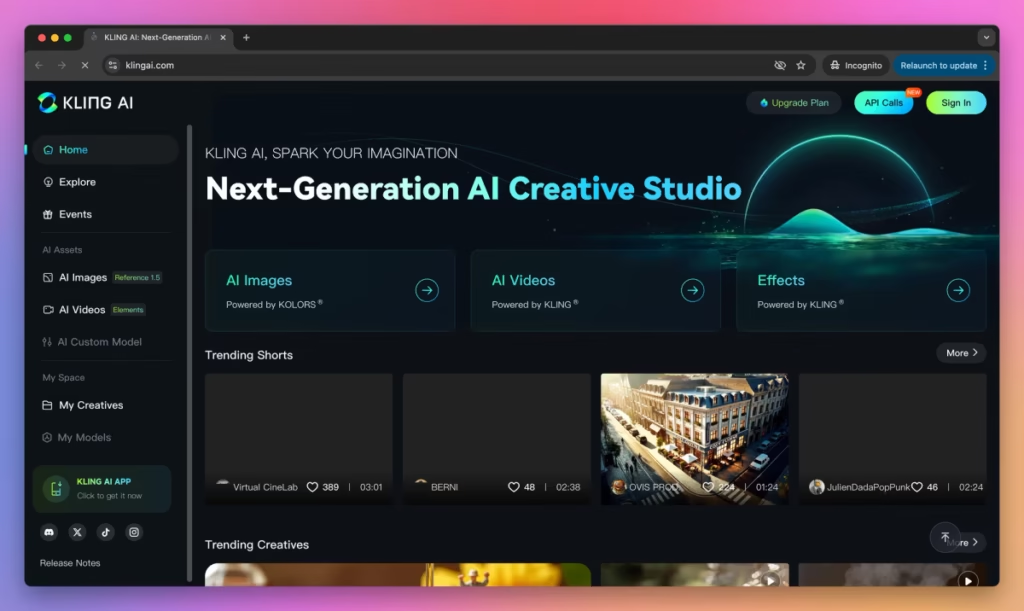
Despite the advanced AI technology operating behind the scenes, Kling AI maintains an interface that is relatively approachable.
The dashboard is organised clearly, allowing users to create new projects, manage prompts, upload images, review previous generations, and monitor rendering progress without navigating overly complicated menus.
Most actions require only a few clicks, making the platform suitable for beginners while still providing enough flexibility for experienced creators.
As users gain experience writing more detailed prompts, they typically achieve increasingly accurate and visually appealing results without needing traditional video editing skills.
AI Models and Prompt Understanding
One of the most impressive aspects covered in this Kling AI Review is the platform's understanding of natural language prompts.
Instead of relying solely on keywords, Kling AI attempts to interpret context, relationships, atmosphere, subject interactions, and cinematic composition.
The AI understands instructions involving camera angles, emotional expressions, environmental changes, weather effects, object movement, lighting conditions, and artistic styles with surprising accuracy.
Users can often refine output quality simply by improving prompt descriptions rather than performing extensive manual editing afterwards.
This prompt-driven workflow significantly reduces production time while encouraging creative experimentation.
Who Should Use Kling AI?
Kling AI appeals to a wide variety of creators and businesses.
Content Creators
YouTubers, influencers, bloggers, and social media creators can generate engaging visual content without requiring cameras, actors, or expensive production equipment.
Digital Marketers
Marketing teams can create promotional campaigns, advertisements, product launches, and branded content much faster using AI-generated videos.
Advertising Agencies
Agencies managing multiple campaigns can rapidly prototype concepts, produce promotional assets, and create social media content while reducing production costs.
Educators
Teachers, trainers, and online course creators can generate educational animations, visual explanations, and presentation videos that improve learner engagement.
Designers
Creative professionals can transform concept art, illustrations, and design mock-ups into animated presentations that communicate ideas more effectively.
Businesses
Companies can use Kling AI for internal communications, product demonstrations, customer education, marketing campaigns, recruitment videos, and corporate presentations.
Real-World Use Cases
Kling AI supports numerous practical applications across different industries.
Marketing teams use it to produce advertising videos, promotional campaigns, and product showcases without organising expensive video shoots. Social media creators generate short-form content for YouTube Shorts, Instagram Reels, TikTok, and Facebook. Businesses create training materials, onboarding videos, and presentations, while filmmakers and designers use the platform to visualise creative concepts before full production begins.
Its text-to-video and image-to-video capabilities also make Kling AI valuable for storytelling, educational content, travel videos, product demonstrations, and digital art projects.
By combining realistic animation with strong prompt understanding, Kling AI enables users to produce professional-looking videos in significantly less time than traditional production methods.
Pricing Plans
Pricing is an important consideration in any Kling AI Review, especially for creators who generate videos regularly. Kling AI offers multiple subscription options designed for casual users, content creators, marketers, and businesses with different production needs.
New users can usually begin with a free plan or free credits to explore the platform and test its AI video generation capabilities. This allows users to experiment with text-to-video and image-to-video features before upgrading to a paid subscription.
Paid plans generally provide additional AI credits, faster rendering, longer video generation, higher-resolution exports, priority processing, and access to newer AI models. Businesses and professional creators producing videos frequently will gain the most value from these premium plans.
Overall, Kling AI offers competitive pricing compared with other advanced AI video generators, particularly considering the quality of its generated videos and ongoing improvements to its AI models.
Performance and Rendering Speed
Performance is one of the strongest aspects highlighted throughout this Kling AI Review. The platform produces impressive visual quality while maintaining relatively efficient rendering times.
Most short videos are generated within a few minutes, although processing time depends on video length, prompt complexity, server demand, and subscription level. Higher-tier plans generally benefit from priority processing, resulting in faster generation.
Because all processing occurs in the cloud, users do not require expensive graphics cards or high-end computers. This makes Kling AI accessible to creators using standard laptops or desktop computers.
Even with detailed prompts and complex camera movements, the platform maintains consistent output quality while balancing rendering speed with realistic animation.
What We Like About Kling AI
Every AI video platform has strengths that distinguish it from competitors, and Kling AI offers several standout advantages.
Exceptional Text-to-Video Quality
Kling AI produces highly realistic videos from natural language prompts. The AI understands complex scene descriptions, camera angles, movement, lighting, and emotions, resulting in videos that often require very little additional editing before publication.
Impressive Character Animation
Human movement is one of the most challenging areas of AI video generation, yet Kling AI performs exceptionally well. Facial expressions, body language, walking, and gestures appear smooth and natural, creating a more convincing viewing experience.
Realistic Camera Motion
Dynamic camera effects such as zooms, tracking shots, pans, and cinematic perspectives help generated videos feel professionally produced rather than static animations. These movements significantly improve storytelling and visual engagement.
Strong Prompt Understanding
Unlike many earlier AI video tools, Kling AI interprets detailed prompts with remarkable accuracy. Users can describe environments, weather, emotions, camera movement, colours, and artistic styles while receiving coherent, visually consistent results.
Excellent Image Animation
The image-to-video feature transforms still photographs and artwork into realistic animated scenes while preserving visual quality. This provides creators with an efficient way to generate engaging content from existing assets.
Beginner-Friendly Workflow
Despite its advanced AI technology, Kling AI remains easy to use. Most users can create professional-looking videos simply by writing clear prompts, making the platform suitable for beginners as well as experienced creators.
Areas That Could Improve
Although this Kling AI Review highlights many strengths, there are still a few areas where the platform could improve.
Limited Manual Editing
Kling AI focuses primarily on automated video generation. Users seeking frame-by-frame editing, advanced timeline controls, or professional post-production features may still need traditional video editing software.
Rendering Time for Complex Projects
Highly detailed prompts and longer videos sometimes require additional processing time. While this is understandable given the complexity of AI generation, faster rendering would improve the overall workflow.
Learning Better Prompt Writing
Although beginners can generate videos quickly, achieving the highest-quality results often requires detailed prompts. Users may need some practice to consistently produce cinematic outputs.
Premium Features Require Paid Plans
Many of the platform's most powerful capabilities are reserved for premium subscriptions. Businesses producing videos regularly will likely need a paid plan to fully benefit from Kling AI.
Best Kling AI Alternatives
If Kling AI does not completely meet your requirements, several alternatives are worth exploring.
Runway
Runway is one of the most advanced AI video platforms available, offering AI video generation, background removal, motion tracking, inpainting, and professional editing tools. It is ideal for creators who need greater creative control alongside AI automation.
Pika
Pika specialises in fast AI video generation with a beginner-friendly interface. It is well suited to social media creators producing short-form content using simple prompts and animated effects.
InVideo AI
InVideo AI focuses on marketing videos, YouTube content, advertisements, and business presentations. It combines AI script writing, voiceovers, templates, and stock media into an all-in-one content creation platform.
Luma AI Dream Machine
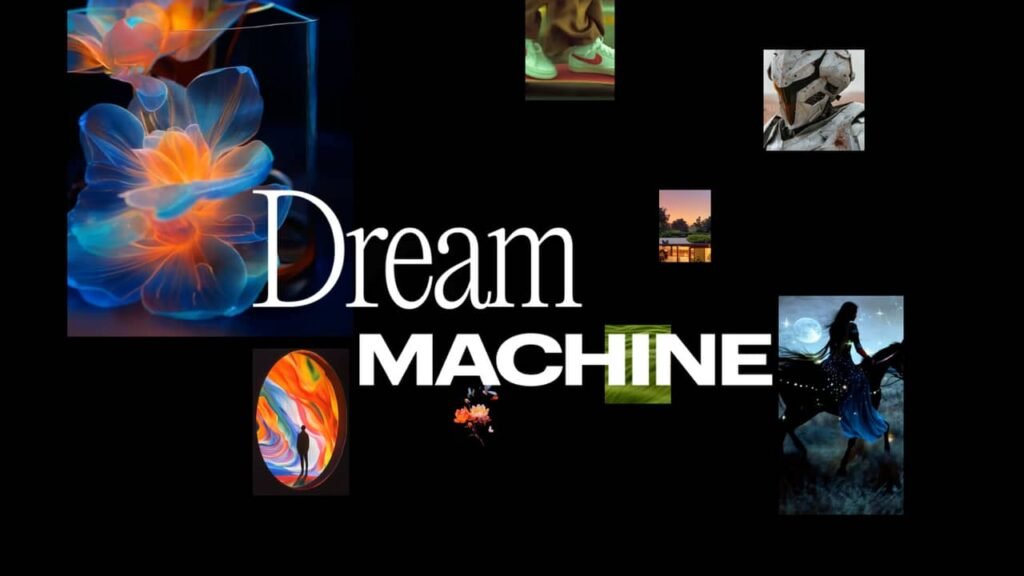
Luma AI Dream Machine generates highly realistic videos with smooth motion and cinematic quality. It has become a strong competitor for creators producing artistic and visually impressive AI-generated content.
Hailuo AI
Hailuo AI offers powerful text-to-video capabilities with a focus on realistic animation, detailed scenes, and prompt-based storytelling. It continues gaining popularity among AI content creators.
Google Veo
Google Veo represents one of the latest advancements in AI video generation, producing high-quality cinematic videos with accurate prompt interpretation and realistic movement. It is expected to play a significant role in the future of AI filmmaking.
Kling AI vs Competitors
Selecting the right AI video generator depends on your creative goals, production workflow, and budget.
| Feature | Kling AI | Runway | Pika | InVideo AI |
|---|---|---|---|---|
| Text-to-Video | ✔✔ | ✔ | ✔ | ✔ |
| Image-to-Video | ✔✔ | ✔ | ✔ | Limited |
| Cinematic Quality | ✔✔ | ✔✔ | ✔ | Limited |
| AI Prompt Understanding | ✔✔ | ✔ | ✔ | ✔ |
| Video Editing Tools | Limited | ✔✔ | Limited | ✔ |
| Marketing Templates | Limited | Limited | Limited | ✔✔ |
| Beginner Friendly | ✔✔ | ✔ | ✔✔ | ✔✔ |
| Cloud-Based Platform | ✔ | ✔ | ✔ | ✔ |
FAQs:
What is Kling AI?
Kling AI is an AI-powered video generation platform that creates realistic videos from text prompts and static images using advanced artificial intelligence models.
Is Kling AI free?
Kling AI generally offers free credits or a limited free plan that allows users to test its AI capabilities. Additional features, higher usage limits, and faster processing are available through paid subscriptions.
Does Kling AI create videos from text?
Yes. Its primary feature converts natural language prompts into fully animated videos complete with realistic movement, camera effects, and cinematic visuals.
Can Kling AI animate images?
Yes. Users can upload photographs or illustrations and use AI to generate natural movement, facial expressions, environmental animation, and camera motion.
Is Kling AI suitable for beginners?
Yes. The interface is straightforward, and most users can begin creating AI-generated videos after writing simple prompts without needing professional editing experience.
Who should use Kling AI?
Kling AI is suitable for YouTubers, marketers, advertisers, designers, educators, agencies, filmmakers, storytellers, and businesses looking to create high-quality AI-generated videos quickly.
Must Read:
- InVideo AI Review: Is It the Best AI Video Generator?
- Scalio Review: Can It Build AI Solutions That Scale?
- Creatify AI Review: Can It Create High-Converting Video Ads?
Final Verdict:
After completing this Kling AI Review, it is clear that the platform has established itself as one of the leading AI video generators currently available. Its advanced text-to-video technology, realistic image animation, smooth character movement, and cinematic camera effects place it among the strongest competitors in the rapidly evolving AI video market.
The platform is particularly impressive when generating realistic scenes from detailed prompts. Its ability to understand complex descriptions involving lighting, movement, composition, and atmosphere allows creators to produce professional-looking videos without traditional filming equipment or advanced editing skills.
Although some premium features require paid subscriptions and complex projects may take longer to render, these limitations are relatively minor compared with the overall quality of the generated content.
If your goal is to create cinematic marketing videos, social media content, concept animations, product demonstrations, or creative storytelling using artificial intelligence, Kling AI is an excellent choice. Its combination of realism, prompt accuracy, and ease of use makes it one of the best AI video generators available today.









