
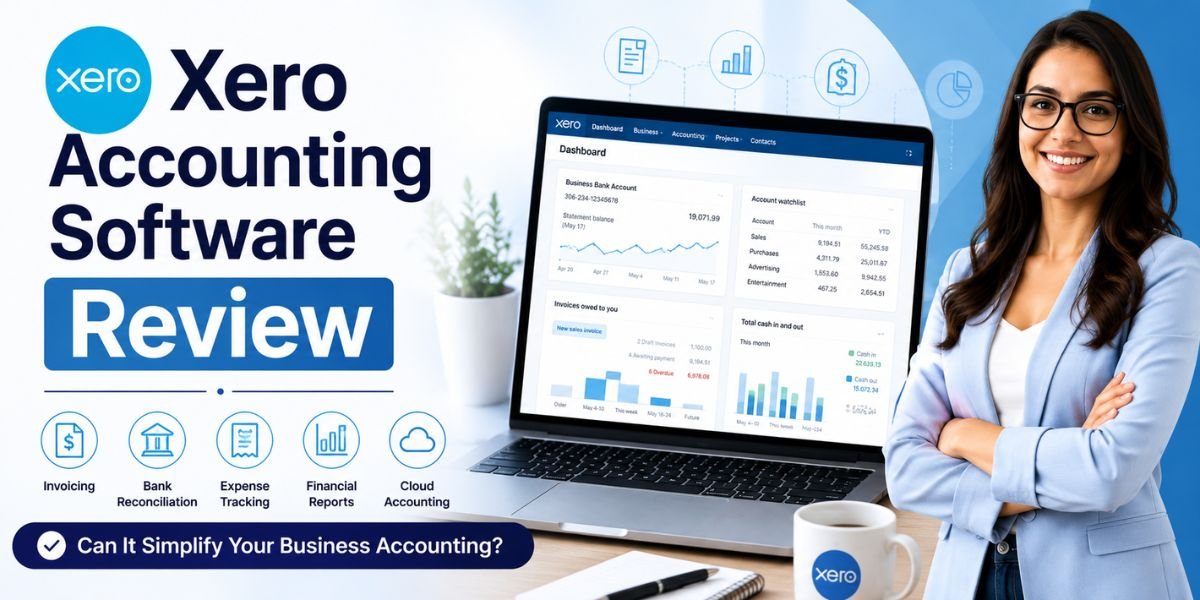
Managing business finances can quickly become complicated as your company grows. Tracking invoices, monitoring expenses, reconciling bank transactions, preparing financial reports, and staying tax compliant all require time and accuracy. Cloud accounting software has made these tasks much easier, and one of the most recognised solutions in this space is Xero.
In this Xero Accounting Software Review, we'll explore whether Xero can truly simplify your business accounting. We'll examine its core features, ease of use, invoicing, reporting, bank reconciliation, inventory management, and overall user experience.
Whether you're a freelancer, small business owner, startup founder, or accountant, this review will help you understand if Xero is the right accounting software for your needs.
Xero has become a trusted accounting platform used by more than four million subscribers worldwide, offering cloud-based financial management that allows businesses to work from virtually anywhere.
What Is Xero Accounting Software?
Xero is a cloud-based accounting platform designed primarily for small and medium-sized businesses. Instead of installing software on a single computer, users access Xero securely through a web browser or mobile app, allowing them to manage finances from almost anywhere.
The platform combines essential accounting functions into one dashboard, including:
- Online invoicing
- Bank reconciliation
- Expense tracking
- Inventory management
- Financial reporting
- Bill management
- Payroll support (available in selected regions)
- Cash flow monitoring
- Tax reporting
- Third-party app integrations
Because everything is stored securely in the cloud, business owners, accountants, and bookkeepers can collaborate using real-time financial data. Xero also supports unlimited users on all plans, making it suitable for growing businesses with multiple team members.
Key Features of Xero Accounting Software
One reason Xero remains one of the most popular accounting platforms is its comprehensive feature set. Rather than focusing on bookkeeping alone, it offers tools that help businesses manage their entire financial workflow.
Cloud-Based Accounting
Xero operates entirely in the cloud, allowing users to access their financial information from desktops, laptops, tablets, and smartphones.
Cloud accounting offers several advantages:
- Real-time financial updates
- Automatic software updates
- Secure data storage
- Remote collaboration
- Access from multiple devices
This flexibility makes Xero especially useful for businesses with remote teams or accountants working from different locations.
Online Invoicing
Creating professional invoices is simple with Xero.
Users can:
- Design customised invoices
- Add company branding
- Schedule recurring invoices
- Send invoices by email
- Accept online payments
- Track invoice status
- Receive payment reminders
Businesses can also see when customers have viewed invoices, helping improve payment collection and cash flow management.
Bank Reconciliation
Bank reconciliation is one of Xero's strongest features.
The software automatically imports bank transactions using secure bank feeds. Users then match imported transactions with invoices, bills, or existing records, reducing manual data entry and helping maintain accurate financial records. Xero also supports bank rules that automate recurring transaction categorisation.
Expense Management
Tracking business expenses is essential for understanding profitability.
Xero enables users to:
- Record expenses
- Upload receipts
- Categorise spending
- Track employee expenses
- Reimburse staff
- Monitor business costs
Keeping expenses organised throughout the year also simplifies tax preparation.
Bill Management
Businesses often manage dozens of supplier invoices each month.
Xero helps users:
- Record bills
- Schedule payments
- Monitor due dates
- Avoid late payment fees
- Improve cash flow planning
This feature provides better visibility into upcoming financial commitments.
Inventory Management
Xero includes built-in inventory tracking suitable for many small businesses.
Users can:
- Track stock items
- Monitor product quantities
- Update inventory automatically
- Calculate product costs
- Manage purchase information
Although suitable for many service businesses and smaller retailers, larger companies with complex inventory requirements may require dedicated inventory software.
Financial Reporting
Good financial decisions depend on accurate reporting.
Xero generates numerous reports, including:
- Profit and Loss
- Balance Sheet
- Cash Flow Statement
- Trial Balance
- Accounts Receivable
- Accounts Payable
- Tax Reports
Reports update automatically as new transactions are entered, giving business owners a real-time view of financial performance.
Mobile App
The Xero mobile application allows users to manage accounting while travelling.
Using the app, businesses can:
- Send invoices
- Approve bills
- Capture receipts
- Reconcile transactions
- View cash flow
- Monitor customer payments
This flexibility helps business owners stay connected to their finances even when away from the office.
How Does Xero Work?
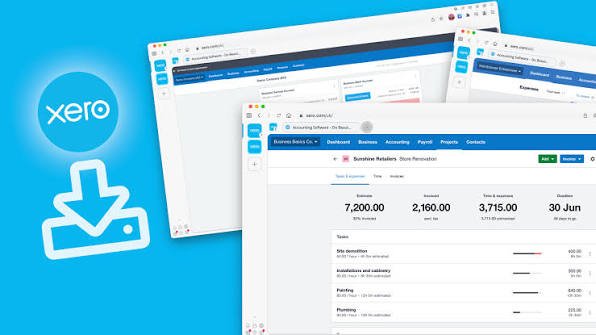
Xero simplifies accounting by connecting different financial activities into one integrated platform.
A typical workflow includes:
- Create your Xero account.
- Connect your business bank accounts.
- Import bank transactions automatically.
- Create invoices and send them to customers.
- Record supplier bills.
- Match bank transactions during reconciliation.
- Monitor expenses and cash flow.
- Generate financial reports.
- Share access with your accountant or bookkeeper.
Because much of the data entry is automated, businesses spend less time on administration and more time running their operations.
User Interface and Ease of Use
Accounting software should simplify financial management rather than make it more complicated.
Xero offers a clean, intuitive dashboard that displays important business information immediately after login.
The homepage typically includes:
- Bank balances
- Outstanding invoices
- Bills awaiting payment
- Cash flow summary
- Recent transactions
- Financial shortcuts
Navigation is organised into logical sections such as:
- Dashboard
- Business
- Accounting
- Contacts
- Reports
Most users can become familiar with the interface quickly, even without an accounting background.
The ability to customise dashboards and reports also improves the overall user experience.
Invoicing and Payment Management
For many businesses, invoicing is one of the most frequently used accounting tasks.
Xero provides a comprehensive invoicing system that allows businesses to create professional invoices within minutes.
Key invoicing features include:
- Custom invoice templates
- Company logo branding
- Automatic invoice numbering
- Recurring invoices
- Online payment options
- Customer payment tracking
- Automatic payment reminders
These features help businesses receive payments faster while reducing manual administrative work.
Bank Reconciliation
Bank reconciliation is often considered one of Xero's biggest strengths.
Instead of manually comparing bank statements with accounting records, Xero automatically imports transactions from supported banks through secure bank feeds.
Users can then:
- Match transactions
- Create new transactions
- Apply bank rules
- Reconcile multiple transactions
- Identify discrepancies
Regular reconciliation improves financial accuracy and reduces bookkeeping errors. Xero recommends reconciling frequently so that accounting records stay up to date.
Expense Management
Monitoring expenses helps businesses control costs and improve profitability.
Xero allows businesses to record and organise expenses efficiently.
Benefits include:
- Digital receipt storage
- Expense categorisation
- Employee reimbursement tracking
- Supplier payment monitoring
- Improved budgeting
Having accurate expense records also makes financial reporting more reliable.
Inventory Management
Small businesses selling physical products need basic inventory control.
Xero provides inventory management features that allow users to:
- Track products
- Monitor stock quantities
- Record purchase prices
- Update inventory after sales
- View inventory values
While sufficient for many growing businesses, companies with large warehouses or complex stock management needs may eventually require specialised inventory software integrated with Xero.
Financial Reporting
Accurate reporting allows business owners to understand their company's financial health.
Xero automatically generates a wide variety of reports using live financial data.
Popular reports include:
- Profit and Loss Statement
- Balance Sheet
- Cash Flow Report
- Accounts Receivable Summary
- Accounts Payable Summary
- Tax Reports
- General Ledger
Reports can often be customised, exported, and shared with accountants or stakeholders.
Real-time reporting helps businesses make informed financial decisions throughout the year instead of waiting until the end of each accounting period.
Xero Pricing
Choosing accounting software involves more than comparing features. Pricing also plays an important role, especially for freelancers, startups, and small businesses working within a budget.
Xero offers multiple subscription plans designed for businesses at different stages of growth. The available plans and pricing may vary depending on your country and are updated periodically. Generally, higher-tier plans include additional features such as bulk transaction reconciliation, multi-currency support, advanced analytics, project tracking, and expense management.
Most subscriptions include access to:
- Cloud accounting
- Online invoicing
- Bill management
- Bank reconciliation
- Financial reporting
- Contact management
- Mobile application
- Unlimited users
Before selecting a plan, consider:
- The number of invoices you create each month
- Whether you manage inventory
- Multi-currency requirements
- Business size
- Number of employees
- Reporting requirements
- Future business growth
Xero frequently offers free trial periods, allowing businesses to explore the platform before committing to a subscription.
Pros and Cons
Like any accounting platform, Xero has strengths and limitations. Understanding both will help determine whether it fits your business requirements.
Pros
Xero offers several advantages that have made it one of the world's leading cloud accounting solutions.
- Easy-to-use and beginner-friendly interface.
- Cloud-based access from any location.
- Unlimited users on all subscription plans.
- Excellent bank reconciliation tools.
- Professional invoice creation.
- Automatic bank feeds.
- Strong financial reporting.
- Secure cloud storage with automatic updates.
- Mobile apps for Android and iOS.
- Integration with more than 1,000 third-party business applications.
- Suitable for accountants, bookkeepers, freelancers, and growing businesses.
Cons
Although Xero offers an impressive feature set, there are a few areas where users should consider their specific needs.
- Payroll services are only available in selected countries.
- Built-in inventory management is suitable for basic needs but may not meet the requirements of large retailers.
- Multi-currency functionality is limited to higher-tier plans.
- Some advanced reporting features require premium subscriptions.
- Businesses with highly specialised accounting workflows may require additional integrations.
Overall, Xero's advantages make it a strong choice for most small and medium-sized businesses.
Who Should Use Xero Accounting Software?
Xero is flexible enough to support businesses across many industries. Its cloud-based design and user-friendly interface make it suitable for both beginners and experienced accounting professionals.
Small Business Owners
Small businesses often need affordable software that simplifies accounting without requiring extensive financial knowledge.
Xero helps owners manage:
- Sales invoices
- Business expenses
- Supplier bills
- Cash flow
- Financial reports
This allows them to focus more on growing their business rather than manual bookkeeping.
Freelancers
Freelancers can use Xero to:
- Create invoices
- Track payments
- Record expenses
- Prepare tax information
- Monitor income
The software reduces paperwork while keeping financial records organised.
Startups
Startups benefit from Xero because it scales as the business grows.
As operations expand, users can add accountants, employees, and additional integrations without changing accounting platforms.
Accountants and Bookkeepers
Professional accountants appreciate Xero because it allows collaboration with clients using real-time financial information.
Features such as automated bank reconciliation, reporting, and shared cloud access improve efficiency for both accountants and business owners.
E-commerce Businesses
Online retailers using platforms such as Shopify, WooCommerce, Amazon, or other e-commerce solutions can integrate many of these systems with Xero to automate accounting workflows and reduce manual data entry.
Xero Integrations
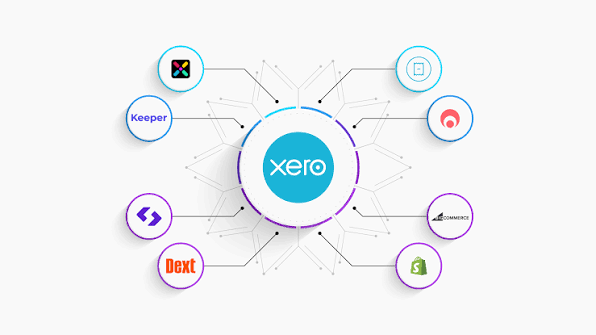
One of Xero's greatest strengths is its extensive integration ecosystem.
The platform connects with more than 1,000 third-party applications across accounting, payments, CRM, inventory, payroll, project management, and e-commerce.
Popular integration categories include:
- Payment gateways
- Payroll software
- Customer relationship management (CRM)
- Inventory management
- E-commerce platforms
- Time tracking
- Expense management
- Point-of-sale systems
These integrations allow businesses to automate repetitive processes while improving data accuracy.
Xero vs QuickBooks
Many businesses compare Xero with QuickBooks before making a purchasing decision.
Both are excellent accounting platforms, but they have different strengths.
| Feature | Xero | QuickBooks |
|---|---|---|
| Cloud Accounting | ✔ | ✔ |
| Unlimited Users | ✔ | Limited by plan |
| Online Invoicing | ✔ | ✔ |
| Bank Reconciliation | ✔ | ✔ |
| Inventory Management | Basic | More advanced |
| Mobile App | ✔ | ✔ |
| Financial Reports | ✔ | ✔ |
| App Integrations | 1,000+ | Extensive |
| Multi-Currency | Higher plans | Selected plans |
Businesses looking for unlimited user access often find Xero attractive, while companies requiring more advanced inventory features may prefer QuickBooks.
The right choice depends on your business size, accounting complexity, and workflow requirements.
Tips for Getting the Most from Xero
Getting the most value from Xero involves more than simply recording transactions. By using its automation features, financial reports, and integrations effectively, businesses can save time, reduce manual work, and gain better control over their finances. Whether you're a freelancer, small business owner, or accountant, these practical tips will help you maximise the benefits of Xero Accounting Software.
Connect Your Bank Accounts
One of Xero's most valuable features is its secure bank feed integration. Connecting your business bank accounts allows transactions to be imported automatically, eliminating the need for manual data entry. This not only saves time but also reduces the risk of recording errors. With up-to-date banking information available in real time, you can monitor cash flow more accurately and reconcile transactions faster.
Reconcile Transactions Regularly
Regular bank reconciliation keeps your financial records accurate and up to date. Instead of waiting until the end of the month, reconcile transactions daily or weekly to quickly identify missing payments, duplicate entries, or discrepancies. Frequent reconciliation also makes tax preparation and financial reporting much easier throughout the year.
Customise Your Invoice Templates
Professional invoices help create a positive impression on clients. Xero allows you to personalise invoice templates by adding your company logo, brand colours, payment terms, and contact information. A customised invoice not only strengthens your brand identity but can also encourage faster payments by clearly displaying payment instructions and due dates.
Automate Recurring Invoices and Bills
If your business regularly invoices the same customers or pays recurring supplier bills, take advantage of Xero's automation features. Setting up recurring invoices and scheduled bills reduces repetitive administrative tasks, minimises the chance of missed payments, and helps maintain a consistent billing process.
Monitor Cash Flow Frequently
Cash flow is one of the most important indicators of business health. Xero's dashboard provides a real-time overview of incoming and outgoing money, helping you identify potential cash shortages before they become serious problems. Reviewing your cash flow regularly allows you to make informed financial decisions and plan future expenses with greater confidence.
Make Full Use of Financial Reports
Xero offers a wide range of financial reports that provide valuable insights into your business performance. Regularly reviewing reports such as the Profit and Loss Statement, Balance Sheet, Cash Flow Statement, Accounts Receivable, and Accounts Payable helps you understand your company's financial position. These reports also support budgeting, forecasting, and strategic decision-making.
Capture Expenses Digitally
Instead of storing paper receipts, use Xero's mobile app to photograph and upload receipts as soon as expenses occur. Digital expense management keeps records organised, simplifies bookkeeping, and ensures important documents are available whenever needed. It also makes tax preparation more efficient by reducing the likelihood of lost receipts.
Use the Mobile App
The Xero mobile application allows you to manage your business finances from almost anywhere. You can create and send invoices, approve bills, reconcile bank transactions, upload receipts, and monitor customer payments directly from your smartphone or tablet. This flexibility is especially useful for business owners who travel frequently or work remotely.
Integrate Your Favourite Business Apps
Xero supports integrations with more than a thousand third-party applications, allowing you to connect your accounting software with payroll systems, customer relationship management (CRM) platforms, inventory management tools, e-commerce stores, payment gateways, and project management software. Integrating these applications reduces duplicate data entry and improves overall business efficiency.
Set User Permissions Carefully
If multiple employees use Xero, assign user roles and permissions based on their responsibilities. Restricting access to sensitive financial information improves security while ensuring team members have the tools they need to perform their work effectively.
Back Up Important Financial Documents
Although Xero securely stores your accounting data in the cloud, it's still a good practice to keep copies of critical financial documents such as contracts, tax records, invoices, and important reports. Maintaining organised digital records can be helpful during audits, tax filings, or business reviews.
Collaborate with Your Accountant
One of Xero's biggest advantages is its collaborative cloud-based environment. Grant secure access to your accountant or bookkeeper so they can review transactions, prepare financial statements, and provide advice using real-time information. This eliminates the need to exchange spreadsheets or email accounting files, making communication faster and more efficient.
Stay Up to Date with New Features
Xero regularly introduces new features, improvements, and security enhancements. Keeping your knowledge up to date by exploring product updates, tutorials, and training resources allows you to take advantage of new tools that can further simplify your accounting processes.
By following these best practices, businesses can unlock the full potential of Xero Accounting Software. Combining automation, regular financial reviews, secure integrations, and collaboration with accounting professionals helps reduce administrative workload, improve financial accuracy, and support better business decisions over the long term.
FAQs:
Is Xero suitable for beginners?
Yes. Xero is designed with an intuitive interface that makes it suitable for business owners with little or no accounting experience.
Is Xero cloud-based?
Yes. Xero operates entirely in the cloud, allowing users to access their financial data from almost any device with an internet connection.
Can Xero create invoices?
Yes. Users can create customised invoices, send them electronically, monitor payment status, and accept online payments.
Does Xero support inventory management?
Yes. Xero includes built-in inventory management suitable for many small businesses. Businesses with more complex inventory requirements may benefit from integrating specialised inventory software.
Is Xero secure?
Xero uses encryption, secure data centres, multi-factor authentication options, and regular security updates to help protect customer information.
Can accountants use Xero?
Yes. Xero is widely used by accountants and bookkeepers because it enables collaboration with clients through shared cloud access and real-time financial data.
Must Read:
- JustDone AI Review: Can It Improve Your Writing?
- EssayDone AI Review: Can It Help You Write Better Essays?
- Jotform AI Review: Create Smart Forms Without Coding?
Final Verdict:
After reviewing its features, usability, and overall capabilities, Xero continues to stand out as one of the leading cloud accounting solutions for small and medium-sized businesses. Its combination of online invoicing, automated bank reconciliation, expense tracking, financial reporting, inventory management, and extensive third-party integrations makes it a powerful platform for managing business finances efficiently.
One of Xero's biggest advantages is its ease of use. Even users with limited accounting knowledge can quickly learn the platform, while accountants and bookkeepers benefit from real-time collaboration and automated workflows. The cloud-based design also allows businesses to access financial information from virtually anywhere, making it ideal for modern, flexible working environments.
Although certain advanced features are limited to higher-tier plans and larger businesses may eventually require specialised inventory or payroll solutions, Xero provides excellent value for freelancers, startups, service businesses, and growing companies.
If you're looking for reliable accounting software that simplifies bookkeeping, improves financial visibility, and reduces manual administrative work, Xero is a strong investment.









