
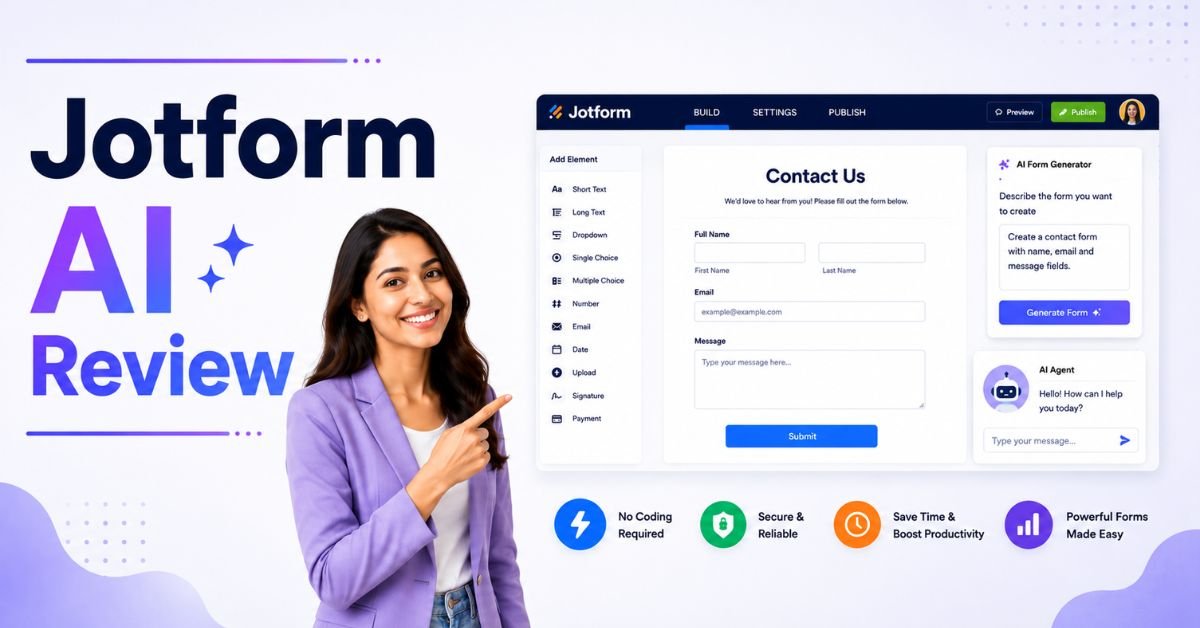
Artificial intelligence is changing how businesses collect information, automate workflows, and engage with customers. Instead of spending hours designing forms, setting up automations, and integrating third-party tools, AI-powered platforms can now generate professional forms in minutes. One of the leading platforms in this space is Jotform AI.
In this Jotform AI Review, we’ll explore whether Jotform AI is the best solution for marketers, creators, businesses, and agencies looking to build smart forms without coding. We’ll cover its AI-powered features, ease of use, automation capabilities, integrations, templates, and real-world applications. By the end of this review, you’ll know whether Jotform AI is the right platform for your workflow.
What Is Jotform AI?
Jotform AI is an AI-powered no-code platform that helps users create smart online forms, surveys, payment forms, workflows, AI agents, and business applications using simple prompts and a drag-and-drop interface.
Instead of building forms manually, users can describe what they need, and the AI generates a professional form complete with fields, layouts, logic, and automation.
The platform is widely used by marketers, content creators, businesses, educators, healthcare providers, HR teams, and nonprofits to collect information and streamline daily tasks.
Why Jotform AI Is Becoming Popular
One reason for the growing popularity of Jotform AI is its ability to simplify complex workflows while reducing manual work.
Key reasons users choose Jotform AI include:
- AI-powered form generation
- No coding required
- Drag-and-drop builder
- AI Agents
- Smart automation
- Payment collection
- Conditional logic
- Electronic signatures
- Workflow approvals
- Hundreds of integrations
These features help businesses save time while improving productivity and customer experience.
How Does Jotform AI Work?
One of the biggest strengths highlighted in this Jotform AI Review is its simple workflow.
Step 1: Describe Your Form
Users explain what they want to create.
Examples include:
- Customer feedback survey
- Contact form
- Lead generation form
- Job application
- Event registration
- Product order form
Step 2: AI Builds the Form
The AI automatically creates:
- Form fields
- Questions
- Layout
- Design
- Logic
- Required settings
Step 3: Customise
Users can edit:
- Colours
- Branding
- Questions
- Buttons
- Images
- Layout
- Fonts
Step 4: Publish
The completed form can be shared using:
- Website embed
- Direct link
- QR code
- Social media
Key Features of Jotform AI

The Jotform AI Review found that the platform includes a comprehensive collection of features for marketers, creators, and businesses.
AI Form Generator
The AI Form Generator allows users to create professional forms simply by describing their requirements.
Instead of manually adding every field, the AI builds an organised form within seconds.
This feature saves time and reduces repetitive work.
Drag-and-Drop Builder
Jotform AI includes an intuitive visual editor.
Users can easily:
- Add fields
- Rearrange sections
- Edit questions
- Upload images
- Change colours
- Customise layouts
No programming knowledge is required.
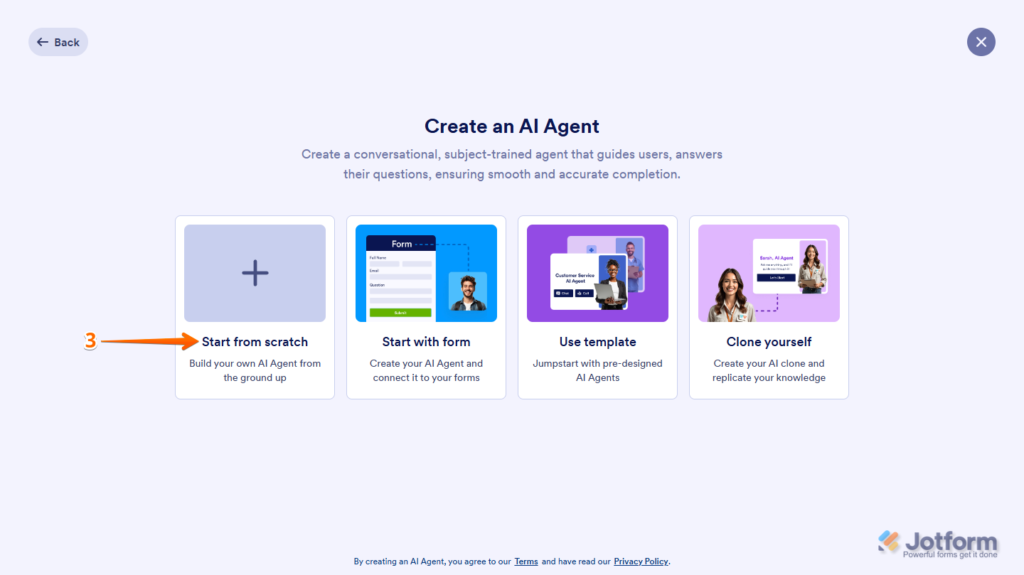
AI Agents
One of the newest innovations in Jotform AI is AI Agents.
These intelligent assistants can:
- Answer customer questions
- Collect information
- Guide visitors
- Recommend products
- Handle support enquiries
AI Agents provide a more interactive experience than traditional forms.
Smart Conditional Logic
Conditional logic makes forms more dynamic.
Questions appear based on previous answers, creating a personalised experience for users.
This improves completion rates while reducing unnecessary questions.
Electronic Signatures
Businesses can collect legally recognised electronic signatures directly through forms.
Common use cases include:
- Contracts
- Agreements
- Consent forms
- Approvals
- Client onboarding
Payment Collection
Jotform AI supports secure online payments.
Businesses can collect payments for:
- Products
- Services
- Donations
- Memberships
- Registrations
- Appointments
This makes it suitable for ecommerce and service-based businesses.
Workflow Automation
Automation is another major advantage discussed in this Jotform AI Review.
The platform can automate repetitive tasks such as:
- Email notifications
- Approval requests
- PDF generation
- Data routing
- CRM updates
- Task assignments
Automation helps teams work more efficiently while reducing manual effort.
Templates
Jotform AI offers thousands of ready-made templates.
Popular categories include:
- Contact forms
- Surveys
- Event registration
- Job applications
- Order forms
- Medical forms
- School forms
- Marketing forms
- Feedback forms
- Lead generation
Templates can be customised to match any brand.
Integrations
The Jotform AI Review found that integrations are one of the platform’s strongest features.
Jotform connects with many popular services, including:
- Google Sheets
- Google Drive
- Dropbox
- Slack
- Salesforce
- HubSpot
- Mailchimp
- Zapier
- Stripe
- PayPal
- Microsoft 365
These integrations simplify data management and workflow automation.
Mobile-Friendly Forms
Every form created with Jotform AI is responsive.
Forms automatically adjust to:
- Desktop
- Tablet
- Smartphone
This improves accessibility and increases form completion rates across different devices.
PDF Generation
Businesses often need documents after form submission.
Jotform AI can automatically generate:
- Invoices
- Receipts
- Contracts
- Reports
- Certificates
PDF automation reduces administrative work.
Security
Security is essential when collecting customer information.
Jotform AI provides features such as:
- SSL encryption
- Secure cloud storage
- Access controls
- User authentication
- GDPR-friendly options
These features help protect sensitive business and customer data.
User Interface
One reason marketers recommend Jotform AI is its clean interface.
The dashboard is organised into sections including:
- Forms
- AI tools
- Templates
- Reports
- Integrations
- Workflows
Most users can begin creating forms within minutes.
Ease of Use
One of the strongest advantages covered in this Jotform AI Review is ease of use.
Even beginners can:
- Create forms
- Build surveys
- Accept payments
- Automate workflows
- Collect signatures
- Generate reports
without writing any code.
Benefits for Marketers and Creators
The Jotform AI platform offers several advantages for marketers, bloggers, creators, and digital businesses.
Key benefits include:
- Build lead generation forms in minutes.
- Create interactive customer surveys.
- Collect event registrations.
- Accept payments online.
- Automate customer onboarding.
- Generate contact forms without coding.
- Integrate with email marketing platforms.
- Create branded forms that match your website.
- Use AI Agents to improve customer engagement.
- Save time through workflow automation.
These features allow marketers and creators to focus more on growing their audience while spending less time managing repetitive tasks.
Jotform AI Pricing Plans
Pricing is an important consideration in this Jotform AI Review, especially for marketers and creators looking for a scalable form-building solution. Jotform AI offers multiple plans designed for individuals, small businesses, and large organisations.
Free Plan
The Free plan is ideal for beginners who want to explore the platform.
It generally includes:
- Limited forms
- Limited submissions
- Basic AI features
- Templates
- Secure hosting
Bronze Plan
The Bronze plan is suitable for freelancers and small businesses.
It typically includes:
- Higher submission limits
- More storage
- Additional forms
- Premium features
- Increased automation
Silver Plan
Growing businesses benefit from:
- Larger submission limits
- More integrations
- Advanced workflows
- Greater storage capacity
- Priority support
Enterprise Plan
Large organisations can access enterprise-level features such as:
- Advanced security
- SSO authentication
- Team management
- Dedicated support
- Custom workflows
- Compliance tools
Pros of Jotform AI
This Jotform AI Review found several strengths that make Jotform AI an excellent platform for marketers and creators.
- AI-powered form generation.
- Easy drag-and-drop builder.
- Beginner-friendly interface.
- Smart conditional logic.
- AI Agents for customer interaction.
- Secure online payment collection.
- Electronic signature support.
- Powerful workflow automation.
- Thousands of ready-made templates.
- Extensive third-party integrations.
Cons of Jotform AI
Although Jotform AI is a powerful platform, there are a few limitations to consider.
- Free plan has submission limits.
- Premium features require paid plans.
- Advanced workflows take time to configure.
- Large organisations may require higher-tier plans.
- Extensive automation can have a learning curve.
- Storage limits depend on the selected plan.
Jotform AI vs Google Forms
Google Forms is widely used because it is free and simple.
| Feature | Jotform AI | Google Forms |
|---|---|---|
| AI Form Generation | Yes | No |
| Drag-and-Drop Builder | Yes | Limited |
| Payment Collection | Yes | No |
| Electronic Signatures | Yes | No |
| Templates | Thousands | Limited |
| Workflow Automation | Advanced | Basic |
Which One Is Better?
Choose Jotform AI if you need advanced forms, payments, automation, and AI-powered features.
Choose Google Forms if you only need simple surveys and questionnaires.
Jotform AI vs Typeform
Typeform focuses on conversational forms, while Jotform AI provides a broader business toolkit.
| Feature | Jotform AI | Typeform |
|---|---|---|
| AI Form Builder | Excellent | Good |
| Payment Collection | Yes | Yes |
| AI Agents | Yes | No |
| Workflow Automation | Advanced | Moderate |
| Templates | Extensive | Good |
Which One Is Better?
Choose Jotform AI if you need automation, AI tools, and business workflows.
Choose Typeform if conversational forms are your main priority.
Jotform AI vs Microsoft Forms
Microsoft Forms integrates well with Microsoft 365 but offers fewer advanced features.
| Feature | Jotform AI | Microsoft Forms |
|---|---|---|
| AI Features | Excellent | Limited |
| Payment Support | Yes | No |
| Workflow Automation | Advanced | Basic |
| Templates | Extensive | Limited |
| Integrations | Extensive | Microsoft Ecosystem |
Which One Is Better?
Choose Jotform AI for flexibility and advanced automation.
Choose Microsoft Forms if your organisation relies heavily on Microsoft 365.
Real-World Use Cases
The Jotform AI platform supports a wide range of practical business and marketing applications, helping organisations automate data collection, improve customer engagement, and simplify everyday workflows without requiring coding or complex technical setup.
Lead Generation
Marketers can use Jotform AI to create high-converting lead generation forms that capture customer details, qualify prospects, and automatically send information to CRM and email marketing platforms. This automation reduces manual work, improves response times, and helps businesses generate more qualified leads through optimised online campaigns.
Event Registration
Businesses, creators, and event organisers can build branded registration forms for webinars, conferences, workshops, training sessions, and community events. Jotform AI automates attendee registration, confirmation emails, payment collection, and participant management, making event planning more organised while providing a smooth registration experience for attendees.
Customer Feedback
Companies can create AI-powered customer feedback forms and surveys to gather valuable insights about products, services, and overall customer satisfaction. The collected responses help businesses identify improvement opportunities, understand customer preferences, make informed decisions, and continuously enhance the overall customer experience.
Online Payments
Businesses can use Jotform AI to create secure payment forms for selling products, collecting service fees, accepting donations, managing subscriptions, and processing event registrations. Integrated payment gateways simplify online transactions, reduce administrative work, and provide customers with a fast and secure payment experience.
Employee Recruitment
HR teams can streamline recruitment by creating professional job application forms, collecting resumes, scheduling interviews, and automating candidate communication. Jotform AI simplifies the hiring process, reduces paperwork, organises applicant information, and enables recruiters to identify qualified candidates more efficiently while improving the overall recruitment workflow.
Who Should Use Jotform AI?

Jotform AI is suitable for individuals, businesses, and organisations that want to create intelligent forms, automate workflows, and collect information efficiently without writing code.
Marketers
Marketers can use Jotform AI to build lead generation forms, customer surveys, webinar registrations, and campaign landing forms in minutes. Its automation features integrate with CRM and email marketing platforms, helping teams capture qualified leads, improve campaign performance, automate follow-ups, and gain valuable customer insights with minimal manual effort.
Content Creators
Content creators can use Jotform AI to create collaboration forms, sponsorship requests, newsletter subscriptions, audience surveys, and content submission forms. The platform simplifies communication with followers, automates repetitive tasks, collects valuable feedback, and helps creators manage partnerships while maintaining a professional and branded online presence.
Bloggers
Bloggers can build contact forms, guest post submission forms, email subscription forms, reader surveys, and product recommendation requests using Jotform AI. These forms improve audience engagement, simplify communication, collect valuable feedback, and help bloggers grow their communities while saving time through built-in workflow automation and AI-powered form creation.
Small Businesses
Small businesses can streamline daily operations by using Jotform AI for appointment bookings, customer enquiries, order forms, payment collection, service requests, and client onboarding. The platform automates repetitive tasks, improves customer experience, reduces administrative work, and enables businesses to manage information efficiently without technical expertise.
Digital Agencies
Digital agencies can use Jotform AI to create branded client forms, collect project requirements, generate leads, manage approvals, automate workflows, and integrate submissions with CRM systems. Its flexibility allows agencies to deliver professional solutions while improving collaboration, reducing manual work, and managing multiple client projects efficiently.
HR Teams
HR teams can simplify recruitment and employee management with Jotform AI by creating job application forms, employee onboarding workflows, leave requests, performance reviews, training registrations, and internal surveys. Automation reduces paperwork, improves communication, and helps HR departments manage employee information more efficiently and accurately.
Educational Institutions
Schools, colleges, universities, and training providers can use Jotform AI to manage admissions, student registrations, course enrolments, scholarship applications, quizzes, feedback surveys, and event registrations. The platform simplifies administrative tasks, improves communication with students, and enables educational institutions to collect and organise information efficiently.
Healthcare Providers
Healthcare providers can use Jotform AI to create patient registration forms, appointment requests, medical history forms, consent documents, insurance information forms, and follow-up surveys. Secure data collection, workflow automation, and digital document management help healthcare organisations improve patient experiences while reducing administrative workloads significantly.
Event Organisers
Event organisers can create registration forms, ticket booking pages, attendee surveys, payment forms, volunteer applications, and post-event feedback questionnaires using Jotform AI. The platform automates registrations, manages attendee information, simplifies event planning, and improves communication before, during, and after events of any size.
Nonprofit Organisations
Nonprofit organisations can use Jotform AI to create donation forms, volunteer registrations, fundraising campaigns, membership applications, grant request forms, and community surveys. Its automation capabilities simplify donor management, improve communication with supporters, reduce administrative work, and help organisations focus more on achieving their mission.
Who Should Avoid Jotform AI?
Jotform AI may not be the best choice if you:
- Only need a basic contact form.
- Require highly customised enterprise software.
- Prefer fully open-source solutions.
- Need complex database applications beyond form-based workflows.
Is Jotform AI Worth the Money?
For most marketers, creators, and businesses, the answer is yes.
This Jotform AI Review shows that the platform goes far beyond traditional online forms. Its AI-powered form generation, automation, payment collection, AI Agents, and integrations help users save time while improving productivity.
Although paid plans unlock the best features, the value is significant for businesses that regularly collect customer information or automate workflows.
Final Verdict
After completing this Jotform AI Review, it is clear that Jotform AI is one of the most powerful AI-powered form builders available today.
Its combination of AI-generated forms, workflow automation, payment collection, electronic signatures, AI Agents, and extensive integrations makes it much more than a traditional form builder. The platform is suitable for marketers, creators, agencies, educators, and businesses looking to simplify data collection and improve customer engagement.
While the free plan has some limitations, the paid plans provide excellent value for users who need advanced automation and scalable workflows. If you want to create smart forms without coding, Jotform AI is one of the best solutions currently available.
Overall Rating
| Category | Rating |
|---|---|
| Ease of Use | ⭐⭐⭐⭐⭐ (5/5) |
| AI Features | ⭐⭐⭐⭐⭐ (5/5) |
| Form Builder | ⭐⭐⭐⭐⭐ (5/5) |
| Automation | ⭐⭐⭐⭐⭐ (5/5) |
| Integrations | ⭐⭐⭐⭐⭐ (5/5) |
| Templates | ⭐⭐⭐⭐⭐ (5/5) |
| Pricing | ⭐⭐⭐⭐☆ (4/5) |
| Overall Score | 4.8/5 |
FAQs:
Is Jotform AI free to use?
Yes. Jotform AI offers a free plan with limited forms, submissions, and storage. Paid plans unlock additional features, automation, and higher usage limits.
Can beginners use Jotform AI?
Yes. The drag-and-drop builder and AI-powered form generation make it easy for beginners to create professional forms without coding.
Can Jotform AI accept payments?
Yes. Jotform AI supports secure payment collection through popular payment gateways, making it suitable for businesses and event organisers.
Does Jotform AI support workflow automation?
Yes. It can automate approvals, email notifications, document generation, CRM updates, and other repetitive business processes.
Is Jotform AI suitable for marketers?
Absolutely. Marketers can create lead generation forms, customer surveys, event registrations, and branded landing forms while integrating them with CRM and email marketing platforms.
Is Jotform AI better than Google Forms?
For businesses needing automation, AI features, payments, and advanced integrations, Jotform AI offers significantly more functionality than Google Forms.
Must Read:
- OnSpace AI Review: The Best No-Code AI App Builder?
- Duda Website Builder Review: Is It the Best AI Website Builder?
- HeyGen AI Review: The Best AI Avatar Video Generator?
Conclusion:
Jotform AI combines artificial intelligence, automation, and no-code development into one powerful platform for creating smart online forms. Whether you’re generating leads, collecting payments, automating approvals, or engaging customers with AI Agents, the platform provides the tools needed to streamline business operations.
For marketers and creators, Jotform AI simplifies form creation while reducing manual work through intelligent automation and seamless integrations. Its ease of use, scalability, and extensive feature set make it an excellent choice for anyone looking to build professional forms without writing code.









