
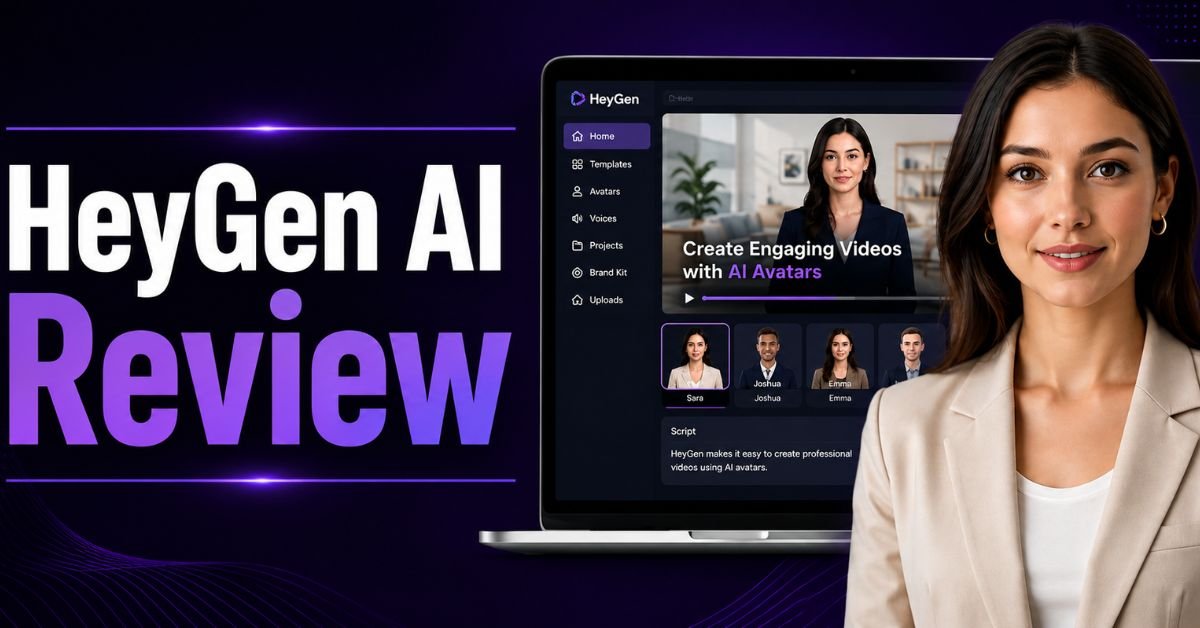
Artificial intelligence has transformed the way people create videos. What once required cameras, actors, microphones, editing software, and hours of production can now be done in minutes using AI-powered platforms. One of the most talked-about tools in this space is HeyGen AI Avatar Video Generator. Businesses, educators, marketers, YouTubers, and content creators are using it to create professional videos without stepping in front of a camera.
This HeyGen AI Review explores everything you need to know before investing in the platform. We will cover its features, pricing, AI avatars, voice cloning, video translation, templates, ease of use, advantages, disadvantages, and real-world applications. By the end of this review, you will know whether HeyGen is the right AI video solution for your needs.
What is HeyGen AI?
HeyGen AI is an AI-powered video creation platform that enables users to generate studio-quality videos using digital avatars. Instead of recording yourself with a camera, you simply write a script, choose an avatar, select a voice, and let the AI generate a complete talking-head video.
The HeyGen AI Avatar Video Generator is designed for people who want to create videos quickly while maintaining a professional appearance. It is used by businesses, marketing agencies, trainers, online educators, social media influencers, and YouTube creators around the world.
Unlike traditional video production, HeyGen removes the need for expensive cameras, lighting, editing software, and actors. Everything happens inside a simple browser-based interface.
Why HeyGen AI Has Become So Popular
AI-generated videos are becoming more common because they save both time and money. The HeyGen AI Avatar Video Generator makes professional video production accessible even for beginners.
Some reasons why users prefer HeyGen include:
- Hundreds of realistic AI avatars
- Natural AI voices
- Voice cloning
- AI video translation
- Professional templates
- Multiple language support
- Browser-based editor
- Fast rendering
- Simple user interface
- Enterprise-ready API
These features allow individuals and businesses to create engaging content much faster than traditional video production.
Key Features of HeyGen AI Avatar Video Generator
The biggest strength highlighted in this HeyGen AI Review is its comprehensive set of AI-powered features.
AI Avatars
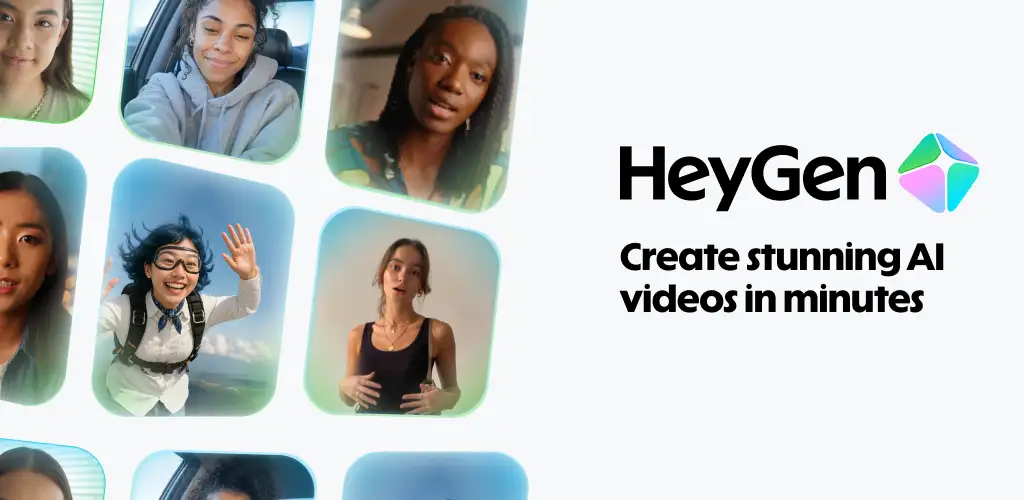
The platform offers a large collection of AI avatars representing different genders, ages, ethnicities, professions, and presentation styles.
Users can choose avatars for:
- Business presentations
- Product reviews
- Educational content
- Corporate training
- YouTube videos
- Marketing campaigns
- Social media content
Each avatar includes realistic facial expressions, blinking, natural lip-sync, and body movement.
Custom Avatar
One of the premium features of the HeyGen AI Avatar Video Generator is creating your own digital avatar.
You simply record a short training video following HeyGen's guidelines. The platform then creates a realistic digital version of yourself.
Benefits include:
- No need to record repeatedly
- Consistent brand identity
- Faster content production
- Professional presentation
This feature is particularly valuable for YouTubers and business owners who create videos regularly.
AI Voices
HeyGen provides hundreds of AI-generated voices.
Users can choose:
- Male voices
- Female voices
- Different accents
- Multiple languages
- Various speaking styles
The voices sound surprisingly natural compared to older text-to-speech systems.
Voice Cloning
Voice cloning allows creators to generate videos using their own voice.
Instead of recording every script manually, HeyGen creates an AI version of your voice that can narrate future videos automatically.
This is useful for:
- YouTube automation
- Educational courses
- Product reviews
- Sales presentations
- Marketing videos
AI Video Translation
One standout feature covered in this HeyGen AI Review is AI video translation.
Users can upload an existing video and translate it into many languages while keeping realistic lip synchronization.
This allows businesses to reach international audiences without hiring multiple voice actors.
Supported languages include:
- English
- Hindi
- Spanish
- French
- German
- Japanese
- Chinese
- Korean
- Portuguese
- Italian
This feature saves significant production costs for global businesses.
Templates
The HeyGen AI Avatar Video Generator includes professionally designed templates for different industries.
Popular template categories include:
- Product demos
- Business presentations
- Training videos
- Social media videos
- Sales videos
- Educational lessons
- Company introductions
- Customer testimonials
Templates reduce production time even further.
User Interface
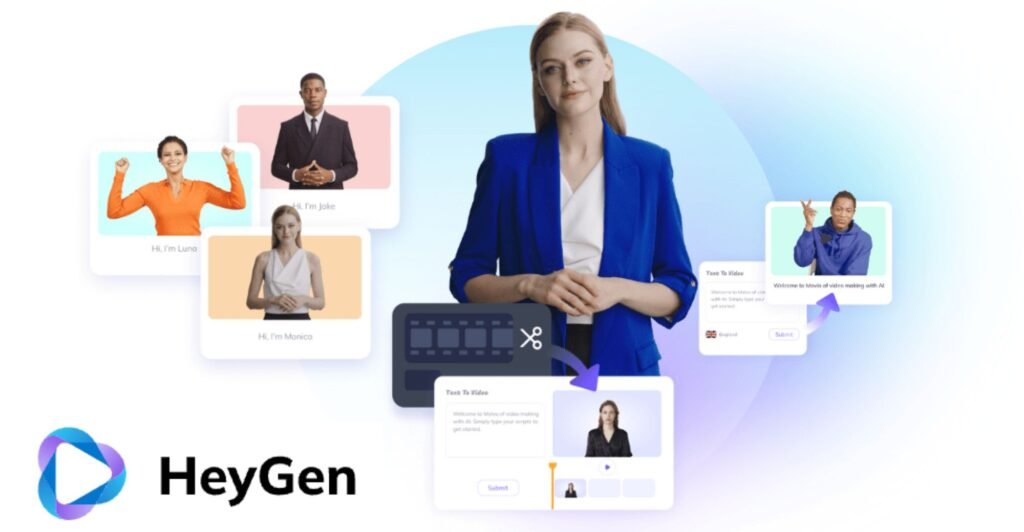
After logging into HeyGen, users are welcomed by a clean dashboard.
The interface is organised into sections including:
- Templates
- Avatars
- Projects
- Voices
- Brand assets
- Video editor
Everything is clearly labelled, making it easy for beginners to start creating videos immediately.
Unlike many professional editing programs, there is almost no learning curve.
How HeyGen AI Works
Creating videos with the HeyGen AI Avatar Video Generator is straightforward.
Step 1: Create a New Project
Select a blank project or choose from hundreds of ready-made templates.
Step 2: Choose an Avatar
Pick an AI presenter that matches your brand and audience.
Step 3: Add Your Script
Paste your script directly into the editor.
The AI automatically converts your text into spoken dialogue.
Step 4: Select Voice
Choose one of the available AI voices or use your cloned voice.
Step 5: Customize
You can add:
- Images
- Videos
- Logos
- Backgrounds
- Animations
- Text overlays
- Music
Step 6: Generate Video
Click Generate.
Within a few minutes, your AI-generated video is ready for download.
Supported Languages
A major advantage discussed in this HeyGen AI Review is multilingual support.
Creators can generate videos in many languages, making it suitable for international businesses.
Examples include:
- English
- Hindi
- Bengali
- Arabic
- French
- German
- Korean
- Chinese
- Japanese
- Italian
- Portuguese
- Dutch
- Turkish
- Russian
This allows businesses to localise content for different markets without producing separate videos manually.
Who Should Use HeyGen AI?
The HeyGen AI Avatar Video Generator is suitable for many different users.
YouTubers
YouTubers can create:
- AI tool reviews
- Tutorials
- Product reviews
- Educational videos
- News updates
without recording themselves every day.
Affiliate Marketers
Affiliate marketers can produce:
- Product demonstrations
- Comparison videos
- Review videos
- Landing page videos
quickly and consistently.
Businesses
Businesses use HeyGen for:
- Employee training
- Internal communication
- Sales presentations
- Marketing campaigns
- Customer onboarding
Teachers
Educators can generate:
- Online lessons
- Tutorials
- Course introductions
- Explainer videos
without needing a recording studio.
Agencies
Marketing agencies can deliver videos for multiple clients while reducing production costs.
Video Quality
One of the strongest positives in this HeyGen AI Review is the overall quality.
Videos look professional because avatars include:
- Natural blinking
- Head movement
- Facial expressions
- Lip synchronization
- Human-like gestures
While viewers may still recognise the presenter as AI, the overall realism is impressive.
AI Avatar Quality
Compared with many competitors, the HeyGen AI Avatar Video Generator produces highly realistic avatars.
Skin textures, eye movement, smiles, and facial animations appear natural.
For marketing videos and educational content, the quality is more than sufficient.
Video Editing Features
HeyGen is more than just an avatar generator.
Users can also:
- Add subtitles
- Insert transitions
- Upload logos
- Include music
- Resize videos
- Add backgrounds
- Create multiple scenes
- Insert screen recordings
These editing tools reduce the need for external software.
Branding Options
Businesses can maintain brand consistency by uploading:
- Company logo
- Brand colours
- Fonts
- Background images
This helps every generated video match existing marketing materials.
Performance and Speed
Rendering speed depends on:
- Video length
- Resolution
- Project complexity
- Server demand
Most short videos are completed within a few minutes, which is significantly faster than traditional editing workflows.
Pros of HeyGen AI
- Easy-to-use interface for beginners.
- Realistic AI avatars with natural lip-sync.
- Fast video creation in minutes.
- Large library of professional templates.
- AI voice cloning for consistent narration.
- Video translation in multiple languages.
- Cloud-based platform with no software installation.
- Supports custom AI avatars.
- High-quality video output.
- Suitable for creators, businesses, and educators.
Cons of HeyGen AI
- Subscription costs may be high for casual users.
- Many advanced features require a paid plan.
- Requires a stable internet connection.
- No offline editing support.
- AI avatars may lack human-like emotions.
- Rendering can take time for longer videos.
- Free plan has limited features and credits.
- Limited advanced video editing tools.
HeyGen AI Pricing
Pricing is an important part of every HeyGen AI Review because users want to know whether the platform offers good value.
HeyGen typically provides several subscription options.
Free Plan
The free plan is suitable for beginners who want to test the platform.
It usually includes:
- Limited video generation
- Basic avatars
- Standard voices
- Watermarked videos
- Limited monthly credits
This plan is ideal for exploring the interface before upgrading.
Creator Plan
The Creator plan is designed for individual creators and freelancers.
It generally includes:
- More video minutes
- Better export quality
- Premium avatars
- Faster rendering
- Additional templates
This plan works well for YouTubers and social media creators.
Team Plan
Businesses and agencies often choose the Team plan.
Additional features may include:
- Collaboration tools
- Shared workspaces
- Brand assets
- Team management
- Higher monthly limits
Enterprise Plan
Large organisations benefit from enterprise-level features such as:
- Custom avatars
- API access
- Dedicated support
- Security controls
- Single Sign-On (SSO)
- Custom integrations
The Enterprise plan is suitable for companies creating videos at scale.
Real-World Use Cases
One of the biggest strengths of the HeyGen AI Avatar Video Generator is its flexibility. It serves many industries and content creators.
YouTube Content Creation
Many YouTubers use HeyGen for:
- AI tool reviews
- Software tutorials
- Tech news
- Educational content
- Product comparisons
- Affiliate marketing videos
Instead of recording every video manually, creators simply upload a script and generate a polished presentation.
Social Media Marketing
Businesses use HeyGen to create:
- Instagram Reels
- Facebook videos
- LinkedIn content
- TikTok videos
- YouTube Shorts
The ability to quickly produce vertical and horizontal videos makes content repurposing much easier.
Corporate Training
Companies use AI avatars to deliver:
- Employee onboarding
- Compliance training
- HR updates
- Safety instructions
- Internal communications
AI presenters ensure consistent messaging across all departments.
Educational Content
Teachers, trainers, and course creators use the HeyGen AI Avatar Video Generator to create:
- Online lessons
- Language courses
- Software demonstrations
- Certification training
- Student tutorials
The AI avatar keeps learners engaged without requiring instructors to appear on camera repeatedly.
Customer Support
Businesses create:
- FAQ videos
- Help centre content
- Product walkthroughs
- Troubleshooting guides
This reduces support tickets while improving customer experience.
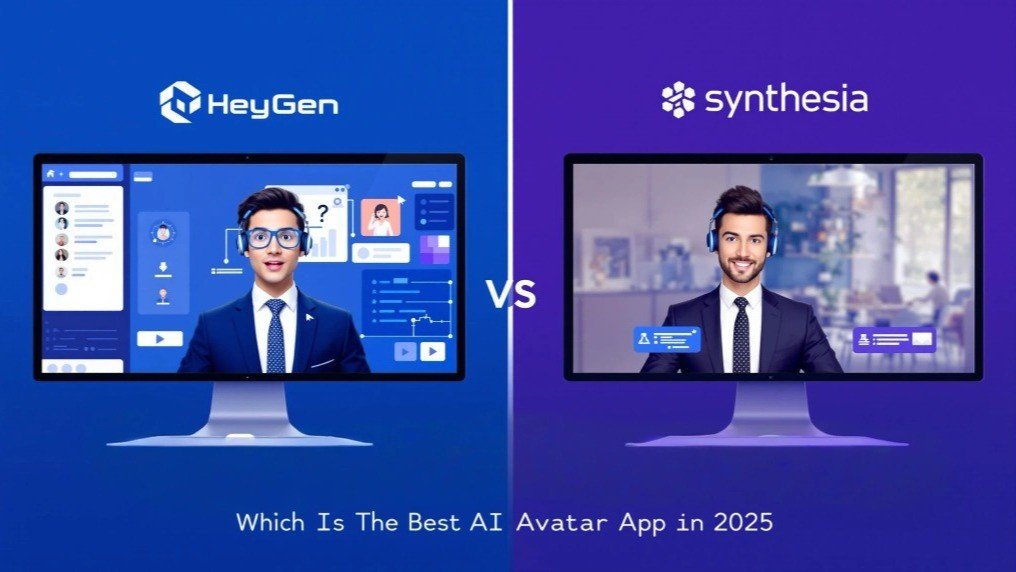
HeyGen AI vs Synthesia
A complete HeyGen AI Review would not be complete without comparing it to one of its biggest competitors.
| Feature | HeyGen | Synthesia |
|---|---|---|
| AI Avatars | Excellent | Excellent |
| Voice Cloning | Yes | Limited |
| Video Translation | Excellent | Good |
| Ease of Use | Excellent | Very Good |
| Templates | Large Library | Good Library |
| Custom Avatar | Yes | Yes |
| API | Available | Available |
| Beginner Friendly | Excellent | Very Good |
Which One is Better?
Choose HeyGen if you need:
- Better video translation
- Modern interface
- More avatar choices
- Easier workflow
Choose Synthesia if your organisation already uses its enterprise ecosystem.
HeyGen AI vs InVideo AI
Many creators compare the HeyGen AI Avatar Video Generator with InVideo AI.
The biggest difference is the primary focus.
HeyGen
Best for:
- AI presenters
- Talking avatars
- Business communication
- Professional spokesperson videos
InVideo AI
Best for:
- Stock footage videos
- Marketing videos
- Social media content
- Promotional videos
If your videos require a realistic presenter, HeyGen usually delivers better results.
HeyGen AI vs VEED
VEED focuses more on traditional online video editing.
HeyGen focuses primarily on AI-generated presenters.
Choose VEED if you need:
- Screen recording
- Subtitle editing
- Manual editing
- Podcast editing
Choose HeyGen if you need:
- AI avatars
- AI presenters
- AI voice generation
- AI translation
Performance
During testing for this HeyGen AI Review, the platform remained stable.
The browser editor loaded quickly.
Projects saved automatically.
Rendering performance was consistent.
Most videos completed within a reasonable timeframe.
Ease of Learning
One of the biggest advantages of the HeyGen AI Avatar Video Generator is the minimal learning curve.
Unlike professional editing software, beginners can create videos after only a few minutes of exploration.
The interface is clean, modern, and intuitive.
Customer Support
Reliable customer support is essential for any SaaS platform.
HeyGen provides several support options.
These typically include:
- Help Centre
- Documentation
- Video tutorials
- Email support
- Community resources
Enterprise customers may also receive priority assistance.
Security and Privacy
Businesses often upload confidential scripts and presentations.
The HeyGen AI Avatar Video Generator includes security measures designed for professional use.
These include:
- Secure cloud infrastructure
- User authentication
- Workspace management
- Enterprise security options
Organisations should still review the platform's privacy policy before uploading sensitive business information.
Who Should Avoid HeyGen?
Although this HeyGen AI Review recommends the platform for many users, it is not ideal for everyone.
It may not be the best choice if you:
- Prefer traditional filmmaking
- Need complex cinematic editing
- Require advanced visual effects
- Produce feature-length films
- Work without internet access
Professional editors may still require dedicated software such as Adobe Premiere Pro or DaVinci Resolve.
Is HeyGen Worth the Money?
For most creators, the answer is yes.
The HeyGen AI Avatar Video Generator replaces many expensive production steps.
Instead of hiring:
- Camera operators
- Actors
- Voice artists
- Editors
- Translators
one AI platform can perform much of the work.
Businesses producing regular marketing videos often recover the subscription cost through time savings alone.
Final Verdict:
After thoroughly evaluating the platform, this HeyGen AI Review concludes that HeyGen is one of the best AI avatar video generators available today.
Its combination of realistic avatars, natural AI voices, multilingual support, voice cloning, templates, and intuitive interface makes it an excellent solution for businesses, educators, marketers, and content creators.
The platform dramatically reduces production time while maintaining a professional appearance.
Although premium plans can be costly for occasional users, the value becomes clear for anyone creating videos regularly.
If your goal is to produce engaging videos without investing in expensive equipment or spending hours editing, the HeyGen AI Avatar Video Generator is a strong investment.
Overall Rating
| Category | Rating |
|---|---|
| Ease of Use | ⭐⭐⭐⭐⭐ (5/5) |
| AI Avatar Quality | ⭐⭐⭐⭐⭐ (5/5) |
| Voice Quality | ⭐⭐⭐⭐⭐ (5/5) |
| Templates | ⭐⭐⭐⭐⭐ (5/5) |
| Video Translation | ⭐⭐⭐⭐⭐ (5/5) |
| Features | ⭐⭐⭐⭐⭐ (5/5) |
| Pricing | ⭐⭐⭐⭐☆ (4/5) |
| Customer Support | ⭐⭐⭐⭐☆ (4.5/5) |
| Overall Score | 4.8/5 |
FAQs:
Is HeyGen AI free to use?
Yes. HeyGen offers a free plan that allows users to explore the platform with limited video generation and features. Paid plans unlock premium avatars, additional video minutes, voice cloning, and advanced tools.
Is the HeyGen AI Avatar Video Generator suitable for YouTube?
Yes. Many YouTubers use HeyGen to create tutorials, product reviews, AI tool reviews, educational videos, and affiliate marketing content without recording themselves on camera.
Can HeyGen clone my voice?
Yes. Voice cloning is available on eligible plans, allowing you to create an AI version of your voice for future videos.
Does HeyGen support multiple languages?
Yes. The platform supports many languages and includes AI-powered video translation with realistic lip synchronisation.
Can businesses use HeyGen?
Absolutely. Businesses use HeyGen for employee training, customer onboarding, product demonstrations, internal communications, and marketing campaigns.
Does HeyGen require video editing experience?
No. The interface is beginner-friendly and designed so that users with little or no editing experience can create professional-looking videos.
Is HeyGen better than Synthesia?
Both platforms are excellent, but many users prefer HeyGen for its intuitive interface, advanced translation features, and wide range of realistic AI avatars.
Must Read:
- Kling AI Review: How Good Is Its Text-to-Video Technology?
- InVideo AI Review: Is It the Best AI Video Generator?
- Scalio Review: Can It Build AI Solutions That Scale?
Conclusion:
AI video generation is rapidly changing how content is created, and HeyGen AI is at the forefront of this transformation. Whether you are a solo creator, a growing business, an educator, or a marketing agency, the HeyGen AI Avatar Video Generator provides an efficient way to produce high-quality videos with minimal effort.
Its realistic avatars, multilingual capabilities, voice cloning, and user-friendly workflow make it a valuable tool for anyone looking to scale video production. While no AI platform can completely replace human creativity, HeyGen significantly reduces the time, cost, and technical skills required to create engaging content.
If you are searching for a reliable AI-powered video solution, this HeyGen AI Review shows that HeyGen is a compelling choice that delivers strong value and professional results.









