AI Design Tools are changing the way websites, graphics, images, prototypes, brand assets, and marketing materials are created. Tasks that once required hours of manual design work can now be completed much faster with AI-powered platforms. From generating a complete website from a prompt to creating custom images, wireframes, logos, social media graphics, and prototypes, AI is becoming a practical part of modern design workflows.
In 2026, AI Design Tools are no longer limited to simple image generators. Many platforms combine artificial intelligence with visual editors, website builders, design systems, content generation, image editing, prototyping, and publishing features. This means a business owner can create a website and its supporting graphics without using several complicated applications.
However, choosing the right AI Design Tools can be difficult because every platform focuses on different tasks. Some are better for website creation, while others are designed for image generation, UI design, branding, or professional creative work. The best tool depends on what you want to create, your design experience, your budget, and how much control you need over the final result.
This guide covers 10 of the best AI Design Tools for creating websites and graphics in 2026, along with their main features, strengths, limitations, and ideal use cases.
What Are AI Design Tools?
AI Design Tools are software platforms that use artificial intelligence to help users create, edit, organise, or improve visual and digital content. Instead of manually completing every design task, users can provide a prompt, upload an image, select an option, or describe the desired result.
How AI Design Tools Work
Most AI Design Tools use natural-language prompts or intelligent editing features. For example, you can describe a website, image, logo, advertisement, social media post, or user interface and let the software create an initial version.
The generated result can usually be edited afterwards. This is important because AI-generated designs are starting points rather than guaranteed final products.
Modern AI design workflows can include:
- Website generation
- Graphic design
- AI image generation
- Image editing
- UI and UX design
- Wireframing
- Prototyping
- Brand identity creation
- Social media graphics
- Marketing materials
- Presentations
- Product mockups
- Visual brainstorming
The biggest advantage of AI Design Tools is that they reduce repetitive work while allowing users to spend more time on strategy, creativity, and refinement.
Why Use AI Design Tools for Websites and Graphics?
The growing popularity of AI Design Tools comes from their ability to make professional design more accessible. A small business does not always have the budget to hire a designer for every banner, landing page, social media post, or marketing campaign.
Save Time
AI can generate a first draft much faster than starting from a blank canvas. A website structure, social media graphic, image concept, or wireframe can often be created in minutes.
Reduce Design Barriers
You do not necessarily need advanced knowledge of Photoshop, Figma, HTML, CSS, or professional design software to start. Many AI Design Tools allow you to describe what you want using ordinary language.
Create More Variations
AI makes it easier to experiment. You can generate multiple layouts, colour combinations, image concepts, headlines, or visual directions and compare them before choosing the best version.
Maintain Brand Consistency
Some modern platforms can work with brand colours, fonts, templates, and visual guidelines. This helps businesses create consistent designs across websites, advertisements, presentations, and social media.
10 Best AI Design Tools for Creating Websites and Graphics
There is no single tool that is perfect for every designer or business. The following selection covers different areas, including website creation, UI design, graphics, image generation, wireframing, and visual content.
1. Canva
Canva is one of the most accessible AI Design Tools for people who want to create graphics without advanced design skills. Its AI features are integrated into a broader visual design platform, making it useful for social media posts, presentations, banners, thumbnails, marketing graphics, documents, and other visual content.
Canva’s current AI offering includes conversational design capabilities, AI image creation, editing tools, and other creative workflows. Canva says its AI can generate editable designs from prompts and support users throughout the creative process.
Best for Canva
Canva is particularly useful for:
- Social media graphics
- Blog feature images
- YouTube thumbnails
- Presentations
- Posters
- Advertisements
- Brand assets
- Marketing materials
- Simple visual content
The biggest advantage is ease of use. Beginners can start with a prompt or template and then make changes using Canva’s visual editor.
For bloggers and website owners, Canva can be especially useful because you can create featured images, infographics, social posts, Pinterest graphics, promotional banners, and other assets within one platform.
Canva Pros and Cons
Pros:
- Easy for beginners
- Large design ecosystem
- AI-assisted image and design creation
- Strong template library
- Useful for marketing content
Cons:
- Advanced professional workflows may require other tools
- AI features and usage can vary by plan
- Template-based designs can look generic without customisation
2. Adobe Firefly
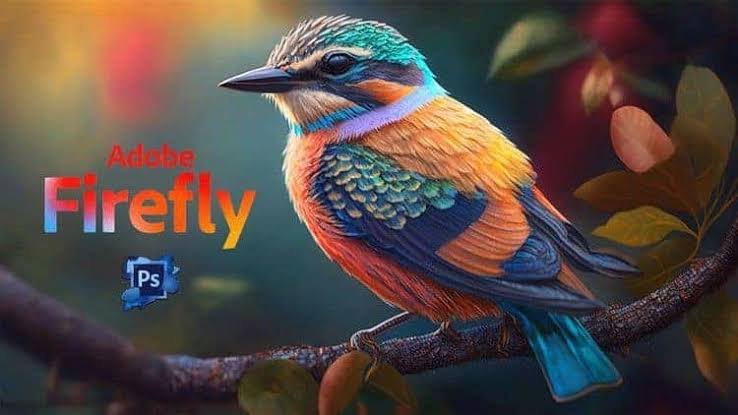
Adobe Firefly is one of the strongest AI Design Tools for image generation, image editing, creative exploration, vectors, video, and broader visual production. It is particularly suitable for users who already work within the Adobe ecosystem.
Firefly can generate and edit images using prompts, remove objects, expand backgrounds, create visual concepts, and support broader creative workflows. Adobe also positions Firefly as a platform for image, video, audio, and vector generation.
Best for Adobe Firefly
Firefly is a strong choice for:
- Website hero images
- Product visuals
- Marketing graphics
- Image editing
- Mood boards
- Creative concepts
- Brand campaigns
- Professional visual production
Another advantage is its connection with Adobe’s wider creative ecosystem. Designers can use Firefly for ideation and then continue refining work in tools such as Photoshop or Adobe Express.
For businesses that need more professional creative control, Adobe Firefly is worth considering among the leading AI Design Tools.
3. Figma
Figma is widely used for interface design, product design, prototyping, collaboration, and design systems. Its AI capabilities make it particularly interesting for designers working on websites and digital products.
Figma’s current AI workflows can help generate design directions, edit images, find assets, modify content, create interactions, and build prototypes. Figma also offers Figma Make for turning prompts and ideas into prototypes and web experiences.
Best for Figma
Figma is ideal for:
- Website UI design
- UX design
- App design
- Wireframes
- Interactive prototypes
- Design systems
- Team collaboration
- Developer handoff
The major advantage of Figma is control. Instead of accepting a finished AI-generated website, designers can use AI to accelerate parts of the design process while retaining precise control over components, spacing, typography, interactions, and structure.
This makes Figma one of the better AI Design Tools for professional product and web designers.
4. Framer
Framer combines website design, AI generation, visual editing, CMS functionality, SEO tools, hosting, and publishing. Its AI features are designed to help users generate and refine professional websites from prompts.
Framer says its AI can create editable pages, sections, copy, and visuals directly within a project. Users can then refine layouts, typography, breakpoints, colours, effects, and other design details on the visual canvas.
Best for Framer
Framer is particularly suitable for:
- Business websites
- Startup websites
- Landing pages
- Portfolios
- Marketing websites
- Design-focused websites
One of Framer’s biggest strengths is the combination of AI generation and visual control. You can start with a prompt but continue designing manually when you need more precision.
For users who want AI Design Tools that focus heavily on modern website design, Framer is a strong option.
5. Wix
Wix has integrated AI directly into its website-building workflow. Its AI website builder allows users to describe their business and desired website, after which the system can generate a site structure and visual direction.
Wix says users can generate pages, sections, visuals, and other website elements through AI and then switch between AI-assisted editing and manual drag-and-drop control. It also provides built-in business, SEO, ecommerce, analytics, and marketing features.
Best for Wix
Wix is useful for:
- Small business websites
- Ecommerce websites
- Service businesses
- Blogs
- Portfolio websites
- Booking websites
- Local businesses
A major benefit of Wix is that website creation and business management are available within the same platform. Users can create a site and then add ecommerce, scheduling, marketing, SEO, analytics, and other functions.
For beginners looking for AI Design Tools that combine website design with business functionality, Wix is a practical choice.
6. Hostinger AI Website Builder
Hostinger’s AI Website Builder is designed to help users create websites from descriptions and then customise them using AI or visual editing.
The platform currently supports different website types, including business websites, online stores, portfolios, booking sites, memberships, and interactive web applications. Hostinger also combines website generation with hosting, domains, email, SEO tools, and marketing features.
Best for Hostinger
Hostinger can be useful for:
- Beginners
- Small businesses
- Bloggers
- Online stores
- Portfolios
- Service websites
- People who want hosting and website creation together
The main advantage is convenience. Instead of managing separate services for website creation and hosting, users can build and launch within one ecosystem.
Among AI Design Tools, Hostinger is particularly attractive for users who want a straightforward route from an idea to a live website.
7. Relume
Relume takes a different approach to AI Design Tools. Instead of focusing mainly on generating a finished website, it helps designers plan the structure of websites through AI-generated sitemaps, wireframes, and style concepts.
Relume’s AI can suggest pages, organise content flows, recommend components, and generate wireframes based on prompts. Its style guide tools can also help generate colours, typography, and UI elements before exporting projects to tools such as Figma or Webflow.
Best for Relume
Relume is particularly useful for:
- Website planning
- Sitemaps
- Wireframes
- UX design
- Agency projects
- Client presentations
- Webflow workflows
- Figma workflows
If you are a designer who wants to plan a website properly before development, Relume can save significant time.
8. Gamma
Gamma is an AI-powered creation platform that can turn ideas, documents, or prompts into websites and other visual content. It is especially useful for users who want to turn existing information into a polished online experience quickly.
Gamma says users can describe a website or upload existing content, select a theme, and generate a responsive site with structured sections, copy, layouts, and multimedia.
Best for Gamma
Gamma works well for:
- Personal websites
- Business websites
- Portfolios
- Lead magnets
- Event websites
- Content-based websites
- Quick landing pages
It can be useful when the content already exists and you want AI to transform that information into a visually organised website.
For creators and businesses that prioritise speed, Gamma is an interesting addition to the growing list of AI Design Tools.
9. Midjourney

Midjourney is primarily an AI image and visual creation platform rather than a complete website builder. It is particularly useful when you need distinctive visual concepts for websites, advertisements, blog graphics, campaigns, presentations, or creative projects.
Midjourney’s current web experience includes image and video creation, prompt-based generation, personalisation, moodboards, aspect-ratio controls, and other creative features.
Best for Midjourney
Midjourney is well suited for:
- Website hero images
- Creative concepts
- Editorial imagery
- Campaign visuals
- Mood boards
- Background images
- Concept art
- Brand inspiration
The platform is especially valuable when generic stock images are not enough and you want a more distinctive visual direction.
However, remember that image generation should support your brand. Do not use AI images simply because they look impressive. The visual should match the message, audience, and purpose of the page.
10. Ideogram
Ideogram is another strong option among AI Design Tools, particularly for image generation where typography and visual composition are important.
In June 2026, Ideogram announced version 4.0 as a text-to-image model with an emphasis on production design workflows and layer-based generation. The company says the model is designed for designers, developers, and research teams, with commercial licensing and an open-weight release.
Best for Ideogram
Ideogram can be useful for:
- Posters
- Promotional graphics
- Website visuals
- Typography-based designs
- Advertising concepts
- Social media graphics
- Brand concepts
It can be a useful choice when your visual needs include text inside an image rather than relying entirely on separate design software for typography.
How to Choose the Best AI Design Tools
The best AI Design Tools depend on the type of work you do. A website designer may need a different platform from a blogger who mainly creates feature images.
For Website Creation
If your primary goal is to create a complete website, consider platforms such as Wix, Hostinger, Framer, or Gamma.
Look for features such as AI website generation, responsive layouts, visual editing, hosting, SEO controls, CMS support, analytics, ecommerce, and custom domains.
For Professional UI and UX Design
Figma and Relume are stronger choices for users who need wireframes, prototypes, design systems, user interfaces, and detailed website planning.
These tools are especially useful for agencies, product designers, freelancers, and teams.
For Graphics and Marketing Content
Canva is a strong all-round choice for social media graphics, blog images, presentations, banners, thumbnails, and marketing content.
It is particularly useful if you want a single platform that combines templates, AI generation, editing, and brand tools.
For AI Image Generation
Adobe Firefly, Midjourney, and Ideogram are better suited to users who need original images and creative visual concepts.
The right choice depends on your preferred style, editing requirements, workflow, and commercial needs.
What Features Should You Look for in AI Design Tools?
Choosing AI Design Tools based only on how impressive their AI generation looks can lead to problems later. A professional workflow requires more than generation.
Ease of Use
The interface should be simple enough to let you move from an idea to a finished design without unnecessary technical barriers.
Editing Control
AI generation is useful, but you should be able to change the output. Look for tools that provide control over layouts, images, colours, typography, components, and content.
Brand Support
If you are creating designs for a business, check whether the platform supports brand colours, fonts, logos, templates, and other brand assets.
Responsive Design
For websites, make sure AI-generated layouts work across desktop, tablet, and mobile screens.
Export and Integration
Professional workflows often require moving designs between different tools. Check whether the platform supports useful exports or integrations with the applications you already use.
SEO and Website Features
For website-focused AI Design Tools, look for SEO controls, page speed features, mobile optimisation, CMS support, analytics, custom domains, and appropriate publishing options.
How to Use AI Design Tools Effectively
AI can make design faster, but the quality of the final result depends heavily on how you use it.
Start With a Clear Brief
Before opening an AI tool, define the project goal, target audience, brand style, required pages, content, and desired action.
A clear brief gives the AI more useful information and reduces unnecessary revisions.
Write Better Prompts
Avoid vague prompts such as “make a modern website.” Include details about the business, audience, design style, colours, page structure, and purpose.
For example:
Create a clean website for a technology consulting company serving small and medium-sized businesses. Use a professional modern layout with a dark blue and white colour palette, clear typography, a services section, case studies, testimonials, an FAQ, and a strong consultation call to action.
Treat AI Output as a First Draft
Even the best AI Design Tools can generate designs that need improvement. Review the layout, copy, images, colours, spacing, navigation, and user experience.
Add original information and remove anything that does not contribute to the visitor’s goal.
Keep Your Brand Consistent
Use the same visual identity across your website, social media, email campaigns, advertisements, and other marketing materials.
A consistent brand can make AI-generated designs feel more professional and intentional.
Benefits and Limitations of AI Design Tools
AI Design Tools offer major advantages, but they also have limitations that users should understand before relying on them for every project.
Benefits
The main benefits include:
- Faster design creation
- Easier website development
- Lower technical barriers
- Rapid idea generation
- More design experimentation
- Faster image creation
- Easier content production
- Support for repetitive design tasks
- Improved productivity
- More accessible creative workflows
Limitations
AI-generated designs can also have problems. The result may look generic, contain inaccurate information, use unsuitable imagery, or fail to match a brand’s personality.
Some AI tools may also have limitations around usage credits, advanced editing, integrations, exports, or commercial workflows depending on the plan.
For these reasons, AI Design Tools should be treated as assistants rather than replacements for human judgement.
Must Read:
- AI Website Design: How to Create a Professional Website in 2026
- Best AI Website Builder for Small Business
- Can AI Build a Website from a Prompt?
Final Thoughts:
AI Design Tools have become valuable resources for creating websites, graphics, images, prototypes, wireframes, marketing materials, and brand assets. In 2026, the strongest platforms are moving beyond simple one-click generation and offering complete workflows where users can generate, edit, refine, collaborate, and publish from the same environment.
For website creation, Wix, Hostinger, Framer, and Gamma offer different approaches to generating and publishing websites. For professional interface design and website planning, Figma and Relume provide more detailed workflows. Canva is an excellent all-round choice for everyday visual content, while Adobe Firefly, Midjourney, and Ideogram are strong options for AI-generated imagery and creative concepts.
The right AI Design Tools depend on your project. If you are a beginner, choose a platform that is easy to use and offers strong editing controls. If you are a professional designer, prioritise flexibility, collaboration, design systems, integrations, and export options.
Most importantly, do not publish the first AI-generated result without reviewing it. Add your own brand identity, original content, real images where appropriate, and clear business information. Test your website on different devices and check every graphic before using it publicly.
Used properly, AI Design Tools can reduce repetitive work while giving designers, businesses, bloggers, and creators more time to focus on ideas, strategy, and better user experiences.