If you want to create a modern, visually impressive website without spending weeks learning traditional web development, this Framer AI Website Builder Review takes a closer look at what Framer offers in 2026.
Framer combines visual website design, AI-powered generation, responsive layouts, animations, CMS features, hosting, and publishing tools in one platform. It is particularly popular among designers, startups, freelancers, agencies, creators, and businesses that want polished websites without building everything from scratch.
The main attraction of Framer is its ability to turn a simple description into a website structure and then let you refine that website visually. Instead of starting with a blank canvas, users can use AI to generate an initial page and continue editing the design using Framer’s visual tools. This approach makes website creation more accessible while still providing considerable creative control.
In this Framer AI Website Builder Review, we will look at its AI features, website design capabilities, templates, CMS, SEO options, pricing approach, ease of use, advantages, limitations, and the types of users who may benefit from the platform.
What Is Framer AI Website Builder?
Framer is a website design and publishing platform that originally became well known among designers for interactive interface and prototyping work. Over time, Framer expanded into a complete website creation platform with visual editing, responsive design, CMS functionality, hosting, analytics integrations, and AI-assisted website generation.
The AI functionality allows users to describe the type of website they want and generate an initial website concept. For example, a user could describe a modern SaaS landing page, personal portfolio, startup website, agency homepage, or product page. Framer can use that information to create a starting point that can then be edited.
The biggest advantage is that AI does not have to be the final stage of the process. You can modify layouts, typography, colors, spacing, images, sections, buttons, navigation, and other elements after the initial generation.
This makes Framer different from simple template-based website builders. You can start with AI and then continue designing the website visually.
How Does Framer AI Website Builder Work?
The process is relatively straightforward. You start by deciding what type of website you want to create and provide information about your business, project, product, or personal brand.
Framer’s AI system can generate an initial website concept based on your instructions. The generated design can include pages, sections, text, layouts, images, and styling that match the description.
After generation, you can enter the visual editor and make changes.
Step 1: Describe Your Website
The first step is providing a clear description of your website. A more detailed prompt can produce a more relevant starting design.
For example, you could request:
“Create a modern website for a digital marketing agency with a professional homepage, services section, case studies, testimonials, about section, and contact form.”
The more information you provide about your business and target audience, the easier it becomes to create a useful starting point.
Step 2: Generate the Initial Design
Framer AI uses your description to generate a website concept. The initial result gives you a foundation rather than requiring you to design every section manually.
You can then inspect the generated homepage and other pages to decide what needs to be changed.
Step 3: Customize the Website
After AI generates the design, Framer’s visual editor gives you control over the appearance.
You can change:
- Fonts
- Colors
- Images
- Layouts
- Spacing
- Buttons
- Navigation
- Sections
- Text
- Responsive behavior
- Animations
- Components
This combination of AI generation and manual customization is one of Framer’s most useful features.
Framer AI Website Builder Features.

A major part of this Framer AI Website Builder Review is understanding what you actually get from the platform.
AI Website Generation
Framer’s AI tools can help users create a website starting point from a written description. This is useful for people who know what they want to build but do not want to begin with a completely blank page.
AI-generated layouts can provide ideas for page structure and content organization.
For beginners, this can significantly reduce the initial design workload.
Visual Website Editor
Framer provides a visual editing environment where users can design and modify websites without writing traditional code for every element.
The visual editor is particularly attractive to designers because it provides detailed control over layouts and visual elements.
Users can move elements, adjust spacing, change typography, create components, and build responsive layouts through the interface.
Responsive Design
Modern websites need to work across desktop computers, tablets, and smartphones.
Framer allows designers to create responsive layouts and adjust how content behaves across different screen sizes.
This is important because a website that looks good on desktop but performs poorly on mobile can create a poor user experience.
Animations and Interactions
Framer is particularly strong when it comes to animations and interactions.
You can create visual effects such as:
- Hover animations
- Scroll effects
- Page transitions
- Interactive buttons
- Animated sections
- Image effects
- Component interactions
These features can help websites feel more polished and interactive.
However, animations should be used carefully. Too many effects can make a website slower or distract visitors from important information.
CMS
Framer includes CMS functionality that can be useful for blogs, portfolios, news websites, case studies, and other content-driven websites.
A CMS allows you to manage structured content without manually designing every page individually.
For example, a marketing agency could create a CMS collection for case studies. A blog could use CMS entries for articles.
This makes Framer more suitable for content-focused websites than a simple landing-page builder.
Templates
Framer provides templates that can help users start projects faster.
Templates are useful when you already know the type of design you want but do not want to create the basic structure yourself.
You can use a template as a starting point and then customize the branding, content, colors, typography, and layout.
Custom Domains
Framer supports custom domain publishing on appropriate plans.
A custom domain is important for businesses and professional websites because it creates a more recognizable web address.
Instead of using a generic platform-related URL, businesses can connect their own domain.
SEO Features
SEO is another important area in this Framer AI Website Builder Review.
Framer provides controls that can help website owners manage important SEO elements, including page titles, descriptions, URLs, and other website settings.
Good SEO, however, involves much more than changing a meta title.
Website owners still need to focus on:
- Search intent
- Useful content
- Keyword targeting
- Internal links
- Page speed
- Mobile usability
- Image optimization
- Structured content
- Backlinks
- Website authority
Framer can provide the technical foundation, but publishing a website does not automatically make it rank well in search engines.
Is Framer Easy to Use?
Framer is designed to provide a visual website-building experience, but it is important to distinguish between “easy to start” and “easy to master.”
Beginners can use AI and templates to create a starting website without extensive coding knowledge.
However, Framer’s advanced design capabilities can take time to learn.
Users who want highly customized layouts, sophisticated interactions, responsive behavior, and reusable components may need to spend time learning the platform.
Designers are likely to feel comfortable with this approach, while someone looking for the simplest possible drag-and-drop builder may initially find Framer’s interface more detailed.
Framer AI for Business Websites
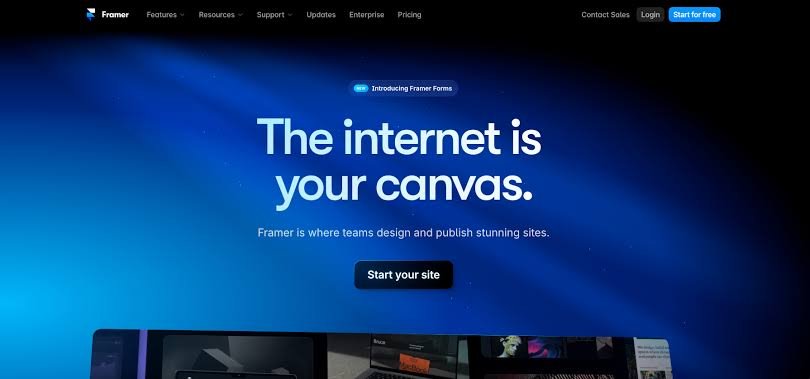
Framer can be used for a variety of business websites.
For example, businesses can create:
- Company websites
- Agency websites
- Startup websites
- Product websites
- Service websites
- Portfolio websites
- Landing pages
- Personal brand websites
- SaaS websites
A business can use AI to create an initial design and then replace the generated content with its own branding and information.
For a professional business website, users should always review AI-generated text carefully. Company descriptions, service information, statistics, pricing, testimonials, and claims should be accurate before publication.
Framer AI for Landing Pages
Landing pages are another strong use case.
A landing page usually has one primary objective, such as generating leads, promoting a product, collecting email addresses, or encouraging visitors to sign up.
Framer’s visual design features can help create attractive landing pages with strong typography, responsive layouts, animations, and clear calls to action.
The important point is that good landing page performance depends on more than appearance.
A successful landing page also needs:
- Clear messaging
- Strong value proposition
- Relevant content
- Trust signals
- Fast loading
- Mobile optimization
- Clear calls to action
Framer AI for Bloggers
Framer can also be used for blogs and content websites through its CMS capabilities.
Bloggers can create article collections and design reusable article templates.
However, bloggers should consider their publishing workflow carefully.
If your website depends heavily on thousands of articles, advanced editorial workflows, plugins, complex taxonomies, or extensive third-party integrations, another platform may provide a more suitable ecosystem.
For a design-focused blog or smaller publication, Framer can provide an attractive environment.
Framer AI for Designers
Designers are one of the audiences most likely to appreciate Framer.
The platform provides considerable visual control while also offering AI-assisted generation.
Instead of starting every project from zero, a designer can generate a concept and then use their design skills to refine it.
This can make the workflow faster without removing creative control.
Designers can also use components and reusable design systems to maintain consistency throughout a website.
Framer AI for Startups
Startups often need to launch websites quickly while maintaining a professional appearance.
Framer can help startups create landing pages, product websites, waitlist pages, launch pages, and marketing websites.
A startup can begin with an AI-generated concept and then customize the site as the brand develops.
For early-stage teams, this can reduce the amount of time spent building the first version of a website.
Framer AI Pricing
Pricing is an important consideration when evaluating Framer.
Framer offers different plans and features depending on the needs of the website. The available pricing and included features can change over time, so users should check Framer’s official pricing page before making a purchase.
The main factors to consider are:
- Custom domain requirements
- Website traffic
- CMS requirements
- Collaboration needs
- Hosting requirements
- Advanced website features
- Business requirements
A free option can be useful for experimenting with the platform, while paid plans become more relevant when you need professional publishing features.
When comparing Framer with another website builder, don’t look only at the monthly price. Compare the complete feature set you actually need.
Framer AI Website Builder Pros
Fast Website Creation
AI can help create an initial website much faster than designing every element manually.
Strong Visual Design
Framer is known for its design-focused workflow, making it attractive for users who care about modern website presentation.
Powerful Animations
The platform provides tools for creating interactive experiences and animations.
Responsive Websites
Designers can create layouts that adapt to different screen sizes.
CMS Support
CMS functionality makes Framer useful for blogs, portfolios, case studies, and other structured content.
No Traditional Coding Required for Many Tasks
Users can create and customize many websites without writing traditional code.
Framer AI Website Builder Cons
Learning Curve
Although AI makes starting easier, advanced Framer features can take time to learn.
May Be More Design-Focused Than Some Beginners Need
Users looking for an extremely simple website builder may find Framer’s design environment more detailed than necessary.
Advanced Requirements Can Increase Costs
Professional features may require a paid plan, depending on the project.
AI Does Not Replace Human Editing
AI-generated websites still require review and customization.
Not Every Website Needs Advanced Animation
Some businesses may not need Framer’s advanced interaction capabilities.
Framer AI vs Traditional Website Builders
Traditional website builders typically rely on templates and visual editing.
Framer combines visual design with AI-assisted generation.
A traditional workflow might look like:
Choose template → Customize layout → Add content → Configure settings → Publish
An AI-assisted workflow can look more like:
Describe website → Generate starting design → Customize → Optimize → Publish
The second approach can reduce the amount of initial manual work.
However, both approaches still require human input if you want a high-quality professional website.
Framer AI vs WordPress
WordPress and Framer serve somewhat different audiences.
WordPress has a large ecosystem of themes, plugins, integrations, hosting options, and content management capabilities.
Framer focuses more heavily on visual design, modern interactions, and an integrated website creation and publishing experience.
WordPress can be attractive for large content websites and businesses that need extensive customization through plugins.
Framer can be attractive for designers, startups, agencies, portfolios, landing pages, and visually focused websites.
The right choice depends on the project’s requirements rather than simply choosing the platform with more features.
Who Should Use Framer AI?
Framer can be a good option for:
- Designers
- Freelancers
- Creative agencies
- Startups
- Personal brands
- Portfolio owners
- SaaS companies
- Marketing teams
- Businesses that value visual presentation
- Users who want AI-assisted website creation
It may be less suitable for users who need extremely complex WordPress-style plugin ecosystems or highly specialized enterprise functionality.
Tips for Getting Better Results With Framer AI
If you use Framer’s AI website generation, your prompt matters.
Instead of writing:
“Create a business website.”
Try something more specific:
“Create a modern website for a digital marketing agency targeting small businesses. Include a professional hero section, services, client results, testimonials, case studies, pricing information, FAQ section, contact form, and a strong call-to-action. Use a clean professional visual style with generous spacing and responsive layouts.”
A detailed prompt gives the AI more context.
After generation, review every section rather than publishing immediately.
Replace generic content, verify claims, optimize images, improve headings, check mobile layouts, test links, and make sure the website represents the actual business.
Is Framer AI Worth It in 2026?
The answer depends on what you need from a website builder.
Framer provides a combination of AI-assisted creation, visual design, responsive layouts, animations, CMS capabilities, and publishing tools.
For designers, creative professionals, startups, agencies, and businesses that prioritize modern website presentation, these features can be valuable.
For users who only need a basic website with minimal customization, a simpler website builder may be enough.
The biggest reason to consider Framer is not simply its AI feature. Its value comes from combining AI assistance with a powerful visual design environment.
AI can help you get started, but the visual editor gives you the ability to turn that starting point into something more customized.
Must Read:
- Sellavi Website Builder Review: Is It Good for Your Online Store?
- Weblium Website Builder Review: Is Weblium Worth It?
- Gamma AI Website Builder Review: Can It Boost Your Productivity?
Final Verdict:
This Framer AI Website Builder Review shows that Framer is more than an AI tool that automatically generates a website. It combines AI-assisted website creation with a sophisticated visual design platform, responsive layouts, CMS capabilities, animations, and publishing tools.
Its AI functionality can save time when creating the initial website, while its visual editor gives users control over the final result.
Framer is especially interesting for designers, startups, freelancers, agencies, portfolios, landing pages, and modern business websites.
However, AI-generated websites should never be treated as finished products automatically. Content, branding, SEO, mobile layouts, links, accessibility, performance, and user experience should all be reviewed before publishing.
If your priority is creating a visually polished website while having AI help with the initial design process, Framer is a platform worth considering in 2026.