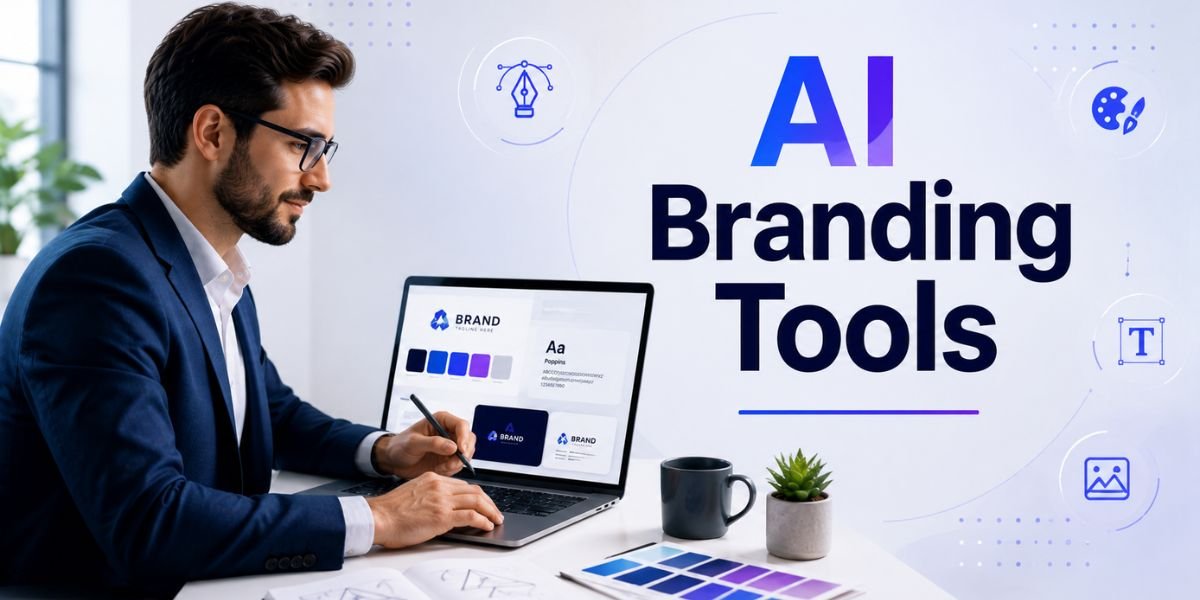
AI Branding Tools are changing the way businesses create logos, colour palettes, typography, brand guidelines, social media graphics, website visuals, and other brand assets. Building a complete brand identity traditionally required a designer, creative strategist, copywriter, and several design applications. Today, artificial intelligence can help bring many of these tasks together in one workflow.
For startups, small businesses, bloggers, agencies, ecommerce stores, and personal brands, AI Branding Tools can make professional branding more accessible. You can generate initial logo concepts, explore colour combinations, create typography systems, develop visual directions, write brand messaging, and produce marketing graphics much faster.
However, a complete brand identity is more than a logo. A strong brand needs a consistent visual language, clear messaging, recognisable colours, appropriate typography, useful brand guidelines, and a defined personality. AI can help with the creative process, but human judgement is still essential for deciding what represents the business accurately.
This guide explains how AI Branding Tools work, what they can create, how to build a complete brand identity with AI, which branding elements you need, common mistakes to avoid, and how to turn AI-generated ideas into a professional brand system.
What Are AI Branding Tools?
AI Branding Tools are software platforms that use artificial intelligence to help businesses create and manage brand assets. Depending on the platform, these tools can generate logos, colour palettes, typography suggestions, brand names, taglines, images, social media designs, presentations, website graphics, and brand guidelines.
How AI Branding Tools Work
Most AI Branding Tools begin with information about your business. You may provide your company name, industry, target audience, preferred style, brand personality, and design preferences.
The AI then uses this information to generate different branding concepts.
For example, you could tell an AI tool:
Create a modern brand identity for an AI website design company targeting small businesses and entrepreneurs. The brand should feel innovative, professional, approachable, and trustworthy. Use a modern blue and purple colour palette with clean typography.
The tool can then suggest a visual direction based on those requirements.
What Can AI Branding Tools Create?
Depending on the platform, you can use AI Branding Tools to create:
- Logo concepts
- Brand colour palettes
- Font combinations
- Brand guidelines
- Business names
- Taglines
- Brand messaging
- Social media graphics
- Website graphics
- Business cards
- Presentation designs
- Marketing banners
- Product packaging concepts
- Email graphics
- Advertisements
- Visual templates
The most useful approach is to treat these outputs as components of one connected identity rather than separate designs.
Why Use AI Branding Tools?
The popularity of AI Branding Tools comes from their ability to speed up repetitive creative tasks while making branding easier for businesses without large design teams.
Save Time
Creating a complete visual identity manually can take days or weeks. AI can help produce initial ideas much faster.
You can compare multiple logo styles, colour palettes, typography combinations, and visual directions before selecting the strongest concept.
Reduce Initial Branding Costs
Professional branding remains valuable, especially for businesses that need a distinctive market position. However, smaller companies may not have the budget for a full branding agency.
AI Branding Tools can provide an affordable starting point for entrepreneurs who need basic brand assets.
Explore More Creative Ideas
AI can generate combinations that you might not consider yourself. You can ask for minimalist, luxury, futuristic, playful, editorial, or corporate directions and compare the results.
This makes AI useful during the brainstorming stage.
Maintain Brand Consistency
Once you establish your colours, fonts, logo, imagery, and design rules, AI-powered design platforms can help apply those elements to different marketing materials.
Consistency is important because customers should recognise your brand across your website, social media, advertisements, emails, and other channels.
Step 1: Define Your Brand Strategy
Before using AI Branding Tools, define what your brand represents. This is the foundation of the entire identity.
Define Your Target Audience
Start by identifying who you want to reach.
Consider:
- Age range
- Profession
- Location
- Interests
- Problems
- Buying behaviour
- Expectations
- Budget
- Preferred communication style
For example, a premium software company targeting enterprise businesses may need a different identity from a colourful lifestyle brand targeting young consumers.
Define Your Brand Personality
Choose several words that describe how you want your brand to feel.
Examples include:
- Professional
- Friendly
- Innovative
- Trustworthy
- Bold
- Elegant
- Minimal
- Creative
- Energetic
- Reliable
Give these characteristics to your AI tool when generating branding concepts.
Define Your Brand Positioning
Your positioning explains what makes your business different.
Ask:
Who do we serve?
What problem do we solve?
What makes our solution different?
Why should customers choose us?
This information helps prevent AI-generated branding from becoming generic.
Step 2: Create a Brand Name and Tagline
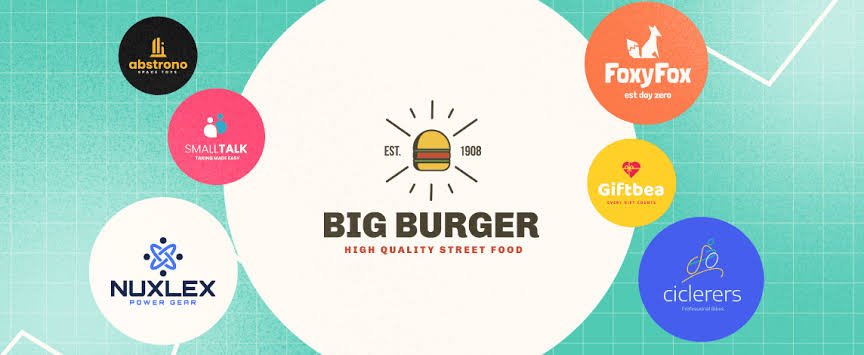
Some AI Branding Tools can help brainstorm business names and taglines. These features can be useful when you are starting a new company or launching a new product.
Generate Brand Name Ideas
Give AI detailed information about your industry and audience.
For example:
Generate 30 short brand name ideas for a modern AI website design company. Names should be easy to pronounce, memorable, professional, and suitable for an international audience.
Review the suggestions carefully and check whether the names are already being used.
Create a Tagline
A good tagline communicates a clear benefit or brand promise.
You could ask:
Create 20 short taglines for a website design company that uses AI to help businesses create professional websites faster.
Avoid choosing a tagline simply because it sounds impressive. It should accurately represent your business.
Step 3: Create Your Logo
The logo is one of the most visible parts of a brand identity, but it should not carry the entire brand.
Generate Logo Concepts
You can use AI Branding Tools to explore different logo directions.
For example:
Create five logo concepts for a modern technology company. Use a simple geometric symbol, clean typography, minimal details, and a professional blue and purple colour palette. The logo should remain recognisable at small sizes.
Generate several concepts rather than choosing the first option.
Keep the Logo Simple
A professional logo should work in different situations.
Test it as:
- Website header
- Mobile icon
- Social media profile
- Business card
- Email signature
- Favicon
- Printed material
A complicated logo may look attractive at large sizes but become difficult to recognise when reduced.
Create Logo Variations
A complete identity may require:
- Primary logo
- Horizontal logo
- Stacked logo
- Icon-only version
- Light version
- Dark version
- Monochrome version
Creating these variations makes the brand easier to use across different platforms.
Step 4: Choose Your Brand Colour Palette
Colour is one of the most recognisable elements of a visual identity. Good AI Branding Tools can help generate colour combinations based on your desired personality.
Choose Primary Colours
Your primary colours should represent the main visual identity.
For example:
- Blue for trust and technology
- Green for nature and sustainability
- Purple for creativity and innovation
- Black for luxury and sophistication
- Orange for energy and enthusiasm
These associations are not universal, so always consider your specific audience and industry.
Add Secondary and Accent Colours
A complete colour system usually needs more than one or two colours.
You may need:
- Primary colour
- Secondary colour
- Accent colour
- Background colour
- Heading colour
- Body text colour
- Border colour
- Success colour
- Warning colour
- Error colour
This makes your visual system easier to apply consistently.
Check Colour Contrast
Do not choose colours based only on appearance. Text and interactive elements should remain readable.
Accessibility should be considered when creating your brand palette, particularly for website buttons, navigation, forms, and body text.
Step 5: Build a Typography System
Typography gives your brand another layer of personality.
AI Branding Tools can suggest font combinations based on your preferred style.
Choose Heading Fonts
Your heading font should be distinctive but readable.
For example, a technology brand might use a modern sans-serif typeface for a clean appearance.
Choose Body Fonts
Body text should prioritise readability. Avoid fonts that look interesting but become difficult to read in long paragraphs.
Create a Hierarchy
Your typography system can define:
- H1
- H2
- H3
- Body text
- Small text
- Buttons
- Navigation
- Captions
Set consistent sizes, weights, and spacing.
This makes websites and marketing materials look more organised.
Step 6: Develop Your Brand Voice

A complete identity is not only visual. Your words also influence how customers perceive your business.
Define Your Tone
Ask AI to create a brand voice based on your audience and positioning.
For example:
Create a brand voice for a modern AI website company targeting entrepreneurs and small businesses. The tone should be professional, clear, friendly, confident, and easy to understand. Avoid complicated technical language.
You can then create guidelines around the tone.
Create Writing Rules
Your brand guidelines can specify whether your content should be:
- Formal or conversational
- Technical or simple
- Serious or playful
- Short or detailed
- Direct or inspirational
These rules help maintain consistency across your website, email campaigns, social media, and advertisements.
Step 7: Create a Visual Image Style
Images are increasingly important in modern branding. AI Branding Tools can help establish a consistent image direction.
Choose a Photography Style
Your brand might use:
- Realistic photography
- Editorial photography
- Product photography
- Lifestyle photography
- Minimal studio imagery
- Cinematic visuals
- Bright commercial imagery
Choose one main direction and apply it consistently.
Create AI Website Graphics
You can use AI to create website hero images, blog feature images, service illustrations, product concepts, and marketing visuals.
For example:
Create a clean technology image using navy blue, purple, white, and subtle cyan accents. Use soft studio lighting, modern digital elements, minimal backgrounds, and a premium professional style.
A consistent prompt structure can help different images feel connected.
Step 8: Create Social Media Branding
Social media is another important part of a complete brand identity.
Build Social Templates
Use AI Branding Tools to create templates for:
- Instagram posts
- Facebook posts
- LinkedIn graphics
- Pinterest images
- YouTube thumbnails
- Stories
- Promotional announcements
- Educational posts
The templates should use your established logo, colours, typography, and visual style.
Keep Templates Consistent
A follower should be able to recognise your content without seeing the account name.
Consistent colours, typography, layouts, and imagery can help create this recognition.
Step 9: Create Brand Guidelines
Brand guidelines turn individual design choices into a usable system.
What Should Brand Guidelines Include?
A basic brand guide can include:
- Brand mission
- Brand positioning
- Logo usage
- Logo variations
- Colour palette
- Typography
- Photography style
- Illustration style
- Icon style
- Brand voice
- Social media guidelines
- Website design guidelines
- Examples of correct usage
- Examples of incorrect usage
AI Branding Tools can help organise this information into a structured document.
Explain What Not to Do
Brand guidelines should also explain incorrect usage.
For example:
- Do not stretch the logo.
- Do not change logo colours randomly.
- Do not place the logo on backgrounds where it cannot be read.
- Do not use too many brand colours together.
- Do not combine unrelated fonts.
- Do not use inconsistent imagery.
These rules help maintain consistency as your business grows.
10 Best AI Branding Tools to Consider
Different AI Branding Tools have different strengths, so the best option depends on your project.
Design.com
Design.com’s logo maker tool is best for small businesses and entrepreneurs who are looking for logos that actually feel like their business, and not just any plain or random templates. It has over 500,000+ logo templates covering nearly every industry and niches, thus ensuring that every business can find a logo that fits their brand.
BrandCrowd
BrandCrowd is an all-in-one branding platform that is known for their beautiful and polished logo design templates. Users can find nearly every style, whether that’s minimalist, retro, modern, 3D, and more. It’s useful when you want a stylish logo that feels a step above the typical generic templates.
Canva
Canva is useful for creating brand kits, social media graphics, presentations, website visuals, marketing materials, and other branded designs. Its AI-powered features can help generate creative concepts and speed up visual production.
Adobe Firefly
Adobe Firefly can help generate and edit images for branding campaigns, website visuals, advertisements, and creative concepts. It is particularly useful for businesses already working with Adobe’s design ecosystem.
Looka
Looka focuses heavily on logo and brand identity generation. It can help businesses explore logo concepts and create related brand assets.
Wix
Wix includes AI-assisted website and branding workflows. It can be useful when you want to connect branding decisions with website creation.
Figma
Figma is useful for professional interface design, brand systems, website prototypes, and collaborative design work. AI features can help accelerate different parts of the design process.
Adobe Express
Adobe Express combines templates, branding features, design tools, and AI-assisted creative capabilities. It can be useful for creating branded marketing content quickly.
Brandmark
Brandmark focuses on AI-assisted logo and brand identity creation, making it useful for startups that need initial branding concepts.
Designs.ai
Designs.ai offers AI-assisted tools for logos, videos, graphics, and other marketing assets, making it suitable for businesses that need multiple types of branded content.
Looka Brand Kit
Looka’s broader brand kit workflow can help turn logo and visual identity decisions into marketing materials.
Midjourney
Midjourney is primarily an image-generation platform rather than a complete branding system, but it can be useful for developing visual concepts, mood boards, campaign imagery, and creative directions.
How to Use AI Branding Tools Effectively
AI can accelerate branding, but the process still requires human direction.
Give AI Detailed Information
Instead of:
Make a logo for my business.
Use:
Create a minimalist logo for a professional AI website design company serving small businesses. The brand should communicate innovation, simplicity, trust, and modern technology. Use a geometric symbol and clean sans-serif typography. The logo should work in black and white as well as colour.
Detailed instructions generally produce more useful starting points.
Generate Multiple Concepts
Do not stop after one result.
Generate different directions and compare them based on:
- Brand fit
- Memorability
- Simplicity
- Readability
- Scalability
- Originality
- Audience appeal
Refine Rather Than Restart
If you like 80% of a concept, refine it.
Ask the AI to adjust the colours, simplify the icon, change typography, remove unnecessary details, or create alternative layouts.
Common Mistakes When Using AI Branding Tools
There are several problems businesses should avoid when relying on AI for branding.
Creating a Generic Brand
If your instructions are generic, the result may look similar to thousands of other businesses.
Add information about your positioning, audience, personality, and competitive difference.
Focusing Only on the Logo
A logo is important, but it is only one part of your identity.
Your colours, typography, imagery, messaging, website, social content, and customer experience also contribute to your brand.
Using Too Many Colours
A large colour palette can make a brand look inconsistent.
Choose a controlled set of primary, secondary, and accent colours.
Changing Fonts Frequently
Using different fonts across every page can make your brand look unprofessional.
Create a typography system and follow it consistently.
Publishing AI Designs Without Reviewing Them
AI-generated logos, images, and graphics can contain errors or unsuitable elements.
Always review the final result before publishing.
Ignoring Trademark and Usage Checks
AI-generated brand ideas should not automatically be assumed to be unique or legally available.
Before adopting a logo, name, tagline, or other distinctive brand asset commercially, perform appropriate trademark, domain, and availability checks.
AI Branding Tools vs Professional Branding Services
AI Branding Tools are useful for generating ideas and creating basic brand systems, but they do not completely replace professional branding strategy.
When AI Can Be Enough
AI can be suitable for:
- Small personal projects
- Early-stage startups
- Bloggers
- Freelancers
- Small businesses
- Initial brand concepts
- Social media templates
- Basic marketing graphics
When You May Need a Professional
A professional branding specialist can be valuable when your company has a large audience, significant investment, multiple products, complicated positioning, or a need for a highly distinctive identity.
Professional designers can also conduct research, analyse competitors, develop strategic positioning, and create systems that work across complex organisations.
The best approach can sometimes be a combination of both. AI can accelerate exploration while a professional provides strategic direction and final refinement.
Final Brand Identity Checklist
Before launching your new identity, review every major element.
Visual Checklist
Make sure you have:
- Primary logo
- Logo variations
- Brand colours
- Typography system
- Image style
- Illustration style
- Icon style
- Social media templates
- Website graphics
- Brand guidelines
Messaging Checklist
Also define:
- Brand mission
- Brand positioning
- Target audience
- Brand personality
- Tagline
- Brand voice
- Key messages
- Value proposition
Website Checklist
Your website should use the same:
- Logo
- Colour palette
- Typography
- Button styles
- Image direction
- Icon style
- Tone of voice
- Visual hierarchy
Consistency across these areas makes the brand easier to recognise.
Must Read:
- AI Website Graphics: How to Create Stunning Visuals With AI?
- AI Website Design Prompts: 25 Prompts for Better Web Design
- AI Web Design Trends: 10 Trends Shaping Websites in 2026
Final Thoughts:
AI Branding Tools have made it easier for businesses to explore and create complete brand identities without starting every project from scratch. They can help with logos, colour palettes, typography, brand messaging, website graphics, social media templates, marketing materials, and brand guidelines.
However, creating a strong identity requires more than generating attractive designs. Start with your audience, positioning, personality, and business goals. These strategic decisions should guide every visual and messaging choice that follows.
Use AI to generate multiple ideas, compare different directions, and speed up repetitive design work. Then refine the strongest concepts and make sure they accurately represent your business.
A complete brand identity should feel consistent everywhere customers interact with your company. Your website, social media profiles, advertisements, emails, presentations, packaging, and other marketing materials should share a recognisable visual and verbal language.
The biggest advantage of AI Branding Tools is not simply that they can create designs quickly. Their real value is that they can help businesses experiment, organise ideas, and turn a brand concept into practical assets faster.
When AI is combined with clear strategy, human creativity, accessibility, originality, and careful review, it can become a powerful part of the branding process. A strong brand is not created by a logo alone. It is created by the consistent experience people have with your business across every touchpoint.