AI Website Design Prompts can make the website creation process faster, more organised, and more creative. Instead of giving an AI website builder a short instruction such as “create a website for my business”, you can provide detailed information about your business, target audience, visual style, pages, content, functionality, and goals.
The quality of an AI-generated website often depends on the quality of the instructions you provide. A detailed prompt gives the AI more context and helps it understand what you want to achieve. Whether you are creating a business website, blog, portfolio, ecommerce store, landing page, SaaS website, or personal brand, the right AI Website Design Prompts can help you create a much stronger starting point.
AI can help with website layouts, headlines, colour palettes, typography, page structures, calls to action, images, content ideas, user experience, and even conversion-focused sections. However, AI should not be expected to make every design decision perfectly. The best approach is to use AI for ideas and production, then review and customise the results according to your brand and audience.
This guide provides 25 practical AI Website Design Prompts that you can copy, customise, and use with AI website builders and design tools.
What Are AI Website Design Prompts?
AI Website Design Prompts are written instructions that tell an artificial intelligence tool what type of website, page, layout, content, or visual experience you want to create. A prompt can be short and simple, or it can include detailed information about your website requirements.
Why Prompts Matter in AI Web Design
AI does not automatically know your business goals, customers, brand personality, or preferred design style. When you provide more useful information, the AI has more context to work with.
For example, this prompt is very basic:
Create a website for a travel company.
A better version would be:
Create a modern, mobile-friendly website for a travel company that offers affordable family holiday packages. The target audience is families aged 30 to 55. Use a clean, friendly visual style with large travel images, simple navigation, clear package information, customer reviews, FAQs, and prominent booking buttons.
The second prompt gives the AI a much clearer direction.
What Can AI Website Design Prompts Create?
You can use AI Website Design Prompts to create:
- Complete websites
- Homepage layouts
- Landing pages
- Service pages
- Product pages
- Blog layouts
- Portfolio websites
- Contact pages
- Navigation structures
- Website copy
- Calls to action
- Colour palettes
- Typography systems
- Hero sections
- Pricing sections
- FAQ sections
- Testimonials
- Conversion-focused layouts
The more specific your goal, the easier it becomes to create a useful prompt.
How to Write Better AI Website Design Prompts
Before using the 25 prompts below, it helps to understand what makes a prompt effective. A good prompt should provide enough context without becoming unnecessarily complicated.
Start With Your Website Goal
Tell the AI what your website is supposed to accomplish. Your goal could be generating leads, selling products, collecting bookings, building an audience, promoting a service, or showcasing your work.
Describe Your Audience
Tell the AI who the website is designed for. Include information about your customers, their needs, and what they expect from the website.
Explain Your Design Style
Use words such as modern, minimalist, professional, elegant, bold, colourful, clean, editorial, luxury, friendly, or technology-focused.
List Important Pages
Tell the AI which pages you need. This can prevent the generated website from missing important information.
Include Your Brand Requirements
Mention your preferred colours, fonts, logo placement, visual style, tone of voice, and other branding requirements.
25 AI Website Design Prompts for Better Web Design
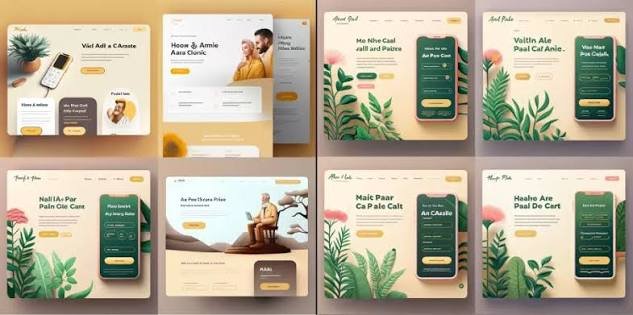
The following AI Website Design Prompts cover different stages of website creation. You can copy them directly and replace the information inside the brackets with your own details.
1. Complete Business Website Prompt
Create a professional website for [business name], a [business type] that provides [products/services]. The target audience is [audience]. Create a modern, clean, mobile-responsive design with Home, About, Services, Pricing, Testimonials, FAQ, Blog, and Contact pages. Use [brand colours] and a clear navigation menu. Include strong calls to action that encourage visitors to [desired action].
This is one of the most useful AI Website Design Prompts when starting a website from scratch.
2. Homepage Design Prompt
Design a professional homepage for [business name]. Start with a clear hero section explaining what the business offers and who it helps. Add a strong headline, supporting text, primary call-to-action button, key benefits, services, testimonials, statistics, FAQ, and final CTA. Keep the design clean, modern, responsive, and easy to navigate.
This prompt focuses specifically on creating a strong homepage.
3. Hero Section Prompt
Create a high-converting hero section for a [business/product/service] website. Write a clear headline that communicates the main benefit, a short supporting paragraph, and a strong call-to-action button. Use a modern visual layout with the main image on the [left/right] side and enough negative space for the text.
A strong hero section can immediately communicate what a website offers.
4. Landing Page Prompt
Create a conversion-focused landing page for [product/service]. The target audience is [audience]. Include a compelling headline, problem statement, benefits, key features, product/service explanation, social proof, testimonials, FAQ, objections and answers, and a strong final CTA. Keep the layout focused and remove unnecessary navigation elements.
Landing pages require a different approach from traditional business websites because the design should focus strongly on one goal.
5. SaaS Website Prompt
Create a modern SaaS website for [software name], a platform that helps [target audience] solve [problem]. Include a hero section, product overview, key features, benefits, integrations, pricing plans, customer testimonials, FAQ, and free-trial CTA. Use a clean technology-focused design with responsive cards, clear typography, and plenty of whitespace.
This is one of the most useful AI Website Design Prompts for software companies and technology startups.
6. Ecommerce Website Prompt
Design an ecommerce website for [store name], which sells [products]. Create a clean shopping experience with a homepage, product categories, product pages, search, filters, cart, checkout, customer reviews, shipping information, and contact support. Use [brand colours] and make product images the main visual focus.
This prompt helps AI understand that an online store needs both visual design and shopping functionality.
7. Portfolio Website Prompt
Create a modern portfolio website for a [designer/developer/photographer/writer/consultant]. Include a strong introduction, selected work, project case studies, skills, experience, testimonials, about section, and contact CTA. Use an elegant visual style with large project images and simple navigation.
Portfolio websites should showcase work rather than overwhelm visitors with unnecessary information.
8. Personal Brand Website Prompt
Create a professional personal brand website for [name], a [profession]. The website should establish expertise and trust. Include a personal introduction, professional background, services, achievements, testimonials, featured content, social links, and contact section. Use a sophisticated but approachable visual style.
Personal branding requires a balance between professionalism and personality.
9. Blog Website Prompt
Create a modern blog website about [topic]. Use a clean editorial design with clear categories, featured articles, recent posts, search, author information, newsletter signup, sidebar or related content, and mobile-friendly article pages. Prioritise readability, fast loading, and simple navigation.
This prompt can help create a content-focused website rather than a generic business layout.
10. Colour Palette Prompt
Create a professional website colour palette for a [business type] targeting [audience]. The brand should communicate [trust/energy/luxury/creativity/friendliness]. Suggest primary, secondary, accent, background, heading, body text, and button colours. Make sure the colours provide strong readability and work well on desktop and mobile.
Colour selection is an important part of AI Website Design Prompts because it gives AI a clear visual direction.
11. Typography Prompt
Create a typography system for a modern [business type] website. Recommend fonts for H1, H2, H3, body text, buttons, navigation, and captions. The typography should feel [professional/modern/luxury/friendly] while remaining highly readable across desktop, tablet, and mobile screens.
A consistent typography system makes the website feel more professional.
12. Mobile-First Design Prompt
Redesign this website with a mobile-first approach. Make navigation simple, buttons easy to tap, text readable, images responsive, and forms easy to complete on small screens. Prioritise the most important content and remove unnecessary elements from the mobile layout.
Mobile responsiveness should be considered from the beginning rather than added later.
13. SEO-Friendly Website Structure Prompt
Create an SEO-friendly website structure for [business/topic]. Suggest the main pages, categories, URL structure, internal linking opportunities, page titles, H1 topics, supporting H2 sections, and content hierarchy. Keep the structure logical for users and easy for search engines to understand.
This prompt can help you plan the website before creating individual pages.
14. Service Page Prompt
Create a professional service page for [service name]. Explain what the service is, who it is for, the main benefits, how the process works, key features, frequently asked questions, customer testimonials, and a strong call to action. Use clear headings, short paragraphs, bullet points, and trust-building elements.
Service pages should answer the questions potential customers have before contacting a business.
15. Product Page Prompt
Create a conversion-focused product page for [product]. Include product images, product name, short description, benefits, features, specifications, pricing, reviews, FAQs, shipping information, related products, and a clear purchase button. Use a clean layout that keeps the product and buying information prominent.
A strong product page should make it easy for visitors to understand and evaluate the product.
16. Pricing Page Prompt
Design a clear pricing page for [product/service]. Create three pricing options: [plan names]. Highlight the recommended plan without making the other options difficult to understand. Include key features, pricing, billing information, FAQs, and clear signup buttons. Make the layout simple and easy to compare.
Pricing pages benefit from clarity. Avoid unnecessary visual distractions.
17. Testimonials Section Prompt
Create a professional customer testimonials section for [business]. Display genuine customer reviews in a clean card-based layout. Include customer names, roles or relevant details where appropriate, ratings if available, and supporting trust elements. Make the section visually engaging without overwhelming the page.
Only use genuine testimonials. AI should help with presentation, not create fictional customer experiences.
18. FAQ Section Prompt
Create an FAQ section for [business/product/service]. Identify the 10 most common questions potential customers may ask before making a decision. Provide clear, concise answers using natural language. Organise the questions logically and design the section for easy scanning on mobile devices.
A useful FAQ section can reduce uncertainty and help visitors find important information quickly.
19. Website Redesign Prompt
Analyse the existing website for [website/business]. Identify problems with navigation, visual hierarchy, typography, colours, spacing, mobile responsiveness, calls to action, content structure, and user experience. Then suggest a modern redesign that improves usability, clarity, trust, and conversions.
This is one of the most useful AI Website Design Prompts when you already have a website but want to improve it.
20. Minimalist Website Prompt
Create a minimalist website for [business]. Use generous whitespace, a limited colour palette, simple typography, clean navigation, high-quality imagery, and concise content. Remove unnecessary design elements and focus attention on the most important message and call to action.
Minimalist design does not mean removing useful information. It means presenting information clearly without unnecessary clutter.
21. Luxury Website Prompt
Design a premium luxury website for [brand]. Use sophisticated typography, elegant spacing, high-quality imagery, subtle animations, refined colours, and a premium visual hierarchy. The website should communicate exclusivity, quality, trust, and attention to detail without becoming difficult to navigate.
Luxury websites often benefit from restraint rather than excessive decoration.
22. Website Accessibility Prompt
Review this website design for accessibility. Check colour contrast, typography, heading hierarchy, keyboard navigation, button labels, form labels, image alt text, focus states, animation, link descriptions, and mobile usability. Identify potential accessibility problems and provide specific improvements.
Accessibility should be included in the design process rather than treated as a final check.
23. Conversion Optimisation Prompt
Analyse this website homepage from a conversion perspective. Identify areas that may prevent visitors from taking action. Review the headline, value proposition, navigation, calls to action, trust signals, testimonials, page structure, forms, and visual hierarchy. Suggest specific changes that could make the visitor journey clearer.
This prompt can help identify problems that may not be obvious from a purely visual review.
24. AI Website Images Prompt
Create a professional hero image for a [business/topic] website. Show [main subject] in a [visual style] environment. Use [brand colours], [lighting style], and a wide landscape composition. Place the main subject on the [left/right] side and leave clean negative space on the opposite side for website text. Avoid clutter, distorted objects, excessive details, and unnecessary text.
This is particularly useful when creating custom visuals for homepage hero sections.
25. Complete Website Improvement Prompt
Review my entire website as a professional web designer, UX specialist, SEO strategist, and conversion expert. Analyse the navigation, page structure, visual hierarchy, branding, typography, colour palette, content, mobile experience, accessibility, page speed considerations, internal linking, calls to action, trust signals, and overall user journey. List the most important problems first and provide practical recommendations for improving each one.
This final prompt can be used after your website has been generated to identify areas that need improvement.
How to Customise AI Website Design Prompts
The 25 AI Website Design Prompts above are starting points. You can make them more effective by adding information specific to your business.
Add Your Brand Information
Include your company name, logo, brand colours, preferred fonts, tone of voice, and visual style.
For example:
Use navy blue, white, and a small amount of orange as the brand colours. Use a professional but friendly tone.
This gives AI more direction.
Explain What You Do
Do not assume the AI understands your business.
Instead of saying:
Create a website for my company.
Explain:
We provide affordable accounting software for freelancers and small businesses. Our main benefit is simple automated bookkeeping.
Specific information can lead to a more relevant website.
Identify Your Main Conversion Goal
Tell the AI what action you want visitors to take.
Examples include:
- Buy a product
- Request a quote
- Book an appointment
- Start a free trial
- Download a guide
- Subscribe to an email list
- Contact the business
This allows the AI to create a design that supports the desired user journey.
Common Mistakes When Using AI Website Design Prompts

AI Website Design Prompts can produce impressive results, but poor instructions can also create generic or confusing websites. Avoiding common mistakes can significantly improve your results.
Using Extremely Short Prompts
“Make me a website” gives the AI very little information. Add your business type, audience, goals, pages, and design preferences.
Adding Too Many Unrelated Instructions
More information is not always better. Keep your prompt organised and relevant. Avoid giving the AI dozens of conflicting design requirements.
Expecting AI to Know Your Brand
AI cannot automatically understand your brand personality. Provide examples, colours, tone, target audience, and visual preferences.
Publishing the First Result
The first AI-generated design should be considered a draft. Review every page and make changes where necessary.
Ignoring User Experience
A website can look attractive while still being difficult to use. Check navigation, page structure, button placement, forms, mobile layouts, and content hierarchy.
Forgetting SEO
A visually impressive website still needs useful content, descriptive headings, logical URLs, internal links, fast loading, mobile responsiveness, and other SEO fundamentals.
Tips for Getting Better Results From AI Website Design Prompts
The best AI Website Design Prompts are clear, specific, and focused on the visitor.
Give AI a Role
You can start a prompt by assigning a role:
Act as an experienced UX designer and conversion-focused web designer.
Then provide your requirements.
This can help frame the task more clearly.
Ask for Alternatives
Instead of asking for one design, ask for three options:
Create three different homepage concepts: minimalist, modern technology, and premium professional. Explain the strengths of each approach.
This gives you more options to compare.
Ask AI to Explain Its Decisions
You can also ask:
Explain why you selected this layout, colour palette, navigation structure, and call-to-action placement.
The explanation can help you identify whether the design decisions actually support your goals.
Improve the Design in Multiple Steps
You do not need to create everything in one prompt. Start with the website structure, then work on the homepage, visual style, copy, mobile layout, SEO, and conversion optimisation separately.
This step-by-step approach often gives you more control than asking AI to complete everything simultaneously.
AI Website Design Prompts for Different Industries
Different industries can benefit from different approaches to website design.
Healthcare Websites
Healthcare websites should prioritise clarity, accessibility, trust, easy navigation, and accurate information. Avoid overly complicated visual effects.
Finance Websites
Financial websites should communicate professionalism, transparency, trust, and security. Clear service descriptions and accessible contact options are important.
Travel Websites
Travel websites can use large visuals, destination imagery, clear packages, reviews, booking options, maps, and useful travel information.
Technology Websites
Technology websites can use modern interfaces, product demonstrations, screenshots, feature comparisons, integrations, pricing, and interactive elements.
Creative Agencies
Creative agencies can use stronger visual identities, portfolio sections, case studies, experimental layouts, animation, and distinctive typography.
Final Checklist Before Using an AI-Generated Website
Before publishing a website created with AI Website Design Prompts, review the entire experience manually.
Design Checklist
Check that:
- Colours are consistent.
- Typography is readable.
- Navigation is simple.
- Images are relevant.
- Buttons are easy to identify.
- Spacing is consistent.
- The visual hierarchy is clear.
- The website looks good on mobile devices.
Content Checklist
Review:
- Headlines
- Product descriptions
- Service information
- Pricing
- Contact details
- Testimonials
- FAQs
- Calls to action
- Grammar and spelling
Make sure AI-generated claims are accurate and supported by real information.
SEO Checklist
Check:
- Page titles
- Meta descriptions
- H1 and H2 structure
- URLs
- Internal links
- Image alt text
- Mobile responsiveness
- Page speed
- Sitemap
- Indexing settings
SEO should support useful content and a good user experience rather than simply adding keywords.
Must Read:
- AI Web Design Trends: 10 Trends Shaping Websites in 2026
- AI Image Generators: 10 Best Tools for Website Design
- AI Website Images: How to Create Professional Visuals With AI
Final Thoughts:
AI Website Design Prompts can make website creation much easier when they provide clear instructions about business goals, target audiences, page structures, visual styles, content requirements, and user experience.
The 25 prompts in this guide can help you create everything from a complete business website and homepage to landing pages, ecommerce stores, portfolios, service pages, product pages, pricing sections, FAQs, website images, and redesign recommendations.
The most important thing to remember is that AI-generated design is a starting point. A prompt can give you a strong foundation, but your website still needs human review and customisation. Add real business information, genuine testimonials, original images, accurate product details, brand elements, and useful content.
Use AI Website Design Prompts step by step rather than trying to create everything with one instruction. Start with your website structure, then refine the visual identity, homepage, individual pages, content, mobile experience, SEO, accessibility, and conversion elements.
A good prompt tells AI what to create, while a good designer decides why it should be created and whether it actually works. By combining detailed prompts with thoughtful editing, you can use AI to create websites that are faster to build, easier to use, visually professional, and better aligned with your business goals.