Building a professional landing page used to require design skills, coding knowledge, and sometimes help from a web developer. Today, AI website builders make the process much easier. You can create a landing page with AI by describing your business, product, service, or campaign in simple words and letting AI generate the initial design, content, layout, and structure.
If you want to build a landing page with AI without coding, you do not need to understand HTML, CSS, JavaScript, or complicated web development tools. AI can help you create a responsive page, write marketing copy, suggest calls to action, organize sections, and improve the overall user experience.
This guide explains how to build an AI-powered landing page from scratch, what tools you need, what prompts to use, how to optimize the page for SEO and conversions, and common mistakes to avoid.

What Is an AI Landing Page?
An AI landing page is a web page created or improved with artificial intelligence tools. Instead of manually designing every section, you can provide instructions to an AI website builder and receive a ready-to-edit page.
AI can help with different parts of the landing page, including:
- Page layout
- Headlines and subheadings
- Product descriptions
- Calls to action
- Images and graphics
- Color combinations
- Font suggestions
- Testimonials
- FAQ sections
- Lead forms
- Mobile-friendly layouts
- SEO content
- Conversion-focused sections
For example, you could tell an AI website builder:
“Create a landing page for a digital marketing agency that helps small businesses generate leads through SEO and paid advertising.”
The AI may create a homepage structure with a hero section, services, benefits, testimonials, pricing, FAQs, and a contact form.
You can then edit the generated content and design according to your requirements.
Why Build a Landing Page With AI?
AI can significantly reduce the time and effort required to create a landing page. It is especially useful for marketers, freelancers, startups, small businesses, affiliate marketers, and people who do not have coding experience.
Faster Website Creation
Traditional landing page development can take hours or days depending on the design and functionality. AI website builders can create the initial version much faster.
You provide information about your business and target audience, and the AI generates a starting point that you can customize.
This allows you to focus more on your offer and marketing strategy instead of spending most of your time creating page elements manually.
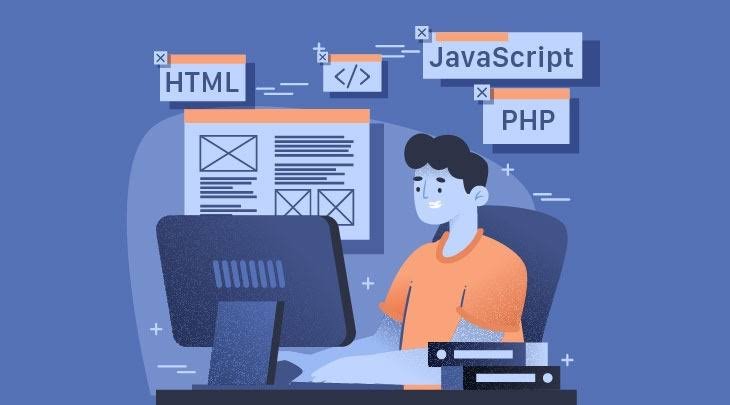
No Coding Required
One of the biggest benefits is that you can create a landing page without coding.
You do not need to know:
- HTML
- CSS
- JavaScript
- PHP
- Web development frameworks
Most AI website builders use visual editors, natural-language instructions, or both.
Lower Development Costs
Hiring a professional developer for every landing page can become expensive, particularly if you run multiple advertising campaigns.
AI tools can reduce development costs by helping you create and update pages yourself.
You may still need professional help for advanced functionality, custom integrations, or complex websites, but basic landing pages can often be created without a developer.
Easy Content Creation
Writing landing page copy can be challenging. AI can generate headlines, product descriptions, benefit statements, CTAs, FAQs, and other content.
You can also ask AI to create different versions of the same headline and choose the one that best matches your campaign.
What Do You Need Before Creating an AI Landing Page?
Before opening an AI website builder, prepare some basic information. The better your instructions are, the more useful the generated landing page is likely to be.
Define Your Goal
Start by deciding what you want visitors to do.
Your landing page could be designed to:
- Generate leads
- Sell a product
- Promote a service
- Collect email subscribers
- Get appointment bookings
- Promote an affiliate offer
- Download an ebook
- Register users for an event
- Encourage free trials
- Promote an app
A page with one clear objective usually performs better than a page that tries to accomplish too many things.
Identify Your Target Audience
Think about who will visit the page.
For example:
- Small business owners
- Marketing professionals
- Online shoppers
- SaaS users
- Bloggers
- Freelancers
- Students
- Local customers
- Ecommerce shoppers
Your audience affects your language, design, offer, images, and call to action.
Prepare Your Offer
Clearly explain what you are offering.
For a service, provide information such as:
- Service name
- Main benefits
- Pricing
- Features
- Target audience
- Unique selling points
- Guarantee, if applicable
- Contact method
For a product, include:
- Product name
- Features
- Benefits
- Price
- Images
- Customer reviews
- Shipping information
- Return information
This information gives the AI enough context to generate more relevant content.
How to Build a Landing Page With AI Step by Step
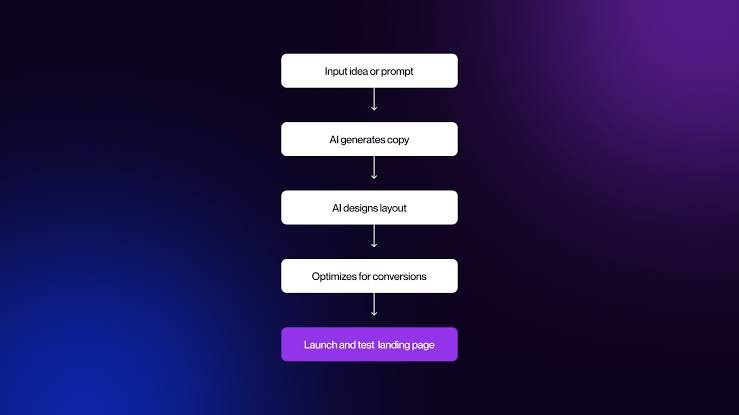
Creating an AI landing page does not have to be complicated. The following process can help you create a professional starting point.
Step 1: Choose an AI Website Builder
First, select an AI website builder that matches your needs.
Different platforms offer different combinations of AI generation, visual editing, templates, hosting, SEO tools, ecommerce features, and integrations.
When comparing AI website builders, consider:
- AI website generation
- Ease of use
- Design flexibility
- Mobile responsiveness
- SEO controls
- Custom domain support
- Hosting
- Forms
- Analytics integrations
- Ecommerce functionality
- Third-party integrations
- Pricing
If your goal is a simple advertising landing page, you may not need all the features offered by a complete website platform.
Step 2: Write a Clear AI Prompt
Your prompt is one of the most important parts of the process.
Instead of saying:
“Make me a landing page.”
Give the AI detailed instructions.
For example:
“Create a modern landing page for a digital marketing agency targeting small businesses. The main goal is to generate consultation leads. Include a strong hero headline, short description, CTA button, agency benefits, services, client testimonials, case studies, pricing information, FAQ section, contact form, and a final CTA. Use a clean professional design with a mobile-first layout.”
A detailed prompt gives the AI more information about the page you want.
Step 3: Generate the Initial Design
Once you submit your prompt, the AI website builder may generate the page structure and design.
Depending on the platform, it may create:
- Navigation
- Hero section
- Images
- Text
- Buttons
- Service sections
- Testimonials
- Forms
- Footer
Do not expect the first version to be perfect.
Think of AI generation as the starting point rather than the finished product.
Step 4: Improve the Hero Section
The hero section is usually the first major section visitors see.
It should quickly communicate:
- What you offer
- Who it is for
- Why visitors should care
- What they should do next
A strong hero section typically contains:
- Clear headline
- Supporting description
- Primary CTA
- Relevant visual
- Trust signal
For example:
Headline:
“Generate More Qualified Leads With Smarter Digital Marketing”
Supporting text:
“Grow your business with SEO, paid advertising, and conversion-focused marketing strategies.”
CTA:
“Get a Free Consultation”
Avoid vague headlines that do not tell visitors what the business actually offers.
Step 5: Add Benefits and Features
After the hero section, explain why someone should choose your product or service.
Features explain what something does, while benefits explain why the visitor should care.
For example:
Feature:
24/7 automated customer support.
Benefit:
Help customers get answers faster without requiring your team to respond manually to every question.
Benefits are particularly important for conversion-focused landing pages.
Step 6: Add Social Proof
Visitors may be hesitant to take action if they do not trust the business.
Social proof can reduce that hesitation.
You can include:
- Customer testimonials
- Client logos
- Ratings
- Case studies
- User statistics
- Reviews
- Certifications
- Awards
Make sure testimonials are genuine. Avoid creating fake reviews simply to make the landing page look more trustworthy.
Step 7: Add a Strong Call to Action
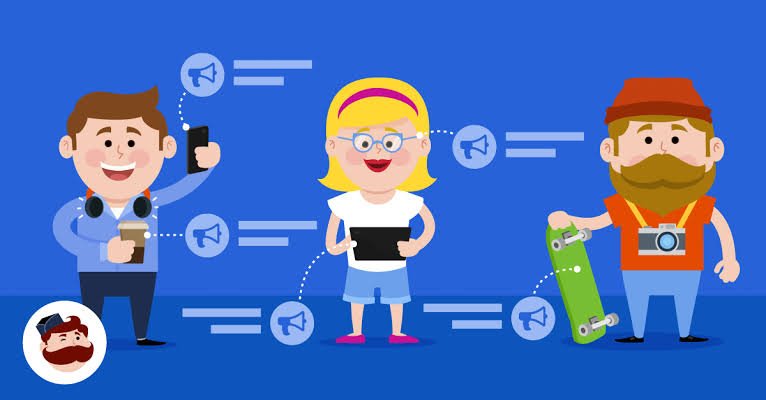
Your call to action tells visitors what to do next.
Examples include:
- Get Started
- Start Free Trial
- Book a Consultation
- Request a Quote
- Download the Guide
- Shop Now
- Get Your Free Demo
- Sign Up Today
Use a CTA that matches the user’s intent.
For example, a consultation page could use “Book a Free Consultation”, while an ecommerce page might use “Buy Now.”
Step 8: Create a Simple Lead Form
If your objective is lead generation, add a form.
Do not ask for unnecessary information.
A simple form could include:
- Name
- Phone number
- Business name
- Message
The exact fields should depend on your sales process.
Shorter forms can be easier for visitors to complete, while longer forms can help businesses collect more qualifying information.
Step 9: Optimize the Page for Mobile
A large percentage of website visitors use smartphones.
Your AI landing page should work properly on:
- Smartphones
- Tablets
- Laptops
- Desktop computers
Check the mobile version manually.
Look for:
- Text that is too small
- Buttons that are difficult to tap
- Images extending outside the screen
- Horizontal scrolling
- Broken layouts
- Large spacing
- Slow-loading elements
A responsive design is essential for both user experience and marketing campaigns.
How to Use AI for Landing Page Copywriting
AI can help create almost every part of your landing page copy, but you should always review the generated content.
Create Better Headlines
Ask AI for multiple headline variations.
For example:
“Create 10 landing page headlines for a SaaS product that helps small businesses automate customer support. Keep them clear, benefit-focused, and under 12 words.”
This gives you multiple options instead of relying on the first headline generated.
Write Benefit-Focused Copy
You can also ask AI to transform technical features into customer benefits.
For example:
“Rewrite these product features as customer-focused benefits. Keep the language simple and persuasive without making unsupported claims.”
This can make your landing page easier to understand.
Generate FAQ Content
FAQs can address common objections before a visitor contacts you.
Potential questions include:
- How does the service work?
- Who is this product for?
- Is there a free trial?
- How much does it cost?
- Can I cancel anytime?
- Do you offer customer support?
- Is my information secure?
- How long does setup take?
Only publish answers that accurately represent your product or service.
How to Create an SEO-Friendly AI Landing Page
A landing page can be designed primarily for conversions while still following basic SEO principles.
Choose a Primary Keyword
Start with one main search term that closely matches the page’s purpose.
For example:
Primary keyword:
AI website builder
Related keywords could include:
- AI website builder without coding
- create website with AI
- AI website creation
- no-code website builder
- build website with artificial intelligence
Use keywords naturally. Do not repeat them in every heading or paragraph.
Optimize the Page Title
Create a concise title that explains what the page is about.
For example:
AI Website Builder for Fast No-Code Website Creation
The title should be useful to searchers rather than simply containing a large number of keywords.
Write a Useful Meta Description
Your meta description should provide a concise summary of the page and encourage relevant searchers to visit.
For example:
Build a professional website without coding using an AI website builder. Create, customize, optimize, and launch your website faster with AI.
Use Proper Heading Structure
Use a logical heading structure.
For example:
- Main page topic
- Benefits
- Features
- How it works
- Pricing
- FAQs
Use H2 headings for major sections and H3 headings for supporting topics.
Optimize Images
Images can make landing pages more engaging, but large image files can slow down the page.
Use appropriately sized images and descriptive alt text.
Instead of:
image123.jpg
Use descriptive information such as:
digital marketing dashboard showing campaign performance
Alt text should describe the image accurately rather than being used as a place to insert keywords.
How AI Can Improve Landing Page Conversion Rates
AI is useful for creating a starting design, but conversion optimization requires testing.
Test Different Headlines
Create multiple versions of your headline and compare their performance.
For example:
Version A:
“Grow Your Business With Digital Marketing”
Version B:
“Generate More Qualified Leads With Digital Marketing”
The better option should be determined by actual visitor behavior rather than personal preference.
Test CTA Text
You can test different CTA phrases such as:
- Get Started
- Start Free
- Book a Demo
- Get a Free Quote
- Try It Now
The best CTA depends on your audience and offer.
Improve Page Clarity
Ask AI to review your landing page and identify areas where visitors might become confused.
A useful prompt is:
“Review this landing page from the perspective of a first-time visitor. Identify unclear messaging, weak CTAs, unnecessary sections, possible objections, and areas that could improve conversion.”
AI can provide suggestions, but you should validate those suggestions with real user behavior.
AI Landing Page Prompts You Can Use
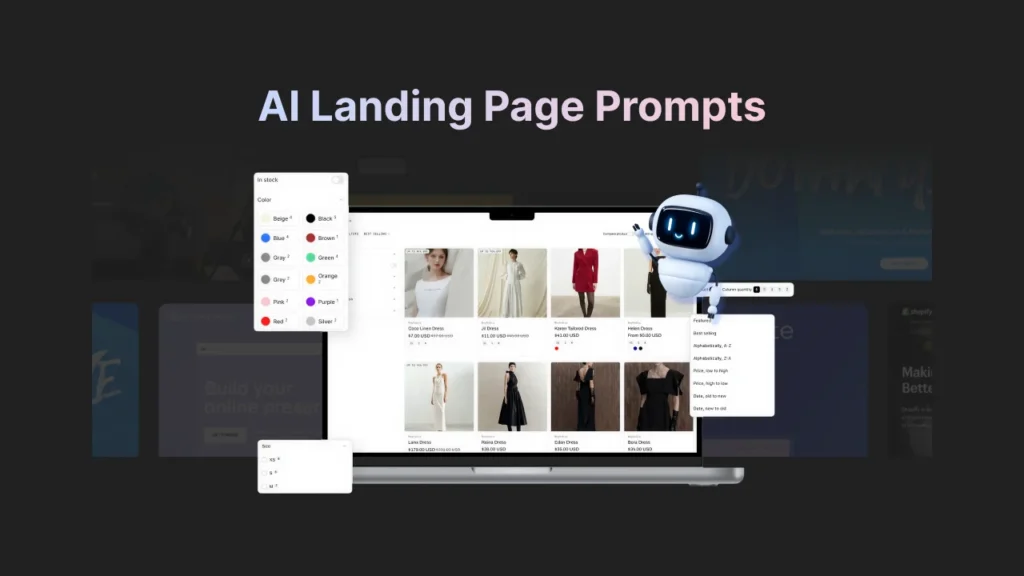
Here are several useful prompts for creating and improving landing pages.
General Landing Page Prompt
“Create a clean, responsive landing page for [business/product]. The target audience is [audience]. The main goal is [goal]. Include a hero section, benefits, features, social proof, CTA, FAQ, and contact section.”
Conversion Optimization Prompt
“Review this landing page and suggest improvements to the headline, CTA, page structure, benefits, trust signals, and conversion flow. Keep the recommendations practical and focused on user clarity.”
SEO Prompt
“Optimize this landing page for the keyword [keyword]. Suggest a page title, meta description, H2 sections, related keywords, FAQ questions, and natural places to use the primary keyword.”
Design Prompt
“Create a modern landing page design with a clean layout, strong visual hierarchy, readable typography, responsive sections, clear CTA buttons, and enough white space.”
Product Landing Page Prompt
“Create a product landing page for [product]. Explain the problem, present the solution, highlight key benefits, include product features, testimonials, pricing, FAQs, and a strong purchase CTA.”
Common Mistakes When Building a Landing Page With AI
AI makes website creation easier, but it does not automatically guarantee a successful landing page.
Using Generic AI Content
AI-generated text can sometimes sound generic.
Review every section and make the language specific to your business and audience.
Add real examples, product details, customer results, and brand personality where appropriate.
Adding Too Many Sections
More content does not always mean a better landing page.
If a section does not help explain the offer, build trust, answer an important question, or encourage the desired action, consider removing it.
Using Too Many CTAs
A landing page should have a clear primary action.
Too many competing CTAs can confuse visitors.
For example, a lead generation page might focus primarily on:
“Book a Free Consultation.”
Other links can exist, but they should not compete with the main objective.
Ignoring Page Speed
A visually attractive landing page can still perform poorly if it loads slowly.
Avoid unnecessary animations, oversized images, excessive scripts, and plugins that do not contribute to the page’s objective.
Not Checking Mobile Design
Never assume the AI-generated design looks perfect on every screen.
Always inspect the mobile layout before publishing.
Publishing Without Proofreading
AI-generated content can contain incorrect information, awkward phrases, repetitive sentences, or unsupported claims.
Proofread everything before publishing.
AI Landing Page vs Traditional Landing Page Development
The biggest difference is how the page is created and maintained.
Traditional development usually requires a designer or developer to manually create the structure and functionality. AI website builders automate much of the initial work.
An AI-based approach can provide:
- Faster initial development
- No-code creation
- Automated content suggestions
- AI-generated layouts
- Easier editing
- Lower entry barriers
Traditional development can still be better when you need highly customized functionality, advanced integrations, unique interactions, or complete control over the code.
For many basic marketing campaigns, however, AI provides a practical way to create a professional starting point without coding.
Who Should Use an AI Landing Page Builder?
AI landing page tools can be useful for many types of users.
Small Businesses
Small businesses can create promotional pages for individual services, products, seasonal campaigns, and lead generation.
Digital Marketers
Marketers can quickly create campaign-specific landing pages for different audiences and advertising campaigns.
Affiliate Marketers
Affiliate marketers can use landing pages to introduce products, explain benefits, compare solutions, and direct visitors toward relevant offers.
Freelancers
Freelancers can create portfolio pages and service-specific landing pages without hiring a developer.
Startups
Startups can use AI to build early marketing pages while testing product-market fit and messaging.
Ecommerce Businesses
Online stores can create product-focused landing pages for specific products, collections, promotions, and advertising campaigns.
How to Launch Your AI Landing Page
Once your landing page is ready, complete a final quality check.
Before publishing, verify:
- Your domain is connected
- HTTPS is enabled
- All buttons work
- Forms submit correctly
- Emails are received
- Images load properly
- Mobile layout works
- Desktop layout works
- Page title is optimized
- Meta description is added
- Analytics is installed
- Tracking pixels are configured where appropriate
- Links work correctly
- Contact information is accurate
- Privacy and legal information is available where required
Then publish the page and start collecting real performance data.
How to Measure Landing Page Performance
Creating the page is only the first step. You should monitor how visitors interact with it.
Important metrics can include:
Conversion Rate
Conversion rate shows how many visitors complete the desired action.
For example, if 1,000 people visit a page and 50 submit the form, the conversion rate is 5%.
Bounce or Engagement Metrics
These can help you understand whether visitors are leaving quickly or interacting with the page.
Click-Through Rate
CTA click-through rate helps measure whether visitors are engaging with your primary action.
Cost Per Lead
For paid campaigns, cost per lead can help determine whether your landing page and advertising campaign are generating leads efficiently.
Form Completion Rate
If many users start a form but do not complete it, the form may contain too many fields or create unnecessary friction.
Must Read:
- Best AI Website Builders for Small Businesses in 2026
- 50 AI Website Builder Prompts for Better Websites
- How to Redesign Your Website Using AI in 2026?
Final Thoughts:
Learning how to build a landing page with AI without coding can save time and make website creation accessible to people who do not have technical skills.
The process is straightforward: define your goal, understand your audience, choose an AI website builder, write a detailed prompt, generate the page, customize the content and design, optimize it for mobile and SEO, and test the final version.
The most important thing to remember is that AI should assist your marketing process, not replace your judgment. A successful landing page needs a clear offer, useful content, strong messaging, trust signals, a focused CTA, and a smooth user experience.
Start with a simple version, collect real visitor data, and improve the page based on what users actually do. With the right combination of AI tools, good copywriting, thoughtful design, and conversion testing, you can create effective landing pages without writing code.