A website can look outdated even when the business behind it is still growing. Design trends change, users expect faster experiences, mobile browsing continues to dominate many websites, and search engines increasingly reward pages that provide a useful experience. This is why learning how to redesign your website using AI in 2026 can be valuable for businesses, bloggers, agencies, ecommerce stores, and creators.
Artificial intelligence can make the website redesign process faster and more accessible. AI can help analyze an existing website, suggest new layouts, rewrite content, generate visual concepts, improve navigation, create code, identify usability problems, and help optimize pages for search engines.
However, AI should not be used simply to make a website look different. A successful redesign should improve the website’s purpose, usability, performance, content, mobile experience, and conversion rate.
This guide explains how to redesign your website using AI in 2026, from auditing your existing website to planning the new structure, improving design, rewriting content, optimizing SEO, testing the redesigned website, and launching the final version.
Why Redesign Your Website With AI?
Website redesign traditionally involves designers, developers, copywriters, SEO specialists, and project managers. Depending on the size of the website, the process can take weeks or months.
AI can reduce the amount of manual work involved.
When you redesign your website using AI, you can use artificial intelligence to support many parts of the project.
AI can help you:
- Analyze existing website content
- Suggest design improvements
- Generate new page layouts
- Rewrite outdated content
- Create headlines and calls to action
- Generate image concepts
- Improve navigation
- Identify SEO opportunities
- Generate HTML, CSS, and JavaScript
- Create responsive layouts
- Suggest internal links
- Improve product descriptions
- Create FAQs
- Analyze competitors
- Generate landing page ideas
The biggest advantage is speed.
Instead of starting from a blank page, AI can give you a useful starting point that you can review and customize.
What Is an AI Website Redesign?
An AI website redesign means using artificial intelligence to improve an existing website’s structure, design, content, functionality, or user experience.
The process can range from a simple visual update to a complete website transformation.
For example, an old website might have:
- A dated design
- Poor mobile responsiveness
- Complicated navigation
- Slow-loading images
- Weak calls to action
- Outdated content
- Poor page structure
- Missing SEO information
AI can help identify these problems and suggest improvements.
The goal is not simply to make the website look modern. The goal is to create a website that is easier to use, faster, more relevant, and more effective.
Step 1: Audit Your Existing Website
Before you redesign anything, analyze your current website.
This is one of the most important steps when learning how to redesign your website using AI in 2026.
You should understand what is working and what is not.
Review:
- Website design
- Navigation
- Page structure
- Content
- Images
- Mobile experience
- Page speed
- SEO
- Conversion paths
- Forms
- Calls to action
- Broken links
- Outdated pages
AI can help organize your audit.
You can provide information about your website and ask an AI tool to create a list of potential usability and content improvements.
For example:
“Analyze this website structure and identify areas where navigation, content organization, calls to action, and user experience could be improved.”
AI can then help you create a redesign checklist.
Do Not Remove Useful Pages Immediately
One common mistake during a redesign is deleting old pages simply because they look outdated.
An old page may still receive search traffic, backlinks, or conversions.
Before removing a page, check its traffic, rankings, backlinks, and business value.
A redesign should improve useful content rather than unnecessarily removing it.
Step 2: Define Your Redesign Goals
Before using AI to create a new design, establish clear goals.
Ask yourself what you want the redesign to accomplish.
Your goals could include:
- Increase leads
- Improve conversions
- Increase sales
- Improve SEO
- Reduce bounce rates
- Improve mobile usability
- Make navigation easier
- Improve page speed
- Strengthen branding
- Improve accessibility
- Make content easier to read
Your goals should guide every design decision.
For example, if your main goal is lead generation, the redesigned website should make contact forms, consultation buttons, and other conversion points easy to find.
If SEO is the primary goal, content organization, technical SEO, internal linking, and page performance should receive greater attention.
Step 3: Study Your Target Audience
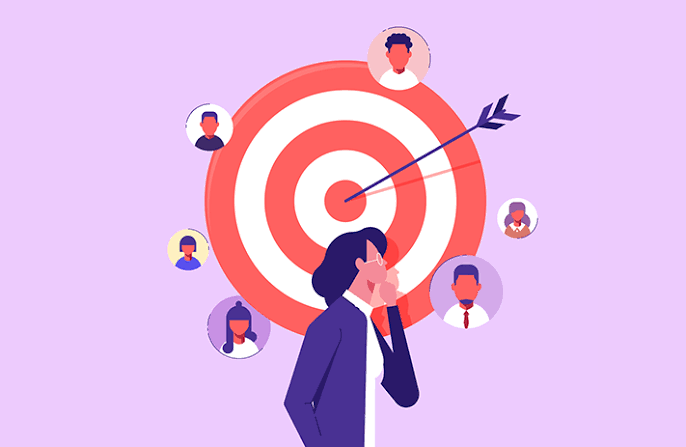
A website should be designed for its users, not just for the business owner.
Identify:
- Who visits your website
- What they are looking for
- What questions they have
- What problems they want to solve
- What prevents them from taking action
- Which devices they use
- Which pages they visit most often
AI can help create customer personas and user journey ideas.
For example, you can ask AI:
“Create three customer personas for a website selling website-building software. Include their goals, problems, questions, and reasons they may hesitate before purchasing.”
These personas can help guide your redesign.
Step 4: Create a New Website Structure
A modern design is not useful if visitors cannot find what they need.
Before redesigning individual pages, review your website structure.
A typical business website may include:
- Home
- About
- Services
- Products
- Pricing
- Case Studies
- Blog
- FAQ
- Contact
An ecommerce website may need:
- Home
- Categories
- Product pages
- Cart
- Checkout
- Account
- Shipping information
- Returns
- Support
AI can help organize these pages into a logical navigation structure.
You can ask:
“Create a simple website architecture for a digital marketing agency targeting small businesses.”
The resulting structure can become a starting point for your redesign.
Step 5: Use AI to Generate New Design Ideas
Once your structure is ready, use AI to explore design concepts.
You can describe your desired visual style.
For example:
“Create a clean, modern website design for a technology company. Use a simple navigation menu, strong typography, large product screenshots, clear calls to action, generous spacing, and a professional visual style.”
AI website builders can use prompts like this to generate an initial layout.
You can also experiment with different styles.
Try:
- Minimalist
- Professional
- Editorial
- Modern
- Bold
- Luxury
- Creative
- Corporate
- Product-focused
Do not choose a design simply because it looks impressive.
The design should support your audience and business goals.
Step 6: Improve Your Homepage With AI
The homepage is often the first major interaction visitors have with your business.
A strong homepage should answer three questions quickly:
What do you offer?
Who is it for?
What should the visitor do next?
AI can help generate different homepage structures.
A typical homepage might include:
Hero Section
The hero section should communicate your main value proposition clearly.
Avoid vague headlines.
Instead of:
“We Create Amazing Solutions”
try something more specific:
“Build SEO-Friendly Websites Faster With AI”
The second version immediately communicates what the business offers.
Benefits
Explain why visitors should care about your product or service.
Features or Services
Show what you provide and organize information into easy-to-scan sections.
Social Proof
Use testimonials, reviews, case studies, client logos, or other credible evidence.
Call to Action
Give visitors a clear next step.
Examples include:
- Start Free
- Get a Quote
- Book a Demo
- Try the Tool
- Contact Us
Step 7: Rewrite Outdated Website Content
Website redesign is not only about visual design.
Old content can make a modern website feel outdated.
AI can help rewrite existing content while keeping important information.
For example, you can provide an old service description and ask AI to:
- Make it clearer
- Remove unnecessary words
- Improve readability
- Add stronger benefits
- Create a more professional tone
- Improve the call to action
However, review every AI-generated paragraph.
AI should help improve your content, not replace your business knowledge.
Add real examples, original insights, customer questions, product information, and company experience.
Step 8: Optimize Content for SEO
SEO should be considered before the redesign is launched.
When you redesign your website using AI in 2026, make sure you protect existing organic traffic.
Important SEO elements include:
- Page titles
- Meta descriptions
- Headings
- URLs
- Internal links
- Image alt text
- Structured data
- Canonical tags
- XML sitemap
- Mobile usability
- Page speed
AI can help identify content gaps and suggest keyword ideas.
However, keyword research should be based on actual search behavior and search intent.
Do not add keywords unnaturally just because an AI tool recommends them.
Step 9: Preserve Your Existing SEO
A redesign can accidentally damage search rankings.
This happens when businesses change URLs, remove pages, change content, or break internal links without planning.
Before launching your redesigned website, create a list of important existing URLs.
Identify pages that:
- Receive organic traffic
- Have backlinks
- Rank for valuable keywords
- Generate leads
- Generate sales
- Have strong engagement
If a URL must change, implement an appropriate redirect.
Update internal links after changing URLs.
Also check that important pages remain accessible to search engines.
Step 10: Improve Mobile Design
A modern website must work well on smartphones.
When you redesign your website using AI in 2026, do not treat mobile design as an afterthought.
Check:
- Menu navigation
- Font sizes
- Buttons
- Forms
- Images
- Product cards
- Tables
- Spacing
- Pop-ups
- Checkout
Buttons should be large enough to tap comfortably.
Text should remain readable.
Images should scale correctly.
AI website builders can automatically generate responsive layouts, but you should still test the actual website on different screen sizes.
Step 11: Improve Website Speed
A beautiful website can still perform poorly if it loads slowly.
Large images, excessive scripts, animations, third-party tools, and inefficient code can affect performance.
AI can help identify possible performance improvements, especially when combined with performance testing tools.
Consider:
- Compressing images
- Using modern image formats
- Removing unnecessary scripts
- Reducing excessive animations
- Optimizing CSS
- Improving caching
- Reducing large media files
- Using reliable hosting
Do not add design elements simply because they look impressive.
Every element should have a purpose.
Step 12: Use AI to Improve Navigation
Navigation should help visitors find information quickly.
A complicated menu can make a website difficult to use.
AI can help you reorganize navigation based on your page structure and audience needs.
For example, instead of placing 15 different links in the main menu, you might organize them into categories.
A technology website could use:
- Products
- Solutions
- Resources
- Pricing
- Company
The exact structure depends on the website.
The important thing is to keep navigation predictable and easy to understand.
Step 13: Improve Calls to Action
A redesign is an opportunity to improve conversion paths.
Look at every important page and ask:
What should the visitor do next?
AI can generate different CTA variations.
For example:
Instead of:
Learn More
you could use:
See How It Works
Instead of:
Submit
you could use:
Get My Free Quote
Specific calls to action can communicate the value of the next step more clearly.
However, avoid placing too many competing buttons on the same page.
Step 14: Use AI for Images and Visual Content

Images have a major influence on website design.
AI image generation tools can help create:
- Hero graphics
- Backgrounds
- Illustrations
- Marketing graphics
- Concept images
- Social media visuals
- Blog illustrations
However, use AI-generated visuals carefully.
If you sell a physical product, your product images should accurately represent the real product.
Do not create unrealistic images that could confuse customers.
For business websites, original photography, product screenshots, diagrams, and authentic visuals can often provide more credibility than generic AI artwork.
Step 15: Add Accessibility Improvements
Accessibility should be part of a modern website redesign.
Consider:
- Clear text contrast
- Readable font sizes
- Descriptive image alt text
- Keyboard navigation
- Clear form labels
- Logical heading structure
- Accessible buttons
- Avoiding unnecessary motion
AI can help review website content and identify potential accessibility issues.
However, automated suggestions should be tested manually where appropriate.
Step 16: Test the Redesigned Website
Never launch a redesigned website without testing it.
Check the website on:
- Desktop
- Laptop
- Tablet
- Smartphone
Test:
- Navigation
- Forms
- Buttons
- Search
- Product pages
- Checkout
- Contact forms
- Images
- Videos
- Links
- Redirects
Also test important pages in multiple browsers.
A redesign is not complete simply because the homepage looks good.
Every important customer journey should work correctly.
Step 17: Compare the Old and New Website
Before launching, compare the old website with the redesigned version.
Ask:
- Is the new design easier to understand?
- Is navigation better?
- Is the website faster?
- Is content clearer?
- Are calls to action more visible?
- Does the mobile experience improve?
- Are important SEO pages preserved?
- Are conversion paths simpler?
If the new design looks more modern but makes the website harder to use, it is not a successful redesign.
Step 18: Launch Carefully
Once testing is complete, launch the redesigned website.
Do not immediately assume everything is perfect.
Monitor the website closely after launch.
Pay attention to:
- Organic traffic
- Rankings
- Conversions
- Sales
- Leads
- Page views
- Engagement
- Technical errors
- Broken links
If you see unexpected problems, investigate them quickly.
Common Mistakes When Redesigning a Website With AI
AI can make redesign faster, but it can also create problems when used without supervision.
Changing Everything at Once
A complete visual change may feel exciting, but unnecessary changes can confuse existing customers.
Improve the website based on actual problems.
Ignoring Existing SEO
Removing valuable pages or changing URLs without proper redirects can hurt organic traffic.
Using Generic AI Content
AI-generated content should be customized to your business.
Add unique information and real experience.
Prioritizing Design Over Usability
A website can look beautiful and still be difficult to use.
Always prioritize clarity.
Adding Too Many AI Features
Chatbots, animations, automated recommendations, and other features should solve real problems.
Do not add them simply because they are available.
Forgetting Website Analytics
Without analytics, it is difficult to determine whether the redesign actually improved the website.
AI Website Builder or AI Coding Tool for a Redesign?
When deciding how to redesign your website using AI in 2026, you also need to choose the right type of AI tool.
An AI website builder may be better if you want:
- Fast redesigns
- Visual editing
- Minimal coding
- Templates
- Built-in hosting
- Simple business websites
- Landing pages
AI coding tools may be better if you need:
- Custom functionality
- Advanced integrations
- Custom layouts
- Web applications
- Complete code control
- Complex databases
Your choice should depend on the complexity of your website.
Must Read:
- AI Website Builder vs AI Coding Tools: Key Differences
- How to Create a Website With AI From Scratch?
- Best AI Website Builders for Ecommerce Stores in 2026
Final Thoughts:
Learning how to redesign your website using AI in 2026 can save time and make the redesign process easier, but successful results require more than generating a new design.
Start by auditing your existing website and identifying what needs to improve. Define your goals, understand your audience, create a logical website structure, and then use AI to generate design concepts and content.
Pay close attention to SEO during the redesign. Preserve valuable URLs, maintain useful content, improve internal linking, and make sure search engines can access your important pages.
Your redesigned website should also be fast, mobile-friendly, accessible, easy to navigate, and focused on the needs of visitors.
AI is most useful when it works alongside human judgment. Let AI handle repetitive tasks, generate ideas, create drafts, and assist with technical work, but review the final result yourself.
The best website redesign is not necessarily the one with the most impressive visual effects. It is the one that makes the website easier to use, easier to find, easier to understand, and more effective at achieving your business goals.
With the right strategy, redesigning your website using AI in 2026 can turn an outdated website into a faster, cleaner, more useful digital experience without requiring every part of the process to start from scratch.