Learning how to create a website with AI from scratch is now much easier than it was a few years ago. You no longer need advanced coding skills, a large development team, or weeks of design work to launch a professional website. AI website builders can help generate layouts, write content, create images, suggest designs, and even produce code based on simple instructions.
Whether you want to create a business website, blog, portfolio, landing page, online store, or personal website, AI can reduce the amount of manual work involved. You can describe what you want in normal language, and an AI-powered website builder can turn your idea into a working website.
However, knowing how to create a website with AI from scratch involves more than entering one prompt and publishing the first result. You still need to plan your website, choose the right platform, organize your pages, review AI-generated content, optimize the site for search engines, test the design, and make sure visitors have a good experience.
This guide explains the complete process step by step.
What Does It Mean to Create a Website With AI?
To create a website with AI from scratch means using artificial intelligence to assist with some or most of the website creation process.
Traditional website development often requires several separate tasks. You may need a designer to create the layout, a developer to write code, a copywriter to create content, and an SEO specialist to optimize pages.
AI can assist with many of these tasks from one workflow.
For example, you can tell an AI website builder:
“Create a modern website for a digital marketing agency that offers SEO, paid advertising, social media management, and content marketing.”
The AI may generate a homepage structure with sections such as:
- Hero section
- About the company
- Services
- Benefits
- Testimonials
- Portfolio
- Pricing
- FAQ
- Contact section
You can then modify the generated website to match your brand.
AI does not mean you have to give up control. Think of AI as a website creation assistant that helps you move faster.
Why Create a Website With AI?
There are several reasons businesses and individuals are using AI website builders.
Faster Website Development
One of the biggest benefits is speed.
Creating a website manually can take days or weeks. An AI website builder can create an initial version much faster.
This is particularly useful when you want to test a new business idea, create a campaign landing page, or launch a simple website quickly.
No Advanced Coding Skills Required
Traditional website development often requires knowledge of HTML, CSS, JavaScript, PHP, or other programming languages.
Many AI website builders allow you to create websites using natural language prompts and visual editors.
You can explain what you want instead of writing every line of code yourself.
AI Can Generate Website Content
AI can help create:
- Headlines
- Product descriptions
- Service descriptions
- Blog content
- FAQs
- Calls to action
- Meta descriptions
- About pages
- Landing page copy
You should still review and edit AI-generated content before publishing it.
AI Can Help With Design
AI website builders can recommend layouts, colors, fonts, images, and page structures based on your business type.
This can be helpful if you know what your business does but do not have professional design experience.
Step 1: Define the Purpose of Your Website
Before you start using AI, decide why you need a website.
This is the first step in learning how to create a website with AI from scratch because your goal will determine the design, pages, content, and functionality you need.
Common website goals include:
- Selling products
- Generating leads
- Promoting a business
- Publishing blog articles
- Building a portfolio
- Promoting services
- Creating an online community
- Publishing educational content
- Building a personal brand
- Creating a landing page
For example, a local restaurant may need a website with a menu, location, opening hours, booking information, and contact details.
An ecommerce business needs product pages, categories, a shopping cart, checkout, payment processing, and shipping information.
A freelancer may need a portfolio, services page, testimonials, and contact form.
The clearer your goal is, the better your AI-generated website can become.
Step 2: Choose the Right AI Website Builder
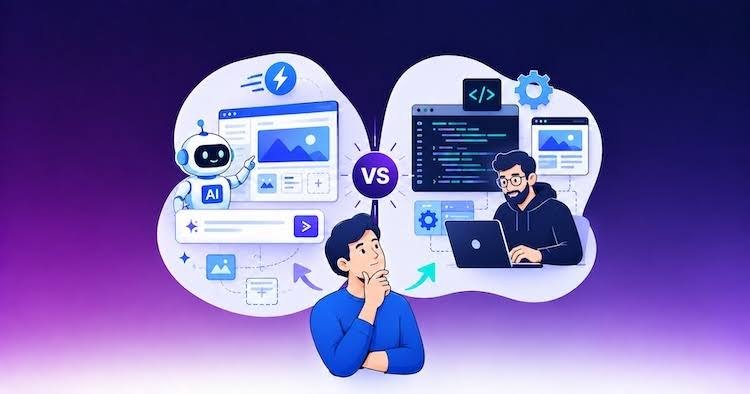
The next step is choosing an AI website builder.
There are many platforms available, and each one has different features.
Some focus on simple business websites. Others are designed for ecommerce, WordPress, landing pages, or advanced web applications.
When comparing platforms, consider:
- AI website generation
- Ease of use
- Templates
- Drag-and-drop editing
- Hosting
- Domain support
- SEO tools
- Mobile optimization
- Ecommerce functionality
- Analytics
- Integrations
- Pricing
- Customer support
- Scalability
If you are a beginner, choose a platform that makes editing simple.
If you are building an ecommerce website, prioritize product management, payments, inventory, checkout, and shipping features.
If SEO is your main goal, make sure the platform provides sufficient control over titles, descriptions, URLs, headings, images, and other SEO elements.
Step 3: Choose a Domain Name
Your domain is the web address people use to access your website.
For example:
yourbusiness.com
Try to choose a domain that is:
- Short
- Easy to remember
- Easy to spell
- Relevant to your business
- Brandable
Avoid unnecessarily complicated domain names.
If your preferred domain is unavailable, consider a variation that still represents your brand clearly.
A strong domain name can make your website easier for customers to remember.
Step 4: Write an Effective AI Prompt
One of the most important steps when learning how to create a website with AI from scratch is writing a useful prompt.
A vague prompt may produce a generic website.
Instead of saying:
“Create a website for my business.”
Provide more information.
For example:
“Create a modern website for a digital marketing agency that helps small businesses with SEO, Google Ads, social media marketing, and content marketing. Use a professional design with clear calls to action. The target audience is small and medium-sized businesses. Include Home, About, Services, Case Studies, Blog, FAQ, and Contact pages.”
The more useful information you provide, the easier it is for the AI to understand your requirements.
What Should You Include in an AI Website Prompt?
Include information such as:
- Business name
- Industry
- Target audience
- Main services
- Products
- Website purpose
- Design style
- Preferred colors
- Required pages
- Calls to action
- Content style
- Features
- Location
- Brand personality
You can also tell the AI what you do not want.
For example:
“Avoid excessive animations and keep the design clean, professional, fast-loading, and mobile-friendly.”
Step 5: Generate the Initial Website
Once your prompt is ready, enter it into your AI website builder.
The platform may generate the basic structure automatically.
Depending on the tool, it may create:
- Homepage
- Navigation menu
- Hero section
- Text sections
- Images
- Buttons
- Footer
- Contact form
- Additional pages
Do not worry if the first version is not perfect.
The initial website should be treated as a starting point.
The advantage of AI is that you can continue giving instructions and refine the result.
For example, you could ask:
“Make the homepage more professional and reduce the amount of text.”
Or:
“Add a three-column services section with SEO, Google Ads, and social media marketing.”
Step 6: Customize the Website Design
After generating the initial website, customize it to match your brand.
Pay attention to:
Colors
Use a consistent color palette throughout the website.
Your primary color can be used for buttons and important elements, while secondary colors can support the overall design.
Typography
Choose fonts that are easy to read.
Avoid using too many different fonts.
Usually, two complementary font styles are enough for a professional website.
Images
Use high-quality images that are relevant to your business.
AI can help create images, but make sure visuals accurately represent your products or services.
Layout
Keep important information easy to find.
Your navigation should be simple and logical.
Visitors should not have to search through multiple pages to find basic information.
Step 7: Create Important Website Pages
A professional website needs more than a homepage.
The pages you need will depend on your business.
Homepage
The homepage should quickly explain:
- Who you are
- What you offer
- Who you help
- Why customers should choose you
- What visitors should do next
Your primary call to action should be easy to find.
About Page
Explain your company, experience, mission, or story.
Avoid filling the page with generic statements.
Focus on information that helps visitors understand your business.
Services Page
Clearly describe your services.
Use separate sections for different services and explain the benefits of each one.
Contact Page
Include the information visitors need to contact you.
Depending on your business, this could include:
- Contact form
- Phone number
- Address
- Business hours
- Social media links
Blog
A blog can help attract organic traffic and answer customer questions.
Create useful articles around topics your target audience searches for.
Step 8: Use AI to Create Website Content
AI can make content creation significantly faster.
You can ask AI to generate a first draft for different sections of your website.
For example:
“Write a 100-word homepage introduction for a web design company that creates websites for small businesses.”
You can then edit the result.
Do not publish every AI-generated paragraph without reviewing it.
Your content should sound like your brand and provide information that is genuinely useful to visitors.
Step 9: Optimize Your Website for SEO
SEO is one of the most important parts of learning how to create a website with AI from scratch.
Creating a website does not guarantee that it will appear in search results.
You need to optimize your website for relevant search queries.
Keyword Research
Start by identifying keywords your audience searches for.
For example, a web design agency might target:
- Website design services
- Small business website design
- AI website design
- Affordable website development
- Professional website design
Use keywords naturally in your content.
Do not repeatedly insert the same keyword into every sentence.
Optimize Page Titles
Each important page should have a clear title that explains what the page is about.
Write Meta Descriptions
A meta description summarizes the page for search users.
It should be clear, relevant, and encourage users to click.
Optimize Headings
Use headings to organize your content.
Your main topic should be clear, followed by supporting sections.
Optimize Images
Compress images where possible and use descriptive alt text.
Large images can slow down your website, which can affect user experience.
Step 10: Make Your Website Mobile-Friendly
A website must work well on mobile devices.
Test your website on different screen sizes.
Check:
- Navigation
- Text size
- Images
- Buttons
- Forms
- Product pages
- Tables
- Spacing
Buttons should be easy to tap.
Text should be readable without zooming.
Images should not extend beyond the screen.
Most modern AI website builders generate responsive designs automatically, but you should still test the final website manually.
Step 11: Improve Website Speed
Website speed affects both user experience and SEO.
A slow website can cause visitors to leave before the page finishes loading.
To improve performance:
- Compress images
- Remove unnecessary scripts
- Avoid excessive animations
- Use reliable hosting
- Reduce large media files
- Keep the design efficient
- Test important pages regularly
AI can help generate a website quickly, but you are still responsible for checking its performance.
Step 12: Add Analytics and Tracking
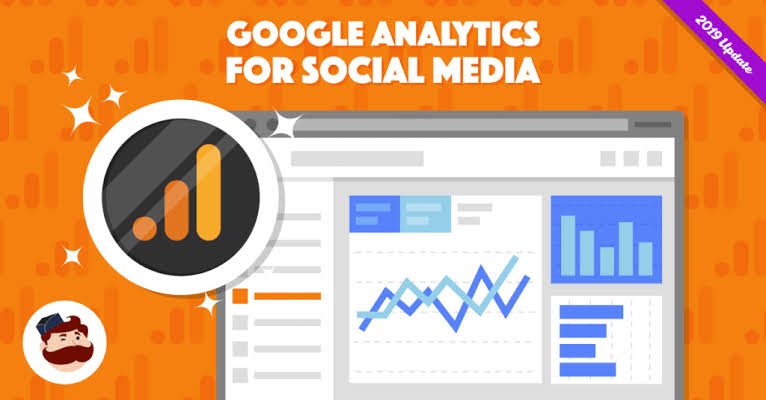
Analytics can help you understand how people use your website.
Depending on your business, you may want to track:
- Visitors
- Traffic sources
- Popular pages
- Conversion rates
- Form submissions
- Ecommerce purchases
- Button clicks
- Search traffic
This information helps you understand what is working and where improvements are needed.
Step 13: Test Everything Before Launch
Before publishing your AI-generated website, test every important feature.
Open the website on both desktop and mobile devices.
Check:
- Navigation links
- Contact forms
- Buttons
- Images
- Product pages
- Checkout
- Payment options
- Search
- Social media links
- Page titles
- Meta descriptions
- Privacy policy
- Terms page
Click every important button.
Submit your forms.
Check your website from the perspective of a first-time visitor.
Step 14: Publish Your Website
Once your website has been tested, connect your domain and publish it.
But launching the website is not the end of the process.
A website should continue to improve after launch.
Monitor traffic, user behavior, rankings, conversions, and customer feedback.
Use this information to make improvements.
How to Use AI After Your Website Goes Live
AI can continue helping you after your website launches.
You can use AI to:
- Generate blog ideas
- Update old content
- Write product descriptions
- Create social media posts
- Improve headlines
- Create email campaigns
- Analyze customer questions
- Generate FAQs
- Suggest SEO topics
- Create landing page variations
This makes AI useful throughout the entire website lifecycle.
Can AI Create a Website Without Coding?
Yes, many AI website builders allow users to create a website with AI from scratch without writing code.
You can describe the website you want, generate a starting design, edit the content, customize the layout, and publish the website using visual tools.
However, coding knowledge can still be useful for advanced customization.
If you want a highly customized web application, complex database functionality, custom integrations, or unique interactions, you may eventually need professional development skills.
For standard business websites, blogs, portfolios, landing pages, and many ecommerce projects, AI website builders can significantly reduce the need for coding.
Common Mistakes to Avoid
When learning how to create a website with AI from scratch, avoid relying completely on automation.
Using One Generic Prompt
A short prompt usually produces a generic result.
Provide detailed information about your business and customers.
Publishing AI Content Without Editing
Always review AI-generated text.
Add your own experience, examples, facts, and brand personality.
Ignoring User Experience
A visually attractive website is not necessarily a useful website.
Make sure visitors can easily find information and complete important actions.
Forgetting SEO
AI can create content, but SEO still requires planning.
Research keywords and create content around real search intent.
Adding Too Many Features
More features do not always create a better website.
Keep the website focused on your primary goal.
Not Testing Mobile Devices
Always test the mobile version before launch.
A website that looks excellent on a desktop can still have problems on a smartphone.
Must Read:
- Best AI Website Builders for Ecommerce Stores in 2026
- How AI Is Changing Website Design and Development?
- Best AI Website Builders for Agencies and Freelancers
Final Thoughts:
Understanding how to create a website with AI from scratch can help beginners, entrepreneurs, marketers, creators, and small businesses launch websites faster and with less technical effort.
AI can help with planning, design, content creation, images, SEO ideas, and even code generation. Instead of spending all your time building basic website elements manually, you can use AI to create a starting point and then focus your time on strategy, branding, customers, and business growth.
The most effective approach is not to let AI do everything without supervision. Give AI detailed instructions, review the generated website, improve the design, verify the content, optimize every important page, and test the complete user experience before publishing.
Start with a clear goal, choose an AI website builder that matches your requirements, create a strong prompt, build your core pages, optimize your content for search engines, make the site mobile-friendly, and test every important feature.
With the right approach, AI can turn a website idea into a professional online presence much faster than traditional website development methods.