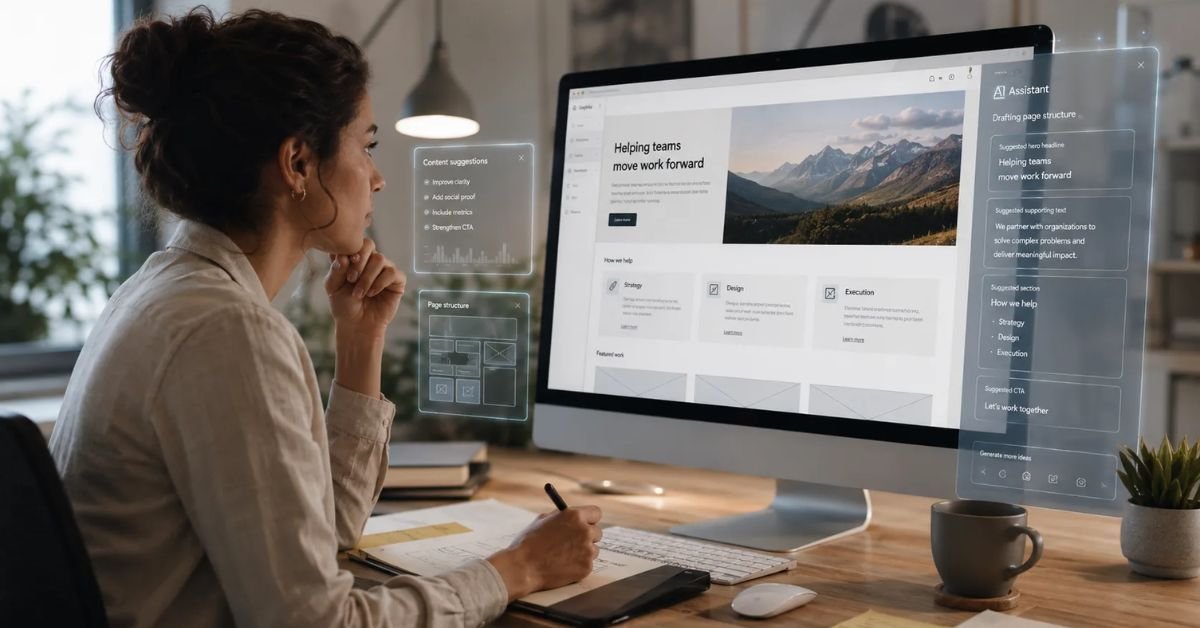
Building a website used to require a combination of design skills, coding knowledge, hosting setup, and technical experience. In 2026, beginners have a much easier option. AI website builders can help create a website from a simple description, generate layouts, suggest content, create images, and simplify many technical tasks.
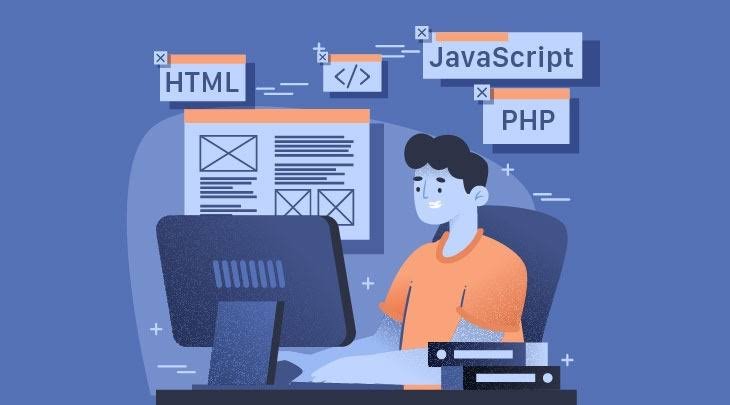
The best AI website builders for beginners in 2026 are designed to reduce the learning curve and help users move from an idea to a working website quickly. You do not necessarily need to understand HTML, CSS, JavaScript, or server management to get started.
AI website builders are useful for small businesses, bloggers, freelancers, entrepreneurs, affiliate marketers, creators, consultants, and anyone who wants to establish an online presence.
However, choosing the right platform is important. A tool that is excellent for a simple portfolio may not be the best option for an SEO-focused blog or an online store. Beginners should consider ease of use, AI capabilities, templates, SEO, hosting, mobile responsiveness, customization, pricing, and long-term flexibility.

What Is an AI Website Builder?
An AI website builder is a website creation platform that uses artificial intelligence to automate parts of the design and development process.
Instead of manually creating every section, you can describe the website you want.
For example, you could enter:
“Create a professional website for a digital marketing agency with Home, About, Services, Case Studies, Blog, and Contact pages. Use a clean modern design with blue and white colors.”
The AI may generate a starting website based on those instructions.
Depending on the platform, it can create:
- Website layouts
- Navigation menus
- Page sections
- Headlines
- Website copy
- Images
- Buttons
- Contact forms
- Blog structures
- Calls to action
- Responsive layouts
The website can then be edited using visual controls or additional AI prompts.
Why Beginners Are Choosing AI Website Builders
The biggest advantage of AI website builders is simplicity.
Traditional website development can involve several steps. You may need to purchase hosting, install a content management system, choose a theme, configure plugins, create pages, adjust layouts, and manage technical settings.
AI can simplify many of these tasks.
A beginner can describe their business and receive a website concept within a short period of time.
AI can also help when you are unsure what content or sections your website needs.
For example, if you are creating a website for a local cleaning company, an AI website builder may suggest:
- Services
- Pricing
- Service areas
- Customer reviews
- About section
- FAQs
- Contact form
- Booking CTA
This can make the process less intimidating.
What Should Beginners Look for in an AI Website Builder?
Before choosing from the best AI website builders for beginners in 2026, consider your actual requirements.
Ease of Use
The platform should be easy to understand.
Look for:
- Simple dashboard
- Drag-and-drop editing
- AI prompts
- Clear settings
- Easy publishing
- Helpful documentation
Beginners should not have to understand complicated code just to change a headline or image.
AI Website Generation
Check how effectively the platform can turn a description into a website.
A useful AI builder should understand information about:
- Business type
- Target audience
- Website goals
- Required pages
- Design preferences
- Content requirements
The more control you have over the generated result, the more useful the AI becomes.
Templates and Design Options
AI generation is useful, but templates still matter.
Look for professional templates that can be customized to match your brand.
A good platform should allow you to change:
- Colors
- Fonts
- Images
- Layouts
- Buttons
- Sections
- Navigation
SEO Features
Even beginners should think about SEO from the start.
Look for the ability to edit:
- Page titles
- Meta descriptions
- URLs
- Headings
- Image alt text
- Internal links
Some AI platforms also provide AI-powered SEO recommendations.
Mobile Responsiveness
Your website needs to work properly on smartphones.
Make sure the platform automatically adapts layouts for different screen sizes and allows you to preview mobile pages before publishing.
Wix AI Website Builder

Wix is one of the well-known website building platforms that has incorporated AI into its website creation experience.
Its AI tools can help users create website structures based on their requirements and then customize the result.
For beginners, Wix can be useful because it combines website creation, design tools, hosting, domain management, and business features within one platform.
It can work well for:
- Small businesses
- Freelancers
- Consultants
- Personal websites
- Service businesses
- Bloggers
- Portfolios
Beginners can start with an AI-generated website and then customize colors, text, images, and sections.
One advantage is that you do not have to manage a separate hosting environment.
Hostinger AI Website Builder
Hostinger offers an AI-powered website creation experience designed for users who want a simple way to build websites.
The platform combines website building with hosting, which can make the setup process easier for beginners.
AI can assist with generating a website structure based on a user’s description.
It can be useful for:
- Small business websites
- Personal websites
- Blogs
- Landing pages
- Portfolios
- Service websites
Hostinger can be appealing to beginners who want hosting and website creation in one place.
Before selecting a plan, compare current pricing, included features, storage, AI capabilities, domain options, and renewal costs.
Squarespace
Squarespace is known for its polished templates and design-focused website experience.
It can be a strong choice for beginners who care about visual presentation but do not want to build a website from scratch.
It is particularly suitable for:
- Creative professionals
- Photographers
- Designers
- Bloggers
- Personal brands
- Small businesses
The platform provides structured design controls, making it easier for beginners to maintain a professional-looking website.
Its main appeal is the combination of attractive design and relatively straightforward website management.
10Web
10Web uses AI to simplify WordPress website creation.
This makes it interesting for beginners who want AI assistance but also want access to the broader WordPress ecosystem.
AI can help generate a website and provide a starting design that can be customized.
The WordPress foundation can be useful if you plan to use:
- Plugins
- SEO tools
- Blogging
- Affiliate marketing
- E-commerce
- Custom themes
- Advanced content management
However, WordPress can still have a steeper learning curve than a completely managed website builder.
Framer
Framer is another platform that can be useful for users who want modern, visually focused websites.
Its AI-assisted capabilities can help users move from an idea to a website concept quickly.
Framer can be especially interesting for:
- Designers
- Startups
- Personal brands
- Creative professionals
- Portfolios
- Landing pages
Beginners who prioritize visual design may find it attractive.
However, compare its content management and blogging capabilities carefully if you plan to operate a large content website.
Durable
Durable is designed around AI-powered website creation and focuses heavily on simplicity.
The platform can generate a website based on a short business description.
This can be useful for someone who wants a simple online presence without spending a lot of time learning website development.
Durable may work well for:
- Local businesses
- Freelancers
- Consultants
- Service providers
- Small companies
For a basic website, its AI-first approach can significantly reduce the initial setup process.
WordPress With AI Tools

WordPress is not traditionally considered an AI website builder in the same way as some newer platforms, but AI tools can make WordPress website creation much easier.
WordPress remains attractive because of its flexibility.
You can use AI tools to help with:
- Website design
- Content
- SEO
- Images
- Code
- Layouts
- Product descriptions
- Blog posts
The WordPress ecosystem also provides extensive options for plugins and themes.
For beginners, however, WordPress may require more maintenance than an all-in-one platform.
If you expect your website to grow significantly, the additional flexibility may be worth learning.
AI Website Builders for Small Business Beginners
Small businesses usually do not need complicated websites.
A local service provider may only need:
- Homepage
- About
- Services
- Testimonials
- Contact
- Location
- FAQs
An AI website builder can create this structure quickly.
For example, a local plumbing company could provide a prompt explaining its services and service area. AI can then create a basic website structure around those requirements.
The business owner can replace the generated information with accurate company details and publish the website.
This approach can be much simpler than hiring a developer for a basic website.
AI Website Builders for Beginners Who Want a Blog
Blogging requires more than a beautiful homepage.
A beginner blogger should look for:
- Easy publishing
- Categories
- Tags
- Search
- SEO settings
- Internal linking
- Related posts
- Image management
- Analytics
If you plan to publish frequently, your CMS should make content management simple.
AI can help generate article outlines, headlines, meta descriptions, images, and content ideas.
However, beginners should avoid relying entirely on automatically generated articles.
Good blogging still requires original information, useful examples, accurate facts, and a clear understanding of the audience.
AI Website Builders for Beginners Who Want E-Commerce
Beginners who want to sell products need a platform that supports more than basic pages.
Look for:
- Product management
- Shopping cart
- Checkout
- Payment options
- Inventory
- Shipping
- Order management
- Customer accounts
- Product categories
AI can help create product descriptions and page layouts, but the store still requires accurate product information and proper configuration.
If you expect your store to grow, consider the platform’s scalability before choosing it.
AI Website Builders for Affiliate Marketing
Affiliate marketers need a slightly different type of website.
An affiliate website may contain hundreds of articles, product comparisons, buying guides, and reviews.
The platform should therefore provide strong content organization and SEO control.
Look for:
- Categories
- Search
- Internal linking
- Fast loading
- Custom URLs
- SEO controls
- Easy image management
- Analytics
- Affiliate link support
AI can help create comparison tables, content outlines, FAQs, and product page structures.
But affiliate websites should provide genuine value rather than simply producing large amounts of automated content.
How to Create a Website With AI as a Beginner
Creating a website with AI can be surprisingly simple.
Step 1: Define Your Goal
Decide what your website needs to accomplish.
Do you want to:
- Sell products?
- Generate leads?
- Publish content?
- Promote services?
- Build a portfolio?
- Create a personal brand?
Step 2: Choose Your Platform
Compare the features you need with the capabilities of different AI website builders.
Step 3: Write a Detailed Prompt
Explain your business, audience, pages, design preferences, and goals.
Step 4: Generate the Website
Allow the AI tool to create the initial structure.
Step 5: Customize Your Branding
Add your:
- Logo
- Colors
- Fonts
- Images
- Business information
Step 6: Edit the Content
Replace generic AI-generated information with accurate and original content.
Step 7: Optimize SEO
Review titles, descriptions, headings, URLs, internal links, and image alt text.
Step 8: Test Mobile Design
Check the website on smartphones and tablets.
Step 9: Add Analytics
Connect appropriate analytics tools so you can understand visitor behavior.
Step 10: Publish and Improve
A website is not finished when it goes live.
Continue reviewing traffic, conversions, user behavior, and content performance.
How to Write Better AI Prompts for Website Creation

Your prompt has a major effect on the result.
Instead of writing:
“Make me a business website.”
Provide more information.
For example:
“Create a modern website for a digital marketing agency targeting small businesses. Include Home, About, Services, Case Studies, Blog, and Contact pages. Use a professional white and blue color scheme. Add a strong hero section with a consultation CTA, service cards, testimonials, FAQs, and a contact form. Make the website mobile-responsive, SEO-friendly, fast-loading, and easy to navigate.”
This gives the AI much more context.
You can also ask the AI to modify the result.
For example:
- “Make the homepage more professional.”
- “Simplify the navigation.”
- “Create a stronger CTA.”
- “Make the design more suitable for mobile.”
- “Add a testimonials section.”
- “Make the typography easier to read.”
Benefits of AI Website Builders for Beginners
The best AI website builders for beginners in 2026 offer several advantages.
Faster Setup
AI can create an initial website much faster than traditional development.
Easy to Use
You can create websites without extensive coding knowledge.
Lower Development Barrier
You may not need to hire a developer for a simple website.
AI Content Assistance
AI can help generate initial text and content ideas.
Design Assistance
AI can suggest layouts, colors, typography, and images.
Easy Experimentation
Beginners can create multiple design concepts quickly.
All-in-One Management
Some platforms combine hosting, domains, design, and website management.
Limitations Beginners Should Know
AI website builders are not perfect.
Some platforms may limit customization.
Others may have restrictions around:
- Exporting websites
- Advanced functionality
- Custom code
- Plugins
- Database access
- Third-party integrations
Another issue is platform dependency.
If your website grows substantially, you may eventually want greater technical control.
Therefore, beginners should consider not only how easy the platform is today but also whether it will meet their needs in the future.
AI Website Builder vs Hiring a Web Developer
For a simple website, an AI website builder can often be the practical choice.
You may not need a developer if you are creating:
- Portfolio
- Small business website
- Personal website
- Simple blog
- Landing page
A developer becomes more valuable when you need:
- Custom applications
- Advanced databases
- Complex APIs
- Membership systems
- Advanced e-commerce
- Custom dashboards
- Specialized functionality
The decision should depend on complexity rather than simply choosing the newest technology.
Common Mistakes Beginners Should Avoid
Beginners often focus too much on the visual appearance of a website.
A good website needs more than attractive colors.
Avoid:
- Overloading pages with animations
- Using too many fonts
- Publishing inaccurate AI content
- Ignoring mobile users
- Forgetting SEO
- Using large unoptimized images
- Making navigation complicated
- Adding too many pop-ups
- Ignoring website security
- Choosing a platform without considering future growth
Keep your website simple, useful, and focused on the visitor.
How AI Will Shape Beginner Website Creation
AI website builders are likely to become even easier to use.
Natural language editing may become more common.
Instead of manually adjusting individual sections, users can simply describe what they want to change.
For example:
“Move the pricing section above the testimonials.”
“Make the homepage more suitable for mobile visitors.”
“Create a new landing page for our SEO service.”
AI can interpret these instructions and make the changes.
This can make website management much easier for people without technical experience.
Must Read:
- Can AI Design a Website From a Simple Prompt?
- How AI Is Changing Website Design in 2026?
- Best AI Website Builders for Bloggers in 2026
Final Thoughts:
The best AI website builders for beginners in 2026 are making website creation easier, faster, and more accessible. Beginners can now use natural language prompts to create website layouts, generate content, customize designs, and launch websites without becoming professional developers.
Platforms such as Wix, Hostinger, Squarespace, 10Web, Framer, Durable, and WordPress with AI tools can all serve different types of users. The right choice depends on your goals, technical comfort, content strategy, budget, and expected website growth.
If you need a simple website quickly, an AI website builder can be an excellent starting point. If you plan to build a large blog, affiliate website, e-commerce business, or custom application, spend more time comparing CMS features, SEO controls, scalability, integrations, and customization.
Most importantly, do not judge an AI website builder only by how quickly it creates your first page. A successful website needs good content, clear navigation, fast performance, mobile responsiveness, SEO, strong branding, and regular improvements.
AI can handle much of the technical starting work, but your ideas, expertise, and understanding of your audience will determine whether the final website is genuinely useful.