Creating a website used to require technical knowledge, design skills, and plenty of time. You often needed to choose hosting, install a content management system, select a theme, customize pages, write content, optimize images, and sometimes work with a developer.
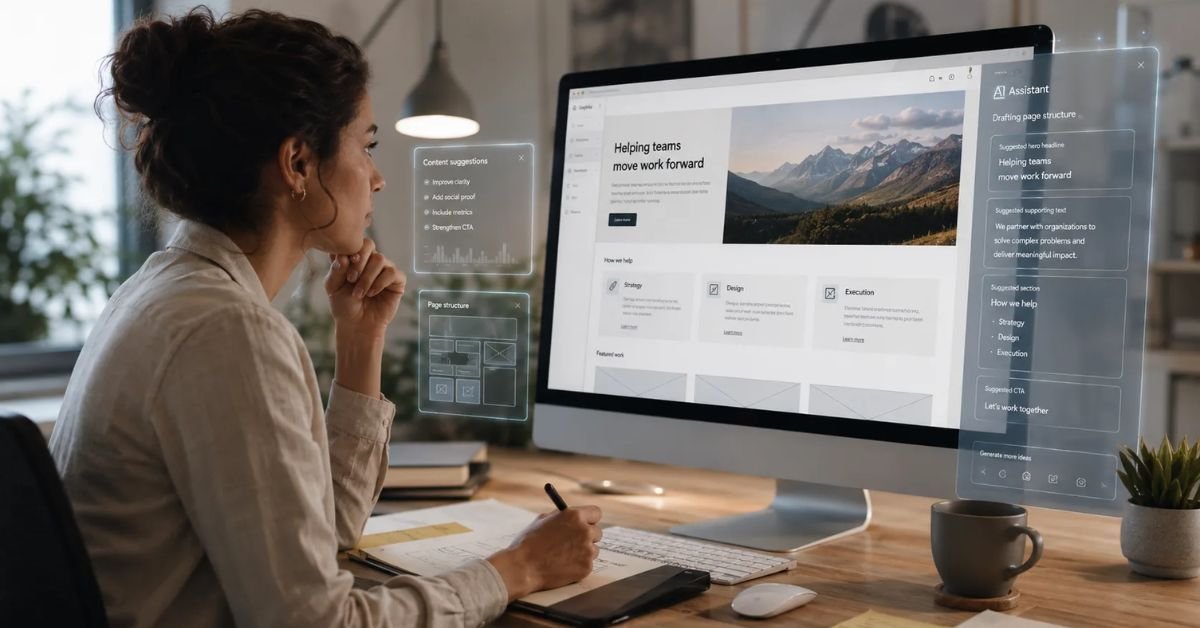
Today, artificial intelligence has changed that process. With an AI website builder, you can describe your business or website idea in simple language and receive a ready-made website structure in a short time.
Learning how to create a website with AI in minutes can be useful for small businesses, bloggers, freelancers, entrepreneurs, affiliate marketers, agencies, creators, and anyone who wants to establish an online presence quickly.
AI can help with website layouts, content, images, navigation, responsive design, SEO elements, and other tasks. However, creating a website quickly does not mean skipping quality checks. A professional website still needs accurate information, good branding, useful content, strong SEO, mobile optimization, and testing.
This guide explains how to create a website with AI in minutes, from choosing the right platform to publishing and improving your new website.

What Is an AI Website Builder?
An AI website builder is a website creation platform that uses artificial intelligence to automate parts of the website design and development process.
Instead of starting with a blank page, you can describe what you want the website to look like and what it needs to do.
For example, you could enter:
“Create a modern website for a digital marketing agency that offers SEO, social media marketing, paid advertising, and content marketing. Include Home, About, Services, Case Studies, Blog, and Contact pages.”
The AI can interpret the instructions and generate a website structure.
Depending on the platform, it may also create:
- Website copy
- Page layouts
- Images
- Navigation menus
- Buttons
- Contact forms
- Service sections
- Testimonials
- FAQs
- Blog sections
- Calls to action
The generated website can then be edited before you publish it.
Can You Really Create a Website With AI in Minutes?
Yes, you can create the initial version of many types of websites in minutes using AI.
The important word is initial.
AI can quickly generate a website foundation, but you should not assume that the first version is ready for customers.
After generation, you should review:
- Business information
- Content
- Images
- Links
- Navigation
- SEO
- Mobile layout
- Forms
- Contact information
- Branding
- Performance
For a simple website, the entire process can be much faster than traditional development.
For a complex website, AI can still speed up planning and development, but additional customization may be required.
Step 1: Decide What Type of Website You Need
Before learning how to create a website with AI in minutes, decide what you want to build.
Your website could be:
- Business website
- Blog
- Portfolio
- Landing page
- Online store
- Affiliate website
- Personal website
- Agency website
- Service website
- Membership website
- Restaurant website
- Startup website
The type of website determines the features you need.
For example, a portfolio may need image galleries and project pages, while an online store needs product management, payments, checkout, shipping, and inventory.
Step 2: Define Your Website Goal
Your website should have a clear purpose.
Ask yourself what you want visitors to do.
Do you want visitors to:
- Contact you?
- Buy a product?
- Book a service?
- Read your articles?
- Subscribe to an email list?
- Request a quote?
- Download a resource?
- Register for an account?
Your goal should influence the website structure.
For example, if the goal is lead generation, your website should have clear calls to action and simple contact forms.
If the goal is blogging, content organization and SEO should be major priorities.
Step 3: Choose an AI Website Builder
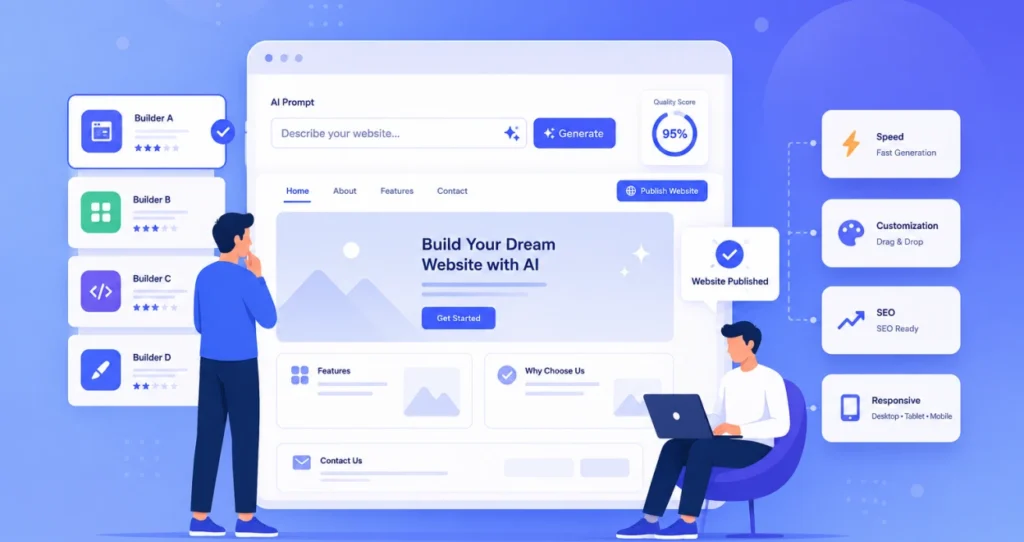
There are many AI website builders available, and each platform has different strengths.
When choosing a tool, consider:
- AI website generation
- Ease of use
- Hosting
- Templates
- SEO features
- Mobile responsiveness
- Customization
- Blogging
- E-commerce
- Analytics
- Domain support
- Pricing
- Migration options
Some platforms are designed primarily for beginners, while others offer more advanced design and development capabilities.
Do not choose a platform simply because it generates a website quickly.
Consider whether it can support your website after it grows.
Step 4: Write a Detailed AI Website Prompt
One of the most important steps in learning how to create a website with AI in minutes is writing a useful prompt.
A vague prompt might produce a generic website.
Instead of saying:
“Create a website for my business.”
Give the AI more information.
For example:
“Create a professional website for a digital marketing agency that helps small and medium-sized businesses improve their online visibility. Include Home, About, Services, Case Studies, Blog, and Contact pages. Use a modern, clean design with white and dark blue colors. Add a strong hero section with a ‘Get a Free Consultation’ CTA, service cards, testimonials, case studies, FAQs, and a contact form. Make the website mobile-responsive, easy to navigate, fast-loading, and SEO-friendly.”
This gives the AI information about your business, audience, pages, design, and goals.
Step 5: Let AI Generate the Website
Once you submit your prompt, the AI website builder will generate the initial website.
The process varies between platforms, but AI may automatically create:
- Homepage
- Navigation
- Content sections
- Images
- Buttons
- Footer
- Service pages
- Contact page
Some platforms allow you to generate several variations.
If you do not like the first result, try another prompt.
For example:
“Create a more minimal homepage with fewer sections and stronger visual hierarchy.”
You can continue refining the result until the design is closer to your requirements.
Step 6: Customize Your Website Branding
The AI-generated website is only a starting point.
Add your own branding.
Customize:
- Logo
- Brand colors
- Fonts
- Images
- Icons
- Button styles
- Backgrounds
- Navigation
Your website should look consistent across all pages.
If your business already has a brand identity, use the same colors and typography throughout the website.
A consistent design makes your website look more professional and helps visitors recognize your brand.
Step 7: Edit the AI-Generated Content
AI can create website copy quickly, but you should review everything before publishing.
Check:
- Company name
- Contact details
- Product information
- Prices
- Service descriptions
- Claims
- Statistics
- Testimonials
- Business locations
Replace generic text with information that accurately represents your business.
You can also add original content that AI cannot know about your business, such as:
- Customer stories
- Case studies
- Personal experience
- Company history
- Unique processes
- Product specifications
- Expert opinions
This makes your website more useful and authentic.
Step 8: Create a Strong Homepage
Your homepage should quickly explain what your website is about.
A typical homepage can include:
Hero Section
Clearly explain what you offer.
Benefits
Show visitors why they should choose your business.
Services or Products
Explain what you provide.
Social Proof
Add reviews, testimonials, certifications, or case studies where appropriate.
About Section
Give visitors more information about your company.
FAQ
Answer common questions.
Call to Action
Tell visitors what to do next.
AI can help generate each section, but you should adjust the content to match your customers.
Step 9: Create Important Website Pages
Do not focus only on the homepage.
Depending on your business, you may need:
- About
- Services
- Products
- Contact
- Blog
- Pricing
- FAQ
- Testimonials
- Case Studies
- Privacy Policy
- Terms and Conditions
An AI website builder can help create the structure of these pages.
Make sure every page has a clear purpose.
Step 10: Optimize Your Website for Mobile
Mobile optimization is essential.
A website that looks good on a desktop can still have problems on smartphones.
Check:
- Text size
- Button size
- Image scaling
- Navigation
- Forms
- Spacing
- Columns
- Videos
- Pop-ups
AI website builders often generate responsive layouts automatically, but you should still test your website manually.
Open important pages on a smartphone and check whether everything is easy to read and use.
Step 11: Use AI to Improve SEO
If you want people to find your website through search engines, SEO should be part of your website creation process.
AI can help with:
- Keyword research
- Page titles
- Meta descriptions
- Headings
- Content structure
- Internal linking
- Image alt text
- FAQs
- Topic ideas
For example, if your main topic is “AI website builders,” you could use AI to identify related topics such as:
- Best AI website builders
- AI website builders for beginners
- AI website design tools
- AI website builder comparison
- How to build a website with AI
However, avoid forcing keywords into every sentence.
Good SEO content should be natural, useful, and relevant to the reader.
Step 12: Optimize Images With AI
Images can make a website more engaging, but large image files can slow down your pages.
AI tools can help generate, resize, edit, or optimize images.
Before publishing images:
- Use appropriate dimensions
- Compress large files
- Choose suitable formats
- Add descriptive alt text
- Avoid unnecessary decorative images
If you sell products, use accurate product photography.
If you are creating a business website, use visuals that genuinely represent your services and brand.
Step 13: Add Calls to Action
A website should guide visitors toward useful actions.
Examples include:
- Get a Quote
- Book a Consultation
- Start Free Trial
- Shop Now
- Contact Us
- Subscribe
- Download Guide
- Learn More
AI can generate CTA ideas, but choose language that matches your audience.
A clear CTA is generally better than a vague button such as “Click Here.”
Step 14: Add Contact Forms
If your website is designed to generate leads, add a simple contact form.
Depending on your business, you may ask for:
- Name
- Phone number
- Company
- Service required
- Message
Do not ask for unnecessary information.
Shorter forms can make it easier for visitors to submit inquiries.
After creating the form, test it yourself.
Make sure submissions reach the correct email address or CRM system.
Step 15: Add Analytics
Once your website is live, you need to understand how people use it.
Analytics can help you understand:
- Number of visitors
- Traffic sources
- Popular pages
- Engagement
- Conversions
- Devices
- Geographic information
This data can help you make better design and content decisions.
AI can also assist with interpreting analytics data and identifying potential areas for improvement.
Step 16: Check Website Speed
A fast website provides a better experience.
Before publishing, review:
- Image sizes
- Videos
- Scripts
- Third-party tools
- Fonts
- Animations
- Hosting performance
AI tools can help identify potential performance problems.
However, always verify recommendations before making technical changes.
Step 17: Check Accessibility
Your website should be usable by as many people as possible.
AI can help identify potential accessibility problems involving:
- Color contrast
- Image descriptions
- Heading hierarchy
- Form labels
- Link clarity
- Text readability
Review these recommendations and make appropriate changes.
Accessibility is not simply a technical feature. It improves the usability of your website.
Step 18: Review Website Security
Before launching your website, make sure basic security settings are in place.
Use:
- HTTPS
- Strong passwords
- Secure accounts
- Updated software
- Trusted integrations
- Reliable hosting
If your website handles payments or sensitive customer information, security becomes even more important.
AI can help explain security concepts, but sensitive implementations should be reviewed by qualified professionals.
How Long Does It Take to Create a Website With AI?

The answer depends on the type of website.
A simple landing page can potentially be generated very quickly.
A small business website may take longer because you need to add accurate content, images, branding, contact details, and SEO settings.
A blog or e-commerce website may take even more time because there are more pages and features to configure.
The AI generation itself may take only minutes, but creating a high-quality website requires additional review and customization.
Example: Create a Business Website With AI
Imagine you own a digital marketing agency.
You could provide the following prompt:
“Create a modern website for a digital marketing agency serving startups and small businesses. The agency provides SEO, PPC advertising, social media marketing, content marketing, and website development. Create Home, About, Services, Case Studies, Blog, and Contact pages. Use a professional modern design with a white background and dark blue accents. Include testimonials, FAQs, a consultation CTA, and a lead generation form.”
The AI could generate the basic website.
You would then:
- Add your logo.
- Replace generic content.
- Add real case studies.
- Add your contact information.
- Connect the domain.
- Review SEO settings.
- Test mobile pages.
- Test forms.
- Connect analytics.
- Publish.
This demonstrates how quickly AI can reduce the initial website-building workload.
Example: Create a Blog With AI
Suppose you want to create a technology blog.
Your prompt could say:
“Create a technology blog focused on AI tools, website builders, software reviews, and digital marketing. Include categories for AI, Website Design, SEO, Marketing, and Technology. Create a clean homepage with featured articles, recent posts, popular articles, newsletter signup, search, and a mobile-friendly navigation menu.”
The AI can generate the initial structure.
You can then add your own categories, publish articles, create internal links, and optimize the website for search.
Example: Create an Online Store With AI
For an online store, your prompt could be:
“Create a modern e-commerce website for a skincare brand. Include a homepage, product categories, product pages, customer reviews, shopping cart, checkout, FAQs, About page, and Contact page. Use a clean and premium visual style with simple navigation and mobile-responsive design.”
AI can help create the structure.
But you still need to configure:
- Product information
- Prices
- Inventory
- Payments
- Shipping
- Returns
- Customer support
The AI creates the foundation, while you complete the business setup.
Benefits of Creating a Website With AI
There are several reasons to learn how to create a website with AI in minutes.
Faster Setup
AI can create a starting website quickly.
Beginner-Friendly
You do not need extensive coding knowledge.
Lower Initial Costs
You may not need to hire a developer for a basic website.
Easy Design Experimentation
You can create different layouts and concepts.
Content Assistance
AI can help create initial copy and content structures.
Faster Prototyping
Businesses can test website ideas before investing heavily.
Easier Editing
Some platforms allow natural language changes.
Limitations of AI Website Creation
AI website builders also have limitations.
Generic Results
AI-generated websites may look similar to other websites.
Limited Customization
Some platforms restrict advanced functionality.
Incorrect Content
AI can generate inaccurate information.
Platform Restrictions
You may have limited control over hosting or migration.
Advanced Features
Complex applications may still require developers.
Human Review
The generated website should always be reviewed before publishing.
Common Mistakes to Avoid
If you want to create a website with AI successfully, avoid these common mistakes.
Do not publish the first AI-generated version without reviewing it.
Do not use inaccurate AI-generated business information.
Do not ignore mobile users.
Do not overload your website with animations.
Do not use excessive pop-ups.
Do not forget SEO.
Do not use huge unoptimized images.
Do not create dozens of pages simply because AI can generate them quickly.
Do not forget legal pages and appropriate disclosures for your business.
Most importantly, do not confuse a fast website creation process with a complete marketing strategy.
How to Make an AI-Generated Website Look Professional
AI can create the foundation, but customization makes the website feel like your own.
Use:
- Consistent branding
- High-quality images
- Clear typography
- Simple navigation
- Strong CTAs
- Useful content
- Customer testimonials
- Relevant case studies
- Logical page structure
- Good spacing
Remove unnecessary sections.
A clean website is often easier to understand than a website filled with visual effects.
Can AI Replace Web Developers?
AI can reduce the amount of manual development needed for simple websites.
However, developers remain important for complex projects.
Professional development may be necessary for:
- Custom web applications
- Advanced databases
- Complex APIs
- Membership platforms
- Enterprise websites
- Custom payment systems
- Advanced integrations
- Security-sensitive applications
The future is likely to involve collaboration between AI and human developers.
AI can handle repetitive work while developers focus on architecture, security, performance, and complex functionality.
Must Read:
- Best AI Website Builders for Beginners in 2026
- Can AI Design a Website From a Simple Prompt?
- How AI Is Changing Website Design in 2026?
Final Thoughts:
Learning how to create a website with AI in minutes can make website development much easier for beginners and experienced users alike. AI website builders can generate layouts, content, images, navigation, and other website elements from simple instructions.
The biggest advantage is speed. You can move from an idea to a working website foundation much faster than traditional methods.
However, the first AI-generated version should not be considered the final product.
Customize your branding, replace generic content, verify important information, optimize your pages for SEO, test mobile responsiveness, improve accessibility, check performance, and make sure all forms and links work correctly.
AI should be used as a powerful assistant, not as a replacement for strategy.
When you combine a detailed prompt with human creativity, accurate information, strong SEO, good user experience, and ongoing testing, you can create a website that is not only fast to build but also useful and professional.
The future of website creation is becoming increasingly conversational. Instead of spending hours learning complicated tools, you can increasingly explain what you want and let AI handle much of the initial work. For entrepreneurs, bloggers, freelancers, marketers, and small businesses, that can make launching a website faster, simpler, and more accessible than ever.